TIME IS RUNNING OUT FOR 2026 TAX WRITE-OFFS

Software, compatibility and remote work
By Martel Electronics · Published October 28, 2026 · 14 minute read

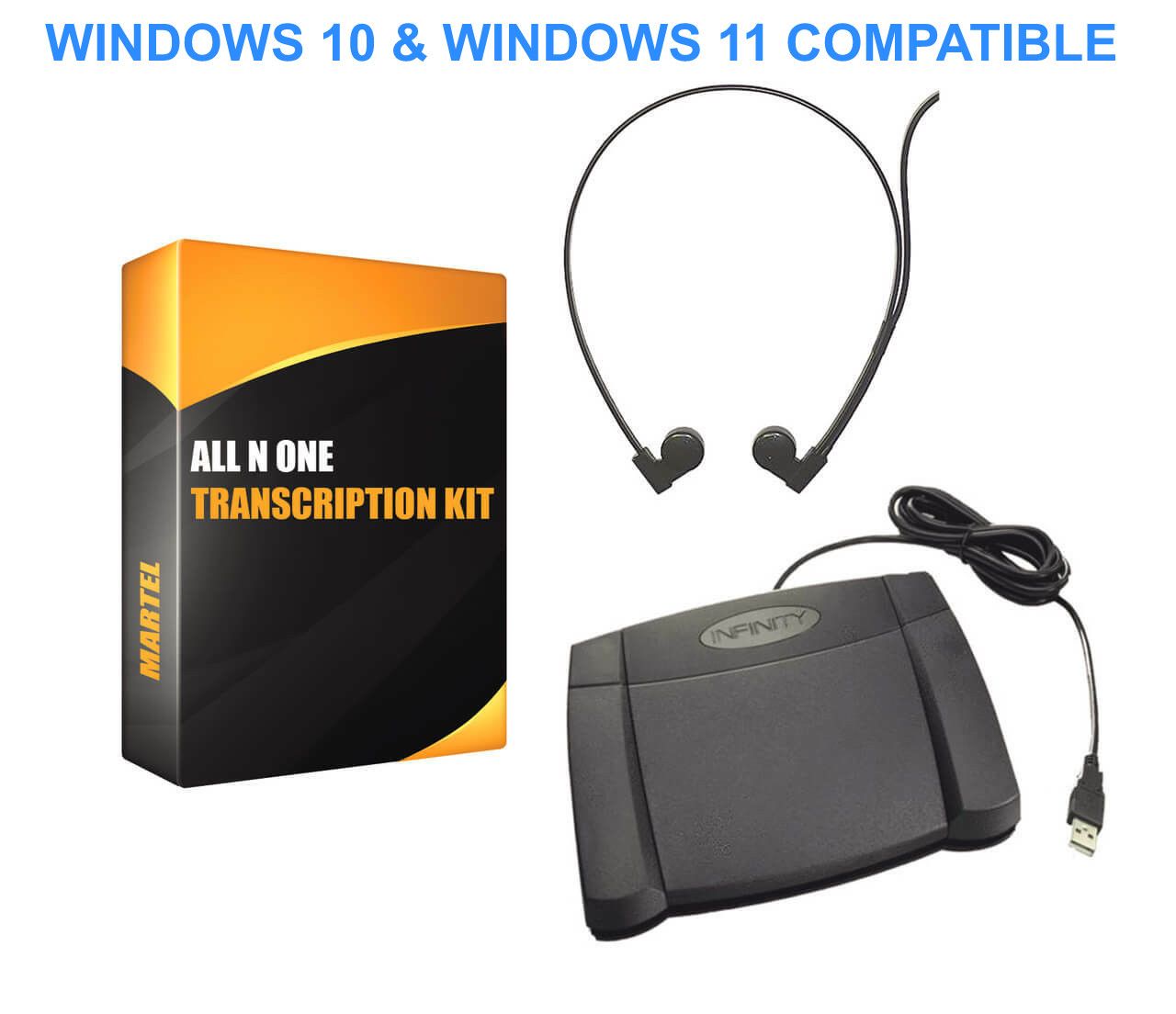
All N One computer transcription kit with USB foot pedal and headset, as pictured in Martel SKU 405
Martel catalog photograph. All N One computer transcription kit with USB foot pedal and headset, as pictured in Martel SKU 405. See the linked product page for the current supplied configuration.

Dragon speech recognition and recorder-and-secretary transcription solve different parts of document preparation. Dragon can turn supported speech input into a text draft. A recorder captures the author’s voice, while a secretary uses playback equipment to listen, interpret instructions and prepare the document. Either approach still needs correction and review before a legal office relies on the result.

The useful buying question is who should do the work between speaking and approving the final document. An attorney who wants to compose and correct directly on screen has different equipment needs from an attorney who wants to dictate an assignment and return to another task. Comparing those routines makes it easier to choose software, a microphone, a recorder or a complete transcription package.

This guide explains the choices without treating a recorder as an automatic typing machine. For the physical equipment overview, read the Dictaphone buying guide. For a complete author-and-secretary arrangement, compare the Martel recorder package guide.

Three workflows that buyers often group together

Live speech recognition

The author speaks into a supported microphone while software creates text in a supported application or dictation interface. The author can review the draft while the thought is fresh, but someone must manage corrections, formatting and the final destination. Compatibility includes the recognition edition, microphone, operating system and application receiving the text.

Recognition of a saved recording

The author records first and processes the audio later through an edition that supports recorded-file transcription. This adds requirements for the actual file format, recording settings and speaker handling. A product’s ability to dictate live does not automatically establish every recorded-file feature a buyer might need.

Human transcription from playback

The author records an assignment. The secretary listens through a player or dedicated playback arrangement, controls the audio with a compatible foot pedal where supported, and prepares the document. The pedal controls playback; it does not recognize speech. The secretary’s work may include applying a template, separating instructions from letter text and flagging ambiguity.

Working stepSpeech-recognition routeRecorder-and-secretary route
CaptureSupported live microphone or accepted recordingRecorder and an agreed delivery method
First text draftGenerated by the selected recognition systemPrepared by the person listening and typing
CorrectionsAssigned to the author or another reviewerHandled through listening, clarification and document revision
FormattingDepends on commands, templates and application supportApplied by the secretary using the office’s document tools
ApprovalRequires the responsible person’s reviewRequires the responsible person’s review

Choose who owns the first draft

Start with a typical letter. Does the attorney want to speak polished sentences and fix the text immediately? Or does the attorney want to include instructions such as “use our usual response template” and let the secretary assemble the document? These are different assignments. The preferred drafting style should shape the equipment purchase.

An author using live recognition benefits from distinguishing document text from commands and knowing where the cursor is. A secretary receiving recorded instructions needs clear boundaries between content, formatting directions and questions. In both cases, a stable routine reduces the number of decisions made after the author has moved on to other work.

A useful office rule identifies one owner for the first draft and one owner for approval. If both the attorney and secretary assume the other person corrected recognition errors, errors can survive into the reviewed-looking document. Put responsibility in the process, rather than assuming software or familiar equipment will make it obvious.

What the Martel recorder packages actually provide

The Lawyer Dictation Recorder + Free Secretary Transcriber, SKU 405, is a recorder-and-playback package. Its current listing includes the author’s recorder and docking equipment, together with transcription software, a USB foot control and a headset for the secretary. The presence of transcription software should not be interpreted as a promise that a Dragon license or automatic text generation is included.

The Dictaphone Machine, SKU 1843-2, describes a shared-recorder workflow. The lawyer records and hands the unit to the secretary, who uses the supplied cradle, foot pedal and headset to listen. Audio playback occurs without a computer player. The secretary may still type the document on a computer.

For either package, identify the supplied components from the current product page and confirm the intended installation with Martel. A speech-recognition layer is a separate purchasing and compatibility decision unless it is explicitly included. Do not infer a particular Dragon edition, file-import feature or operating-system approval from the word “transcription” in a package name.

Where live Dragon dictation can fit

Live recognition deserves consideration when the author wants to create text at a workstation and is prepared to review the result. Short correspondence, structured notes and repeated document patterns can be useful evaluation tasks because the office can compare the spoken instruction with a clearly defined final output. The actual benefit must be measured in your own working arrangement.

Choose the Dragon edition before deciding that a microphone or computer is suitable. Nuance’s Dragon Professional 16.1 documentation lists Windows operating systems, including Windows 11, for that product. This is an edition-specific statement. It does not establish native macOS support or support for every application, virtual desktop or processor configuration.

Test the destination application. Speak a short paragraph, move the insertion point, make a correction and save the file. If dictation works in one editor but not in the firm’s main document application, that difference is central to the buying decision. An extra transfer step may be acceptable, but it should be deliberate and included in the workflow test.

Also consider the author’s concentration. Some people prefer to compose uninterrupted and review later; others want immediate visual feedback. A technically functioning recognition system can still be a poor fit if its correction routine interrupts the way the author thinks through an assignment.

Where recorded dictation for a secretary can fit

A recorder-and-secretary arrangement can suit an author who wants to capture instructions away from the drafting computer, dictate several assignments in sequence, or delegate document assembly. The recording can include spelling, template directions, reference material and a request to return an unresolved point for clarification. The secretary needs a consistent way to recognize those instructions.

For example, an attorney might dictate a response paragraph, then say that an attachment should be added and a date verified before the draft is returned. A human transcription workflow can accommodate this assignment when the office has agreed how instructions are marked. The equipment still needs to preserve the audio clearly and deliver it to the right person.

Check the queue as carefully as the recorder. Who notices a new recording? How is urgency identified? How does the attorney know that a file was received? What tells the secretary that a revised recording replaces an earlier version? These questions become more important when multiple authors share one transcription station.

A shared physical recorder requires a schedule. If the secretary is using the only recorder for playback, the author cannot simultaneously use that same unit to capture another assignment. The no-PC one-versus-two recorder guide helps evaluate that constraint.

Can Dragon work with a handheld recorder?

Supported Dragon editions can process certain saved recordings, so a recorder and speech recognition can be parts of one workflow. The correct question is whether the exact edition accepts the actual audio produced by the recorder in the selected mode. File extension, audio settings and the speaker arrangement all matter.

For example, Nuance’s Dragon Legal 16 transcription documentation lists WAV, MP3, WMA, DSS, DS2 and M4A, with a minimum sampling rate of 16 kHz. That list belongs to that documentation and edition; it is not a blanket compatibility statement for every Dragon product or every file carrying one of those extensions. Check the requirements of the edition being purchased.

Ask for a disposable sample from the intended recorder and mode. Confirm that the receiving computer can access it, that the recognition application accepts it, and that the resulting text can be reviewed in the destination workflow. Keep the original audio separate from any converted copy. Changing a filename extension does not convert the recording.

Do not assume that a product described as a dictation recorder exports a particular file type unless its exact model documentation confirms it. The dictation file-format guide explains how to separate a familiar extension from a verified working handoff.

Use an original sample that exposes meaningful errors

A useful evaluation paragraph should resemble your work without containing real client material. Create a fictional matter name, a reference number, two different dates, a monetary amount and a sentence containing “not.” Include one correction and one formatting instruction. These elements help reveal errors that a smooth-looking paragraph can hide.

For instance, the sample could instruct the reviewer to change a fictional appointment from Tuesday to Thursday and retain an earlier date only as background. The purpose is to check whether the final document reflects the intended change. It is not a legal template, and the example should not be used as instructions for an actual matter.

Evaluate both the first draft and the reviewed draft. Record how much work was needed to identify an error, confirm the intended wording and fix it. A fast first draft can still require substantial review. Conversely, a slower initial process may be useful if it produces the structured assignment the office needs. Compare the complete task.

When a recognition draft is produced, check plausible substitutions as well as obvious misspellings. A correctly spelled word can be wrong in context. Names, dates, amounts, negation and instructions deserve deliberate attention regardless of whether the first text came from software or a typist.

A hybrid workflow needs explicit boundaries

Some offices may use recognition to generate a draft and a secretary to review it against the audio. This arrangement changes the secretary’s task from initial typing to correction and document preparation. It can be useful, but its success depends on clear access to the source recording, the draft and the author’s instructions.

Label the generated text as a draft until it has been reviewed. Decide whether the reviewer should preserve the author’s wording, apply the office’s formatting conventions, or flag unclear instructions. A recognition draft should not silently become the approved version because it arrived in a familiar document format.

Keep a simple relationship between the job identifier, recording and document. An illustrative naming pattern such as SAMPLE-024-audio and SAMPLE-024-draft helps staff understand the concept; the firm should use its own approved naming practice. The important point is that the reviewer can identify which audio belongs to which draft.

A hybrid process also needs an exception route. If recognition fails on a file or produces a poor draft, can the secretary still play the recording and finish the work? Plan this before relying on the arrangement for time-sensitive assignments. The backup should be a tested workflow, not merely possession of another device.

Measure the whole assignment, not just speaking speed

For a fair comparison, record several separate intervals: preparing the assignment, speaking, transferring the recording, producing the first draft, correcting it and approving it. Record waiting time separately from hands-on time. That prevents a short dictation session from hiding a long queue or a difficult correction stage.

Use the same fictional task and the same required final format. Include routine staff actions such as opening the template and locating the correct source file. Repeat the exercise after the users understand the controls, since a first attempt can mainly measure unfamiliarity rather than the equipment’s long-term fit.

This is a proposed evaluation method, not a claim that Martel has measured a particular time saving for your office. Avoid selecting a system from an unsupported percentage or an advertised words-per-minute figure. Your useful result is a repeatable process that produces a reviewed document with acceptable effort.

Budget for the complete route

A recognition route may require software licensing, a supported computer, a microphone, setup and user training. A recorder-and-secretary route may require the recorder, a receiving playback system, pedal, headset and appropriate software. A hybrid arrangement may use parts of both. Compare the supplied components and ongoing terms, not only the first hardware price.

Ask how additional users, a replacement computer and remote access affect licensing. If a service is part of the plan, confirm which features belong to the selected subscription and what happens when it expires. If a package is described as having no monthly equipment fees, do not extend that statement to separately purchased software or services.

Use the law-office dictation cost guide to list the initial system and optional additions. Keep items already owned separate from items that must be purchased. A realistic budget should leave room for the workflow your office actually intends to use.

Handle recordings and drafts deliberately

Before introducing real work, decide where audio and text are stored, who may access them and how they are handed to the next person. Local recording, removable media, a shared folder and a cloud service are different arrangements. None should be treated as automatically appropriate for every office merely because the equipment supports it.

A no-PC audio workflow changes the playback route, but it does not remove physical access, loss, backup or document-storage questions. A recognition service may involve processing beyond the recorder or workstation. Have the firm’s responsible staff evaluate the actual configuration against its existing requirements rather than relying on a product category as a security guarantee.

Use fictional recordings during installation and training. This lets staff learn deletion, correction and transfer behavior before the equipment holds material that matters. Keep the tested configuration recorded so a later software update or hardware replacement can be checked against the same process.

Separate spoken content from instructions to the reviewer

A recording can contain several kinds of speech: the words intended for the letter, punctuation, directions to the secretary, and a later correction. Establish a small, consistent vocabulary for those boundaries. For human transcription, the author might explicitly identify an instruction and then announce a return to the letter. The exact phrases should be agreed within the office and practiced with a fictional assignment.

For live recognition, use the commands supported by the chosen product and application. Do not assume that an informal instruction to a secretary will be interpreted as a software command. A phrase such as “put this on our usual letterhead” may be meaningful to a trained colleague while remaining ordinary dictated text to the recognition system.

Consider a fictional revision in which the author first says “the meeting is on Monday” and then changes it to Wednesday. The final document should contain the intended date, while the reviewer must understand which statement supersedes the other. Whether that is achieved by editing the audio, dictating an explicit correction or changing the text depends on the selected workflow.

Agree on how uncertainty is returned. A secretary should not have to guess which person, number or attachment the author intended. A recognition draft should not conceal uncertainty behind a plausible sentence. Give the reviewer an accepted way to flag the issue, and give the author a clear place to resolve it before approval.

Introduce the new routine with a small, controlled pilot

Choose one author, one reviewer and a limited set of fictional assignments before extending the setup across the office. Include a simple letter, a longer instruction with a correction and a task that requires a particular template. This creates useful variety without making the first evaluation depend on every exception the firm might encounter.

Have the participants record where they paused to ask what to do next. The observation may identify a training need, an unclear assignment convention or a missing equipment feature. Keep those causes separate. A user who cannot find the correct save action needs a different response from a workstation that cannot open the selected audio format.

After the fictional trial, decide which documented routine will be used for approved real work and who handles exceptions. Preserve access to unfinished assignments during the transition. Do not discard the previous working arrangement merely because a new program launches or a new recorder can capture sound.

Review the pilot against the office’s chosen requirements. Were instructions understood? Did the correct draft reach the right person? Could the reviewer find the source recording when needed? Did the author know what still required approval? Those questions produce a more useful purchasing conclusion than a general impression that the technology felt fast.

If the new approach is adopted, teach the complete process rather than only the device controls. A short written routine should cover creating the job, correcting it, handing it off, returning the draft and marking it complete. Keep the equipment and software versions with that routine so future changes can be evaluated deliberately.

Questions about Dragon and secretary transcription

Does buying a recorder-transcriber package include Dragon?

Only if the current package explicitly identifies the Dragon product and license. A playback program and foot pedal support human transcription without automatically including speech recognition. Confirm the exact software supplied before purchasing.

Can Dragon replace every secretary task?

Speech recognition creates text from supported speech input. Document assembly, checking references, handling attachments, resolving unclear instructions and obtaining approval remain separate tasks. Decide which of those tasks the office expects a person to perform.

Can I dictate away from the computer and use recognition later?

Yes, where the selected recognition edition supports recorded-file transcription and the recorder’s actual files meet its requirements. Verify this with a sample from the intended model and mode instead of assuming all dictation files are interchangeable.

Should I choose a microphone or a recorder first?

Choose the workflow and software requirements first. For live text, identify the recognition edition and target application. For later human transcription, identify the secretary’s playback arrangement. Then select the capture device that supports that route.

Which system should a small law office compare first?

Compare the Dictaphone Machine for shared no-PC audio playback and SKU 405 for a computer-based secretary station. Evaluate a supported Dragon workflow when the author wants speech-generated text. The best fit is the arrangement the office can complete, review and repeat reliably.

Original guidance by Martel Electronics. Product details checked October 28, 2026. Examples and suggested checks help you evaluate a workflow; they are not claims of completed laboratory testing. Confirm the current package, software version and required connections before ordering.

Martel Electronics

Martel Electronics | 11 hours ago

Dragon Speech Recognition vs. Recorder-and-Secretary Transcription

Decide who creates the first draft, who corrects it and what equipment each person needs.