Buying recording equipment
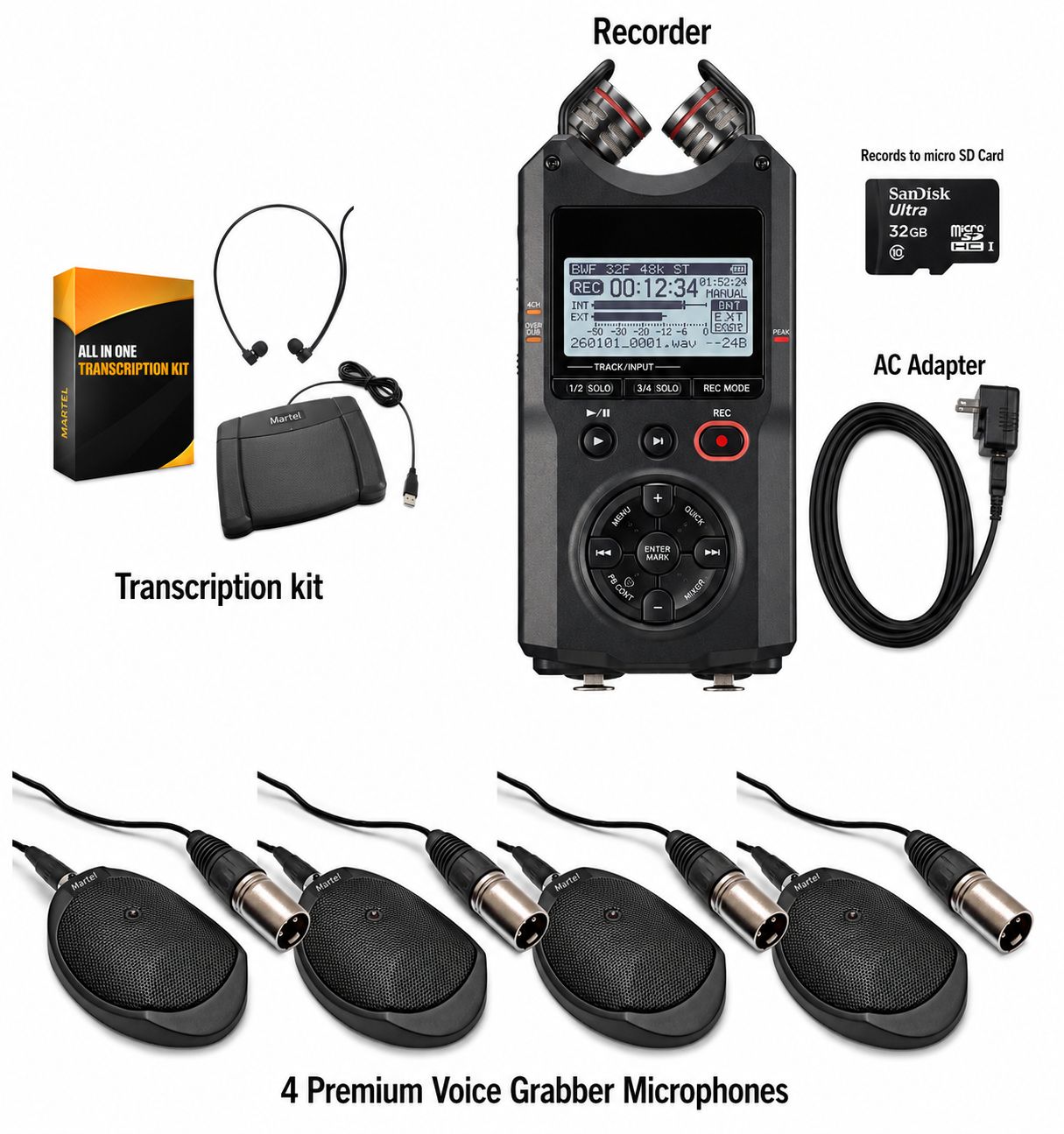
A meeting recorder and transcriber package should solve two different jobs: preserving what people say and making that recording practical to review afterward. The right purchase connects those jobs without leaving someone to discover missing software, an incompatible foot pedal or an unusable room recording after the meeting has finished.
Start by identifying who records, who prepares the document and where each person works. A clerk who listens through a pedal attached to a recorder needs a different arrangement from an assistant who opens audio files on a Windows computer. Both can produce useful written records. Neither arrangement automatically means speech recognition is included.
This guide concentrates on that complete handoff. For room and recorder selection before choosing the transcription station, begin with the meeting recorder buyer’s guide.
Define the document before choosing the equipment
Write a one-sentence description of the result you need. Examples include “an action list with the responsible person and deadline,” “minutes organized by agenda item,” or “a transcript that preserves the words spoken.” These are different editorial tasks, even when they begin with the same audio.
Minutes usually summarize the meeting according to the organization’s requirements. A transcript follows speech more closely. An automated draft requires checking and correction. A recorder preserves audio, while a foot pedal controls playback. Those distinctions tell you which features deserve attention and which promises do not answer your actual requirement.
Consider an illustrative purchasing request from a committee administrator: twelve people meet monthly, the administrator records the session, and a colleague prepares minutes the following morning. The equipment needs to capture all relevant seating positions, transfer or hand over the recording reliably, and let the colleague return to uncertain passages. A long advertised recording time alone does not demonstrate that workflow.
Agree in advance on the organization’s rules for recording notice, access, retention and approval of the written document. Equipment selection supports those procedures; owning a particular recorder does not establish that they have been satisfied.
Choose between recorder-based and computer-based playback
| Playback arrangement | What the operator does | What to confirm before buying |
|---|---|---|
| Pedal connected to a compatible recorder or dock | Listens to the recorder while creating the document separately | Exact recorder, dock, pedal connection and supported files |
| USB pedal with computer transcription software | Opens the recording in playback software and types in a document application | Operating system, software edition, license, pedal model and sample-file playback |
| Optional speech-recognition service | Submits supported audio, then checks the generated text | Separate service terms, data handling, format support and human review |
Recorder-based playback can simplify the listening station because audio does not depend on installing transcription software. It does not remove the need for a place to write the document. A computer may still be used for word processing, distribution and storage.
Computer-based playback makes a copied file available without physically handing over the recording unit. That can help when the meeting operator needs the recorder again while another person is still working. It also introduces software and computer requirements that must be checked as part of the package.
Choose by the actual handoff, rather than assuming that either approach is universally easier. Ask the eventual transcription operator to try the proposed controls. A familiar document application and comfortable playback routine can matter more in daily use than an unused feature list.
Compare two Martel package workflows
The Ultimate Meeting Recorder Package + Transcription Kit, SKU 1814, combines a recorder, four Voice Grabber microphones and computer transcription equipment. The listed All N One kit supplies playback software, a USB pedal and a headset for a compatible Windows computer. Its purpose is to let someone listen and type after recording.
The City Clerk Meeting Digital Recorder & Transcriber Package, SKU 1579, lists two Audio Grabber microphones, a recorder, dock, pedal and headset. Its recorder-based playback arrangement is a different choice for an office that wants pedal listening without computer playback software.
Use these as two starting configurations, then confirm the current supplied components and software requirements on the linked pages. Do not order from the microphone count alone. A room needing four pickup positions and an office needing recorder-based playback may require a configuration discussion rather than simply choosing the package with the larger number.
Make a connection map before comparing prices
Draw five boxes on a worksheet: speakers, microphones, recorder, playback station and document. Under each connection, write what carries the signal or file. This reveals the gaps hidden by a product title such as “complete transcription system.”
For example, the microphone-to-recorder connection may use a specific supplied cable arrangement. The recorder-to-computer handoff may involve removable media or a supported USB connection. The foot pedal may connect to the computer, while the headset connects to the selected audio output. Each connection has its own compatibility question.
- Identify the exact input and output used at every stage.
- List which adapters and cables are included, and which belong to existing equipment.
- Record the required power supply for each powered component.
- Identify whether the pedal works with the recorder, its dock or the computer software.
- Name the person responsible for moving and checking the files.
A plug that fits is not proof that the signal is appropriate. Microphone and line-level connections have different electrical expectations. A headset socket, a microphone socket and a combination headset connection can also serve different purposes. Use the documented connection arrangement instead of experimenting with adapters during an important meeting.
Microphone count is not the same as track count
Four microphones can improve the choice of pickup positions without producing four independently adjustable recording tracks. Depending on the mixer, wiring and recorder settings, several microphones may be combined before the file is written. A stereo file contains two channels, but that fact alone does not identify which microphones appear in each channel.
If you need to listen to one seating area independently, ask a precise question: “Will the saved recording let the transcriber hear this microphone separately from the others?” Request an example from the proposed configuration. “Multiple microphones” is not a sufficient answer.
Make the distinction concrete with a proposed test. Have one person speak from each pickup zone in turn, identifying the zone aloud. Open the resulting file in the intended playback arrangement and check what can actually be selected or balanced. Record the result on the purchasing worksheet.
Where isolated-channel review is a requirement, compare the complete recorder and playback workflow before committing to a package. Do not assume that ordinary stereo transcription software offers the same controls as a dedicated multichannel system.