A courtroom recording system can use a dedicated recorder or a computer running recording software. The Martel DM246 offers a standalone approach: it records four audio channels to SD or SDHC memory without a computer running the recording.
Standalone and computer-based courtroom recording
A computer-based system depends on compatible recording software, an audio interface, the operating system and the computer's configuration. A standalone recorder brings the recording controls and storage into one device. Either approach requires setup, testing, monitoring and a plan for protecting the files.
The choice should reflect the room, operator workflow, required channel count and how recordings are transferred for review. A dedicated recorder reduces dependence on a computer during capture, but it is not immune to power, microphone, storage or operator problems. Likewise, computer-based systems should be assessed on their actual capabilities and configuration rather than assumed to be unreliable.
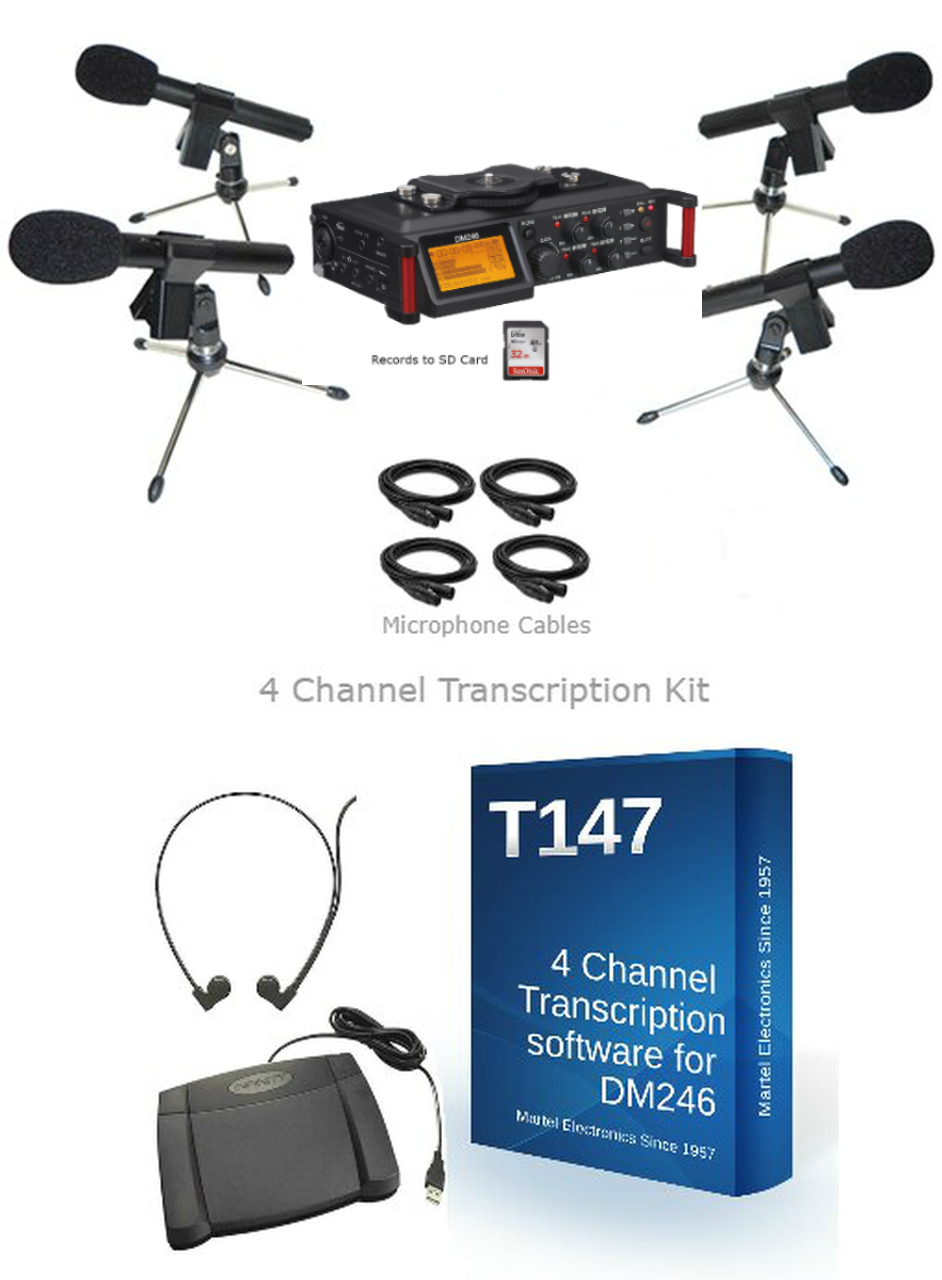
Four channels for courtroom microphones
The DM246 V2 four-channel courtroom recorder records separate tracks that can be reviewed individually using compatible playback tools. Microphones can be placed near the judge, witness and attorneys, with inputs assigned to the intended channels.
Listening to one channel may help focus on a particular microphone. It does not automatically separate overlapping voices recorded by the same microphone. Check the placement and recording level of every input and use headphones to monitor the signal.
Transcribing a DM246 recording
The T147 four-channel transcription kit supports the DM246 workflow and allows one or more channels to be selected during playback. A foot pedal controls playback while the transcriptionist types and verifies the record. The software does not remove the need for human review.
If you already have the appropriate accessories, review the T147 software and license option and confirm the current operating-system and foot-pedal requirements before ordering.
Choosing courtroom microphones
The uni-directional XLR courtroom microphone is one option for directing pickup toward a speaking position. The microphone pattern, distance, room acoustics and input settings all affect the result. A directional microphone can reduce sound arriving from some directions; it cannot guarantee that unwanted speech or room noise disappears.
Four-channel court recording software
For a computer-based workflow, the DM4 four-channel courtroom recording software and mixer provides an alternative to the standalone recorder. Its recording and transcription modes support multichannel audio through the compatible USB interface. Confirm current computer and software requirements, included hardware and licensing for the configuration you plan to use.
Plan the complete recording workflow
Before choosing a package, identify the microphone positions, channel assignments, recording duration, power arrangements, transcription tools and file-transfer process. Check current package contents and pricing on the product page. Make a test recording, listen to every channel and confirm the backup process before using the system for a proceeding.
Explore the Martel DM246 four uni-directional microphone and transcription package or call Martel Electronics at (800) 553-5536 for help matching a system to your room.