
Martel Video Transcriber Kit or Software Only: Choose the Right Setup
Compare Martel SKU 1515 with pedal and headset against SKU 1527 software with two licenses. Choose the setup that matches the equipment you already own.
Martel field guide · Research, education and interviews
Write video research notes that clearly distinguish spoken words, visible actions and interpretation, with timestamps that support later review.
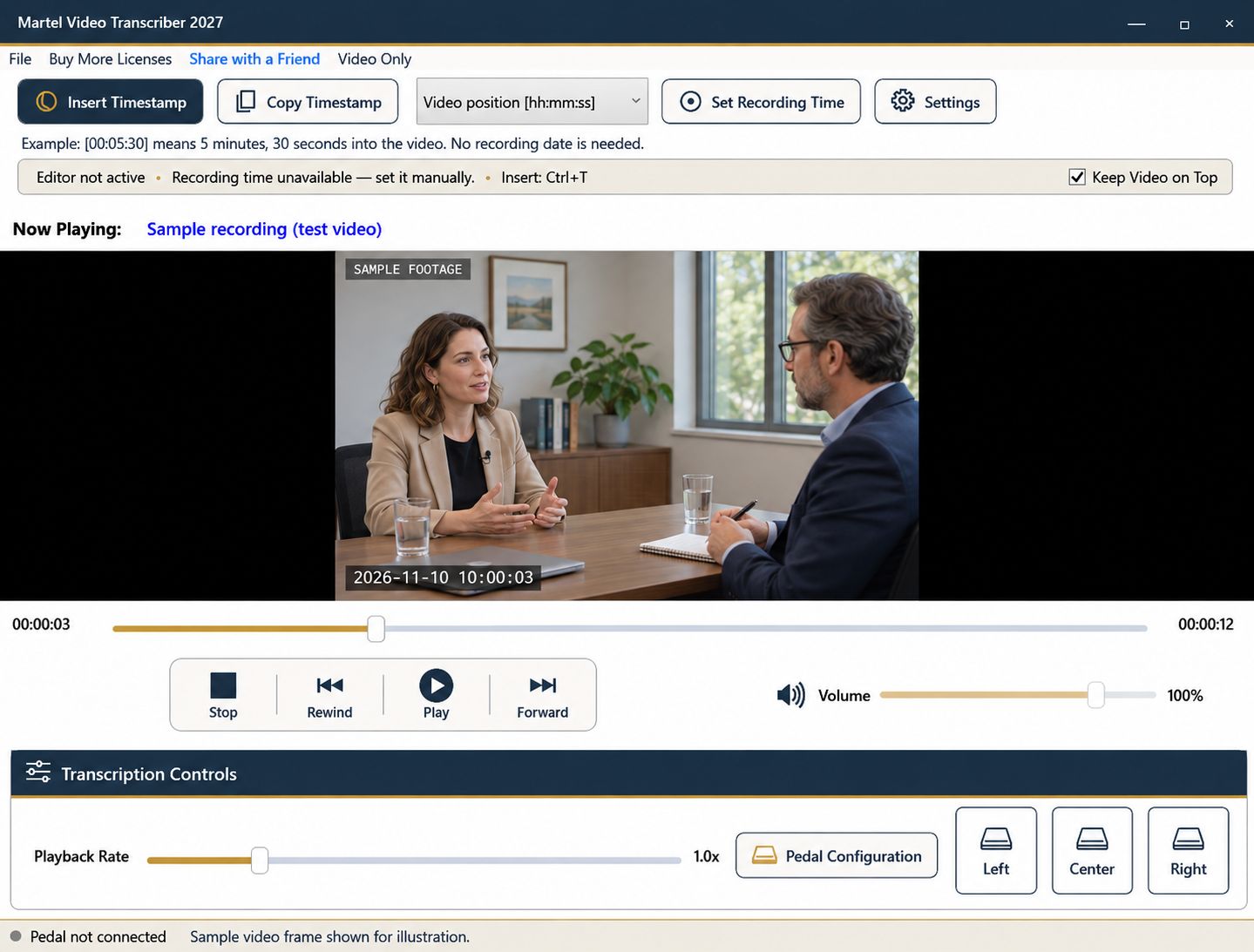
A video transcript can lose important meaning if it records only speech, but adding visual notes carelessly can create a different problem: interpretation starts to look like something the recording directly established. A clear notation system lets readers distinguish dialogue, observable actions, and the researcher's analysis.
Choose that system before detailed transcription. The required level of visual detail depends on the research question, not on how much you can fit into a paragraph.
Identify the kinds of events relevant to the project. A gesture toward a chart may matter when studying explanation, while movement between workstations may matter in an observational task. Unrelated visual details can make a transcript harder to use without adding analytical value.
Write a brief scope statement. For example, the notes might include actions that affect the meaning of speech and omit incidental movement. Apply the same rule across the session so different passages are comparable.
Keep spoken words in the transcript's normal dialogue style. Place observable actions in a clearly labeled note or separate column. Put interpretation in an analytical field that does not masquerade as either speech or direct observation.
“Participant points at the upper row” is different from “participant prefers the upper option.” The second may be a reasonable hypothesis, but the recording needs additional support before it becomes a conclusion. A timestamp makes the source inspectable; it does not remove the need for that distinction.
Use Martel's compact video window for general orientation, then enlarge it for gestures, objects, or on-screen text. Pause at the event and inspect what is actually visible. A low-resolution or obstructed image may not support the detail you hoped to capture.
Do not infer an off-camera action solely because it would explain the conversation. Record an audible sound or spoken reference as such, and keep the visual limitation explicit.
Use a deliberate timestamp for a brief action. If you press the insertion command after finishing a long note, the player may have moved beyond the event. Pause or seek to the intended reference point before inserting a marker that is meant to identify its onset.
For longer stretches, automatic intervals or paragraph markers can provide navigation. They do not detect gestures, align words, or determine the beginning and end of an observed behavior. Use the project's required method when precise event duration is part of the analysis.
Record the filename and camera or session identifier. Multiple views may show different information at apparently similar times. Establish any timing relationship between them independently; elapsed position zero in one file does not imply the same moment as zero in another.
If recording-clock values are useful, establish a known reference in Martel and explain it in the notes. Leave unknown zones or dates unspecified instead of borrowing the transcription computer's current time.
Review several notes with another reader or against the project's conventions. Can the reader tell what was heard, what was seen, and what was inferred? Can the referenced moment be found in the correct file?
Save the transcript and analytical notes through their own applications. Martel supports controlled media review and timestamp insertion; the research framework, coding, and interpretation remain part of the project's separate analytical process.
W3C distinguishes transcripts containing speech and meaningful sound from descriptive transcripts that also convey necessary visual information. An accessibility editor might add “[diagram labels the second stage as Review]” after checking the picture. An observational researcher or coach reviewing a teaching session might instead log the visible demonstration and keep interpretation separate. These are different deliverables. A timestamped document alone does not create captions, synchronized highlighting, a behavior-coding system or an accessibility-conformance determination.
Sources and further reading: W3C Web Accessibility Initiative: transcripts and visual information; Nielsen Norman Group: analyzing usability-test evidence. Sources explain professional tasks and editorial practice; the Martel workflow example is our own.
No. Label visible observations separately from spoken words, and keep interpretation in its own note style.
Record what is actually audible or visible and state the limitation. Do not infer an unseen action solely because it seems likely.
No. They follow the selected trigger. For a brief visual event, pause or seek to the intended point and insert a deliberate marker.
Use the research question and agreed notation to determine scope. Relevant observations help; incidental detail can obscure the purpose of the transcript.
Only after their timing relationship is established. Equal elapsed values in independently started files do not prove simultaneous events.
Write video research notes that clearly distinguish spoken words, visible actions and interpretation, with timestamps that support later review.


