
Martel Video Transcriber Kit or Software Only: Choose the Right Setup
Compare Martel SKU 1515 with pedal and headset against SKU 1527 software with two licenses. Choose the setup that matches the equipment you already own.
Martel field guide · Research, education and interviews
Create a timed usability-review log that separates user speech, visible screen actions and researcher interpretation using video-position references.
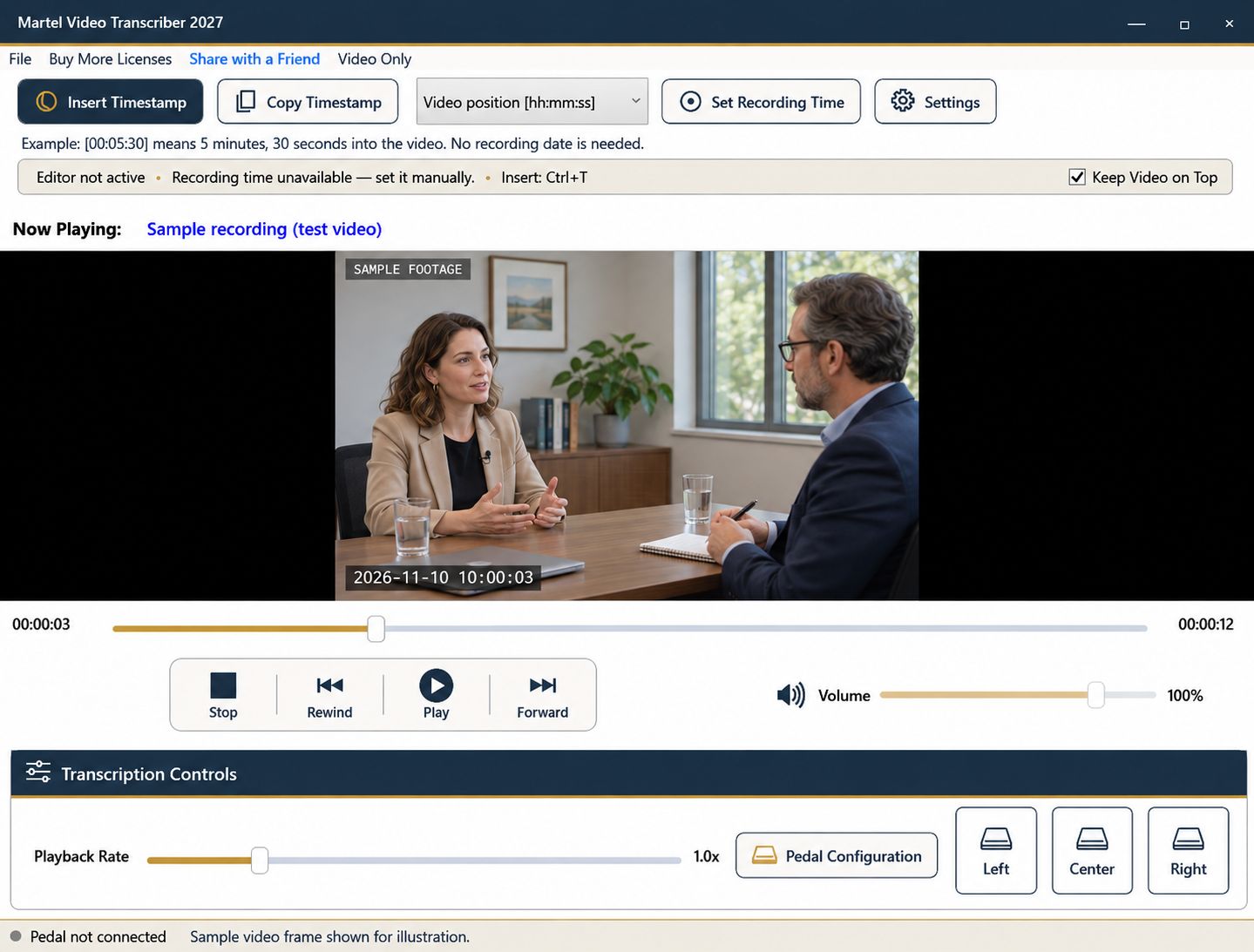
A usability recording may contain a screen, a participant's voice, and a camera view of the person. A useful event log brings those streams together without confusing observation with interpretation. The aim is to help a researcher revisit a moment and understand what the recording actually shows.
Martel can play the video while you write in a document, control review with a pedal, and insert elapsed timestamps. It does not automatically detect clicks, identify interface elements, or analyze user behavior.
Use fields for video position, task, observed action, spoken words, and researcher notes. Keep the source filename and session identifier at the top. If the study uses participant codes, use those approved codes consistently rather than adding personal details unnecessarily.
Separate observation from inference. “Participant opens the menu twice” describes a visible action. “Participant is confused” is an interpretation that needs supporting context. Recording both in different fields makes later analysis easier to audit.
On an initial pass, mark where each task begins and ends. Note interruptions, facilitator assistance, or technical problems that affect the session. These boundaries let you review a specific task without repeatedly searching the whole recording.
Use a deliberate timestamp at the start of an important action. A fixed interval is helpful for broad navigation but may fall between the events you actually want to compare.
Video Only mode can sit beside the event log, but screen recordings often need a larger picture than interviews. Enlarge the player when you must read labels, errors, or small controls. Pause before describing an element that is too small or too brief to identify confidently.
If a menu label is unreadable, describe the observable action without inventing the label. The recorded screen may omit a cursor or show only part of an application, so explain those limitations where they affect the log.
First capture the participant's spoken explanation, then replay the same segment to note visible actions. This can reduce the temptation to infer an action from what the person said they intended to do. Compare the two streams only after each has been recorded accurately.
A foot pedal makes repeated short passes more comfortable because you can rewind while keeping the cursor in the log. Changing playback speed does not change the underlying elapsed timestamp, but return to normal speed when judging the natural pace of an interaction.
Second-based timestamps are useful navigation markers. They are not frame-accurate event instrumentation or an automatic measurement of every click. If the study requires precise interaction latency, use the study's validated measurement method alongside the review log.
When several screen recordings are combined, identify each source and its timeline. A trimmed or edited export can change elapsed positions, so use the same version for logging and later analysis.
Choose a few events and navigate from the log back to the recording. Confirm that the action, quoted words, and interpretation remain distinguishable. Save the log through your document program and keep any unresolved observation notes visible for the research team rather than silently converting them into conclusions.
Nielsen Norman Group recommends checking observations and quotations against the research question and the evidence. In an illustrative test log, write “00:06:25 | checkout task | opens Help panel | says ‘Where is delivery?’” and place your explanation in another field. A UX researcher, product designer or research-operations assistant can replay that event before assigning a finding. The visible action and spoken question provide reviewable evidence; they do not automatically prove why the participant acted.
Sources and further reading: Nielsen Norman Group: analyzing usability-test evidence. Sources explain professional tasks and editorial practice; the Martel workflow example is our own.
No. You observe the recording and enter the event log. Timestamps help locate the events you identify.
They are useful navigation references, not validated frame-accurate instrumentation. Use the study’s required measurement method for precise latency claims.
Use different fields or note styles for visible actions, spoken words and analytical comments. Retain the source timestamp for each relevant observation.
Enlarge and pause the recording. If it remains unreadable, describe only the observable action and flag the label for verification.
Keep them separate. What a participant says they will do may differ from the action visible in the recording.
Create a timed usability-review log that separates user speech, visible screen actions and researcher interpretation using video-position references.


