
Martel Video Transcriber Kit or Software Only: Choose the Right Setup
Compare Martel SKU 1515 with pedal and headset against SKU 1527 software with two licenses. Choose the setup that matches the equipment you already own.
Martel field guide · Research, education and interviews
Use video, repeat playback and clear timestamp notes to review focus-group speaker changes and overlapping speech without inventing attribution.
Focus-group transcription becomes difficult when participants answer together, interrupt, or respond with short acknowledgments. Video provides additional context, but it does not automatically solve speaker attribution. The visible participant is not always the person whose voice is clearest in the recording.
A useful workflow separates the first identification pass from detailed wording and final review. Martel supplies playback control and text timestamps; you supply the listening, labeling, and interpretation required by the research project.
Before transcribing, agree on participant labels, overlap notation, uncertainty markers, and the level of verbatim detail. Decide whether laughter, pauses, gestures, or group reactions matter to the study. Keep participant identifiers consistent with the project's approved records.
Use the same label throughout the transcript even when the camera changes angle. If an identity is uncertain, retain a neutral placeholder until it is verified. Do not turn a guess into a permanent label because it makes the page easier to read.
Watch a short section at normal speed and note the sequence of turns. Identify the moderator's question and the first response before focusing on overlapping details. Insert a timestamp at a difficult exchange so you can return without searching the whole recording.
When participants talk at once, listen for the beginning and end of each audible contribution. Replaying a smaller segment can help, but keep enough surrounding context to avoid attributing a fragment to the wrong turn.
Enlarge the video when mouth movement, seating position, or a gesture may help attribution. Treat those cues cautiously when the picture is delayed, the speaker is out of frame, or the camera switches views. A participant nodding on screen is not proof that the same person made an audible acknowledgment.
Separate visible actions from spoken text. A note such as [several participants laugh] is an observation; it should not be formatted as a quotation by a specific participant without supporting evidence.
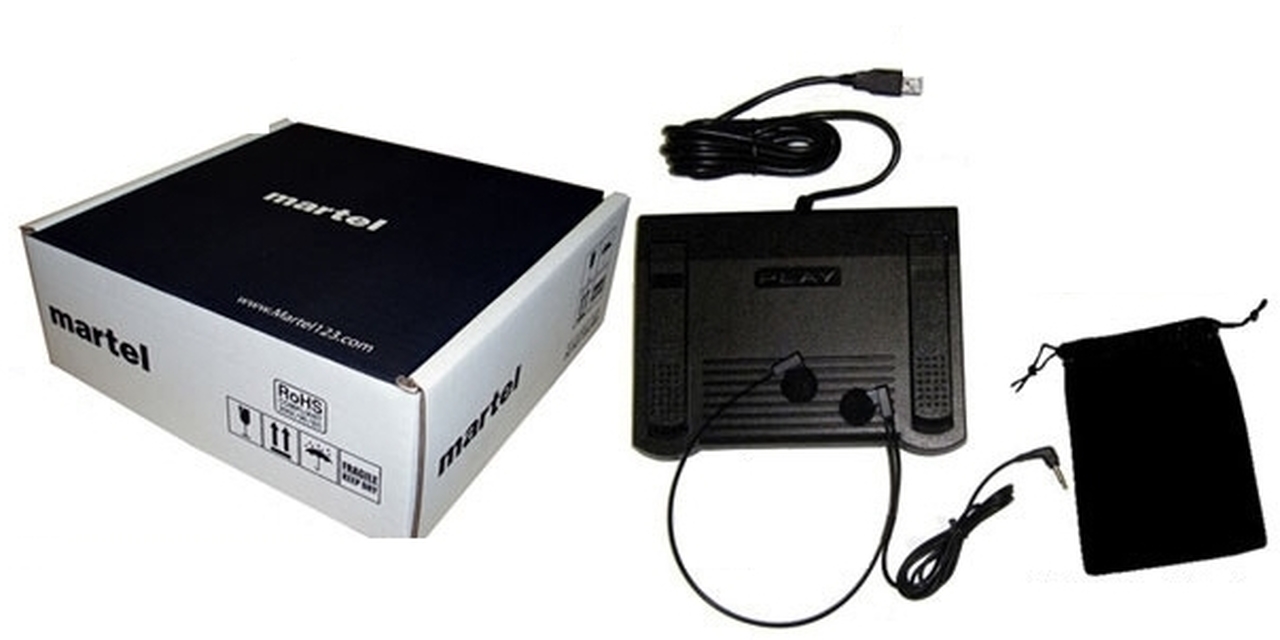
Use pedal playback and short rewind steps to review a passage while keeping your hands near the document. Slower playback can aid difficult listening, but compare the result at normal speed before finalizing it. Altered pace can change your impression of pauses and turn-taking.
Timestamps remain tied to media position when speed changes. A marker at 00:12:30 still identifies that point in the video, regardless of how long you spent reviewing it.
Automatic paragraph timestamps can suit a transcript where each Enter starts a new speaker turn. Fixed intervals may help a longer continuous discussion. For an unresolved overlap, add a deliberate marker and a concise review note rather than assuming the automatic convention identifies the exact onset.
Include the source filename and timing basis in the header. If the group recording is split into several files, label each transition and retain separate elapsed references.
After reasonable review, some overlapping words may remain unclear. Preserve that limitation using the agreed notation. Do not combine plausible fragments into a fluent sentence that no participant actually spoke.
Save the transcript separately from the player, and follow the study's consent, access, and handling requirements. Martel helps navigate the recording; it does not provide participant identification, qualitative coding, or automatic speech recognition.
A graduate researcher, market-research transcriber or authorized clinical-study assistant may need to distinguish Participant 2’s answer from several overlapping acknowledgments. Create a review entry at the overlap, retain the study’s participant codes, and mark which words remain unresolved. An uncertainty label is more useful than merging fragments into a polished quotation. The examples here concern transcription and review; participant consent, access decisions, analysis methods and any clinical interpretation remain with the study team.
Sources and further reading: UK Data Service: preparing research files for reuse; W3C Web Accessibility Initiative: accurate transcription. Sources explain professional tasks and editorial practice; the Martel workflow example is our own.
No. Participants may be off camera, the view may switch, and several voices may overlap. Treat the picture as supporting information.
Yes, when you intentionally start each turn with Enter in a supported document. The software does not detect the speaker change itself.
No. It supports manual playback and timestamp insertion. Coding, analysis and interpretation remain in the project’s chosen research workflow.
No. Preserve uncertainty according to the study’s notation. Combining plausible fragments can create words no participant actually spoke.
The timestamp follows media position. Slower or faster listening changes review time, not the reference point in the file.
Use video, repeat playback and clear timestamp notes to review focus-group speaker changes and overlapping speech without inventing attribution.


