
Martel Video Transcriber Kit or Software Only: Choose the Right Setup
Compare Martel SKU 1515 with pedal and headset against SKU 1527 software with two licenses. Choose the setup that matches the equipment you already own.
Martel field guide · Timestamp essentials
Understand elapsed video timestamps, a verified recording clock and frame timecode before choosing a format for your transcript or review notes.
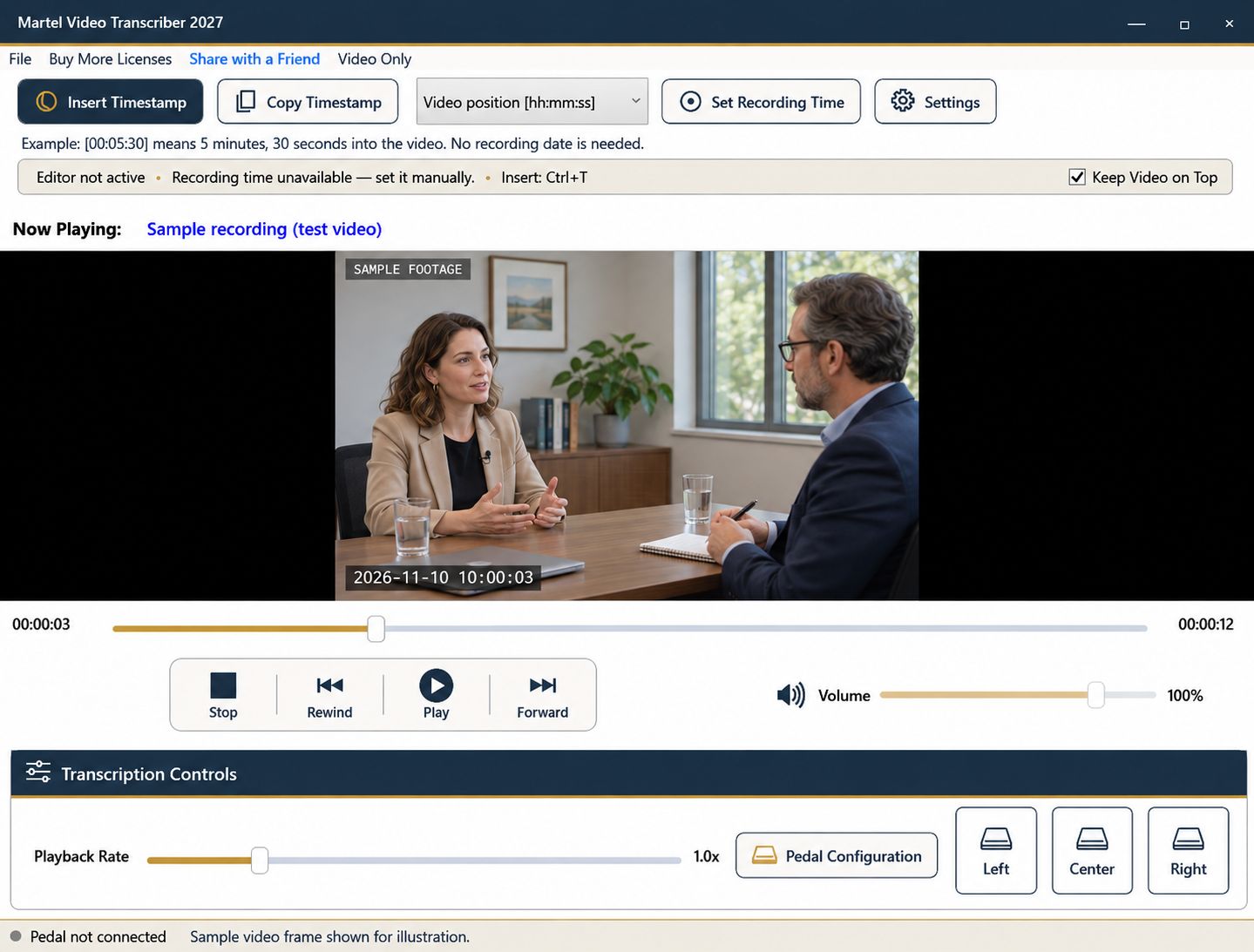
The word timestamp can describe several different things. Before choosing a format, decide what your reader must do with it: locate a passage in one file, understand when an event occurred, or identify an individual video frame. Those tasks require different information.
Martel Video Transcriber is designed for manual transcription and review. Its elapsed timestamps follow the player's actual media position. Recording-clock timestamps use a reference you establish with Set Recording Time. The application does not offer frame-timecode insertion.
A value such as [Video 00:05:30] means five minutes and thirty seconds from the beginning of the loaded media. The shorter video-position style can appear as [00:05:30]. State the convention once in your transcript header so readers do not mistake it for a clock time.
Elapsed position is usually the simplest choice when you and the reviewer have the same recording. It keeps working when no recording date is available. At half speed, reaching that position takes longer in real life, but the timestamp still identifies 00:05:30 in the video. Pausing to type does not add minutes to it.
The limitation is file identity. Five minutes into a trimmed export may show a different scene from five minutes into the original. Pair elapsed timestamps with an exact source filename or other agreed identifier.
A recording-clock value needs a trustworthy starting reference. In Martel, pause at a known point, enter the date and time corresponding to that point, and save it. Later timestamps advance by the change in media position.
If the first frame corresponds to 12:10 a.m., the point five minutes and thirty seconds into the video corresponds to 12:15:30 a.m. on that recording date. Your computer's present time is irrelevant. If a time zone is unknown, label it unspecified instead of silently assuming your own.
This method also needs continuity. A cut that removes ten minutes breaks a simple clock offset after the cut. For that segment, establish a new known reference and explain the change in your notes.
A combined format gives the reader a place to navigate and an event clock to interpret. It is helpful for interview review, multisegment case notes, or a handoff to someone who did not set up the timing reference. The two values do different jobs, so retain the filename and reference explanation even when both appear.
For example, a note could associate video position 00:05:30 with a verified recording clock of 00:15:30. A reviewer can navigate using the first value and compare the second with a separate event log.
Production systems may identify frames using a timecode that includes a frame component and rules specific to the media. Do not treat a seconds-based transcript marker as a frame-accurate edit instruction. Martel's current timestamp controls do not read or insert embedded SMPTE/frame timecode, and they do not automatically extract a camera recording date.
If a project specifies frame-accurate production deliverables, choose a tool and workflow that explicitly support that requirement. A readable transcript with useful elapsed markers remains valuable, but it is a different deliverable.
Use video position for ordinary navigation; add recording time when you have verified its reference. Keep computer date/time separate if you need to note when your own work occurred. Before processing a long recording, insert one sample and ask whether someone receiving only the document could correctly interpret every part of it.
A legal reviewer locating an exchange can use elapsed seconds and a filename. A documentary assistant can use the same convention for a rough interview log, but must supply a separate production timecode workflow if an editor requests frame addresses. A researcher comparing dates needs a documented recording-clock reference. Ask the recipient for a sample of the expected notation before transcribing a long assignment; an attractive timestamp is useful only if the recipient understands its basis.
Sources and further reading: U.S. Bureau of Labor Statistics: film and video editors. Sources explain professional tasks and editorial practice; the Martel workflow example is our own.
No. In a video-position format it means five minutes and thirty seconds from the beginning of that file. State the convention in the transcript.
The current timestamp feature does not read or insert embedded SMPTE/frame timecode. It supports elapsed position and a manually established recording-clock reference.
Use both when a reviewer needs to navigate the file and interpret a verified event clock. Include the source filename and reference explanation as well.
Not by assumption. Creation, modification, download and export dates can describe file handling rather than the recorded event.
Martel inserts timestamp text. The text does not automatically create a linked-media document or a hosted video chapter.
Understand elapsed video timestamps, a verified recording clock and frame timecode before choosing a format for your transcript or review notes.


