Can a Court Reporter Open Timestamped Review Notes on a Second Computer?
Move a practice video and three timestamped review notes to another Windows 11 computer. Check each note against the same frame, exchange, and source version.
A timestamp pasted into a document can travel to another computer while the location it describes becomes impossible to find. The receiver needs the same underlying video, a clear description of the time being displayed, and a note that still points to the intended event. To test the handoff, give a second Windows 11 workstation one mock video and three notes. Ask the recipient to find each moment and report what happens there without seeing the answer key. This test distinguishes a readable time value from a working connection to the correct evidence.
Choose what you mean by opening the note
A court reporter may want to open a document and read a time beside a question. A scopist may expect to enter that time in a separate player and hear the answer. Another reviewer may expect to click the time and have the correct video open automatically. These are different requirements. Write down which one the receiving person needs before you transfer anything. A document containing an elapsed position can meet the first two needs with ordinary text, even when it supplies no clickable connection to a media file.
For the exercise, define a successful handoff in observable terms. The recipient will open the approved practice document, identify the recording named at its top, load the same video in a compatible player and find the three designated events. If your workflow includes a supported clickable link, test that as an additional feature on the receiving computer. Preserve the ordinary time text and event descriptions so you can still diagnose a failed link. Clicking successfully is not a substitute for confirming where the link landed.
Start with a simple index outside any live case. Give one person the sender's role and one the recipient's role. Each should use the Windows account and approved file-opening method that resembles the intended work. Testing twice on the same computer, with the same media already open, can validate the notes themselves. A second computer tests an additional question about paths, access, playback support and whether another person can interpret the references you wrote.
Make one video whose three events cannot be confused
Place three sheets on a desk. On the first draw a small arch inside a square. On the second draw a narrow stair with a missing middle step. On the third draw an open circle and place a separate black dot outside it. Film a short volunteer explanation of the three sheets in order. Have the speaker make distinct physical actions. They can trace the arch, tap the missing middle step and move the dot from outside to inside the circle. Provide enough ordinary speech before and after each event to make a meaningful seek possible.
Give each event its own question. Which outline surrounds the first arch? Which step was missing before the speaker added it? Where did the loose dot finish? Do not put the answers in the note file the receiver will use. The purpose is to make three different moments checkable from the media. A note that says only diagram shown could describe almost any point in this clip. A question about the final location of the dot sends the reviewer to a specific part without telling them what to report.
Use an approved file format the receiving installation can open. Keep the camera's original test recording untouched while you prepare working copies. Assign the complete practice clip an identifier such as Steps-Full-A. If you later create a shortened variant, give it a clearly different identifier. Record the file name and total displayed duration for each. A colleague who gets only a file called final may have no practical way to know which version a timestamp was measured against.
Select a time basis before inserting a timestamp
For this exercise, elapsed video position supplies a simple common reference. Time zero means the beginning of the loaded file. A timestamp one minute into the clip describes a position measured from that beginning, regardless of the wall clock on the sender's or receiver's desk. Include a header in your notes stating that the values are elapsed file positions. Indicate the order of hours, minutes and seconds. A short notation such as 02:15 means different things to readers who have not agreed on the format.
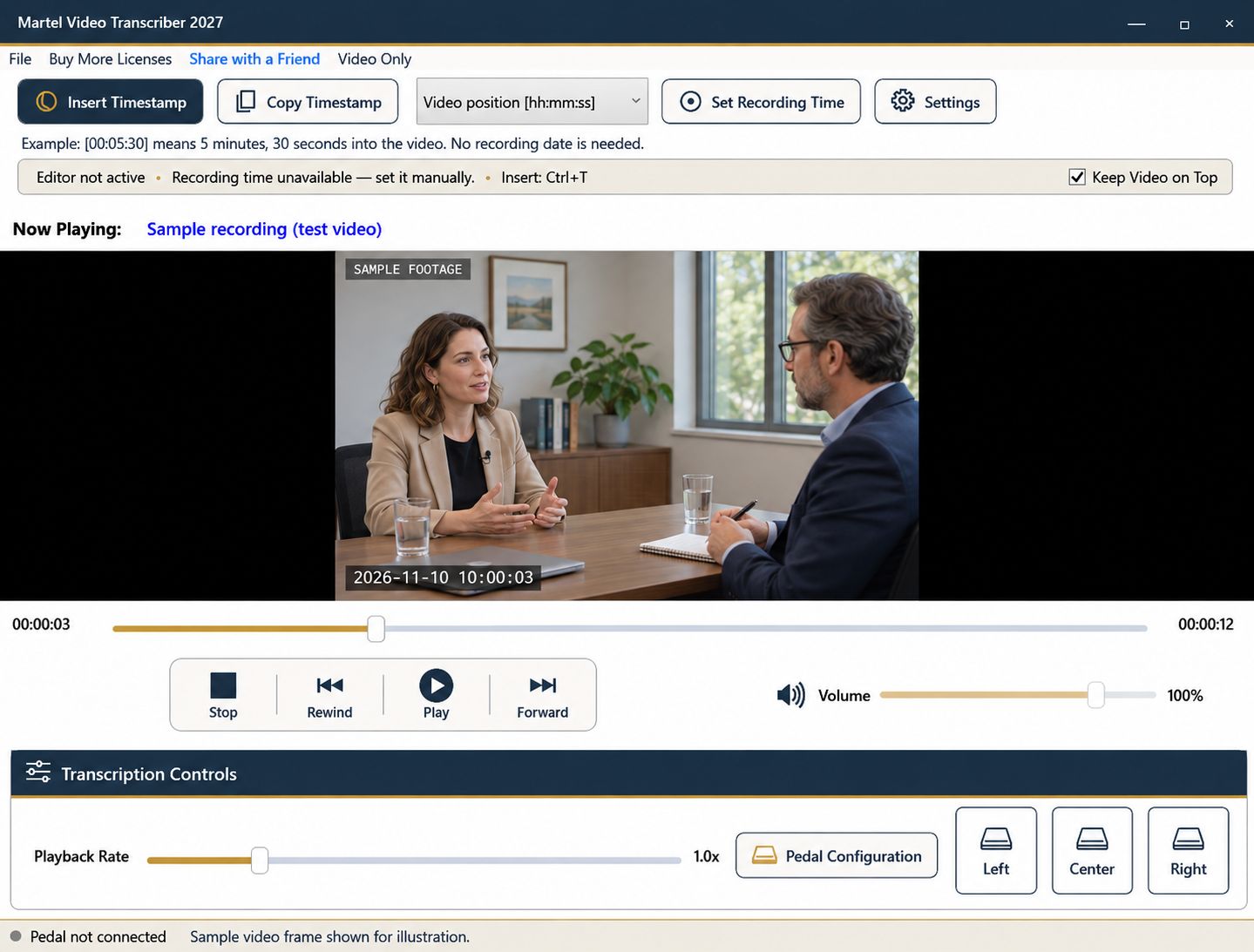
Martel Video Transcription Software with Timestamps, SKU 1527, offers elapsed video position and options involving a recording clock. Its current product description explains that a recording-time value requires a verified reference to be entered. The player's displayed time is not automatically extracted camera timecode. Where the assignment requires a recording clock or a time-zone qualification, establish that requirement and source separately. A Windows clock showing the moment the scopist typed a note has no authority to supply missing camera information.
With the mock diagram clip, begin with elapsed positions alone. Only after all three moments travel successfully should you add any recording-clock exercise. If you choose to practice both, give them different column headings. Include the corresponding elapsed position beside the clock value and describe how the clock reference was obtained. On the second computer, check whether the information required to reproduce that clock display was transferred or needs to be entered separately. A numeric timestamp in a document can survive the move even when a player preference does not.
Make each note carry a source, an event and a boundary
In the first note, identify Steps-Full-A and mark the beginning of the volunteer's explanation of the arch. In the second, mark the moment before the volunteer taps the missing stair. In the third, mark the end of the statement about moving the dot. These different boundaries teach the reader to distinguish the time a question begins from the time the relevant action ends. Without that distinction, two people can correctly identify the same event and still disagree about which seconds the note should contain.
Include enough surrounding language for recovery if the reader's seek lands a little earlier or later. You might write that the second marker falls after a question about repairing the drawing, before the volunteer names the middle step. A marker containing only an isolated number is hard to audit. A marker followed by a complete transcription of the answer, on the other hand, can let a trainee guess what happened without opening the recording. For the practice handoff, preserve the distinction between a location cue and the separate answer key.
Insert the first timestamp with the normal documented control, letting the player read the actual position. Use a separate supported copy or manual note route for one of the remaining markers if those methods are relevant to your office. The product page describes a configurable insert shortcut and a Copy Timestamp command. Observe where the text arrived. A timestamp can be numerically correct yet inserted into the wrong open document. Save the working notes and reopen them on the sender's machine before preparing the packet.
Put the receiver in the same editorial situation
People reviewing a recording often see several relevant files at once. For the first handoff, use a clean working folder with only the authorized source copy and the notes. Name each plainly. The note file should identify both the approved recording and its own version. If you include viewing instructions, keep them short enough that the reviewer can follow them while working. A photograph of the sender's screen cannot replace the recording the recipient must open to verify a moment.
Write a one-line assignment. Ask the recipient to find all three notes, identify the event type at each, and mark whether the requested word or visual detail occurs before, at or after the inserted time. This last distinction catches a note that points into the right minute but misses the actual transition. Explain whether the task requires locating a spoken word, a physical action, or the order of two events. A word and a gesture may occur at different moments even though a reporter naturally describes them in one sentence.
Do the exercise with a colleague who has never seen the mock video if possible. An experienced sender may recognize the final frame and confidently move to the correct scene despite a faulty timestamp. An unfamiliar receiver will expose information missing from the note. If you must work alone, put the answer key out of view, close both applications and open the transferred copies through the receiving workstation's usual route. Identify what the test did and did not establish about another person's understanding.
Transfer through an approved route and inspect what arrived
Before copying, identify who is permitted to receive the video and the notes. Mock material avoids transporting case information while you establish a repeatable method. Use the office's approved transfer and storage procedure. Keep the source copy and the working note separate from temporary exports or an earlier editing experiment. The recipient should receive each file expected for the test, with the permissions needed to open it. A shared link that opens at the sender's desk may fail under the recipient's account.
Have the recipient inspect the destination folder before opening any recent items. Is the expected media present? Does the file name distinguish the full version? Does the document show the revised three notes when opened normally? If the transfer service changes a name, record the original and received names in the test log. Changing a name does not by itself change the time basis. Receiving a different cut that happens to have the same name is a much more consequential problem.
An index can include the expected duration and the first or last distinctive event. Use those facts to diagnose a possible discrepancy without treating them as proof of exact file identity. Two edits can have the same duration. Where exact bit-level identity matters, follow the approved verification procedure used by your office, then perform the editorial location test as well. An exact copy can still open with the wrong clock display or be paired with the wrong notes.
Run the three checks at the receiving Windows 11 desk
Open the transferred video from its actual receiving location. Play a few seconds at the beginning and note which recording the player says is open. Open the submitted notes, then visit the first elapsed time. Ask the receiver for the shape surrounding the arch and whether the explanation has begun. Keep the response separate from the answer key. A statement such as first scene found leaves too much room for a lucky choice. A precise description of what happens at the marked boundary is much stronger.
For the second note, seek from a different part of the recording. Confirm the displayed position and play through the movement rather than relying on a single still frame to identify a missing word. For the third note, approach it after opening the second file that your office normally keeps open, such as the working transcript. This tests the ordinary focus and file-selection habits of the review desk. It may reveal that keyboard commands go to the player only after it is selected or that typing lands in a different document.
Record the outcome per note. A match at the first and third with a mismatch in the middle calls for a different investigation from an equal shift at all three. Ask where the receiver landed and what was observed, then compare both with the sender's reference. Avoid simply allowing the sender to dictate the correct time while the recipient follows along. That can finish today's mock task while concealing why the original handoff failed.