TIME IS RUNNING OUT FOR 2026 TAX WRITE-OFFS

Do Audio Bookmarks Still Find the Right Answer After You Insert Transcript Text?

Check three audio bookmarks before and after editing a CAT job. Distinguish a shifted text line, an incorrect media file and a genuine timing mismatch.
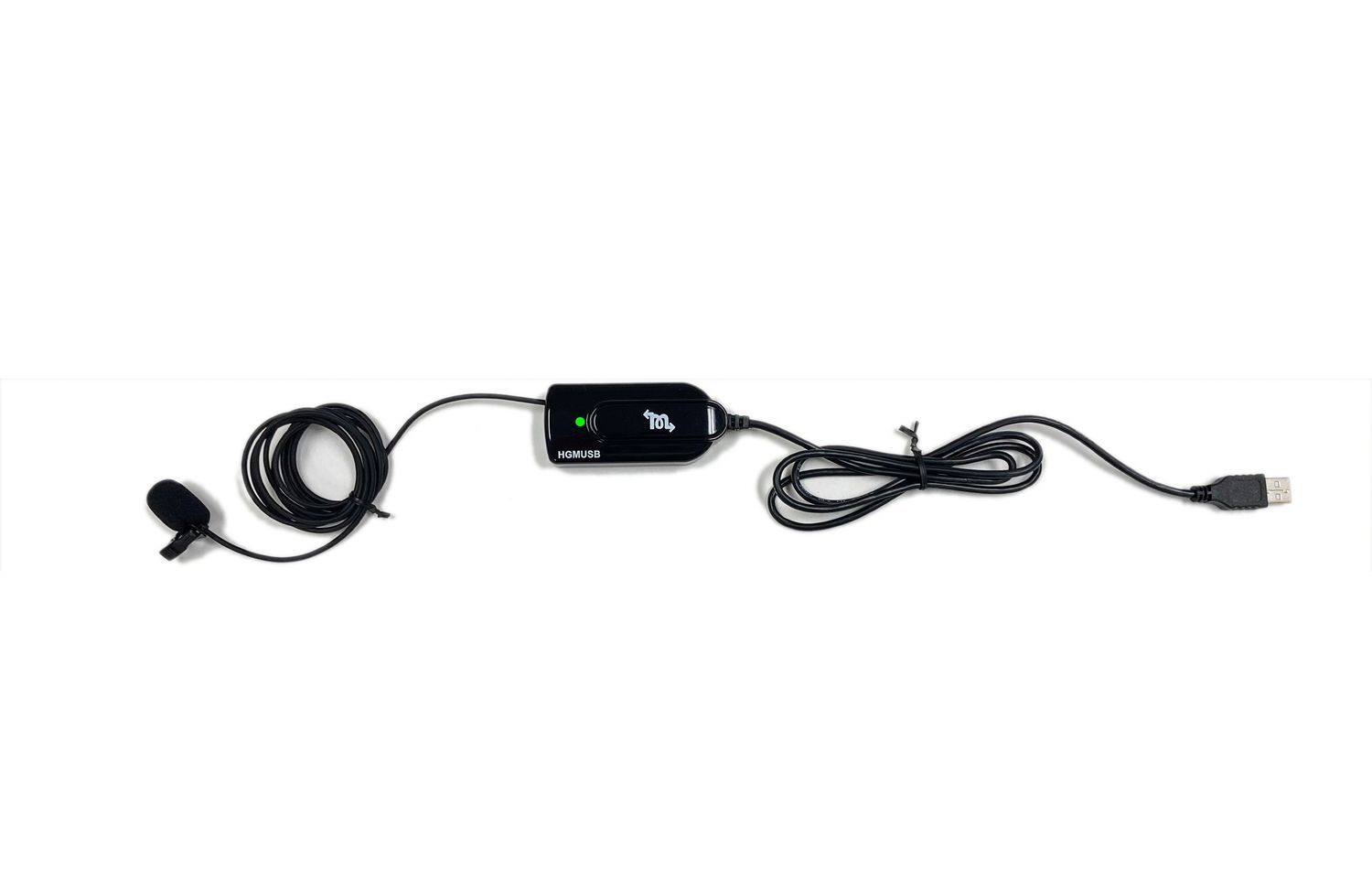
HGM-USB microphone with its USB interface and connecting cables
HGM-USB Elite court reporter microphone. View Martel’s product details for SKU 1277.

A new paragraph can push an answer down the page without changing when it was spoken. Whether the reporter’s audio bookmark still finds that answer depends on what the software marked, what the edit changed and which recording the reopened job uses. Test the relationship with three short, distinctive answers in a practice job. Play from each before editing, insert text near the beginning, and use the same controls to return to each one. If an answer moved on the screen but its spoken words are still easy to find, the change may be entirely visual. A bookmark that now plays a different exchange deserves closer examination before anyone relies on it.

Identify the thing you call a bookmark

Reporters use the same word for several different conveniences. One person bookmarks an elapsed position in a media player. Another places a mark in a writer’s notes. A third goes to a location in edited text and uses a CAT playback command. A fourth puts a comment beside an uncertain answer for a scopist. These may all support the same review task, but they are different objects. Write down the control you use to create the mark and the one you use to return to it.

Try the mark with the recording stopped. Does selecting it move the text cursor, move a playback indicator, select a word in a transcript viewer or open a list of notes? Does sound start immediately, or do you issue another command? Describe the observed behavior without assigning an implementation to the software. You can often design a good test without knowing how the application stores the relationship internally.

Give the mark a job to do. “Find the witness’s correction about the blue receipt” is a stronger requirement than “land on page eight.” A page and line are practical references for a particular formatted version. The correction is an identifiable event in the original speech. If an edited job retains a useful path to that event despite a page change, the bookmark is doing something valuable. If the mark stays at page eight while the sentence has moved elsewhere, it may instead be preserving a visual location.

Record three answers that cannot be mistaken for one another

Use a fictional exercise about a bicycle delivery. Near the beginning have counsel ask which box arrived first. The witness can answer, “Copper bell, first box.” In the middle ask what the handwritten list called the replacement. Use an answer such as “Mint basket, second entry.” Near the end ask which item was actually fitted to the bicycle and have the witness say “Ivory lamp, final fitting.” Keep the script available so a second person can verify what the reporter heard.

Place enough ordinary conversation between the three answers to make a wrong jump obvious. Two nearly identical answers back to back are a poor first test. Add a follow-up after each marker that contains a distinctive number or place. This gives you a second way to confirm the location if playback begins just before or after the selected answer. Speak the cues at an ordinary reporting pace and use the input that will be tested.

If the exercise involves an external microphone, select it in the application that saves the reference sound. The Martel HGM-USB Elite court reporter microphone, SKU 1277, is a USB computer input to consider for a compatible setup. Record the bicycle answers through that actual path and save the job. If the intended source is writer audio or another authorized recording, use that instead and identify it clearly. A microphone can capture the right phrase; the CAT application or reviewing system determines how the phrase is linked to text.

Establish the original playback behavior

Before editing, click or mark the first answer through your normal method and use the ordinary playback command. Write down the first unmistakable words you hear. Repeat for the middle and final answers. If playback begins with the preceding question, note whether it still reaches the intended answer after the same useful amount of context. A configured lead-in can make a correct link sound early to someone who expects the very first selected word.

Take a second reading after closing and reopening the practice job. Pay attention to which job and recording are active. The reporter should be able to locate the cue through the same method tomorrow without leaving a window open tonight. If the unedited reopened job already fails, the proposed insertion is not yet the question to investigate. Verify the source media, documented playback method, active job and available audio before producing more versions.

Write the original observations on separate lines with enough detail to compare by ear. “Copper bell followed by the address number” gives a stronger reference than a tick beside “works.” If the software exposes a recording position, write its displayed units exactly. Elapsed time from the recording start, a clock time of day and a figure from a separate backup recorder need not use the same origin. Identify which clock you wrote down.

Make one insertion with a clear editorial purpose

Create a supported practice copy of the job with its audio association intact. In that copy insert a short heading or a few words before the first marked answer. Choose text that the acting witness never spoke, such as an editorial practice label. Use a normal supported editing command. Avoid altering the media file or changing audio settings during this pass. Save the edited job under its identified practice location and reopen it.

Try to select the editorial insertion itself. Depending on the program and the exact feature, newly typed material may have no independent speech time or may resolve playback through a nearby position. Say what happened instead of assuming the behavior should be identical across CAT programs. Then place the cursor on the original spoken words of the first marked answer. If playback works there, that is different evidence from a jump that fails only on the new heading.

Check the two later markers even if the first behaves perfectly. An insertion near the beginning may leave early playback apparently acceptable while revealing a problem at a subsequently selected location. Conversely, if all three distinct spoken answers still play correctly, shifted page numbers do not by themselves justify changing synchronization. Preserve this first comparison before trying edits that actually split, move or replace original text.

Compare the marked word with the text around it

Now use a different practice copy for a second exercise. Insert a clarifying speaker label just before the middle answer and add a short note just after it. Test four positions separately: the label, the first originally spoken word, the final originally spoken word, and the inserted note. Write down whether the software can play useful context from each position. This maps the boundary between new editorial material and text produced while the original speech was recorded.

Place the cursor with care. Clicking the margin, selecting a row in a bookmark list, highlighting a whole paragraph or putting the insertion point inside a word can invoke different features. Use the same action you established before the edit. If a colleague tests on another machine, describe the action in ordinary language as well as naming the feature. A screenshot of the cursor position can help in a fictional practice file, but the crucial evidence remains the sound reached from it.

If an answer is short, listen through the following question as a check. The word “yes” can sound plausible in dozens of places. Pair it with the expected witness, the unusual object in the prior question or a number in the next exchange. An apparently accurate jump based on an ordinary word can conceal a real mismatch. Distinct speech on both sides makes the exercise defensible without requiring any real case material.

Separate page layout from timing

Make a formatting-only practice change in an independent copy. Alter a supported layout setting or insert a page break before the final answer, wherever appropriate for the test software. Preserve the words and the recording. Note the new page reference for the final cue. Play from the originally spoken words and compare what you hear with the baseline. A change on paper is expected from a layout edit; it does not by itself establish any change to audio time.

A reviewer reading a printed or exported copy may send back a reference using the earlier pagination. To relocate it, ask for a short surrounding phrase and the speaker as permitted. In the fictional exercise, search for the words “final fitting,” then use the agreed playback command in the edited native job. If the correct answer is there, give the reviewer the new location and identify the revision. Do not adjust the audio simply to preserve an obsolete page number.

A finished visual export can retain the text and its new pagination without carrying native audio associations. Open the actual format requested for review and establish which features it supports. If the receiving person uses a PDF and separate audio file, they may need a phrase and an identified elapsed position instead of a pointer into the native job. Agree on that form of reference explicitly when exact locations matter to the return.

Find the shape of a mismatch

Draw three rows for the beginning, middle and end. In each row record whether playback reaches the intended exchange, the nearest identifiable words and any direction of difference. If every jump starts with one preceding question but reliably reaches the named answer, investigate the documented lead-in setting. An equal offset at all three locations suggests a different kind of problem from one that grows more pronounced later in the recording. Neither pattern proves a particular cause on its own.

If early and late links work but the middle one selects a different answer, examine changes local to the middle first. Someone may have recreated the sentence by deleting and retyping text, moved a marked paragraph or selected an editorial comment rather than a timed word. Compare the untouched native job at that exact phrase. Changing a global synchronization setting for a mismatch confined to one passage could damage positions you have already verified.

If all three answers play in a different voice or follow the wrong sequence, recheck the media identity. Two files from the same fictional deposition can share the caption, start on the same opening statement and have very different breaks. Find a phrase after the first pause or file boundary. The correct source matters more than a carefully measured apparent offset in the wrong recording. Record the file actually opened and the method that associated it with the job.

Treat breaks and replacement audio as separate tests

Suppose the reporter used an authorized independent reference recording that started later than the native recording. The words can be the same while the two elapsed clocks differ. In the bicycle exercise, start the independent recording after the opening cue, then identify the middle and final answers in both files. You will have created a useful demonstration of different origins without modifying either original file. Use the intended source for the particular playback function you are evaluating.

Pauses, resumes and separate segments can introduce other differences. Mark a phrase immediately before a mock recess and a different phrase immediately after returning. Determine which file or segment contains each. If you substitute media that omitted the practice break, one correction near the beginning may improve early playback while moving later locations farther away. Inspect both sides of the boundary before considering a documented association or synchronization command.

Stenograph publishes separate help for associating an audio file, playing audio from a job and synchronizing at a cursor. Treat them as distinct operations. Choosing the right association answers which media the job uses. Playback answers what the user hears at a location. Synchronization adjustment changes timing relationships and should be rehearsed on a disposable working copy using instructions for the installed version. Keep a previously verified version available for comparison after any attempted adjustment.
Give an authorized second reviewer a location they can test

Write a practice note that the other person can use without seeing your screen. Identify the job revision, the expected source and a cue such as “the middle witness answer about the basket, followed by the question about entry seven.” Add a page or displayed time if it helps. Ask them to state what they hear before you supply the desired answer. Independent identification is more informative than a polite agreement that the correct spot was found.

If their result differs, first compare the actual file and method. Is the reviewer reopening the same native revision or an earlier exported copy? Did they put the cursor on the speaker label or on a word the witness spoke? Does their playback client use a different lead-in? For a separate listening workflow, identify which file and whether their clock shows elapsed or remaining time. These checks are faster and safer than immediately rebuilding the associations.

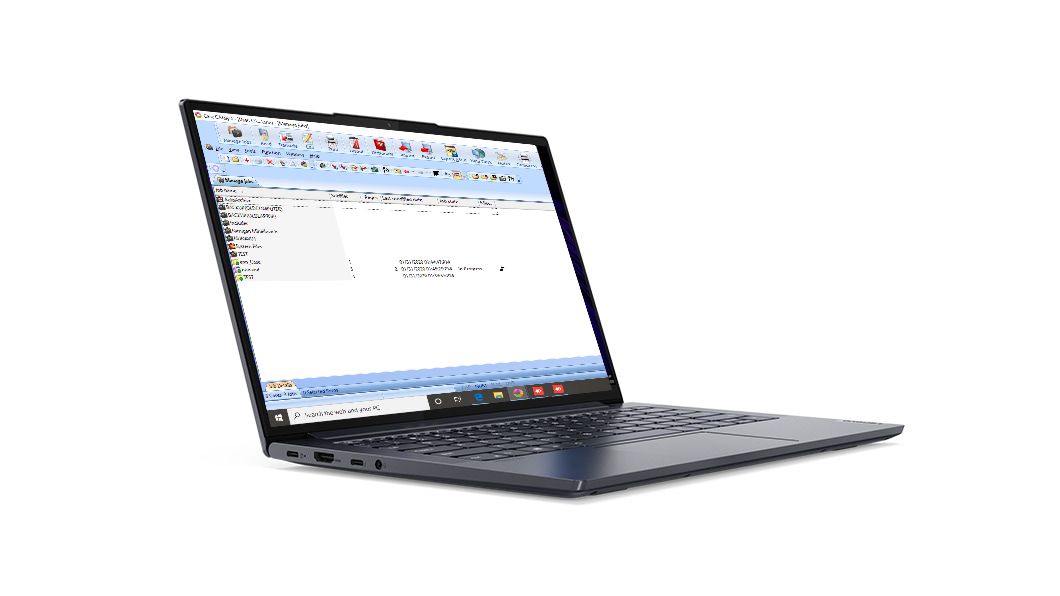
The Martel Elite Court Reporter Laptop, SKU 1978, can be considered for a supported CAT workstation. Before moving this workflow to another laptop, use the same three-answer practice job and the license and software version the receiving person will use. Verify the stored recording and its associations after restoration, not merely the ability to play an audio file from the operating system. A new computer can reproduce a reliable process, but it cannot supply links that were never included in a transfer.

Decide which repair is warranted

If only a comment or newly inserted heading lacks a precise playback location, the best remedy may be to refer to the nearest originally spoken words. If an old page number is the issue, update the revision reference. If the wrong audio file is linked, correct the file association through the supported workflow on a test copy. If the right file shows a reproducible timing mismatch, collect representative early, middle and late examples before using any timing adjustment.

When one repair is attempted, repeat the entire three-point comparison. Include a marker that was previously working so you can see whether the attempted solution disturbed it. Save and reopen the repaired practice job as a separate revision. If it will travel to a scopist, check it through the same restore or transfer route. A successful jump immediately after a change is encouraging, but the recipient needs the corrected relationship after closing, copying and reopening the job.

Use a concise report for a persistent problem. Identify the software and version, source file, exact editing operation, whether the issue started before or after the edit, and the three phrase pairs you expected and actually heard. Reproduce the issue with harmless content whenever possible. The team can then distinguish a particular bookmarking behavior from a broader file association or synchronization problem without receiving private testimony merely to diagnose an editing feature.

Trace an answer someone deleted and typed again

Add a fourth exercise when the reporter explains that an entire exchange was retyped. In a new copy of the bicycle job, write down the middle question and answer exactly as displayed, then replace the middle answer using a normal supported editing command. Make the final version visually identical to the original. This creates a demanding comparison. Searching for the words locates the same sentence, and a printed copy looks unchanged, yet the route by which those words entered the edited job is different. Save this version independently so you can put it beside the untouched one.

Place the cursor in the first original word before the rewritten answer and use the documented playback command. Next try three positions inside the rewritten material, including something near its end. Finally select an originally captured word from the next question. Someone listening beside you can write down the first distinct phrase heard at each point. An outcome in which the neighboring exchanges still behave as expected but the new text has limited playback detail deserves a different description from an entire media file that starts at the wrong time.

Now try the ordinary bookmark command that the reporter used for the first test. Is the mark still available under its original name? If selected, does it take the reviewer to the rewritten words, to an adjacent point in text, or to a recording position without moving the text cursor? Describe the result on the particular release you tested. Delivering a precise account of an observed limit is more helpful than promising that an edit producing identical visible words must preserve every part of an earlier association.

For handoff, write one sentence that will still help even if the recipient cannot use that exact mark. Identify the prior question, the first distinctive spoken phrase in the answer and the next known question. Supply a time only if you have named the media file whose clock produced it. A reviewer can use those independent clues to confirm the passage after an import, a speaker-label change or an otherwise helpful text correction. The exercise now produces both an application-specific observation and a durable way of communicating the location.

32 questions and answers

1. Does moving an answer to a later page change when the witness spoke?

The witness’s recorded words remain at the same point in the same unaltered recording. A formatting change can move their display to a different page. Whether your particular link continues to find them depends on the native software and what it retained during the edit. Test from the actual spoken words, identify distinctive neighboring speech and record the new page reference against the edited revision.

2. Why test three answers instead of the one someone complained about?

A single answer can reveal an error but tells little about its extent. An earlier marker and a later one help distinguish a local edit from a problem affecting the whole source or everything after a break. Choose points far enough apart to identify a pattern. If only one point fails, preserve the two working observations before changing any setting that could affect all three positions.

3. What if I cannot tell where the selected playback started?

Use more distinctive practice material. Include a short invented object and a number in the preceding question, then a different identifying phrase in the answer. Listen far enough to hear the transition. If the program shows a time position, note that as supporting evidence, including which file supplies the clock. A generic greeting or a row of affirmative answers makes it too easy to accept a plausible but incorrect jump.

4. Should the bookmark be created during writing or later in Edit?

Test the method you plan to rely on. A mark created while writing may refer to notes or an event captured during the job. A mark added in Edit may act on text or a displayed point in an existing recording. Create one of each on a test file if you use both. Label them separately and compare how each behaves after the same insertion, save and reopen sequence.

5. Can a manually typed word have its own audio?

The recording may contain the word if someone actually spoke it, but a newly typed text element does not automatically prove an association with that precise instant. Its playback behavior depends on the application, the editing operation and the surrounding timed material. Compare the inserted word with the originally captured word immediately beside it. If the inserted label itself was never spoken, use a spoken neighbor as the review reference.

6. Why does playback begin with counsel’s question when I selected the witness?

Some setups intentionally include prior context. Observe whether the question leads quickly and consistently into the selected distinctive answer, and check your application’s documented playback or delay setting. Repeat at the other markers. A constant, useful lead-in looks different from a link that lands on another witness several exchanges away. Make any experimental change on a practice copy and compare the new result with the original.

7. Should I change an audio-delay setting for one incorrect bookmark?

First demonstrate whether other markers are wrong in the same way. A system-wide or job-wide setting can alter otherwise satisfactory review locations. If the issue affects only a rewritten label or a single rearranged exchange, investigate that area of text. If all locations show a consistent discrepancy with the correct media, consult the installed version’s instructions, preserve the current configuration and test any change away from the reporter’s only copy.

8. Why does the same bookmark behave differently after the job is reopened?

The earlier session may have held an active media selection, an unsaved change or a different working path. Check the reopened job’s exact name, location and revision. Inspect which file the program is using and whether the mark itself was saved. Try the first, middle and final cues. A feature that works only until the window is closed needs further testing before you rely on it for another reviewer.

9. Can a different playback speed make a good link look wrong?

It can change how quickly a listener recognizes the cue or hears the context leading into it. Return to a known listening speed during the comparison and identify the actual words reached. Do not infer a timing error merely because the interval seems shorter at faster playback. If the words themselves differ, inspect the selected location and source media. Then repeat at ordinary speed to document the discrepancy clearly.

10. How do I test a speaker label I corrected after the job?

Put the cursor on the edited label and observe where playback starts. Then put it on an original word in the associated answer and compare the results. A label entered for readability may not have a spoken counterpart. If the witness’s first original word reliably reaches the correct sound, use that word when specifying the review location. Retain a note about the label if another reviewer is likely to click there.

11. Will changing a name throughout the text preserve every bookmark?

That depends on the application’s editing and marking behavior. Use fictional material with at least two occurrences in different exchanges. Make the same kind of global correction the reporter intends to use, close the practice job and test both occurrences plus one untouched marker. Check which occurrence the bookmark reached as well as the spelling on the page. Repeated names create a particularly easy way to confuse two equally plausible answers.

12. What if I move an entire answer instead of inserting a short heading?

Treat that as a separate and more substantial experiment. The answer may now appear beside different neighboring text, and the editing operation may preserve, duplicate or discard different associations. Record what the original answer and its neighbors played before the move. Reopen the moved copy and check both its old location and the new one. Do not assume the outcome of a formatting-only test carries over to a cut-and-paste operation.

13. Can a search result substitute for a bookmark?

A search can locate distinctive text in the current revision. It can help recover from an obsolete page reference, especially when the phrase is unusual. It does not by itself prove that the associated playback goes to the right occurrence. After finding the phrase, look at the speaker and the surrounding question, then run the relevant audio command. For a repeated phrase, include an exhibit label or another detail to narrow the search.

14. Should I time each jump with a stopwatch?

For most editorial decisions, identifying the intended phrase and the useful amount of preceding context is enough. If you are investigating a systematic timing problem, a displayed media position can help when its origin is known. A hand-timed estimate can include the reviewer’s reaction time, buffering and the wait for a recognizable word. Record what you measured and under what conditions rather than treating every visible delay as a change in the underlying association.

15. What if a backup recorder and the native audio start at different times?

Give each recording its own identity and clock. Find a shared phrase in both and determine where it occurs. Check another phrase after a pause or recess. Even if the early difference appears constant, the later relationship depends on how each recording was stopped and restarted. An independent reference can still be useful for listening, but its displayed elapsed time cannot be assumed to match the timing information saved with the native job.

16. Can I trim dead time at the start to repair a link?

Keep the original authorized media intact and follow the handling rules for the assignment. Trimming changes the relationship between elapsed positions and recorded speech. It may also complicate later verification or create an unauthorized derivative. For a fictional demonstration, compare a clearly identified working copy separately. Use supported association and synchronization tools for the intended workflow. Avoid making a new media file merely to make a single bookmark appear accurate.

17. What if the first half works but every mark after a recess seems early?

Identify the last working cue before the recess and the first wrong cue after it. Determine whether recording paused, a new file began, or a different source was associated with the later portion. Check the same passages in the unedited native job. A consistent difference after a boundary gives the support team a much better starting point than a loose statement that bookmarks are generally wrong throughout the transcript.

18. How can a scopist describe the problem without sending testimony?

Reproduce the behavior on a fictional job with three named markers and the same type of edit. Record the software version, markup method, source identity and the first recognizable words reached before and after the insertion. Use ordinary terms to describe where the cursor was. If the reporter later needs information from an actual matter, share only what the assignment permits through an approved channel and keep the original materials under the reporter’s control.

19. Does a microphone upgrade fix bookmark drift?

A better-matched input may make newly captured speech easier to identify. It does not change where an existing program associates text with a saved recording. First decide whether the complaint is inaudibility or incorrect location. If you can hear a clear exchange that belongs elsewhere, investigate the association and editing history. If you reach the intended exchange but cannot distinguish the words, return to microphone position, input choice and recording quality for future capture.

20. Why use both the spoken marker and the answer that follows?

A unique pair makes an incorrect jump easier to detect. In the bicycle exercise, “Mint basket” and the next reference to an entry number establish both subject and sequence. A single familiar word can appear in another exchange or in counsel’s recap. Listening through both landmarks also helps identify playback that begins with intentional context but still reaches the right answer, a valuable distinction when assessing a support complaint.

21. Will the result be the same on the writer and the laptop?

Do not assume so. A writer can search notes or marks and play its own saved audio, while a laptop application may use an imported job, separately associated file or different playback preference. Test the control on the device the reviewer will actually use. Establish whether both have the same recording and revision. A correct jump on the writer can help identify a transfer issue, but it cannot prove the restored laptop job is configured correctly.

22. How can I show that formatting alone caused a line reference to shift?

Preserve the words, media and native job identity in a practice copy. Change one supported layout property or introduce a page break before the marked words. Record the page and line before and after, then play from the same distinctive spoken phrase. If you reach the same audio exchange through both versions, you have evidence that the displayed reference moved while the useful playback association survived that specific formatting change.

23. What if an exported document shows a clickable reference?

Use the exact exported format and intended reviewing application for a separate test. A visible link may open a media file at its start, seek to a stored position, or point to a location available only on the reporter’s workstation. Open the exported copy from the recipient’s intended environment and try the middle marker. A click that works on the source computer is insufficient evidence about a package intended to travel elsewhere.

24. Do I need the original job when investigating a problem on a return?

It is the most useful reference when available under the assignment’s handling arrangements. It shows whether the same bookmark and phrase worked before the scopist’s changes. If the original is unavailable, collect evidence on the return but label the boundary of your knowledge. You can demonstrate the current problem and compare locations within the file without claiming the insertion created it. A separate fictional reproduction can supply stronger evidence about cause.

25. What should I do if a reviewer quotes the wrong page?

Ask for a short, permitted phrase, speaker and revision identifier. Check whether they are reading a differently formatted export while you are editing a native job. Find the phrase and listen to the surrounding exchange before correcting the reference. If both people have the right audio but different page numbers, agree on which version’s page to use for the current task. There is no reason to retime a recording to resolve mismatched pagination.

26. How do I test bookmarks created on a longer job without replaying everything?

Pick an early, middle and late point with distinct speech; include a point near any known pause, file boundary or substantial edit. This is a targeted check, not an assurance about every minute. If a mismatch appears, work outward to determine its extent. Record where links still work as carefully as where they fail. Those boundaries guide a focused investigation and help the reporter decide whether a wider review is necessary.

27. What if one identical answer occurs in three different places?

Choose a longer reference that spans a question and its answer, naming the speaker or exhibit context as permitted. Ask the reviewer to report which surrounding exchange they heard. Repeat at all three occurrences if they are plausible destinations for the bookmark. A generic “yes” gives almost no information about timing. Pairing it with a distinctive earlier question can turn the same listening test into a reliable discrimination among the three locations.

28. Does reading the correct word in the text prove the audio is correct?

No. It establishes only which word is displayed at that position in that revision. The corresponding audio may be missing, may be associated with another session, or may play from a nearby location. Test the intended playback function and identify the spoken context. Conversely, clear audio of the right exchange does not automatically validate the reporter’s spelling or speaker assignment. Treat the written and audible observations as related but separate pieces of evidence.

29. Is there any value in keeping the unedited three-marker rehearsal?

Yes. It gives you a known starting point for testing upgrades, another workstation or a different transfer method. Keep fictional material with the original observations and the exact actions that created the markers. Make a fresh working copy for each experiment so a previous synchronization adjustment cannot silently influence the next comparison. Give the exercise a name that clearly distinguishes it from client or court materials.

30. How should I test an application update?

Find out which versions the reporter and receiving reviewer will use, then run a supported practice restore on the updated system. Observe playback in the unedited three-marker job before importing an already edited version. Compare the same control, source file and playback preferences. If only one version shows a reproducible difference, prepare a small support example. Avoid making changes to an active proceeding solely to satisfy an untested update.

31. What belongs in a support note about a local mismatch?

State which native job revision you used, which media file was associated, the reproducible edit and the position you selected afterwards. Include one working marker on either side if available. Describe the sound actually reached, the sound expected and whether closing and reopening changes the result. Strip private case material from a sample whenever possible. A support team can investigate a local mark more effectively with precise neighboring evidence than with a full unsupported archive.

32. How can the reporter decide whether the edited job is ready for handoff?

Open the intended return version through the normal application, then use representative markers to reach the expected authorized recording. Confirm the early, edited and late passages, along with any relevant break. Give the authorized recipient the agreed file identity and a reference they can reproduce. If a marker is unreliable, identify the affected range and provide an approved alternative way to locate it until the relationship is resolved. The handoff is ready when both people understand what has been verified.

Martel equipment and related guides

HGM-USB Elite court reporter microphone · SKU 1277

Open Martel Elite Court Reporter Laptop viewed from the front at an angle
Elite Court Reporter Laptop. View Martel’s product details for SKU 1978.

Elite Court Reporter Laptop · SKU 1978

This article is for educational purposes only.