TIME IS RUNNING OUT FOR 2026 TAX WRITE-OFFS

Can a Scopist Edit a Working Copy Without Changing the Reporter’s Master CAT Job?

Create a separate CAT job for a scopist. Verify the reporter’s original, restore a practice return, compare edits and reconcile competing copies.
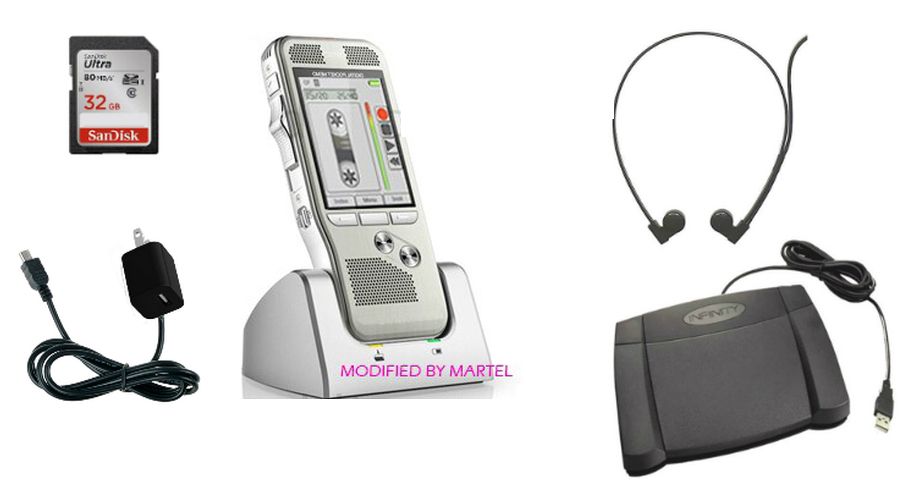
Court Reporter 5000 Scopist Edition recorder in its dock with headset, pedal and memory card
Court Reporter 5000 Scopist Edition. View Martel’s product details for SKU 1722.

Yes. A scopist can edit a separate working copy while the reporter keeps the original CAT job intact. Establish the separation before anyone edits. Make a supported backup of the closed job, restore the handoff into a different destination, and verify which copy opens on each computer. After the scopist returns it, restore the return into a third working location and compare it with the copy that went out. The critical purchasing question is whether the scopist can use the authorized text and reference audio in the agreed software. A recorder with a transcription package can support listening without providing a license to edit the reporter’s native CAT job.

Decide what each person is expected to return

A request to “scope this deposition” does not tell the recipient which file to send home. For one assignment the requested return may be an edited native job that retains notes, text positions and audio associations. For another it may be a list of questionable passages and proposed corrections for the reporter to enter. A marked document can be useful in the second arrangement and unusable in the first. Write the expected output and the software that must open it on the handoff note.

Decide whether the scopist is expected to work independently or participate in a shared live editing session. Stenograph’s support material describes both native backup and restore and a separate feature for simultaneous edits. The two workflows have different consequences for isolation. In a shared editing session, participants may intentionally change a common job. If the requirement is for the reporter’s original job to stay untouched during the assignment, use an independent working copy and test the return procedure.

List the decisions reserved to the reporter. The scopist might be authorized to correct obvious mistranslates, label proposed speaker changes, and flag a missing word. The reporting office may have different instructions for formatting, punctuation or uncertain identifications. Put those decisions on the work order before creating the package. A genuinely independent copy gives the reporter a chance to review disputed edits. It does not tell the scopist which editorial decisions the reporter has delegated.

Give the original, the outbound and the return distinct addresses

Use a fictional practice matter named Lantern Pier for the first rehearsal. Assign three locations that make their roles visible even when an application shortens a long filename. For example, put the reporter’s preserved job in a folder called Source, the archive to be sent in a folder called Outbound, and incoming work in a folder called Returns. With an application that manages jobs inside its own case structure, use equivalent supported case or job areas. Preserve the application’s required naming and associations.

Read the full location before opening anything. A file shown in Recent Jobs may refer to a different folder from the one displayed in a file-transfer message. A shortcut on the desktop may point back to Source even though its name includes the word “copy.” Two convenient links to the same job still lead to the same underlying work. A harmless practice change, made on a restored test copy and checked against the source, tells you whether the separation is real.

Give the outbound set a revision identifier that both people will repeat in the handoff and return. Do not depend on a time such as “the one from this morning.” Someone may work in a different time zone, download after lunch or receive two packages minutes apart. A simple ticket such as LP1 can connect a message, an archive and a return note. It must sit alongside whatever job identity the CAT application needs to find the associated files.

Select the actual job components

Open the backup or packaging feature supported by the reporter’s installed CAT version. Select the practice job and consider which accompanying pieces the scopist needs. Depending on the workflow, these may include translated text, steno notes, job-specific definitions and authorized audio. Software packages group these materials differently. A visual transcript on the reporter’s screen tells you what the reporter can read. It tells you less about what the packaging dialog will actually include in the archive.

In one documented Stenograph backup workflow, the user can receive a separate question about including job audio. That choice matters. A valid archive can open into a readable editing job even when its linked recording was deliberately omitted. Record the decision on the handoff sheet, including any separate authorized method of supplying audio. If the assignment permits text alone, tell the scopist which uncertain passages should be flagged for the reporter rather than silently guessed.

Keep shared dictionaries, personal settings and unrelated jobs outside the package unless the work actually calls for them and their use is permitted. A single-case correction does not normally require exposing every name the reporter has ever entered. If a job-specific definition needs to travel, identify it and test how the receiving application uses it. Confirm whether applied changes affect only the scoped job or could also update a larger dictionary on the receiving workstation.

Prove that the source can stand on its own

Close the reporter’s job through the application’s normal controls before creating the preservation copy. If there are companion windows or recording processes, let them finish saving. A snapshot taken while part of the job is still being written can complicate later comparisons. Ask the application to create its supported backup in a destination under the reporter’s control. Follow the organization’s approved access, retention and transfer arrangements for actual case materials.

For the Lantern Pier rehearsal, choose three landmarks that prove identity beyond the case name. Write down an invented speaker label near the start, a particular exhibit reference in the middle and a phrase at the end. If authorized audio is included, add the words you expect to hear at one or more landmarks. Choose details distinctive enough to distinguish two practice versions that share a caption. The return can then be identified from its contents as well as its filename.

Open a test restoration in a separate case or folder and find those landmarks. The reporter should be able to identify the original at its own location and the restoration at the new one. Record the method of reopening each. A backup icon or a successful transfer notification establishes that something was created. The restored job shows whether that package can support the editing and review tasks assigned to the next person.

Make the scopist’s first edit deliberately unmistakable

Use only the fictional job for this exercise. Place a deliberately misspelled shipping company in one answer and include a separate invented person who shares part of the name. Tell the scopist which occurrence to change and which to leave alone. Ask them to add a harmless query at a third location. An accurate return should contain the requested change, retain the unrelated occurrence and let the reporter find the query. No confidential material is needed.

Have the scopist open the restored working job using the intended access path. Ask them to state the revision identifier before they start. Then give them time to close and reopen the edited copy. This second opening catches problems that are invisible while an editor window still holds changes. The desired result is a native job that opens into the edited text with the landmarks in place. A screenshot of a corrected sentence can support a demonstration but cannot replace that return.

While the scopist works, reopen the reporter’s preserved source using the location recorded earlier. Look specifically for the misspelling, the unchanged second occurrence and the absence of the new query. A source that now shows the scopist’s changes signals shared editing or a path mistake. Stop the practice return and determine where both workstations pointed. Correcting the folder labels alone will not repair a workflow in which both people open the same underlying job.

Supply audio in the form that the task needs

A scopist may need text-linked listening, independent playback, or both. For linked listening, test that selecting a known passage in the restored native job starts the right portion of the authorized audio. For independent playback, open the recorder file in the agreed playback program and identify the same words by their position or surrounding speech. These observations answer different questions. Include the distinction when purchasing a playback system or asking someone to accept a job.

The Martel Court Reporter 5000 Scopist Edition, SKU 1722, is a product to consider for a separate recorder and transcription-listening workflow. Use the product details to confirm the current package and receiving computer requirements. Treat its recording as a named reference source when authorized. A pedal that starts and stops this file successfully establishes control of playback in that setup. It does not establish that selecting a particular sentence in the CAT job will seek to the same place.

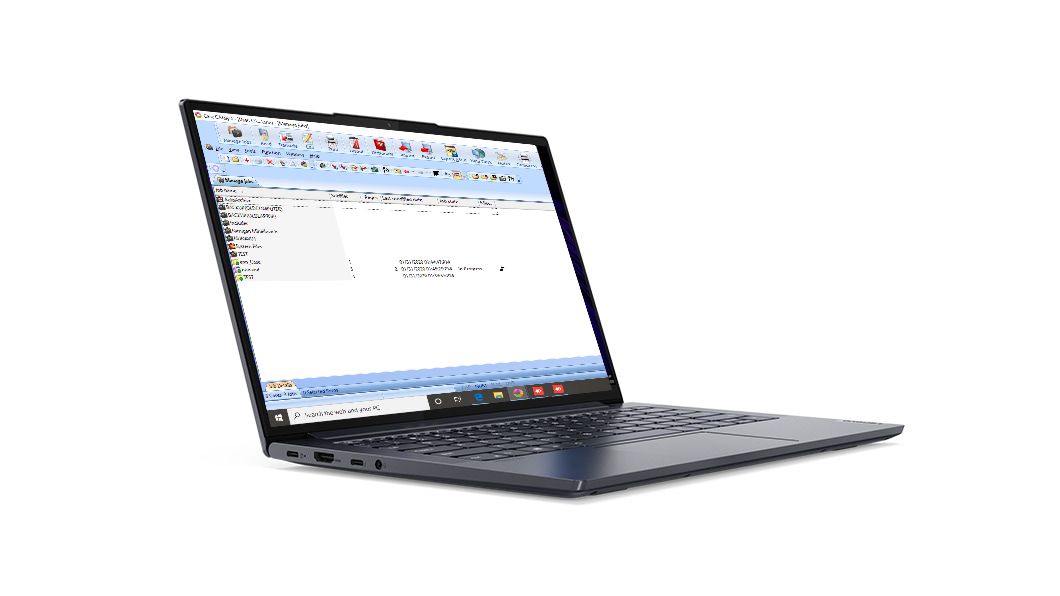
A reporter preparing an editing workstation can also evaluate the Martel Elite Court Reporter Laptop, SKU 1978. Bring the exact CAT release, user license and any required audio devices to setup. Request a practice restore on the proposed computer. The useful acceptance test is whether the recipient can open the agreed job, reach the authorized reference source and return a usable edit. Hardware preparation and permission to use specialized software are distinct items in that conversation.

Handle changes made after the job leaves

Picture the scopist working on the first half while the reporter receives a corrected spelling from an authorized source. Independent copies allow the reporter to preserve the original, but they do not automatically resolve parallel changes. Record the newly supplied spelling and decide who will enter it. If the scopist will do so, identify the affected passages and the outbound revision. If the reporter retains the correction, keep it on a clearly labeled pending list until the copy returns.

Avoid a vague promise to merge everything later. Some applications offer comparison tools, while others depend on separate working copies and deliberate review. Commit to a method you have rehearsed in the actual software. For a small change, the reporter may choose to apply it to the reviewed return. For a larger conflict, both people may need to compare a named starting revision, the reporter’s later work and the scopist’s return before deciding which edits to retain.

Use a second fictional problem to practice that choice. Let the reporter change a speaker label in the original task notes after the outbound package has left. Let the scopist make a punctuation change in the same answer. The final approved copy should reflect whichever decisions the reporter accepts, with the source preserved. Reading only the corrected sentence from one branch can hide the other change. Read the full exchange with both revisions visible in approved separate locations.
Receive work into a separate review area

A return area simply gives incoming work its own address. Use your ordinary approved transfer and file-handling procedure. Keep the unopened received archive there while you restore an editable copy using the native application. If the restore dialog offers to replace an existing job with the same name, identify the destination before continuing. Select an isolated review area or another supported name that preserves associations. Do not test the replace option against the reporter’s only working copy.

Ask for a short return note covering the outbound revision, the portions completed, any items still open and the location of unresolved questions. A scopist who stopped at an authorized time limit should be able to identify their stopping point by a phrase or exchange. Page numbers can move after editing or formatting. A phrase together with a speaker identifier gives the reviewer a practical way to locate the boundary after the return opens on another machine.

Run a small acceptance review before you continue editing. Read one requested correction, one intentionally untouched passage and the query the scopist added. Inspect speaker labels on both sides of the edited exchange. Try the expected audio behavior. A reliable return does more than display a familiar caption. It contains the authorized scope of work, keeps unrelated material intact, and preserves what the reporter needs to complete final review.

Share ranges without cutting away the context

Some reporting offices assign separate portions of a job to different people. First decide whether the application supports the chosen division and return method. If the recorder runs continuously but the working text is divided, identify how each recipient locates their first and last authorized passages. Give a fictional practice split a boundary such as the first answer after an identified exhibit reference. Avoid a boundary that both scopists might interpret as permission to edit the same answer.

A reviewer may need a little surrounding text to resolve a pronoun or a speaker change. State what may be read as context and what may be edited. Record the two neighboring speakers at the boundary, particularly if one scopist ends with a question and another begins with the answer. During reassembly, read the combined transition out loud. A misplaced label or duplicated sentence can remain hidden when each segment looks reasonable in isolation.

An interrupted transfer deserves a new decision rather than a hurried merge. Preserve the last clearly identified outbound revision. Determine whether the recipient downloaded and restored it, or only received a progress message. Resend the same known package when appropriate, clearly identifying it as the same revision. If you create a new package with changed content, give it a different revision identifier. This prevents two different archives from arriving under one reassuring filename.

Approve a new working master deliberately

When review is complete, choose the file that will serve as the next working master under the reporter’s control. Record its identity, the return from which it came and any changes made during reconciliation. The initial preserved source remains a distinct artifact under the applicable retention practice. The word “master” can refer to the original source or to the current approved editing job, so qualify it by role in your office instructions.

For subsequent work, open the approved job through the expected application path and perform an ordinary edit-and-save test on a separate practice example. Check that a recently used file list does not steer you back to an older copy. Update any assembly or review note that directs staff to the current version. The technical distinction between copies is most valuable when the next person can act on it without calling the reporter to decode a folder name.

End by giving the scopist a clear response. Confirm which revision you received, whether the package opened, which questions need their attention and what remains the reporter’s responsibility. Follow the applicable handling instructions for any copies held by the recipient. The job handoff is complete when the reporter can identify the preserved original, the delivered working copy and the accepted return, and can explain how the approved working version was selected.

Rehearse receiving two similar returns

Give the reporter two sample archives with deliberately similar names. One can hold yesterday’s untouched working copy. The other holds today's revised Lantern Pier job. Place them in separate approved practice folders as if one arrived by download and the other remained from an earlier assignment. Ask a colleague to receive the return using only the written handoff note. Watch which evidence they use before opening anything. A timestamp alone is a weak basis for choosing between two differently transferred archives.

On the first inspection, let the colleague compare the revision identifier and a phrase at the beginning. Then ask them to identify a change that appears only in the expected return. The invented shipping company is suitable, provided the same word is deliberately present elsewhere in its original form. To finish, have them find the scopist’s open query and repeat its neighboring words. The point is to demonstrate that the file selected for review is the right revision of the right job. A convenient download location and a familiar caption can be true of both choices.

Now introduce a realistic mistake in the practice note. Label the folder correctly but leave the identifier from the previous return. Ask the colleague what they would do with that disagreement. A good answer names the conflicting pieces of evidence, keeps both packages available and checks with the person responsible for the return. There is no need to overwrite anything in order to investigate. Rewrite the note so a future recipient can resolve the selection from its complete instructions. This small exercise often reveals an important omission before two genuine revisions arrive close together.

33 questions and answers

1. What exactly qualifies as the reporter’s preserved source?

Identify the closed job and associated materials the reporter chose to preserve before sending work out. Record how that set was created and where it can be recovered. Some offices also call the latest approved editing job the master. Distinguish the two with a revision or role label. The scopist needs the outbound starting point, while the reporter needs to be able to demonstrate which version preceded the editing assignment.

2. Is a second filename enough to establish independence?

A filename is a useful identifier, but it cannot prove that every associated file is separate. Two entries could reference the same text location, or two otherwise independent jobs could refer to a common authorized audio file. Determine which components the scopist may change. Change a conspicuous word in a fictional restored copy, close it and reopen the reporter’s original. That test reveals whether the change reached the source unexpectedly.

3. Can I send a PDF if the scopist uses different software?

A PDF may be appropriate if you specifically want annotations or a list of proposed edits. It generally cannot by itself return an editable native job with the reporter’s note and audio associations. Agree on the return before choosing the format. Have the scopist add an example query to a practice PDF, return it through the intended route, and check whether the reporter can locate and act on it efficiently.

4. How should I handle a native job archive with a familiar ZIP extension?

Use the restore procedure documented for the application that produced the archive. Two files can share the ZIP extension while carrying different internal structures. Stenograph documents that its native Restore operation expects a suitable application backup. Preserve the received archive and work from a properly restored copy. If the recipient simply unzips it with another program, the contents may be visible without becoming an editing job in the expected location.

5. What does the term outbound revision tell the scopist?

It identifies exactly what the reporter supplied as the starting point. Use a short revision identifier that appears in the transfer note, return note and review record. It helps when a second package corrects an omission or when an interrupted download must be sent again. A clear identifier also lets the scopist ask whether a change belongs to their assigned version before investing time in a job the reporter has already revised.

6. Should the original job be left open for the entire handoff?

Follow the application’s documented packaging requirements. For an independent practice backup, finishing recording, saving changes and closing the working job provides a clear boundary. An open job may still contain pending edits or audio that is being written. Reopen the preserved version later through its known location if you need to check it. The handoff should not depend on a window remaining open in a particular state on the reporter’s desk.

7. What should a scopist do on first opening the copy?

Confirm the identified matter, outbound revision, assigned range and expected return format. Find a distinctive starting phrase and one later landmark. If audio was authorized and promised, try it at a known answer. Let the reporter know about missing materials before making a long series of edits. This can be a short acknowledgement using the revision and a description of the problem without sending testimony through an unapproved message channel.

8. What if the text opens but playback starts in a different session?

Stop treating the audio as a reference until the source is identified. Check the intended session, the basename and location of the linked media, and the voices or phrases expected near the start. A different file may have a similar duration or a familiar caption. Compare another distinctive exchange farther into the job. Establish the correct association in the authorized working copy and leave the reporter’s preserved source available for reference.

9. Can a separate Court Reporter 5000 recording replace native linked audio?

It may be a useful approved source for listening, especially with a suitable transcription package. It does not automatically supply the text-to-time relationship needed for click-to-play in CAT. Test the distinct requirement the scopist has accepted. If independent listening will do, identify the recording and its landmarks. If linked playback is required, verify the supported association or obtain the proper native audio through the reporter’s approved process.

10. Why might a returning scopist supply notes as well as edited text?

A note can flag a speaker identification, an uncertain technical spelling or a passage whose authorized audio was too ambiguous to resolve. Those issues need the reporter’s judgment. Give the note an address in the text using a short neighboring phrase, the speaker and a second landmark where appropriate. After opening the returned native job, the reporter should be able to find the same issue even if the page or line numbers changed.

11. Does a job dictionary travel with every backup?

That depends on the software, its backup options and which items the reporter selected. Inspect the packaging dialog and test restoration on the target workstation. A fictional job-specific name is a useful probe. Check both its displayed spelling and what happens when a new occurrence is translated or a correction is applied. A name that looks right in existing text does not by itself establish that its dictionary entry accompanied the package.

12. Can the scopist make a correction throughout the file?

Use the scope the reporter approved and the application’s documented editing behavior. A global correction that is appropriate for one speaker name may change an unrelated person or a quotation that happens to use the same word. In practice, deliberately include two similar names and inspect each occurrence after the change. Document whether the adjustment applied only to this job and whether any change to a broader dictionary requires separate reporter approval.

13. How can the reporter continue working while the scopist has an independent copy?

Give the reporter a separate change log or a separately identified working branch. Record which exchanges changed and who will apply them to the reviewed return. If possible, divide responsibilities so both people are not editing the same passages. A prior agreement about how to resolve overlaps is more valuable than a clever naming convention. Without that agreement, two perfectly valid native jobs can contain incompatible edits to the same answer.

14. Is matching the page count a good acceptance check?

It is a quick observation, but it tells little about individual corrections. Editing a speaker label, closing up a paragraph or applying a different layout can shift page counts. Conversely, many significant word changes leave the total unchanged. Compare the assigned passages and nearby context using their contents. Check the opening and closing boundaries and inspect a sample the scopist left untouched. Those checks provide a much stronger basis for accepting the return.

15. What happens if the reporter and scopist both change the same name?

Obtain the two proposed spellings and the authority or query behind each. Identify every affected occurrence, including others using a similar term. Apply the reporter’s decision to a review copy and inspect its context before approving it as the next working version. Avoid replacing the whole job merely to keep one spelling. The other person may have made valuable independent edits elsewhere that deserve to be retained.

16. Can I use a cloud folder to transfer an isolated job?

Use only the service and permissions approved for the assignment. A stored archive retrieved for restoration can support an independent copy. Opening a live synchronized project directly in a shared folder can create a very different editing arrangement. Tell the recipient whether they are downloading a fixed handoff or collaborating in a shared workspace. Rehearse the actual access route with harmless material and verify what happens to each person’s copy after an edit.

17. Does marking a job read-only protect all associated work?

A read-only setting on a particular file can be useful where supported. It cannot establish the permissions of every companion file, cloud copy or application-managed record. Rely on a separate preserved source and a supported restore process as well. Test whether a change made within the receiving application appears back at the reporter’s location. If edits are expected to be impossible, verify that behavior on a practice file before trusting the arrangement for actual material.

18. What if a long case name is truncated on both computers?

Give the return note a short distinguishing token and include it somewhere the application displays reliably. Use the exact job identifier the application recognizes when matching companions. Ask both people to confirm one distinctive exchange on opening. The full legal caption may be important in the finished work, but a truncated display is a poor revision label. An independent short practice identifier makes mistaken selection more visible without altering the real caption.

19. Can two scopists work from the same outbound archive?

Yes, where the assignment permits it and the reporter has set distinct responsibilities. Give each recipient their own restoration and return identifier. Define the boundary in spoken or written content, decide who handles transitions, and specify whether either person sees material outside their assignment. The reporter must still assemble and review the result using a tested procedure. Two recipients receiving the same initial bytes does not mean their independently edited returns can automatically be combined.

20. How should the scopist return a partial job?

State the outbound revision, the portion completed, the exact stopping exchange and any unresolved questions. Return the agreed native package or approved notes through the designated route. If audio or attachments are intentionally omitted to avoid sending a second copy, say so and verify that the reporter already has the matched source. The reporter can then determine whether the partial return is usable and schedule the remaining work without guessing what was done.

21. What if the reporter discovers a missing file after the handoff?

Identify the missing component before sending more material. If an authorized companion can be supplied separately and the receiving application supports that route, label it with the existing revision. If the job must be repackaged, agree on how to preserve any edits already made. Do not quietly replace the outbound archive and expect the scopist to infer what changed. A short, explicit revision note saves more time than an unlabeled resend.

22. Should a scopist rename the returned audio?

Follow the reporter’s instructions and the application’s requirements. Renaming a media file can prevent a job from locating it, even if its contents remain perfectly playable. If distinct return folders provide sufficient identification, leave companion names as the application expects. Test any authorized rename on a practice job and reopen linked playback. An independent recording intended for a separate player can have a different naming arrangement if both people agree.

23. Does choosing a different CAT layout affect the isolation test?

It can affect the way the transcript looks on the receiving machine and make a content comparison less obvious. Use the agreed layout if it must travel with the file. Check a passage by its speaker and neighboring words before using its page number. The exercise for isolation remains the same: change one permitted practice occurrence and check that the preserved source still has its earlier wording at its own location.

24. How can the reporter verify that a query stayed attached to the right place?

Ask the scopist to insert a practice query beside a distinctive fictional phrase, then make a small permitted edit earlier in the return. Close, restore and open the returned job through the proposed process. Read the surrounding exchange and check what the query identifies. If a feature does not travel across a software boundary, decide on a separate query list with robust text landmarks before using that route for a real assignment.

25. What if the returning file is larger than the one sent?

A size change is a clue, not an acceptance decision. The package may contain added audio, revised settings, extra material or different compression. Check the component list where the application provides it and compare it against the authorized handoff note. If an unrelated case or excessive material appears, stop and use the appropriate handling procedure. If the components and content match the scope, document the difference without trying to force matching file sizes.

26. How should the reporter test a second workstation purchased for a scopist?

Bring a licensed, supported copy of the required software and a fictional job package to setup. Restore it to a designated practice location, make one scoped edit, play the authorized reference as required and create the return. Test it on the reporter’s workstation. This connects a Martel laptop or playback purchase to a task the recipient must complete. A fast boot and working USB port are good signs but cannot establish native file compatibility.

27. What if the scopist has a foot pedal but cannot jump to the highlighted line?

First establish what the pedal controls. It may operate independent transcription playback while the text editor has no association with that audio. Try ordinary playback of the named practice file, then separately try the text-linked command in the CAT job. If the work order requires only independent listening, that difference can be acceptable. If linked review was promised, resolve the application and file association before accepting the setup.

28. Can a support person diagnose the problem without seeing the real job?

Often the workflow can be reproduced with a small fictional file. Recreate the same type of backup, component choice, destination and return procedure. Include harmless landmarks that demonstrate the missing or shared behavior. Give support the software versions and an exact description of the outcome. If real material is ever required, follow the reporter’s authorization and the organization’s approved method. Start with the least material that can reliably reproduce the issue.

29. What if the scopist sends a link that always opens their latest version?

Clarify whether the agreed return was a stable revision or a continuing shared workspace. For a fixed handoff, receive an identified snapshot through an approved method and record the date or revision of that return. If you review a moving target, a previously checked sentence can change while another reviewer is working. Live collaboration can be appropriate when intentionally chosen, but an independent return needs an identity you can reopen consistently.

30. Is a clean copy sufficient for the final transcript?

The reporter still has to perform whatever review and preparation the assignment requires. A clean copy describes a file state and place in the handoff. It does not establish that all uncertainties were resolved or that the work is ready for formal delivery. Check the open queries, verify the accepted revision and apply the applicable completion procedure. Preserve the distinction between the scopist’s completed task and the reporter’s approval of the final work.

31. Which job should be used for the next round of edits?

Use the revision the reporter expressly accepted after comparison. Give the next assignment a new outbound identifier, even if the matter and caption remain the same. Point the next recipient to that source and identify anything carried forward from the prior round. An older file may still be visible in both applications because it was recently opened. Choosing by a recorded approval decision helps prevent a clean return from being lost to an earlier version.

32. What should remain in the reporter’s handoff record?

Keep a concise account of which revision left, what components it contained, who was authorized to receive it, what returned and which version the reporter accepted. Follow the applicable handling requirements for the records and media themselves. For day-to-day use, add the location of the current working job and any unresolved questions. A colleague stepping in the next morning should be able to resume the correct file without comparing every ZIP archive on the computer.

33. How can I tell when the rehearsal has actually succeeded?

The scopist can open only the intended practice work, make the agreed correction and return a file the reporter can restore. The reporter can show that the preserved source still contains the original test wording, the accepted return contains the changed occurrence, and the intentionally untouched occurrence is intact. Any required audio plays in the agreed manner. At that point both people have verified the same workflow from opposite ends.

Martel equipment and related guides

Court Reporter 5000 Scopist Edition · SKU 1722

Open Martel Elite Court Reporter Laptop viewed from the front at an angle
Elite Court Reporter Laptop. View Martel’s product details for SKU 1978.

Elite Court Reporter Laptop · SKU 1978

This article is for educational purposes only.