TIME IS RUNNING OUT FOR 2026 TAX WRITE-OFFS

Transcription Packages and Equipment Bundles Buying Guide

By Martel Electronics · Updated November 3, 2026

A transcription package should make clear what you will be able to do after the purchase. Some packages provide a listening station with software, a foot pedal, and a headset. Others add a recorder for the person creating dictation. A larger recording package can also include equipment for a meeting or courtroom. The word package is useful shorthand, but the component list determines whether the purchase fits your office.

Buyers use several related phrases: transcription package, digital transcription package, transcription equipment package, transcription bundle, and transcription equipment bundle. These phrases do not establish standard contents. A transcription starter kit can be a sensible choice for a new typist, while a transcription starter package for an office may need to equip both the recording and listening sides. Compare the actual work and included items before comparing names.

This guide explains how to define a complete purchase, evaluate current Martel options, and avoid buying the wrong combination. It includes a dated price comparison and illustrative purchasing examples. The examples show how to organize a decision; they are not customer case histories or promises about the time, savings, or results of a particular installation.
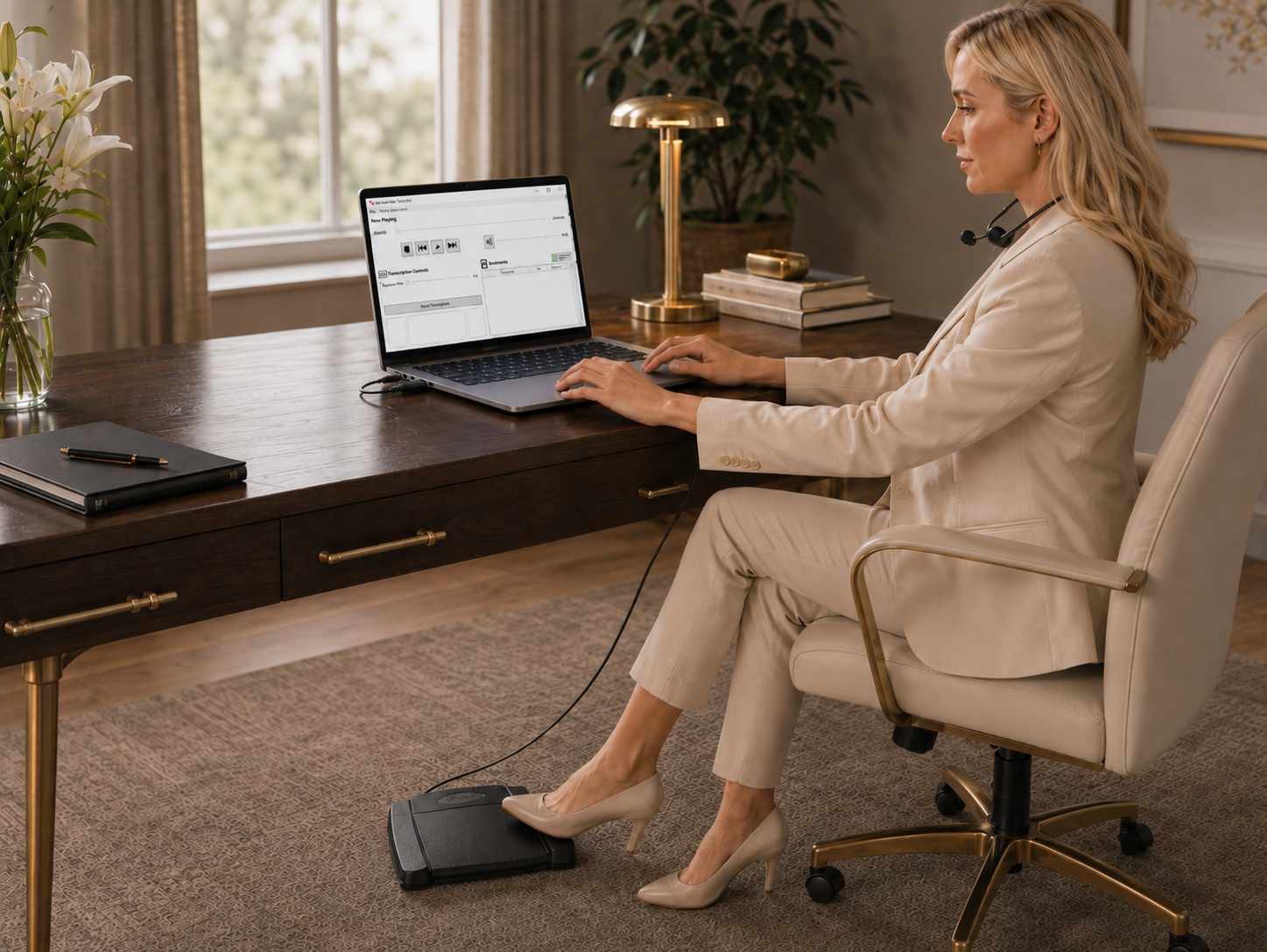
Martel All N One audio transcription kit
Transcription workstation image used on Martel's All N One listing. The computer and furnishings shown are not a statement of kit contents.

Start with the result the package must provide

Write one sentence describing the required result. For example: “A secretary must receive supported recordings and type correspondence on an existing Windows computer with foot control.” That sentence identifies a listening station and an existing computer. A different office might need a recorder at an attorney's desk as well as equipment for the secretary. Those two purchases can have different component lists.

Identify who will use each item. A package bought for one desk may not equip both people in a two-person process. If recordings pass between locations, describe that handoff too. The equipment needs depend on the source, the receiving station, and the permitted transfer method. Keep these requirements visible before the conversation turns to accessories or optional features.

Define what is already owned and suitable for continued use. Mark the computer, software, recorder, pedal, headset, and any necessary connections. Then identify what is missing. A complete purchase fills the gap between the current arrangement and the required result; it does not necessarily replace every item on the desk.

Distinguish a listening kit from a recorder package

A listening kit supports the person working from an existing recording. It can include playback software, a pedal, and listening equipment. A recorder-and-transcriber package addresses both creating the recording and working from it. That distinction is especially useful for a legal transcription kit, because one office may already have established dictation equipment while another is building the whole process.

If your clients send finished files, another recorder may have no role in the assignment. If an author must create dictation for a secretary, the recording equipment and its transfer process become central. Start with the people and files rather than treating a larger package as inherently more complete for every buyer. Completeness is relative to the requirement.

Browse Martel dictation and transcription packages when both sides need equipment. Browse transcription kits and foot pedals when the main requirement is playback. These categories overlap in purpose while helping you begin with the part of the process that needs attention.

Compare the main workstation options

For ordinary supported audio, the All N One Transcription Kit, SKU 1040, is the standard complete listening package to examine. It includes software, a three-control USB foot pedal, a headset, installation assistance, and support. Compare it when those are the missing components at an existing computer.

For supported video and broader audio playback, examine the All N One Audio and Video Kit, SKU 1518. For supported Olympus or OM recorder workflows, examine the AS-2700. For DM246 channel review, examine the T147.

Keep accessory purchases in a separate comparison. The Case CATalyst pedal, SKU 895, serves an existing CATalyst environment. It should not be compared as though it provides the same software and listening package as a complete kit. State what each purchase supplies and what must already be present.

Use a dated price snapshot correctly

The following prices were shown in Martel's live transcription category during research on November 3, 2026. They are a comparison snapshot, not a quote for a future order. Check the individual product page for current price, contents, and availability. A sale price, software revision, or included service can change after an article is written.

All N One audio kit, SKU 1040: $249.99. All N One audio and video kit, SKU 1518: $299.99. T147 DM246 kit, SKU 1585: $349.99. AS-2700 kit, SKU 1545: $299.99. Case CATalyst pedal, SKU 895: $199.99. The last item is a control for an existing software environment, so its lower price should not be mistaken for the price of a complete standalone transcription station.

Compare these prices only after identifying suitable options. An audio kit and a video kit differ in the work they address. A specialist channel kit is not simply a higher-priced substitute for ordinary playback. The useful calculation is the cost of the appropriate complete arrangement, including any required items that are absent from the quoted package.

Put the package contents into a comparison sheet

Use one row for each proposed purchase. Record the product, current listed price, software, pedal, headset, recorder, computer, installation assistance, and remaining questions. A blank in the recorder column can be correct for a listening-only kit. A blank in the software column can be correct for an accessory purchase. The point is to make the contents visible.

Keep confirmed items separate from assumptions. If a listing says a pedal is included but does not identify a detail that matters to your office, record the question. Do not fill the gap from a photograph of a similar product. Ask about the current item being ordered and retain the answer with the purchasing record.

Have the eventual user review the comparison sheet. The person approving an order may understand the budget while the person doing the work understands the source files and daily controls. Bringing those views together before purchase is easier than discovering afterward that a required application or connection was never considered.

Define a transcription starter kit for one person

A first-time typist who already has a suitable computer and word processor can begin by listing the missing listening components. If the work is supported standalone audio, the main purchase may be the player, foot control, and headset. A complete audio kit can address those items together without adding a recording device that the typist has no reason to use.

Include setup and practice in the plan. The first assignment is a poor time to discover an unfamiliar control response or an unsupported client source. Use a short authorized sample to evaluate the required file handling and playback sequence. The purpose is to establish a useful station before business commitments depend on it.

Avoid equipping a new business for every possible service at once. A real need for video or supported multichannel review can justify an additional capability. A vague possibility does not tell you which specialist system is appropriate. Begin with the work you have a reason to expect and keep a record of requirements that arise later.

Define a legal transcription package for an office

Start by identifying how instructions or recordings are created and who works on the text. An attorney dictating correspondence to a secretary may need a different package from an office reviewing recorded interviews. The shared word legal does not establish a single format, player, or recording method. Describe the actual task and files.

If an author and typist both need equipment, compare a matched recording and playback arrangement. If the author already has suitable equipment, focus on the receiving station and supported transfer process. Ask how a recording is identified, assigned, and returned with the completed document. The package should fit that process rather than introduce an unexplained extra step.

Keep special requirements local to the organization. A software product does not by itself establish that every storage or sharing method is appropriate for the office. Ask the responsible person which process is permitted and choose equipment that fits it. This keeps the purchase practical without making unsupported claims about compliance or suitability for every legal setting.

Define a video transcription bundle

A video transcription bundle should identify the player, controls, listening equipment, and supported computer environment. Ask which video sources matter to the business and whether visual review is part of the assignment. Supported Zoom MP4 playback is a useful requirement for one office; a proprietary camera export can be a different compatibility question.

Clarify the output. A written transcript, a reviewed automatic draft, and timed captions involve different work. Do not assume that the word video means every authoring or delivery tool is included. The package contents should describe the functions purchased, and any additional application should have a clear role in the process.

Check the license arrangement for the intended users and computers. Martel's SKU 1518 listing identifies two licenses, but the current terms should govern the actual installation. Describe shared stations, computer replacements, or remote use directly. The fact that an installer can be copied does not answer the question of permitted use.

Define an Olympus or OM System package

An OM System transcription kit can be useful when an office receives supported recorder files and needs the ODMS environment. Customers may also search for Olympus AS2700 or OM System AS2700 while referring to the AS-2700 product family. Use the current model and package description when asking about software and accessories.

Record the author's recorder, the receiving software, and the intended file exchange. If older Olympus equipment is present, identify the exact model and software revision. A familiar brand name does not establish that every old license or accessory transfers into the new arrangement. Keep those compatibility questions visible before the package is ordered.

Choose the kit because its functions match the office process. If the task is ordinary mixed audio playback from unrelated sources, compare the general audio package too. A brand-specific environment is useful for the work it supports; it does not need to be presented as the correct choice for every transcription buyer.

Define a specialist courtroom package

For supported DM246 recordings that require independent channel review, the T147 kit belongs in the specification. Identify the recorder, source, expected channel functions, and the station where review will occur. If the source is a mixed convenience copy, ask about the appropriate supported file before deciding that channel software is the missing purchase.

Keep recording-room equipment separate from the listening station in the component list. A courtroom recording package may contain microphones and a recorder, while a transcription kit addresses playback. If both are needed, state which person uses each component and how the files move between them. This prevents an order from appearing complete while leaving one side of the process undefined.

Do not promise that separate channels will resolve every recording difficulty. The original capture affects what can be heard. The value of the specialist package is supported control over the source information that is available. Accurate expectations make the equipment easier to evaluate and the support conversation easier to conduct.

Compare a new station with a replacement purchase

A new station starts with missing components. A replacement purchase starts with an existing arrangement and a specific problem. Keep those cases separate. If a supported player and headset remain suitable, replacing a failed control may be enough. If the software no longer fits an essential source, changing only the pedal will not address that requirement.

Record the reason for each proposed replacement. It may concern physical condition, application support, file needs, or a new computer. A clear reason helps the buyer compare a focused change with a full package. It also provides a useful record when someone later asks why a particular item was selected.

Avoid comparing the lowest first price with the cost of a complete working station. List what still needs to be purchased or configured after each alternative. A small accessory order can be the right choice for one office and an incomplete choice for another. The component inventory explains the difference.

Plan more than one workstation without guessing license rights

Count the people and computers that will use the system and describe how work is assigned. A shared desk, two independent typists, and a portable station used by one person are different arrangements. Ask about the current software terms for the actual use rather than multiplying an assumed installation right.

For an illustrative hardware-and-kit comparison, four audio kits at a listed $249.99 each total $999.96 before any other applicable charges or separately required items. This is arithmetic based on the dated snapshot, not an office quote or a statement that four kits are the appropriate license arrangement. The office must still confirm the configuration it needs.

Keep station records consistent. Identify the application, accessory models, and responsible installer for each desk. Shared information can simplify support, while station-specific notes preserve genuine differences. Standardizing a useful arrangement is sensible only after confirming that the work at each station actually calls for it.

Include the computer and connections in the plan

A package photograph may show software and accessories without supplying a computer. Read the contents and identify the machine that will run the application. Record its operating system and available connections. If a dock or adapter is required, include it in the proposed arrangement and in the acceptance check.

For Mac requirements, ask about the complete supported software and device combination. A pedal with platform support does not make every Windows kit run on macOS. The same principle applies to other mixed arrangements. Resolve the software environment before purchasing accessories around an uncertain plan.

If the office manages installation centrally, include the responsible person early. A complete package can still require approved installation and configuration before use. Explain any limits on remote assistance so support can choose a method that fits the environment. This keeps the purchase connected to the practical work needed after delivery.

Make support part of the comparison

Read what assistance is included in the exact listing and ask how it applies to the planned station. Installation help can be useful for a first-time buyer, but the office must still provide the information and access needed for the supported process. Keep the expected setup method clear before relying on it for a scheduled start.

Ask what information is useful when a file or pedal behaves unexpectedly. A product, application version, computer description, and precise symptom provide a better starting point than a general report that transcription is not working. Preparing those details costs little and makes later help more focused.

Keep the final configuration and support outcome with the order record. The goal is to preserve the arrangement that works, not merely the history of a problem. A future employee should be able to identify the system without searching a long chain of messages or guessing which suggested setting was eventually used.

Evaluate the package after delivery

Compare the delivered items with the order's component list. Then follow the supported installation process and use an authorized representative sample. Confirm ordinary playback, the required controls, and the listening connection. Evaluate the station while the intended document or application is active, since that is the state in which the user will work.

For video, include the relevant viewing and navigation task. For supported DM246 work, include channel selection. For a recorder-and-transcriber arrangement, include the approved handoff from the recording side to the listening side. The check should reflect the reason the package was purchased rather than a generic demonstration.

Record the result and any unresolved requirement. If an essential source has not yet been evaluated, keep that point visible. A package can be installed successfully while one important compatibility question remains open. An honest acceptance note helps the office decide what still needs attention before daily work depends on the station.

Keep product images useful to the decision

Use product photos to identify the supplied equipment and compare physical arrangements, then read the current contents. An image may show a kit overview, a software screen, or an accessory close-up. Those views help explain the purchase, but they should not be treated as a substitute for the exact current component list.

When discussing an order, use the product name and link as well as any image. Similar-looking pedals or older packaging can appear in different listings. The written reference keeps the conversation attached to the intended item. If a detail matters, such as the listening connection, ask about it directly instead of inferring it from a small photograph.

For an office purchasing several stations, keep one approved component record rather than collecting unrelated screenshots. That record can include the official product image for identification while preserving the details needed for installation and support. Useful visuals make the decision easier to follow; they do not replace the requirement itself.

Avoid common package assumptions

Do not assume every transcription package includes a recorder, a computer, automatic speech recognition, or unlimited software use. Check each item in the listing. The same caution applies to the word starter: it describes an intended buyer, not a universal bundle standard. A starter package is complete only when it fills the needs of that buyer's planned station.

Do not infer compatibility from a shared connector or brand name. Identify the actual application, hardware model, and source. Do not treat an accessory price as the cost of a full kit. These distinctions are ordinary purchasing questions, and answering them early makes the rest of the comparison much more straightforward.

Do not buy separate pages or products for every synonym you encounter. A package, bundle, and equipment kit may describe closely related needs. Focus on the components and functions that differ. That keeps the purchase grounded in what the office will use rather than the terminology of a search result.

Work through an audio and video price comparison

Using the dated category prices above, the difference between the $249.99 audio kit and the $299.99 audio and video kit is $50. That calculation identifies a price difference between two listed packages. It does not establish that every audio buyer should pay the difference or that the packages have identical functions apart from one feature. The decision still turns on the files and tasks the station must handle.

For a buyer who regularly receives supported video and must watch it, the video requirement belongs in the specification before the prices are compared. For a buyer who only receives supported ordinary audio, the additional package may not address a missing function. Put that reason beside the calculation. It explains the decision more clearly than describing one option as better value without saying for whom.

If another cost is unknown, leave it unknown in the worksheet until it is confirmed. Do not make a complete-budget claim by treating a missing computer, adapter, or software item as free. Separate confirmed package prices from estimates and unanswered questions. That keeps the comparison accurate while the office gathers the information needed for an order.

Read a quote from the user end backward

Begin with the person who must do the work and ask whether the quote gives them the required station. Does the listed software address the incoming material? Is a supported control included or already owned? Is the listening connection suitable? Then examine the recording side if the office also needs to create the material. This order ties the quote to the intended result.

Check quantities as well as descriptions. One headset and one pedal identify one physical accessory set; they do not by themselves explain how several users will share the software or desks. If the quote covers more than one station, make the allocation explicit. A clear quantity record prevents a collection of components from being mistaken for a complete set of workstations.

Finally, read the unresolved notes. A quote can be useful while still depending on a compatibility answer or an installation arrangement. Keep that dependency visible until it is resolved. The purpose is not to create paperwork for its own sake. It is to make sure the people ordering and using the equipment share the same understanding of what will be delivered and how it will be used.

Introduce a package through a limited pilot

An office adding several stations can begin by evaluating the intended arrangement with representative work before duplicating it. Choose the source types that actually matter and let the eventual user perform a short task. Record what works and what remains uncertain. This helps the office learn about its own requirements without assuming that every feature in a product list will be equally important.

Keep the pilot's scope specific. A successful ordinary-audio task does not establish compatibility with an unrelated camera export. A supported playback check does not answer every question about the office's file assignment process. List which questions the pilot is intended to answer and evaluate those directly. That makes the result useful for the next purchasing step.

If the arrangement fits, retain the component list and setup record for the additional stations. If it does not, identify the unmet requirement before changing the order. A defined pilot gives the office a concrete basis for either decision. It avoids the cost and confusion of spreading an unexplained configuration across several desks and then troubleshooting each one independently.

Revisit the package when the work changes

A purchase that fits today's assignments can need review when a client changes source formats or the office adopts another application. Record the new requirement and compare it with the current station. The answer may be a software change, a different package for one specialist task, or no equipment change at all if the existing arrangement already supports the work.

Keep the older purchasing record so the change can be understood. It explains why the original package was reasonable and which new requirement prompted the review. Avoid replacing a whole system merely because the work has acquired a new label. Identify the actual function that has changed and choose the smallest suitable supported response.

Build a complete purchase around the missing function

The most useful transcription equipment bundle has a clear purpose, a documented component list, and a supported place in the office process. It equips the people who need it and avoids adding unrelated hardware merely to make the order larger. A complete decision is one you can explain in terms of the work that will be performed.

Compare Martel transcription kits and dictation and transcription packages. Call 800-553-5536 with the people involved, source formats, computers, and equipment already owned. Those details help identify whether you need a listening kit, a video package, a specialist system, or a recorder-and-transcriber combination.

Questions and answers

What is a transcription package?

It is a group of products selected to support a defined transcription task. Some packages equip only the listening station; others add recording equipment. The actual component list determines whether the purchase is complete for your office. The word package is not a universal contents standard.

What is the difference between a kit and a bundle?

The labels can describe closely related grouped purchases. Neither word alone tells you whether software, a pedal, headset, recorder, or computer is included. Compare the exact items and supported functions rather than choosing by the label that appears in a search result.

What is a digital transcription package?

It is equipment and software for working with digital recordings under a defined arrangement. A listening package can support files created elsewhere, while a recorder-and-transcriber package serves both ends. Identify who creates the recordings and who prepares the text before selecting it.

What should a transcription starter package contain?

It should fill the needs of the planned first station after accounting for suitable equipment already owned. List the computer, player, control, listening connection, source formats, and setup needs. Add recording equipment only if creating the source is also part of the requirement.

Does a transcription equipment package include a computer?

Not automatically. Read the current contents and identify the computer that will run the software. Include its operating system and connection path in the proposed setup. A photograph or the word complete does not establish that every item needed at the desk is supplied.

Does every package include a dictation recorder?

No. A listening kit may be intended for recordings that arrive from clients or another office. Choose a recorder-and-transcriber arrangement when the office must also create the material. Keeping recording and playback roles separate makes the component comparison clearer.

What is a legal transcription kit?

It is a kit chosen for a specific legal-office recording and document task. The label does not establish one file format or application. Clarify whether the work involves dictation, standalone audio, video, CAT-linked review, or another defined process before choosing equipment.

Is a video transcription package more useful than an audio kit?

It is useful when supported video or its additional playback functions are required. If ordinary supported audio is the entire task, compare the standard audio arrangement too. Choose by the missing function rather than assuming a broader package is automatically better for every buyer.

Can I buy software without replacing my accessories?

Ask about the exact supported software and existing pedal and headset models. If they remain suitable, a focused software purchase may fit. If they do not, compare a full kit. Ownership of an accessory does not by itself establish support in a new application.

How should I compare package prices?

Use dated current prices and list every required item still missing after each purchase. Keep accessory-only products separate from complete kits. Resolve essential compatibility questions before comparing small price differences, and avoid treating unknown computer or setup costs as zero.

How do I equip several typists?

Describe the people, computers, assignment method, and intended sharing arrangement, then confirm the current software terms. Count physical accessories separately from license rights. Evaluate the planned configuration before repeating it across desks so the office duplicates a suitable arrangement rather than an unresolved problem.

What should I have ready when I call Martel?

Bring the task description, incoming formats, computers, current equipment, and the people involved in recording and typing. Identify whether you need playback only or both ends of the process. Those details support a concrete package comparison and a clearer component list.

Related transcription guides