OM System AS2700 Transcription Kit Setup and Workflow Guide
The AS-2700 is a transcription kit for an office working with supported digital dictation files. It combines ODMS R8 on-premise transcription software, a three-pedal footswitch, and headphones. Customers may search for an OM System transcription kit, Olympus AS2700, or OM System AS2700 while referring to this product family. Use the exact current model and package description when comparing software and accessories.
The central buying question is whether your office needs the supported ODMS dictation workflow. A secretary receiving files from an Olympus or OM recorder may need more than a general media player. The file organization, status information, and supported routing arrangement can matter as much as playback. Describe the recording source and the people involved before choosing the receiving station.
This guide explains the parts of the kit, the difference between recording and transcription, and the decisions around setting up an office process. It uses Martel's AS-2700 listing and OM System's current kit information for the core product description. The practical examples illustrate possible office arrangements; they are not claims about results achieved by particular customers.
Understand the job of the transcription station
The recording side captures the author's speech. The transcription side lets a person receive and work from that recording while preparing or reviewing a document. These are related tasks, but they do not necessarily use the same application or equipment. Identify who creates the file and who works on the text so that the purchasing conversation addresses both roles correctly.
A kit supplied for transcription does not automatically include the author's recorder. If the office already owns suitable recording equipment, the receiving station may be the main purchase. If both sides need equipment, compare the larger recorder-and-transcriber arrangement. The word complete should refer to the requirement you have defined, not an assumption that every package contains every possible component.
Keep the handoff clear. Explain how a recording reaches the typist, how its assignment is identified, and how the completed document is returned. These details help determine whether the ODMS environment fits the work. A well-described office process is more useful than a broad request for the newest Olympus kit without explaining what the people involved need to do.
Read the current kit contents
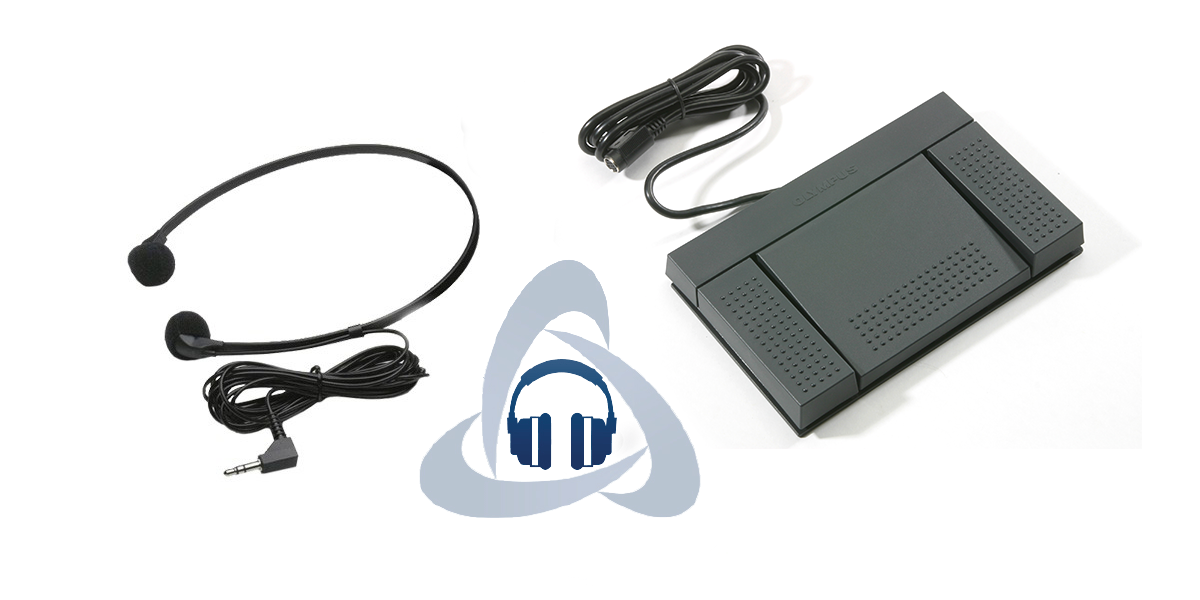
OM System's current product description identifies a three-pedal footswitch, headphones, ODMS 8 transcription software, a USB cable, and instructions. Martel's AS-2700 page identifies the ODMS R8 transcription module with its supplied foot control and headset. Read the exact current order listing and confirm any accessory detail that is important to your existing equipment.
Avoid carrying an older model's contents forward by assumption. Product pages and printed materials can contain references to prior generations, and similar package names can conceal different software or accessories. Use the current model, current listing, and manufacturer information together. If they disagree on an item essential to your purchase, ask Martel to confirm what will be supplied.
Keep the confirmed component list with the order. That gives the installer and eventual user a common reference. It also helps when a replacement accessory is needed later. A clear record of the shipped kit is more useful than a saved photograph with no model or software information attached.
Separate the transcription module from other software roles
ODMS includes software roles associated with dictation and transcription. Identify the module required at each workstation rather than treating the product family name as a single license for every office function. The AS-2700 kit concerns the transcription side. Ask about the current arrangement if the author also needs software at a separate computer.
Record the application and version already in use before buying. If an older station is being replaced, identify the existing license and the process for moving to the new setup. Do not assume that possession of an old installer answers questions about current installation or permitted use. A software revision and its license terms are part of the equipment decision.
If an office administrator manages applications, include that person when planning setup. They can explain the approved installation method, working-file locations, and any restrictions on support access. The kit can fit a useful process while still requiring local decisions about how the organization will install and operate it.
Understand what on premise means for the purchase
OM System describes ODMS R8 in this kit as an on-premise product. That identifies the software arrangement being purchased and should be distinguished from the manufacturer's cloud offerings. Do not assume that a reference to ODMS in another article describes the same product, subscription, or installation process. Use the full product name when asking for support or comparing costs.
An on-premise application does not by itself define every storage, backup, or sharing choice in an office. Identify where the organization intends to keep working files and who will manage access. If routing uses a shared location or another approved method, describe that arrangement during setup. Keep the product's capabilities separate from claims about the entire office environment.
Ask about the current license terms and the release being supplied. Martel describes the on-premise release as a one-time purchase for the stated software arrangement. Do not expand that into a promise of every future major upgrade or unlimited users. The office should understand the current entitlement and any future purchasing decision separately.
Match the recorder and incoming formats
Identify the exact Olympus or OM recorder that supplies the files. Record the formats used in the office and whether any special access requirements apply. OM System's current kit description names DSS, WAV, and MP3, while the ODMS transcription information also addresses supported dictation formats such as DS2. Confirm the actual source and release when a particular file is essential.
Use a representative authorized recording from the office's real process. A file supplied by a different recorder can be useful for learning playback while leaving the actual compatibility question unresolved. Ask whether the file is an original supported recording or a later export. Keep that distinction with the source inventory.
If access requires a password or another authorized item, arrange the approved process with the responsible person. Do not treat playback software as a way around missing access. The goal is a supported working station within the office's process. A precise description of the source and access requirements makes the setup conversation more useful.
Define who receives each recording
Before configuring file organization or routing, decide who is responsible for the work. A single author and typist can use a different arrangement from several authors sharing a transcription pool. The software's available functions should support a decision the office understands, rather than become a substitute for deciding who owns each assignment.
Use clear identifiers for authors or work types when those features are part of the supported setup. Make the naming understandable to the people who will use it. A code that only the installer understands can become a source of confusion once the station is in daily use. Record the meaning of the identifiers with the workflow notes.
If responsibility changes during an assignment, keep the handoff visible. Identify who is taking over and what stage the work has reached. A file appearing in a folder does not necessarily explain whether it is new, already being worked on, or waiting for a decision. The office process and status conventions should answer those questions together.
Use status information consistently
ODMS product information describes status features that can help distinguish stages of work. Decide how the office will use the supported status options and explain the meaning to everyone involved. The useful outcome is that an author or typist can understand the stage of an assignment without relying on an unrelated message or memory.
Keep a status change connected to actual work. A recording marked as finished should correspond to the office's agreed meaning of finished. If another review or unanswered question remains, the process should make that visible. The software can display a status, while the office determines which completed actions justify it.
Review the convention with the people who receive the completed text. A typist's finished draft and an author's approved document can be different stages. Naming that difference prevents a convenient software label from implying a decision that has not occurred. Keep the language practical enough that it can be followed during a busy day.
Organize folders around the way work arrives
Folder organization is useful when it makes the next action easier to recognize. Begin with the office's actual assignment method, such as responsibility by author or work type, and use the supported software features to reflect it. Avoid adding a complicated hierarchy solely because the application allows many folders. Every extra location creates another place someone may need to check.
Decide where new, active, and completed material belongs under the chosen process. Keep original recordings distinguishable from documents and any authorized working copies. The exact arrangement can vary by office, but its purpose should remain clear. A person covering the station should be able to identify where incoming work appears and what needs attention.
Record any relationship between local working folders and shared locations. If another person manages those locations, involve them in setup. A folder name alone does not describe access, backup, or the consequences of moving a file. Keep those responsibilities with the people who manage the office environment.
Treat automatic routing as a configured office process
OM System describes routing functions within the supported ODMS environment. Before using them, define the intended destination and assignment rule. The useful question is not simply whether software can move a file, but whether it sends the right material to the right authorized place under a process the office can explain.
Use a small authorized test before relying on a new route for daily work. Confirm where the recording arrives, who can identify it, and how its status will be handled. Check the result from the receiving side as well as the sending side. A successful send action does not by itself establish that the typist can find and work on the intended item.
Keep the route documented and update it when staff or responsibilities change. Avoid leaving an old destination in place because no one remembers who configured it. The software supports the handoff, while the office remains responsible for the assignment and destination choices. A concise record makes that relationship easier to maintain.
Use comments and source information to reduce uncertainty
Product information describes ways to carry useful information with supported dictation files. When the office uses those functions, agree on what authors should provide. A clear work reference or instruction can help the typist understand the task without searching several messages. Keep the information specific to the assignment rather than using a file comment as an unstructured substitute for every office conversation.
Distinguish instructions from recorded speech. An author can ask for a particular document format while the recording supplies the words to be transcribed. The typist should understand which information governs the task and which belongs in the resulting text. If the instruction is unclear, ask before making a change that affects the meaning or intended output.
Keep amendments identifiable. If an author sends a correction after transcription begins, decide whether it changes the current assignment or creates a new item. Record the relationship so a second person can follow it. A workflow becomes easier to manage when changes are attached to a clear source rather than scattered across unrelated notes.
Associate the recording and resulting document clearly
ODMS product information describes document association as part of the workflow. The practical need is to keep the audio and the resulting text connected in a way users can understand. Decide which document is current and how completed work will be identified. A recognizable relationship is useful even when another person must review the assignment later.
Avoid several documents with nearly identical names and no version explanation. If a revised text replaces an earlier one, record that relationship under the office process. The application can help organize files, but it cannot infer which editorial decision the office intended from an unclear name. Make the decision explicit.
When a question remains unresolved, keep the source reference with the question. That lets the author or reviewer return to the relevant passage. A document linked to an audio file is helpful, while a precise location and a clear requested decision make the handoff more useful. Keep those functions working together.
Set up the footswitch through the supported instructions
The supplied footswitch provides hands-free playback control within the appropriate software arrangement. Follow the current instructions for the shipped model and application. Establish the intended behavior of each control, then practice with a clear authorized sample. Do not assume that settings from another player or an older kit should be copied unchanged.
Check the controls while the intended document application is active. That reflects the state in which the typist will work. If the response changes with application focus, describe the exact pattern and use the supported setup guidance. A short practical task is more informative than confirming only that the computer detects a connected device.
Record the final mapping in plain language and keep it with the equipment notes. If the station is shared, another user should be able to understand how playback is meant to start, stop, and move. Clear command behavior helps the kit support daily work without requiring the installer to explain the same setup each time someone changes desks.