TIME IS RUNNING OUT FOR 2026 TAX WRITE-OFFS

How to Check a Spare Court Reporting Laptop Before It Has to Take Over

Rehearse moving a court reporting job to a spare Windows 11 laptop. Verify the writer, external microphone, transcript, saved audio and return to the primary.
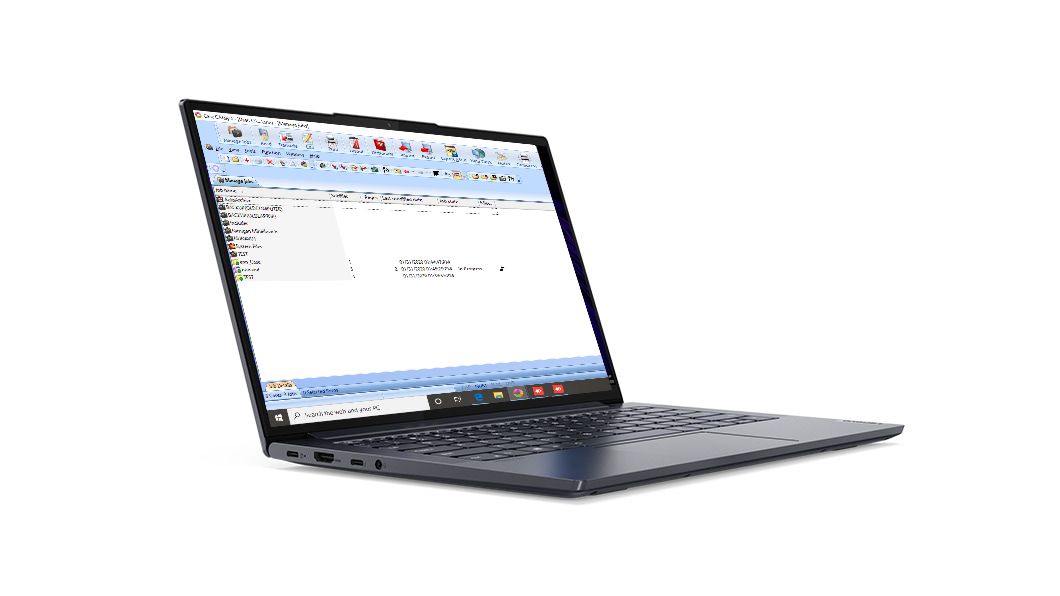
Open Martel Elite Court Reporter Laptop viewed from the front at an angle
Elite CSR Court Reporter Laptop. View Martel’s product details for SKU 1978.

A spare court reporting laptop is ready when another person can put it in the working position, receive new strokes, record the intended voice and recover the first complete exchange from a saved job. Turning it on proves only the first few minutes of that process. Use this two-computer practice handoff to find the last words preserved on the primary, the first words saved on the spare, and what happened between them. It also tests whether the original machine can take work back cleanly. The exercise uses Windows 11, a supported writer and microphone, and a fictional matter that can be repeated without touching production files.

Define the job the spare must take over

Some reporters need a spare to start a fresh authorized continuation at a break. Others need access to an existing transcript, dictionary, linked audio and a realtime viewer before they can proceed. A spare used only for reviewing the last completed job has a different responsibility. Write a sentence stating what must work before the reporter can signal readiness for the assigned procedure. Include the essential inputs, the person who authorizes the return and the output that person will rely on. Use the least complicated scenario that still represents the real handoff.

List the dependency that took the longest to restore during any prior practice if you have an actual observation. If you have never tested a spare, leave the time unknown. A laptop in the equipment case could require its charger, an approved sign-in method, a licensed application, a writer cable and a supported audio device before it can create the first new line. An already prepared laptop with its settings and permissions checked starts from a different point. Time the one you actually intend to bring.

Set up a fictional matter with two unmistakable boundaries

Name the practice matter something unlike a production job, such as Lantern Exhibit Drill. Give a helper an opening, a last complete line for the primary and a first complete line for the spare. One pair might be “the seal is copper, exhibit fourteen” followed after the authorized handoff by “the receipt is violet, exhibit sixty.” Add a correction and a final surname to the spare segment. A person who has not seen the cards should later be able to identify which machine saved each phrase.

Keep an independent time sheet with separate entries for the announced stop, last saved primary line, beginning of equipment movement, operator-ready signal and first saved spare line. Define what counts as completion. For a planned recess it may be reasonable to stop and save the first segment before moving anything. A simulated primary failure gives you a different starting point, because the last changes might never have been saved. Rehearse the planned sequence first. A controlled unavailable-primary scenario can follow using a closed disposable practice copy and a previously verified backup.

Check the spare on its own before introducing a handoff

Label the computers P and S on the worksheet. Record the actual Windows 11 edition or build, reporting application version, supported writer connection and audio input on each. Check that the reporter has the necessary licensed installation and approved local or organizational access on S. A license that allows installation does not automatically establish simultaneous operation on two machines. Verify the actual license arrangement with the software provider. Use authorized credentials normally and keep passwords and personal identifiers off shared handoff sheets.

Start a new mock job directly on S before using it as a continuation. Send a known writer stroke, save the transcript and record a distinctive line through the selected microphone. Reopen and check it. If the spare cannot perform that independent reference, repair its own setup before timing the equipment movement. This avoids mislabeling an ordinary input or application configuration problem as a handoff failure. Keep the reference job separate from the later two-machine matter so a successful old file cannot be confused with the new continuation.

Make the primary’s last complete exchange recoverable

Run the first part of Lantern Exhibit Drill on P using the actual working arrangement. Have counsel ask a short mock question and the witness give the copper seal answer. Keep the final correction or spelling specific enough that it cannot be guessed from the written name alone. Mark the transcript position where the last complete exchange begins, then perform the usual supported close or save for the planned break. Confirm which new file, archive or project contains the primary portion and when it was last saved.

Preserve a verified copy before the next phase where the assignment requires recovery of earlier work. Use the reporting program’s own supported export or backup method and include media where needed. On the handoff log record whether a separate writer or portable recorder is also running and whether it will retain an independent source during the change. A second recording path can be valuable, but it may have different audio, timing and file association. It does not automatically fill a gap in the primary’s transcript-linked laptop recording.

Move only the equipment the spare is meant to inherit

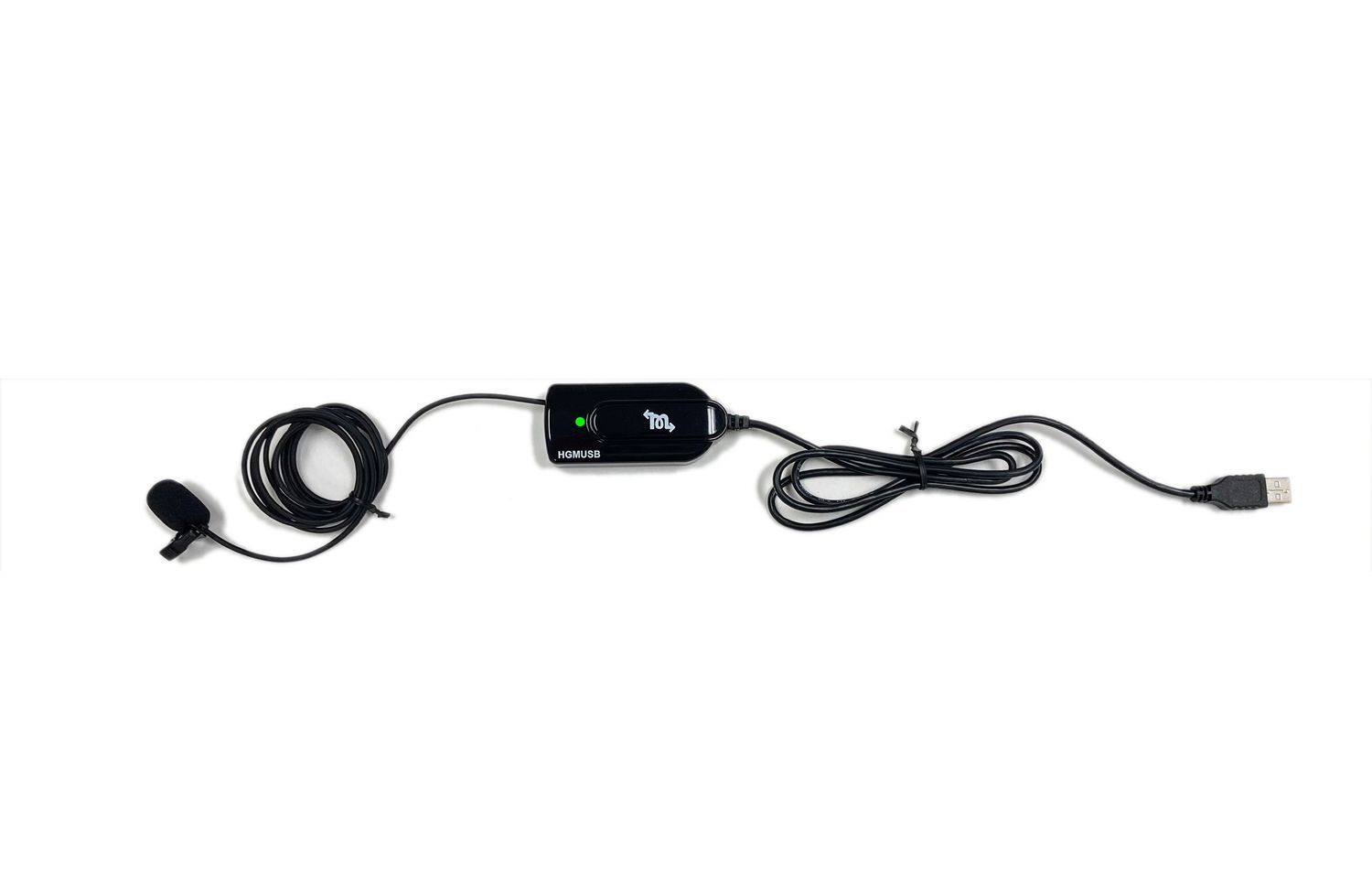
At a suitable mock break, identify whether the writer and microphone are transferred physically or whether the spare uses its own identified devices. A Martel Elite CSR, SKU 1978, has a Windows 11 configuration and an included USB hub. The HGM-USB, SKU 1277, is a computer-connected microphone that can make a practical test input. Record the actual route from microphone to S, including the hub if used. On a desk with similar laptops, label the two cables by destination so the head near the witness does not remain attached to P by mistake.

Some writers use a supported wireless connection while other setups use a direct cable. Follow the writer and software instructions for the intended connection. Keep the spare’s own approved power supply and any needed adapter in the practice layout. If an external display is present for counsel, identify the source currently feeding it. Moving the display cable can also introduce a different playback output. Give each essential device one observable task, such as delivering a stroke, capturing the nearby voice or showing the permitted practice exhibit on the correct screen.

Open the correct continuation and establish the first new line

If the plan calls for a new segment, create the appropriately named continuation through the software’s ordinary procedure before asking anyone to speak. If the plan calls for restoring a supported archive, restore it into a new authorized working location on S and verify the job’s identity. Keep one working copy designated for active editing once the handoff begins. Competing changes made on independent copies can create conflicting transcript versions even when the new microphone and writer are working properly.

Ask for one test stroke and a new short phrase through the intended input. Confirm the source of the captured phrase, especially where the spare also has an internal microphone. Then have the helper use the designated first spare answer and a subsequent correction under the normal practice cadence. Note when the reporter actually signals readiness. Later, after saving, verify that the complete violet receipt answer appears in both the intended transcript workflow and the saved recording. A live audio meter during the handoff does not establish that result.

Separate recording continuity from the right to continue a proceeding

For the rehearsal, the handoff interval belongs to a deliberately stopped fictional exchange. In live work, follow the assignment’s procedure for an equipment issue and for returning to the record. A fast spare does not authorize a reporter to continue when required conditions have not been met. Document the last confirmed primary boundary and first confirmed spare boundary. If testing an approved independent backup source, give it a distinct identifier and a separate recovery check. Keep uncertainty at the boundary accurately described.

A common mistake is to describe a two-file handoff as continuous merely because the final recordings can be played one after the other. Use the helper’s independent notes and the deliberately different boundary phrases. If a phrase is complete on P and the next authorized phrase is complete on S, your test demonstrates those specific boundaries. An interval without speech, a deliberately stopped interval and an interval reconstructed from a separate backup are different findings. Record the route involved so another reporter knows which result applies to their own intended procedure.

Time the readiness tasks and identify the real delay

Break the timing into meaningful stages. Count time spent identifying the right job, finding the needed cable, starting the reporting program, connecting the writer, verifying audio and confirming a return to the required display or remote session. Avoid treating the ready signal as a deadline to beat. The goal is to identify a removable delay and know the realistic interval to allow. A laptop with a fast startup may still lose more time to an absent adapter or an unrecognized writer than to loading Windows.

For example, a fictional rehearsal might spend two minutes opening the correct continuation and five more locating a working USB route for the room mic. An adapter attached to a labeled cable in the spare case may resolve that delay, but only a repeat run can show whether it does. Give the second run a different set of boundary words so it cannot pass merely because the operator reopened yesterday’s practice file. Keep the same required tasks and note any genuine change in equipment or authorization.

Test a spare that must work without the original computer

Once the planned handoff passes, create a separate simulation in which P is deliberately unavailable. Do that by using a previously closed practice job and putting the primary aside. There is no need to cut power, pull a running drive or damage a working installation to imitate failure. Give the operator only the approved resources that would actually be available, such as a verified backup, their own approved sign-in method, a spare cable and the practice answer key held by a second person.

Record how current the available source really is. A backup taken after the first practice matter will not automatically contain changes made during the next one. Identify the last confirmed saved line available to S and distinguish it from the last line someone remembers hearing. Test whether the extracted or restored copy includes the media and dictionary needed for the next exchange. Where additional material can only be accessed on P, record that as a remaining dependency and decide how the authorized preparation procedure should change.
Return custody of the working job to the primary

A spare rehearsal is incomplete if the reporter has no plan for tomorrow’s authoritative working copy. End the simulated spare segment, save it normally and identify the last new transcript and audio material created on S. Use the software’s supported transfer or handback path, preserving both the original P segment and the new S segment. If the workflow requires joining files, follow the vendor’s method on protected copies and keep the separate sources until the result is verified. Similar filenames are poor substitutes for a handback manifest.

On P, open the intended returned copy and locate one original primary mark, the first complete spare mark and the final correction made while S was active. Verify the audio or transcript relationship required by your application. If the return procedure intentionally keeps two segments separate, record their order and demonstrate normal review across the boundary. Designate which computer now owns further editing. This avoids two people continuing to edit different versions because both computers look like the current working desk.

Use results to decide what belongs in the spare kit

Build the packing list from failure points observed in the exercise. A dedicated supported writer lead might remove a fragile transfer step. A labeled USB mic or an approved extra power supply might help if the real desk layout makes moving an existing one impractical. A second laptop with a verified setup can be useful when the primary is unavailable. Adding hardware without confirming the software license, project recovery and correct saved audio can also leave the expensive part of the handoff unresolved.

When buying or configuring a Martel Elite CSR for spare duty, tell Martel which writer, microphone, reporting application, real-time or remote requirements and transfer media must be supported. Ask about the exact supplied hardware and scope of setup support, then repeat Lantern Exhibit Drill on the delivered computer. Keep the last verified date, actual transition time, missing dependencies and earliest recoverable exchange where the responsible reporter can find them. Update that record following a software change, device replacement or a meaningful change in the way the primary desk is arranged.

37 questions and answers

1. Is a spare computer ready if my reporting program launches?

Launching is one dependency. The spare also needs the correct working context, a functioning writer route, the intended microphone and any necessary licensed features. Start an original practice job on the spare, send a stroke, save a distinctive answer and recover it through the expected review method. Then repeat a handoff from the primary. These tests show how the spare performs by itself and when taking over an existing assignment. They can expose a stale profile or missing peripheral that the startup screen cannot reveal.

2. What is the earliest appropriate time to start timing a practice handoff?

Choose the point that reflects the scenario. For a ready spare already open on the desk, begin when the reporter receives the simulated direction to stop or change computers. For a spare carried in a closed case, begin when someone actually begins retrieving it. Note the starting state in the log. Measuring only the final cable swap can make an unprepared spare look as fast as a prepared one, even though the reporter still needs to find power, sign in and locate the intended continuation.

3. Should both laptops run identical versions of the reporting application?

Follow the software provider’s supported compatibility and licensing requirements. Matching versions can simplify a rehearsal, while two supported builds may still require a documented transfer step. Record the actual versions on both computers and verify that the intended copied job, dictionary, media and new edits can open in both directions. A file that opens on the newer spare and cannot return to the primary would leave a handback problem. Test the combination you will actually carry instead of relying on a shared product name.

4. How do I check software licensing without risking the active workstation?

Consult the provider’s terms and normal support route for the licenses you hold. Establish whether the spare can be installed, authorized and operated as required. If the plan involves moving an activation or using an available seat, rehearse the authorized process before it becomes urgent. Never assume two apparently working installations can operate concurrently under one license. Record the responsible contact and required process in the kit note, while keeping credentials, recovery codes and private account details out of a shared sheet.

5. Can I use a fresh continuation if earlier transcript text is unavailable on the spare?

That depends on the assignment and the supported procedure. A fresh, clearly labeled continuation may allow the next authorized segment to be taken while a verified prior segment remains on P. Another assignment may require access to earlier testimony, realtime output or a particular job dictionary before work can resume. State the requirement before testing. Keep the primary boundary identified and verify that the spare segment can later be returned or reviewed in the intended sequence. Do not imply a completed recovery of material that was never available on S.

6. Why does the exercise require an unfamiliar first sentence on the spare?

The operator may remember a generic microphone check or hear a clear signal from another device and assume that the intended computer captured it. An unfamiliar, distinctive opening lets the reviewer identify the actual source and timing when reopening the job. Give the helper the phrase only after the new continuation is open. The combination of a new sentence, first stroke and saved playback provides stronger evidence of a clean return than an old practice file, a running clock or a visible input meter.

7. How can I tell which computer is still receiving the writer?

With the intended practice job open on S, have the writer operator enter a short distinctive sequence and inspect where it appears. If both computers are intentionally running supported sessions, identify observed behavior separately and avoid duplicate editing of the authoritative copy. A connection indicator or wireless pairing entry may remain visible on the old machine after attention has shifted to the new desk. Confirm actual new strokes in the correct target job, then note the supported disconnection or connection procedure in your handoff sheet.

8. What if S hears the room but the USB microphone is still plugged into P?

The built-in mic on S may hear enough of the room to create a reassuring meter or distant recording. Identify the selected input in Windows and in the reporting application. In a mock job, have a helper speak near the intended external head and use a separate position nearer the laptop. Reopen and compare the two deliveries. Physically trace the HGM-USB cable, including any hub, to its actual host. Label the final route so the next operator can verify it without unwinding the whole desk.

9. Can the same USB microphone record directly into two laptops at once?

An ordinary single-host USB mic connection is intended for the selected receiving host. Moving a connected HGM-USB from P to S changes the computer expected to receive it. A supported mixer, separate audio interface, independent recorder or two-microphone design can provide different routes, each requiring its own documentation and test. Do not assume a generic splitter creates two independently recorded laptop signals. Decide which machine should receive each source at each stage and verify both files using distinct local test markers.

10. What if the writer needs a port already occupied by the room microphone?

Map the full spare layout, including the host connection used by any hub and the power or display routes. The Elite CSR package lists an included four-port hub, which gives you a specific arrangement to evaluate with your devices. Identify supported connections, then test the writer and USB microphone together while both are active in the job. If a route works only when another item is removed, it fails that simultaneous-use requirement even though each device can work alone. Reassign or obtain the appropriate supported accessory.

11. Does an external display on S prove counsel can see the intended realtime feed?

A connected screen proves little about its content or routing. Use a harmless invented exchange and have the intended viewer report the specific new text or practice exhibit visible on their display. Confirm that restricted or private screens remain where the assignment requires. If counsel views realtime over a separate application or connection, test that actual route and its authorization. A reporter can have a perfect local transcript and a fully lit external screen while the viewer sees a stale session or the wrong material.

12. How should a remote deposition be represented in the handoff?

Invite authorized practice participants to a fictional session and follow the normal access process on the spare. Give a local helper and a distant participant different first phrases. Confirm what S’s meeting connection transmits, what the reporter hears and what the intended saved job receives. A successful remote login answers a different question from a successful two-sided recording. Include the time required to rejoin and verify the return through the approved workflow. Keep meeting credentials and links out of a broadly shared equipment worksheet.

13. Can I assume all dictionaries move with the copied job?

Individual dictionaries, user profiles, job-specific vocabulary and other resources may be stored differently depending on the program. Use its supported transfer or backup procedure and identify which resources the spare actually requires. Put a fictional term in the mock job that provides a safe check of the relevant dictionary behavior. Reopen and test it on S in the intended user context. The result identifies a missing preparation step more reliably than scanning a folder list and assuming every resource traveled with the transcript.

14. How do I include the original media without changing the only master recording?

Create and verify an independent working copy through the supported application or transfer method. Keep the original primary segment and its media under the source handling procedure. Restore or open the copy on S, then use distinct before-and-after transcript markers to check what is available. If the spare needs only a fresh continuation, record whether the primary media is intentionally accessed later. The handoff specification should make that choice explicit so a missing on-site file is recognized as either expected or a genuine shortfall.

15. What if the backup is older than the last words taken on P?

Identify the last saved and verifiable point in the backup rather than assuming the backup contains everything the primary displayed. Compare it with the boundary logged by the helper. In a planned handoff, use the supported close and transfer to include the final required material. In a primary-unavailable exercise, record the gap between the backup’s last confirmed point and the lost access event. An independent authorized writer or audio recording might provide additional source material under your procedure, but its existence does not automatically update the spare’s project.

16. Should I simulate a hardware failure by pulling the primary’s power?

A realistic unavailable-primary exercise can begin with a normally closed training job and a previously prepared backup while the primary is put aside. This forces the operator to work with the same resources accessible after a failure without risking corruption, hardware damage or confusion about what the exercise itself destroyed. Keep the scenario written down, including the time represented by the last backup. Test a distinct recovery question rather than making a working computer fail in front of the reporter.

17. Can a USB drive with the correct file name still be the wrong source?

Yes. A similarly named folder may contain yesterday’s copy, a returned edit, a partial archive or audio from another fictional matter. Identify the intended volume, project identifier, expected files and last confirmed exchange. Use the software’s supported open or restore method. Have the operator recover the known first and last markers from the primary portion before treating S’s copy as current. This is particularly important when the spare assigns external storage a different drive letter from the one seen on P.

18. What role does Wi-Fi play in a spare check?

Identify which critical tasks actually need the network. The writer may connect locally, while licensing, authorized storage, realtime delivery or a remote hearing may rely on separate network access. Rehearse the approved network conditions for the assignment and record what still works if a nonessential service is unavailable. Do not use client credentials or protected data as practice material. A local stroke and microphone can pass while the remote return is missing, so give network-dependent functions their own observable tests.

19. How can I measure the first minute after S wakes?

Start the helper’s log when the operator begins the agreed return. Note when the correct project opens, when a stroke first appears, when the intended external microphone is selected and when a full saved phrase can be recovered. If checking recovery requires closing the practice job, time the live readiness steps first and perform that final verification afterward. A quick wake animation or desktop is only one milestone. The field note should describe the verified functions required before the reporter signals readiness.

20. Do both computers have to use the same style of microphone?

They need supported inputs that deliver the intended speech under the assignment’s conditions. Matching microphones can simplify troubleshooting, but a different supported spare system can work if it is documented and rehearsed. Place the test speaker at the actual witness and counsel positions and compare the recovered details. A substitute that works only when spoken into closely may fail the real room requirement. Keep the accepted input, compatible connection and verified placement in the spare kit’s instructions.

21. How do I decide whether to move one cable or keep a duplicate in the case?

Time the movement under actual desk conditions and inspect what remains dependent on that cable. A duplicate may reduce handling or allow the primary segment to be reviewed while the spare is prepared. It must still be compatible with its specific writer, microphone or other device. Label each end, test the complete spare route and store the duplicate where the operator can find it. Purchasing a second cable without rehearsing that new path can merely add an unidentified lead to an already crowded bag.

22. How do I verify readback on the spare without using live testimony?

Use a fictional exchange that includes a place name, number and correction. Have the operator locate the requested line on S and perform the readback through the supported workflow. If linked audio is part of the procedure, select the position and identify what the saved recording actually plays. A second person can compare the response with the sealed answer card. This tests retrieval under the spare’s screen, input and user profile while keeping training material safely separate from actual proceedings.

23. What if the spare records all voices but its copied transcript lacks a recent correction?

The audio path and transcript version have passed different checks. Identify whether the missing correction was saved on P before the verified backup, whether the wrong project copy was selected on S, or whether the return package omitted a required file. Preserve both sources and work through the application’s supported version or restoration procedure. A post-handoff correction from memory can obscure which copy was current. Establish the last verifiable state before assigning the responsibility to the laptop or microphone.

24. How does the plan change if a relief reporter operates S?

Give the second reporter only the approved package, equipment and written instructions they would ordinarily receive. Have them name the active matter, writer connection, audio input and continuation boundary before the mock return. Time the handoff with their own normal access and supported application settings. A procedure that works only because the original reporter remembers an unusual folder or adapter is incomplete for a relief handoff. Add that missing information to the kit notes while keeping credentials and private client facts appropriately protected.

25. Should the old and new recordings share a file name?

Use a naming procedure that preserves their identities and fits the reporting program’s supported project structure. Distinct practice segment identifiers help a reviewer recognize the primary close and spare opening. Avoid manually renaming application-managed files if that could break references. When the software generates similar filenames inside different project packages, record the project identifier and intended order in the manifest. A handback should show both provenance and review sequence even when the filenames themselves offer very little information.

26. What if the separate writer’s audio and the laptop recording disagree at the boundary?

Compare the intended sources and the same logged phrase in each file. The writer may use a different microphone, start or pause rule, clock or placement. A sentence on the writer can be absent from the laptop even when both are operating as configured. Record the specific recovered phrase, device and time reference. Follow the relevant work procedure for using any backup material. The test is most useful when it preserves which source supports each observation instead of combining them into one vague result.

27. How can I make the return to P as rigorous as the move to S?

Name the current working project, stop and save the spare portion normally, create an approved return package and have another person restore or open it on P. Recover a primary marker, the first spare answer and the final correction. Verify that the intended active copy on P contains the expected new work and associated media or segment references. Document whether S remains an archived source or a further active machine. That explicit ownership step prevents later edits from quietly diverging between two apparently current desktops.

28. Do I need to rehearse joining the two segments into one file?

Only if the normal authorized workflow requires it and the reporting application supports that method. A complete handoff can maintain two separately identified segments with a documented boundary, depending on the deliverable. If joining is needed, use protected practice copies and the vendor’s supported process. Test the last primary answer, first spare answer and a later marker afterward. A joined audio file that plays sequentially can still lose transcript alignment or the provenance of its sources.

29. How do I include a foot pedal or headset that is used only for later review?

Give those devices a second-stage requirement instead of slowing the live return unless the assignment needs them immediately. After S has captured a complete practice segment, connect the supported review device and recover one marked passage using its intended application. Check the playback destination and whether adding the device affects another active audio route. This verifies the complete field-to-review workflow while accurately reporting the narrower set of functions needed for the reporter’s initial ready signal.

30. When would the fastest rehearsal be the wrong one to keep?

Reject a fast result that reached the ready signal before verifying an essential function, used an already open project unlike the field state, or relied on an unrecorded helper intervention. Compare runs only when the required equipment and output checks are the same. Preserve a slower, well-documented run that completes the whole assignment and identifies an actionable delay. The goal is a realistic response procedure, not a stopwatch record achieved by omitting the step that would reveal a missing writer or audio source.

31. Which case details belong in a support packet?

For a rehearsal, use the fictional matter identifiers and deliberately created practice material. Include Windows and application versions, equipment model and connection route, the exact failure stage, the last successful phrase and whether the source job reopens. State which computer created each file and which machine was used for playback. A support provider can then reproduce the problem without receiving real testimony or sensitive case details. Supply additional diagnostic information only through the normal approved support process as needed.

32. What happens if the spare cannot sign in at the actual location?

A spare whose required authorized access is unavailable has not met that assignment’s readiness condition. Before the event, rehearse the supported sign-in and licensing procedure in representative network conditions. Identify which resources require an organizational administrator or provider and whether an approved offline configuration exists. Record the support contact and normal recovery route while avoiding storing passwords in the equipment bag. During a real proceeding use the assignment’s equipment-failure process rather than improvising access around the organization’s controls.

33. Should I measure both machines’ battery state during a handoff?

Yes when power could affect either station. Record whether each laptop is running on battery, connected to its approved supply or drawing power through a supported dock. A charged primary and a nearly depleted spare make a rapid successful switch less useful for the rest of the calendar. Estimate remaining work from a representative tested workload and arrange an approved outlet or alternate plan where appropriate. The handoff test demonstrates readiness at the boundary, while endurance after that boundary deserves its own evidence.

34. How often should the spare come out of its case for a rehearsal?

Repeat after a material Windows or application update, changed writer connection, replaced audio device, licensing change or revised transfer process. Between major changes, a short reference check can confirm that S still opens the practice job, receives one stroke and saves one fresh external-microphone phrase. Record the last verified date and exactly which functions were tested. An old full handoff and a recent quick check can both be useful when the notes distinguish their scope and the remaining dependencies.

35. What does a useful acceptance result look like when buying a spare laptop?

State that the specific delivered configuration, with the named writer and microphone, restored or started the intended practice continuation, saved a complete opening on S and returned the required work to P. Include actual time, power state and any required helper or adapter. If one part failed, describe the unresolved task directly in the purchase and support discussion. This gives a buyer evidence about the proposed spare’s real role without relying on a fast processor, a familiar connector or the fact that the machine is new.

36. Which item on the checklist is easiest to overlook after the exercise passes?

Return the actual kit to a known ready state. Verify that borrowed cables, the approved power supply, current setup note and the appropriate training or authorized recovery materials are where the reporter expects them. Record which copy now owns any ongoing work, and follow the organization’s retention or cleanup procedure for temporary authorized copies. A successful test performed with a cable borrowed from another desk says little about tomorrow’s handoff if that cable disappears as soon as the rehearsal ends.

37. What is the quickest way to show the spare’s limitations to someone assigning the courtroom?

Give that person a plain account of what S can do, how long the tested transition took and which conditions must be present. An example structure is a confirmed steno-and-room-audio continuation after a planned break, with one supplied cable and the reporter’s approved application access. Then identify any untested feature, such as remote counsel or a particular courtroom display. Matching that record to the next assignment allows the responsible person to decide whether an additional rehearsal or a different setup is needed.

Martel equipment and related guides

Elite CSR Court Reporter Laptop · SKU 1978

HGM-USB microphone with its USB interface and connecting cables
Elite Court Reporter USB Microphone HGM-USB. View Martel’s product details for SKU 1277.

Elite Court Reporter USB Microphone HGM-USB · SKU 1277

This article is for educational purposes only.