How to Hand Off Courtroom Microphones to a Relief Reporter Mid-Trial
Hand off courtroom microphones to a relief reporter with a seat map, a clear changeover point and separate checks for the live feed and saved recording.
When a relief reporter takes your seat, give that person three things before you leave. Show where each courtroom microphone is listening, identify the device that is saving the audio, and agree on the point at which the second reporter takes responsibility. A note saying “four mics on” leaves all three questions open. A note saying “witness table feeds input two on the desk mixer, the laptop receives the mixer, and the incoming reporter starts with the first question after recess” gives the next person something they can use.
A change of reporter can happen while the equipment continues to run, during a recess when the court permits work at the desk, or between two authorized recording segments. The person responsible for the proceeding sets the boundary for the change. This guide explains how to make the equipment intelligible across that boundary. The sample rooms, spoken cues, and times below are invented for rehearsal. Practice with those before bringing a second operator into a working courtroom.
Ask what actually changes hands
A reporter can replace another reporter without taking over the same computer. One arrangement leaves the courtroom microphones, mixer, recording computer, and working file in place. Only the person watching them changes. Another leaves the courtroom installation in place while the incoming reporter brings a writer and laptop of their own. A third assigns the official equipment to a court operator while each reporter manages only their own authorized reference audio. Write out which arrangement applies. A good first question is, “When I sit here, which controls am I expected to touch?”
Inventory ownership by action. Who can change the microphone at the witness position? Who can select an input in the reporting application? Who can start a new file? Who is permitted to hear a practice playback? Each answer may name a different person. A relief reporter who understands those limits can report a precise symptom to the right operator. If the installation belongs to the court, a visible cable behind the bench does not make it the reporter's responsibility to move it.
Separate the listening equipment from the writing equipment as you describe the handoff. The incoming writer might be completely ready to take testimony while the sound in its headphones comes from the outgoing reporter's mixer. Quietly hearing the bench tells you something about that listening path. To identify the machine that will have the audio later, follow the connection into the destination and identify the active job or recording there. Settle that distinction while both reporters can still point at the equipment.
Make a map that still works from the other chair
Use room landmarks a visitor can recognize. “Left” is ambiguous when one person faces the bench and a second sits sideways beside the clerk. “Counsel table nearest the entrance” usually survives a change of viewpoint better. Give two similar locations different anchors, such as “witness chair beside the screen” and “lectern beside the entrance.” Where the courtroom uses established position names, copy those names. People listening after the trial should be able to relate the same label to the same area.
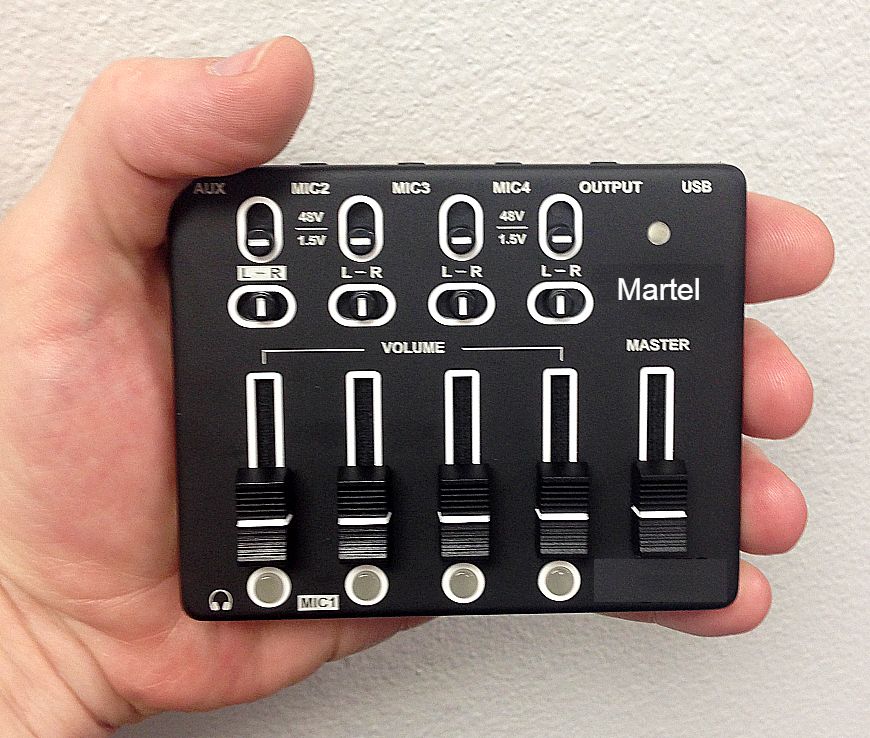
For a portable mixer, write one row for each connected input. A row can identify a seat, a cable label near the desk, and a control. Add a fourth column for what happens after the mixer. A digital recorder may receive several separate signals. A laptop may receive a single combined output. A reviewer can read either map without making assumptions about isolation. In the illustrative layout below, the reporter has a combined file. Input numbers are useful during setup, even though clicking on the recording later will not select those four positions individually.
If one input serves two closely seated people, put both positions in the same row. If a microphone was set aside before the proceeding, mark its position as unused even if a cable is still plugged in. A vacant socket, an unplugged microphone lying on the table, and an occupied input serving an empty seat mean different things. A relief reporter tracking a suddenly soft answer needs the map to reflect the arrangement in use at that moment.
| Room landmark | Label at desk | Control | Saved destination in this example |
|---|---|---|---|
| Bench center | Bench | Input 1 | Laptop mixed recording |
| Witness beside display | Witness | Input 2 | Laptop mixed recording |
| Counsel table at entrance | Door table | Input 3 | Laptop mixed recording |
| Counsel table at windows | Window table | Input 4 | Laptop mixed recording |
Follow one voice into the recording
Pick a starting point that is easy to see from the reporting desk. Imagine a practice speaker in the witness chair reading “The label on the blue folder is Wren.” Trace the microphone serving that chair to its first connection, then to the input selected by the receiving device. Name the application or recorder that saves it. If the sound also reaches a headphone outlet, add a branch for that. Say the description aloud to the incoming reporter and invite them to point to the destination. Two people using the word “recorder” for different boxes will usually notice the difference in this exercise.
If a court technician supplies a labeled feed at the desk, the map may begin there. You might know the feed includes the bench and both counsel tables and have no access to the individual microphone controls. Draw a single incoming line labeled with the technician's description. Write down who adjusts that feed. If the technician has not identified what it includes, record the limitation. A reporter can describe the practice voices captured at the time of the check without representing that every possible room source has been independently verified.
Follow the signal from the receiving device back to an actual practice file. During authorized rehearsal, close and reopen the practice recording where the relief reporter will review it. Ask them to locate “Wren” using the playback method they will have at their own desk. An unmistakable ending word makes this a better comparison than asking whether the audio seems good. If they can hear the phrase only while it is being spoken, trace the route to the saved destination before rehearsing the handoff itself.
Identify the recording mode before you promise individual channels
Four inputs can give you four volume controls, four positions around the room, or four separately stored streams. The specification and operating mode determine which applies. A relief reporter should be able to answer one plain question about the current job. “If someone wants to hear the witness position alone later, what evidence shows that is possible?” A photographed row of four knobs tells you how the device accepts or adjusts microphones. Look at a practice recording from the actual configuration to learn what the reviewer can select.
The Martel Court Reporter Microphone Mixer, SKU 1179, is relevant when several pickup points feed a reporting desk. Martel lists a USB connection for the laptop and an analog output for a compatible destination. At changeover, identify which output supplies which device and which application takes the laptop input. If four controls feed a combined file, the next reporter can still locate an input that needs attention at the desk. They should describe later playback as combined unless a test of the actual saved output establishes another capability.
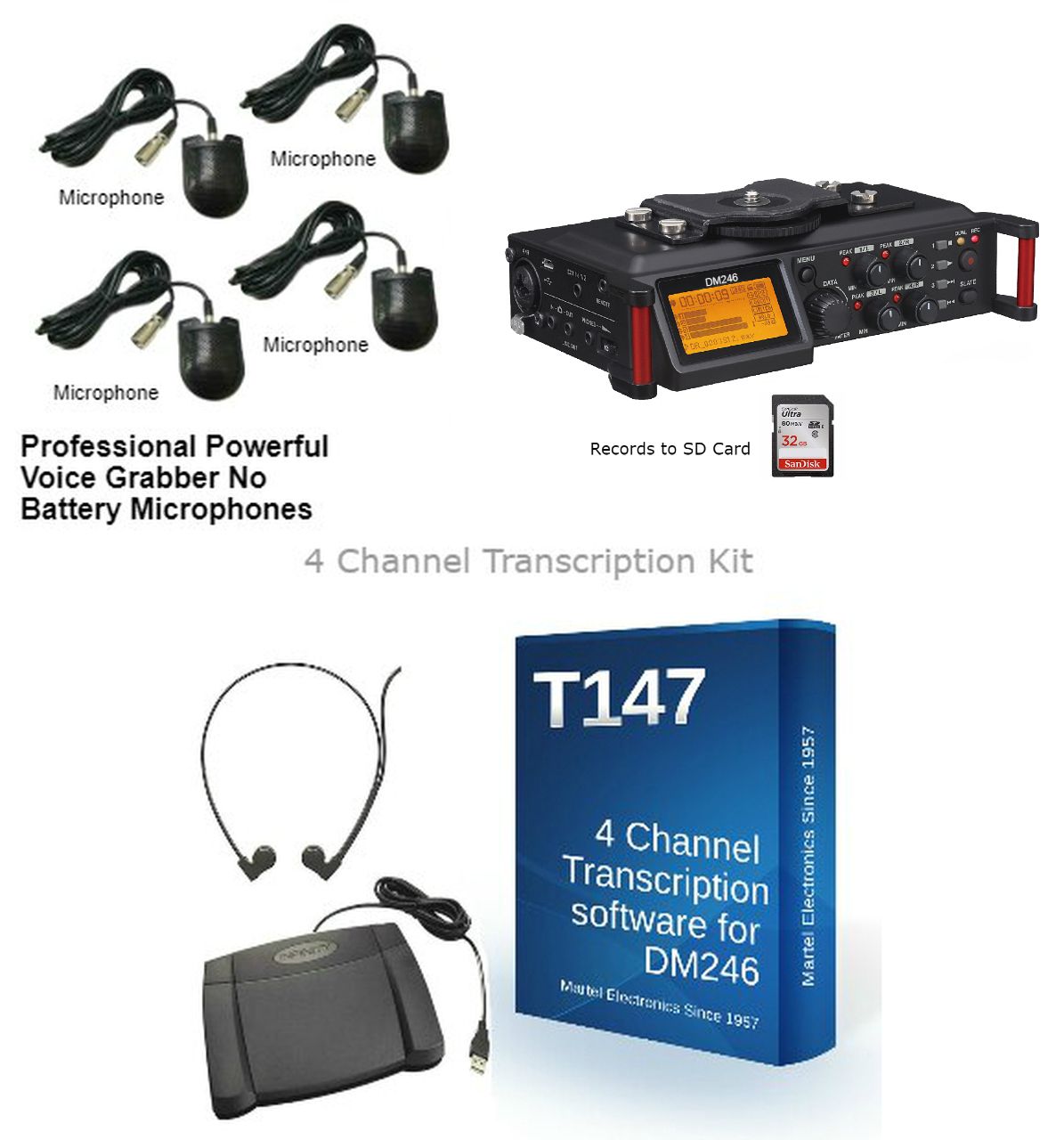
For a different example, Martel specifies that the DM246 omnidirectional package, SKU 1583, can make four separate WAV files with all four channels enabled in MONO mode. The package includes T147 transcription equipment for compatible review. A handoff involving that arrangement should identify the enabled inputs, the mode, the file set that belongs together, and the review method. A label such as “witness” on one file means the microphone at that position picked up sound. Another nearby voice may also appear in that recording.
Separate an operator change from a file change
Put a visible mark on your paper plan beside the action that matters. At one desk it might say, “Outgoing operator seats the replacement and the running courtroom system stays with the clerk.” At another it might say, “Incoming reporter opens a new authorized segment on a different laptop.” Naming the action prevents an automatic impulse to press Stop or Record simply because a new person is sitting down. Follow the procedure approved for the assignment and leave any equipment under another operator's control to that operator.
At rehearsal, give both reporters a copy of a short fictional exchange containing three turns before a marked break and three after it. Assign a distinct ending word to the final turn before the break and a different opening word to the first turn after it. Have the reporters identify where each word can be found using their own work products. This can reveal a gap, a duplicated passage, or an unexpected choice of file. What matters is whether someone can reconstruct the sequence using the permitted material at the review desk.
A change in responsibility does not by itself synchronize two device clocks. If the room recorder shows 10:16, the laptop display shows 10:17, and the player's elapsed time shows 00:42:08, each value may be internally consistent. Attach the device or file name and the type of time to each note. Using a common rehearsal phrase is often easier than trying to align three displays. Preserve original time information and describe the relationship you actually established with the room's approved process.