
Martel Video Transcriber Kit or Software Only: Choose the Right Setup
Compare Martel SKU 1515 with pedal and headset against SKU 1527 software with two licenses. Choose the setup that matches the equipment you already own.
Martel field guide · Timestamp essentials
Handle recording dates across midnight, label unknown time zones, and reset a Martel timing reference when a recording contains a clock discontinuity.
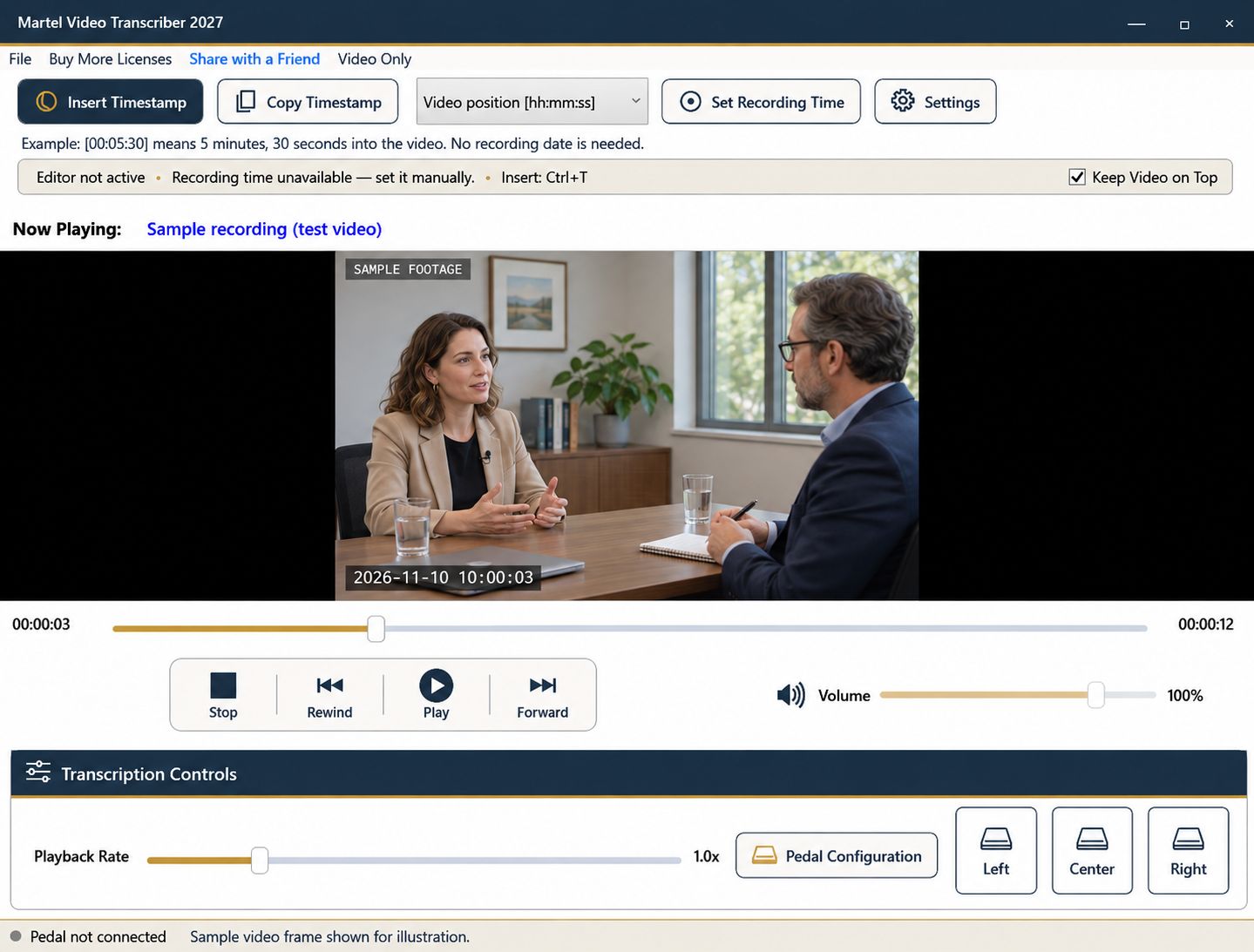
A recording clock becomes ambiguous if you omit the date at midnight or assume a time zone that was never established. Martel's recording-time workflow stores a date/time reference at a known media position, then calculates other times from the media-position difference. That arithmetic is useful only when the reference and the recording's continuity are understood.
Set those conventions before producing a long transcript, especially when footage crosses a date boundary or comes from more than one recording device.
Suppose the first frame corresponds to November 10 at 23:58:00. At video position 00:05:30, the calculated recording time is November 11 at 00:03:30. Showing only 00:03:30 hides the fact that the date changed.
Choose a recording-date-and-time or combined format for this kind of material. State the clock convention in the transcript header and verify one marker on each side of midnight. Elapsed video position remains useful alongside the date because it identifies the location within the file without requiring a clock interpretation.
If you have a verified UTC offset, include it with the reference. If you only know the camera's displayed local time, do not silently assign your computer's zone. Leave the zone unspecified and explain the source of the displayed time in the document.
A fixed offset and a named region are not interchangeable promises about every date. When a recording spans a clock change, investigate what the actual device recorded and how its clock behaved. Do not expect one manually entered offset to discover a daylight-saving transition or repair a misconfigured camera automatically.
The software can calculate consistently from an entered reference even if the camera's clock was wrong. A transcript can therefore match the recording display accurately without establishing the event's authoritative real-world time.
Preserve that distinction in working notes. Write “camera display reference” when that is what you used, or identify the independently verified source when you have one. Do not replace an uncertain clock with your present computer time simply to fill a missing field.
A continuous media timeline can contain a discontinuous recording clock. An editor may have removed a section, or the device clock may have been reset during the original recording. In either case, a single reference may work before the boundary and be wrong afterward.
Pause at a verified point in the new segment and use Set Recording Time to establish a new reference. Note the media position where your reference changed. The reset controls future timestamp calculations; it does not automatically revise values already inserted in the transcript.
For several segments, consider organizing the document into clearly labeled sections with a reference note for each. Keep elapsed positions and source filenames so another reviewer can follow your reasoning.
After entering a reference, compare a second known point some distance away. If the difference grows or suddenly changes, stop and inspect the source rather than applying a blanket correction to the document. A mismatch may reveal a cut, a different export, or an incorrectly entered reference.
When reliable clock information is unavailable, elapsed timestamps remain a valid navigation tool. Label the limitation plainly. An honest video-position marker is more useful than a precise-looking calendar time built on an unsupported assumption.
A useful rehearsal starts at 2026-11-10 23:58:45 with media position 00:00:00. At 00:02:00, the expected recording value is 2026-11-11 00:00:45. Include the new date. If only a clock face is visible and the date or offset cannot be established, keep those uncertainties in the reference note. Do not label a clock jump as elapsed recording time: identify the boundary and establish a fresh reference for the next continuous portion.
This practical example is based on the Martel controls described in this guide. Check your current settings and a sample document before using the workflow for an assignment.
A valid dated reference allows the calculation to cross into the next day. Use a format that includes the date when the rollover matters.
Leave it unspecified. Do not assume that the recording used the same zone as the computer where you are transcribing.
A clock discontinuity needs a new verified reference for the affected segment. Document the boundary and review any timestamps already written.
No. It can faithfully follow a camera display that was itself misconfigured. Identify the reference source and any uncertainty.
Use a dated format when crossing midnight matters. A clock value alone can conceal which day a passage belongs to.
Handle recording dates across midnight, label unknown time zones, and reset a Martel timing reference when a recording contains a clock discontinuity.


