
Martel Video Transcriber Kit or Software Only: Choose the Right Setup
Compare Martel SKU 1515 with pedal and headset against SKU 1527 software with two licenses. Choose the setup that matches the equipment you already own.
Martel field guide · Research, education and interviews
Build an elapsed-time agenda index for meeting video, distinguish summaries from minutes, and verify motions, speakers and topic transitions.
A meeting agenda describes what was planned; a recording shows what actually happened and in what order. A timed agenda index connects the two so a reader can find an item, a public comment, or a discussion without searching the whole video.
An index is not automatically a verbatim transcript or the organization's approved minutes. State the document's purpose clearly and use the applicable review process for any official record.
Begin with the authorized recording and the agenda used for the meeting. Record the exact video filename or published version. During an initial pass, mark when each substantial item begins, including reordered items, recesses, or returns to an earlier topic.
Use the agenda's identifiers where available, but do not force the recording into the printed order. If item six was discussed before item five, the index should help viewers find what occurred rather than conceal the change.
A practical index can include elapsed position, agenda item, topic summary, and a note about the type of discussion. Keep individual quotations and detailed transcript passages separate from short summary entries.
Use specific descriptions that a reader can recognize. “Discussion of the revised parking proposal” is more useful than “Discussion continues.” Avoid turning a neutral index label into an interpretation of the participants' motives or the merits of a proposal.
Motions, amendments, votes, and final wording may need careful review under the organization's procedures. Replay the relevant exchange and retain enough context to distinguish a proposal from an adopted action. Do not infer a formal outcome from applause or an informal remark.
If the task requires exact language, verify it against the appropriate authorized record and review process. A video timestamp helps locate the passage but does not replace that process.
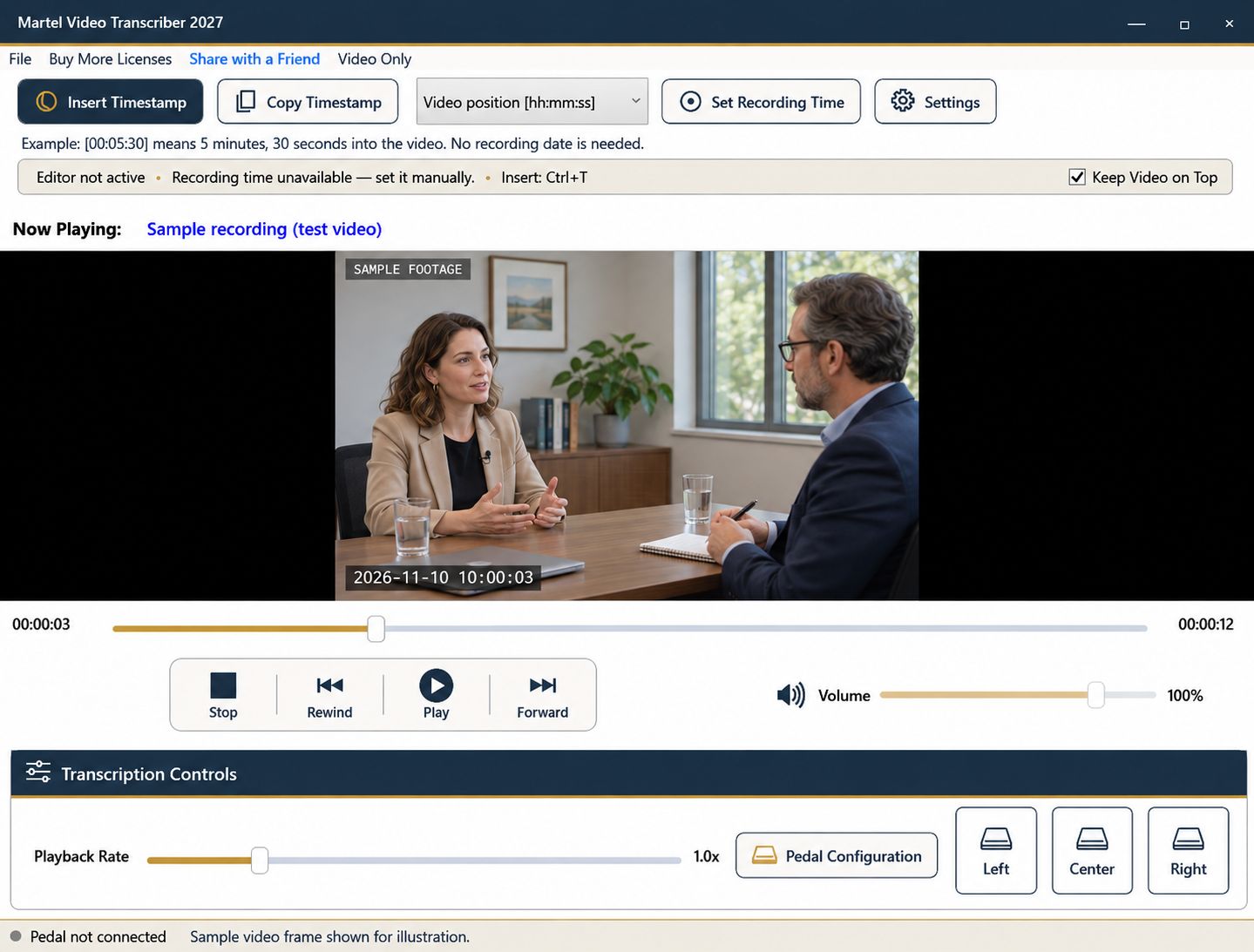
Foot-pedal pause and rewind controls are useful for repeated review of short exchanges. Keep the document active and insert a deliberate timestamp at the start of the item. A compact video window can show speaker changes while leaving room for the index table.
Enlarge the picture for a displayed agenda, slide, or vote board. Distinguish what is visibly readable from what a speaker describes. If the camera view omits the relevant display, note that limitation instead of reconstructing its contents.
Elapsed positions are usually easy for viewers to use with the same replay. A recording clock can be added when a known reference is established, but it is not a substitute for identifying the exact video version. Editing an introduction or recess out of the replay can shift later elapsed markers.
Automatic intervals may help a working transcript, while a topic index generally benefits from deliberate event markers. Choose the method that serves the final reader rather than maximizing the number of timestamps.
Navigate to every major agenda entry in the final recording. Check reordered items and the points before and after breaks. Label the document as an index or working notes as appropriate, save it separately from the player, and retain the source association so a later revision can be checked efficiently.
O*NET identifies municipal and court clerks as records and administrative roles. A city-clerk assistant, school-board administrator or association secretary can prepare a video navigation index under the organization’s procedures. An illustrative row is “00:24:18 | Item 6 | proposed amendment read,” with a separate row for the later action. Do not merge a proposal and the eventual result. Meeting minutes, a verbatim transcript and a replay index have different purposes, even when prepared from the same recording.
Sources and further reading: O*NET: court, municipal and license clerks. Sources explain professional tasks and editorial practice; the Martel workflow example is our own.
No. An index helps viewers navigate the recording. Minutes and official records follow the organization’s own preparation and approval process.
Index the actual sequence and retain the agenda identifiers. The purpose is to help readers find what occurred.
Check the index against the final version, especially after removed breaks or introductions. Keep the reviewed source version identified.
Do not infer a formal outcome from a reaction. Use the organization’s authorized record and review procedure for motions and votes.
Include markers that help viewers find useful content. Topic boundaries are often clearer than a long list of fixed intervals.

Build an elapsed-time agenda index for meeting video, distinguish summaries from minutes, and verify motions, speakers and topic transitions.

