
Martel Video Transcriber Kit or Software Only: Choose the Right Setup
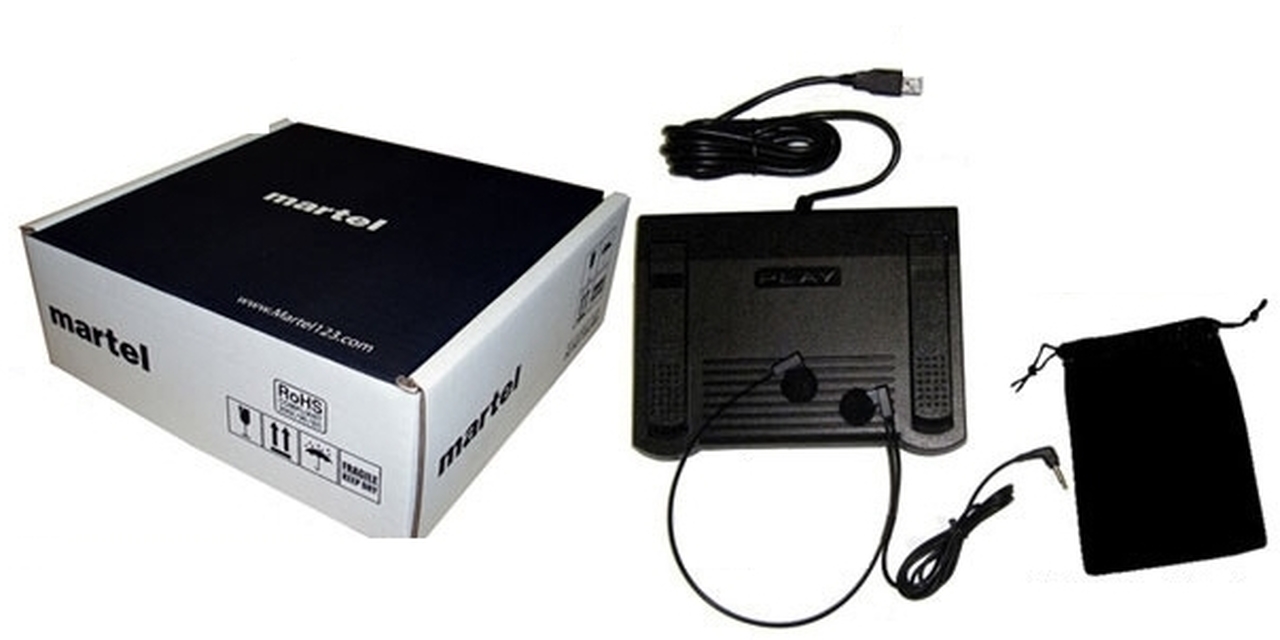
Compare Martel SKU 1515 with pedal and headset against SKU 1527 software with two licenses. Choose the setup that matches the equipment you already own.
Martel field guide · Legal, investigative and case review
Organize police interview video transcription with consistent speaker labels, overlapping-speech notes, deliberate timestamps and a final playback check.
A recorded interview may seem straightforward when only two people are visible, yet speaker changes, interruptions, quiet responses, and off-camera voices can make a transcript difficult to verify. A disciplined manual workflow separates speaker identification, wording, timing, and observation instead of trying to solve them all in one pass.
Use the recording and materials you are authorized to review. Follow the assignment's required style and handling procedures; a general equipment guide does not establish an official transcription standard.
List reliably identified speakers and the labels you will use. If an identity is uncertain, use the project's approved neutral label. Do not assign a name merely because a person occupies a particular seat or appears on screen while speech is heard.
Record any changes in the room or recording arrangement that affect attribution. An additional voice from outside the camera view may require a distinct label even if it appears only once.
Play a short section at normal speed before typing it in detail. Identify where a question begins, whether it is completed, and where the response starts. Rewind in manageable steps rather than replaying a large section after every few words.
A foot pedal keeps playback control separate from document typing. Retain the familiar play and rewind actions; assign a timestamp button only if it improves your workflow. Ctrl+T remains available when you prefer to keep all pedal buttons dedicated to playback.
Mark unclear words, overlapping speech, and interruptions using the convention required for the project. Avoid turning a partial answer into a complete sentence merely because a likely continuation seems obvious. A timestamp beside an unresolved passage gives a reviewer a precise place to listen again.
Playback speed changes can help inspection, but compare difficult wording again at normal speed. If multiple audio channels are present and the player exposes them, verify the relevant channel settings rather than assuming every voice has been combined equally.
When a gesture or visible action is relevant, mark it as an observation. Describe only what can be seen, such as a person looking toward a document, rather than inferring a motive. If the image does not establish who spoke, let the uncertainty remain visible in the transcript.
Use Video Only mode beside the document for general orientation, and enlarge the picture for details. A compact viewer should not encourage guessing from a scene too small to inspect.
Elapsed video position is the simplest navigation reference for a single file. If the recording clock matters and a known reference exists, use Set Recording Time and document that reference. An on-screen camera clock is not automatically proof of an externally synchronized event time.
Automatic paragraph markers can follow speaker changes when each change begins with Enter. Deliberate insertion is better for a precise disputed word or interruption. In either case, verify what moment the timestamp actually identifies.
After the detailed pass, play a longer section while reading the document. Check that questions and answers remain correctly paired, labels are consistent, and uncertainties are not silently resolved. Save the document separately from the player's resume position and include the source filename in the final handoff.
An investigator’s review sheet can keep four items together: question start, answer start, speaker label and unresolved wording. For an authorized workplace interview, an HR reviewer can use the same listening technique while following the employer’s own recording and handling process. A response to “Was the door already open?” must remain attached to that question rather than a nearby one. Replay before and after the answer, and leave an uncertain voice unidentified until the recording or approved source establishes it.
Sources and further reading: U.S. Bureau of Labor Statistics: police and detectives. Sources explain professional tasks and editorial practice; the Martel workflow example is our own.
Use the assignment’s overlap and uncertainty notation. Repeated review may clarify words, but do not invent a fluent exchange when the recording remains unclear.
Yes. Use playback speed as a listening aid, then compare the result again at normal speed before finalizing it.
No. Speaker attribution and transcription remain manual review tasks. Use consistent labels supported by the recording and authorized project information.
Use the assignment’s neutral uncertainty label until the identity is established. Do not borrow the name of the person currently pictured.
No. It directs a reviewer to the passage. Keep the uncertainty notation if repeated listening does not establish the wording.
Organize police interview video transcription with consistent speaker labels, overlapping-speech notes, deliberate timestamps and a final playback check.


