
Martel Video Transcriber Kit or Software Only: Choose the Right Setup
Compare Martel SKU 1515 with pedal and headset against SKU 1527 software with two licenses. Choose the setup that matches the equipment you already own.
Martel field guide · Legal, investigative and case review
Create clear elapsed and recording-clock references for exported body-camera video, with source identification, visual notes and timing checks.
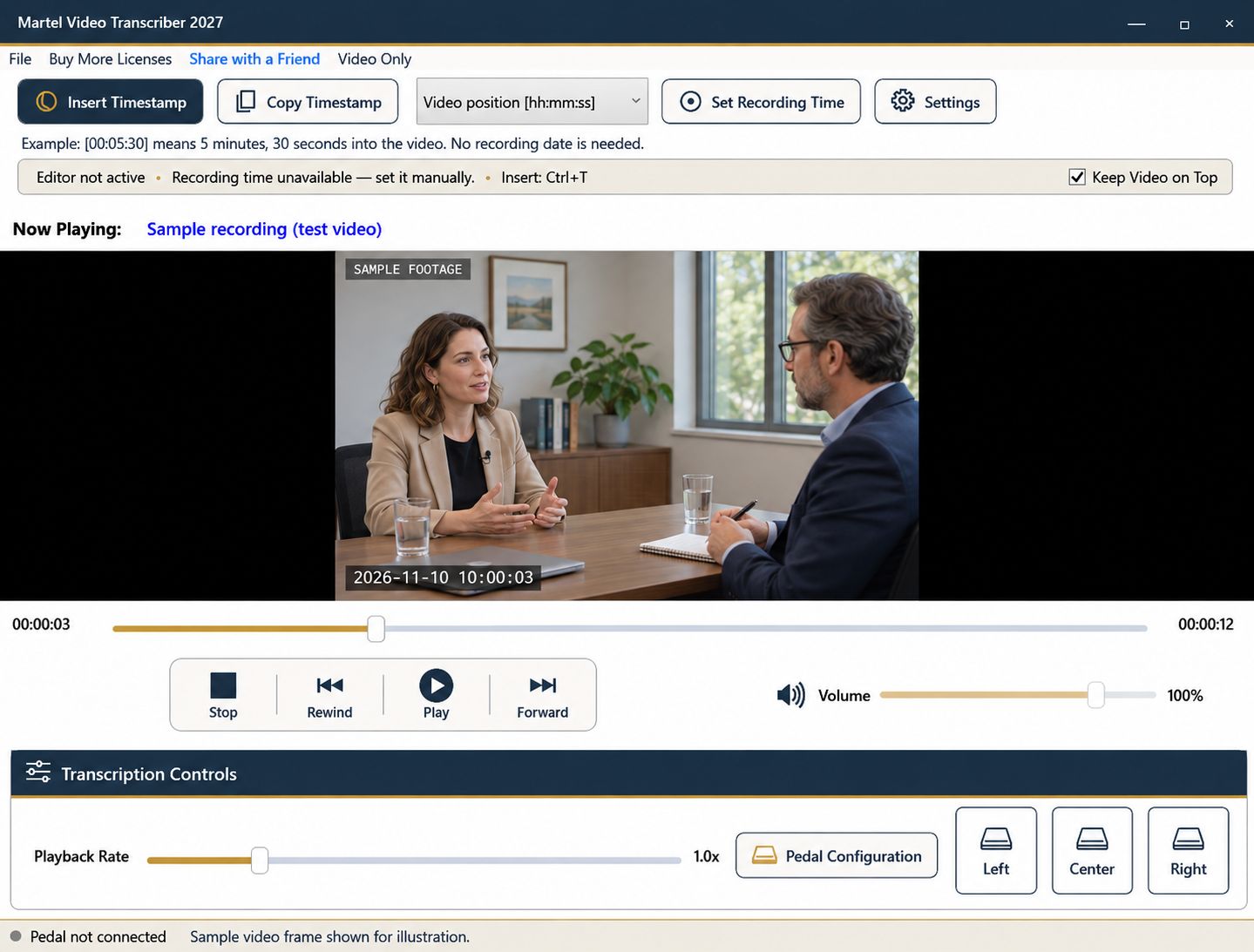
Body-camera footage often combines speech, movement, changing viewpoints, and a visible clock. A useful transcript needs to distinguish what was said, what was observed, and how the reader can find the moment again. Start with the exported file you are authorized to review and a clear timing convention.
This workflow uses ordinary video playback and a manually verified recording-time reference. It does not depend on a particular camera manufacturer's private metadata or evidence system.
Record the exact source filename and any assigned clip identifier in the document header. Note whether you are reviewing a complete recording or an excerpt. If a separate system manages the official source, retain its approved reference according to your organization's process; do not replace that process with a filename invented only for the transcript.
Open the file in Martel and confirm that the picture, sound, and duration are usable. A familiar extension such as MP4 does not establish that every encoded stream or protected export will play. Resolve playback problems before writing detailed notes.
Elapsed markers work even when the recording clock is unavailable or uncertain. At [Video 00:05:30], the reader knows where to navigate within that specific file. Pairing that value with a clip identifier is especially helpful when several recordings begin at zero.
Do not infer event time from a download date, file modification date, or the current computer clock. Those dates may describe file handling rather than the recorded event.
If a readable on-screen clock or a verified log supplies a known moment, pause there and use Set Recording Time. Enter the date and time corresponding to that media position. Include a known offset; otherwise leave the zone unspecified.
Document the reference source. “Matches the camera display at 00:02:00” is different from a claim that the camera was synchronized to an external clock. Compare a second point farther into the file, and recheck after any apparent cut or clock jump.
Use speaker labels supported by the recording or the project's established identification. When a speaker cannot be identified, follow the project's uncertainty convention rather than assigning a name from context alone. Distinguish words heard from a description such as [person moves out of view].
Pause and enlarge the picture when a visual detail matters. Keep descriptions limited to what is observable. For example, “person points toward the doorway” is different from an inference about intention. A timestamp makes the observation reviewable; it does not establish the interpretation.
Rewind a short passage, listen again, and type in your chosen word processor. Use Ctrl+T or an explicitly assigned timestamp pedal button for deliberate markers. Automatic intervals can help a longer working transcript, but a key visual event may need a manually selected position.
Before handoff, check markers near the beginning, middle, and end, as well as either side of a discontinuity. Save the document separately and preserve the source recording unchanged. Follow the receiving organization's requirements for official transcripts, disclosure, and record handling; this equipment workflow does not itself certify a transcript or establish admissibility.
Investigators, records reviewers and legal support staff may use a working log to locate speech and visible events in an authorized, playable export. An illustrative entry is “Clip B | 00:04:12 | person points toward entrance | speech unclear.” That entry separates source, position, observation and uncertainty. For dash-camera or security-camera material, first confirm that the relevant audio exists; a silent clip can support an observation log but cannot supply a spoken transcript. This is a generic review example, without camera-brand integration.
Sources and further reading: U.S. Bureau of Labor Statistics: police and detectives; U.S. Bureau of Labor Statistics: paralegals and legal assistants. Sources explain professional tasks and editorial practice; the Martel workflow example is our own.
No. It uses ordinary playable exports and a manually verified reference. It does not rely on a manufacturer’s private metadata or evidence platform.
You can enter a known displayed moment, but identify it as a camera-display reference unless its synchronization has been independently established.
No. It supports manual review and timestamps. Official record handling, certification and any evidentiary requirements belong to the applicable professional process.
Yes. Use elapsed positions and a clear source identifier. Add a verified clock reference later if the task requires it.
Keep them separate from spoken words and describe what is observable. Avoid presenting an inference about intention as a recorded fact.
Create clear elapsed and recording-clock references for exported body-camera video, with source identification, visual notes and timing checks.


