
Martel Video Transcriber Kit or Software Only: Choose the Right Setup
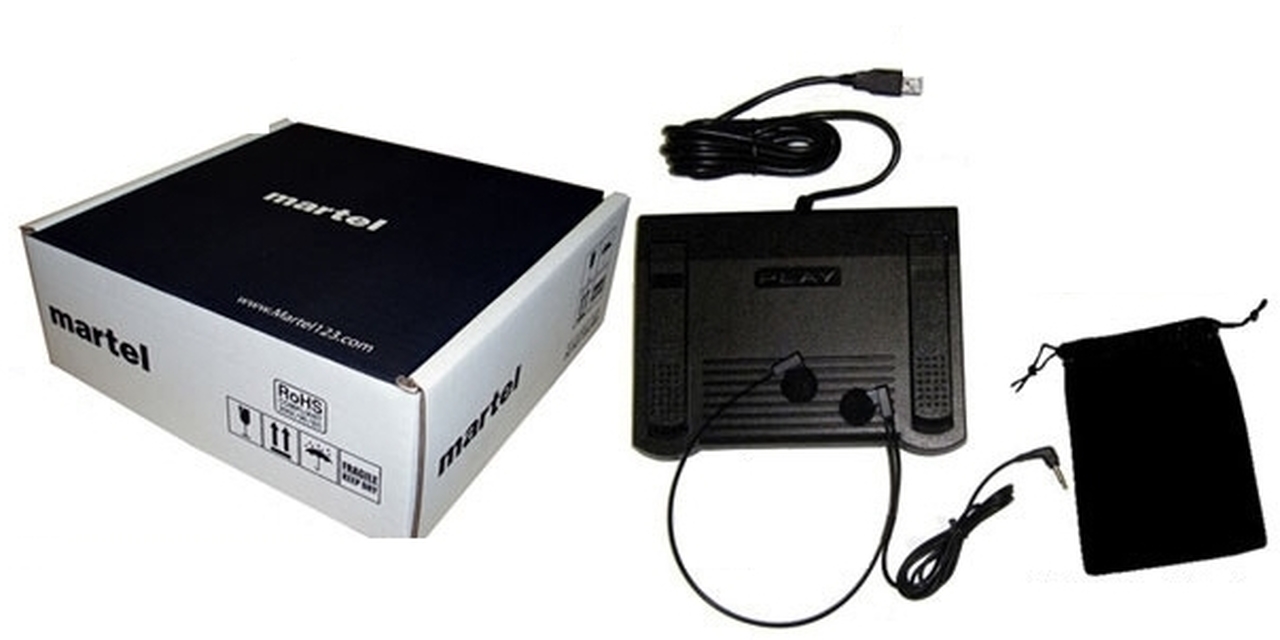
Compare Martel SKU 1515 with pedal and headset against SKU 1527 software with two licenses. Choose the setup that matches the equipment you already own.
Martel field guide · Review and choosing your setup
Understand why Martel timestamps follow media position through pauses, speed changes and seeks, then build an efficient manual proofreading routine.
Transcription rarely happens at uninterrupted normal speed. You pause to type, slow a dense passage, rewind an unclear word, and jump to a point that needs review. A useful timestamp must still identify the location in the recording, regardless of how much real time those actions take.
Martel captures the player's media position for timestamp commands. It does not estimate video time from how long you have been typing or from the current clock on your computer.
At video position 00:05:30, the elapsed timestamp remains five minutes and thirty seconds into the file. Spending ten minutes paused at that point does not change it. Playing slowly changes how long it takes you to reach the point, not where the point is located.
When a recording-time reference is set, the same principle applies. The entered date/time advances by the media-position difference from the reference. Pauses in your work do not advance the recording clock.
Very short steps can help with a single word, while a longer step may be needed to recover the question behind an answer. Start with a comfortable amount, then adjust it according to the material. Repeatedly replaying too much can be as disruptive as returning too little.
Check the pedal's current assignments before changing them. If a button is assigned to Insert Timestamp, it is no longer the ordinary forward or rewind action for that mapping. Keep an accessible keyboard or on-screen alternative for any playback action you still need.
Use a slower speed for dense numbers, unfamiliar terminology, or rapid exchanges. Once you have a candidate transcription, replay it at normal speed. This can reveal a word boundary, interruption, or emphasis that was less clear in slowed playback.
Faster playback may suit an initial topic review or a familiar passage, but reduce speed when detail becomes uncertain. The correct pace is the one that supports the review task, not a target rate you must maintain throughout the file.
If you want a timestamp to identify the start of a sentence, pause or seek to that start before inserting it. Pressing the command after finishing the sentence in your document records the player's position at that later command, not an automatically inferred sentence boundary.
For a broad topic index, a nearby navigation marker may be sufficient. For a disputed word, a short visual event, or a precise quotation, verify the intended point explicitly. State the convention so readers understand the marker's purpose.
Automatic interval timestamps follow playback time and do not backfill every skipped boundary when you jump forward. Safe insertion can also defer a marker while you are typing. Check the next inserted value after a major seek rather than assuming all automatic markers have already been written.
During proofreading, avoid accumulating duplicate markers simply because you replay a passage. Review existing text and add new references only where they improve the document.
Pause at a known position and insert a timestamp. Change speed, play forward, then rewind and insert another. Confirm that both values match the player's positions. If using recording time, compare a second known clock point as well.
This small check validates the timing basis before a long session. Save the transcript through its word processor and use Martel's remembered position as a playback convenience, keeping the two saved states distinct.
A translator or technical transcriptionist may need several passes over an unfamiliar term. Capture an elapsed marker at the passage, slow playback for inspection, and replay at normal speed before deciding what was said. Keep a terminology question alongside the marker instead of silently substituting a familiar word. For an illustrative 00:07:40 passage, the marker stays 00:07:40 whether you reached it quickly or spent several minutes paused. Playback pace is not a source-time correction.
Sources and further reading: U.S. Bureau of Labor Statistics: interpreters and translators. Sources explain professional tasks and editorial practice; the Martel workflow example is our own.
No. The timestamp follows media position. Slower playback changes the listening time needed to reach that point.
No. With media paused, its position does not advance. A recording-clock reference uses the change in media position, not time spent typing.
Seek or pause at the intended start, then insert the marker deliberately. A later command does not infer the sentence’s earlier onset.
No. The command captures the current media position. Seek to the earlier word when the reference must identify that point.
Yes. A normal-speed check can clarify word boundaries, interruptions and the natural relationship between speakers.
Understand why Martel timestamps follow media position through pauses, speed changes and seeks, then build an efficient manual proofreading routine.


