Published · Martel Electronics
A police dash camera night recording should be evaluated by what a reviewer can use in the saved event. A bright preview does not answer whether moving subjects remain clear, whether reflections obscure the scene or whether important areas disappear into darkness. Departments can make a better buying decision by testing representative conditions and recording the results. This guide explains how to structure that evaluation without promising that any camera will identify every face, plate or detail in every nighttime scene.
Define the nighttime recording task first
Start with the scene the vehicle is expected to document. A road-facing camera, a rear-compartment camera and a portable field camera work from different positions. Identify the area that must be visible, the movement that matters and the audio that should accompany it. Use a safe staged location approved for evaluation. Comparing an empty illuminated parking lot with a moving scene on a darker roadway does not produce a fair comparison.
Put the intended task in plain language. For example, the agency may want to assess whether the saved view shows the staged approach area and preserves an understandable sequence of movement. If identification of a small detail is a requirement, make it a specific test question. Keep the distance, framing and lighting with the result. This prevents a general label such as “HD night video” from becoming an unsupported performance promise.
Understand brightness, motion and noise
Exposure time affects how long light contributes to an image. A longer exposure can make a dark scene brighter while allowing a moving subject to blur. Gain can increase apparent brightness while also increasing visible noise. Frame rate describes how often images are captured; it is not the same measurement as exposure time. These distinctions explain why a bright stationary sample can look more impressive than a useful moving sample.
Axis’s image-quality troubleshooting guidance explains those general imaging tradeoffs. It does not establish which settings a Martel product offers. Use the actual model’s instructions and ask the seller to demonstrate the selected configuration. If the equipment manages exposure automatically, evaluate its saved result under representative conditions instead of assuming that a particular menu adjustment is available.
Check reflections before blaming the camera
A windshield can show reflections from dashboard objects, screens and interior lighting. Dirt, haze or marks on glass can also affect the image. Inspect the installation and the view using the vehicle’s normal equipment arrangement. Record whether a visible obstruction or reflection changes when the vehicle’s approved operating setup changes. Do not move safety equipment or alter vehicle systems simply to improve an evaluation photograph.
Keep the lens and relevant glass inspection within the equipment-care instructions. A cleaning method suitable for a vehicle window may not be appropriate for a coated lens or camera housing. If the view remains unclear, retain an original example and ask the installer or support staff to help identify the source. Describing the location of a reflection is more useful than reporting only that the camera has poor night vision.
Use a repeatable low-light test sequence
- Record the setup. Identify the vehicle, camera, recording mode, approximate subject position and lighting conditions.
- Begin with a stationary reference. Show a safe staged scene that lets reviewers assess framing and obstructions.
- Add controlled movement. Include normal movement within the test area so reviewers can distinguish brightness from retained motion detail.
- Include changes in lighting. Where safe and authorized, test representative glare and transitions rather than evaluating one constant scene only.
- Capture officer speech. Include an identifiable spoken phrase so the event tests usable audio as well as images.
- Export and review. Open the original saved event on the intended department computer and inspect the required views.
Use the same sequence when comparing configurations. Keep every original test file with its settings record. If a new position or authorized adjustment improves the view, repeat the same sequence and explain what changed. A controlled comparison gives purchasing a clearer basis for selection than a collection of unrelated clips taken in different places.
Separate low-light performance from infrared claims
Ask what the quoted feature actually means. A low-light sensor, an infrared illuminator, an automatic color change and a marketing label are not interchangeable descriptions. Confirm the camera view and configuration to which the claim applies. An interior camera feature does not automatically apply to the road-facing camera, and a feature on another model does not establish that it is available on the selected system.
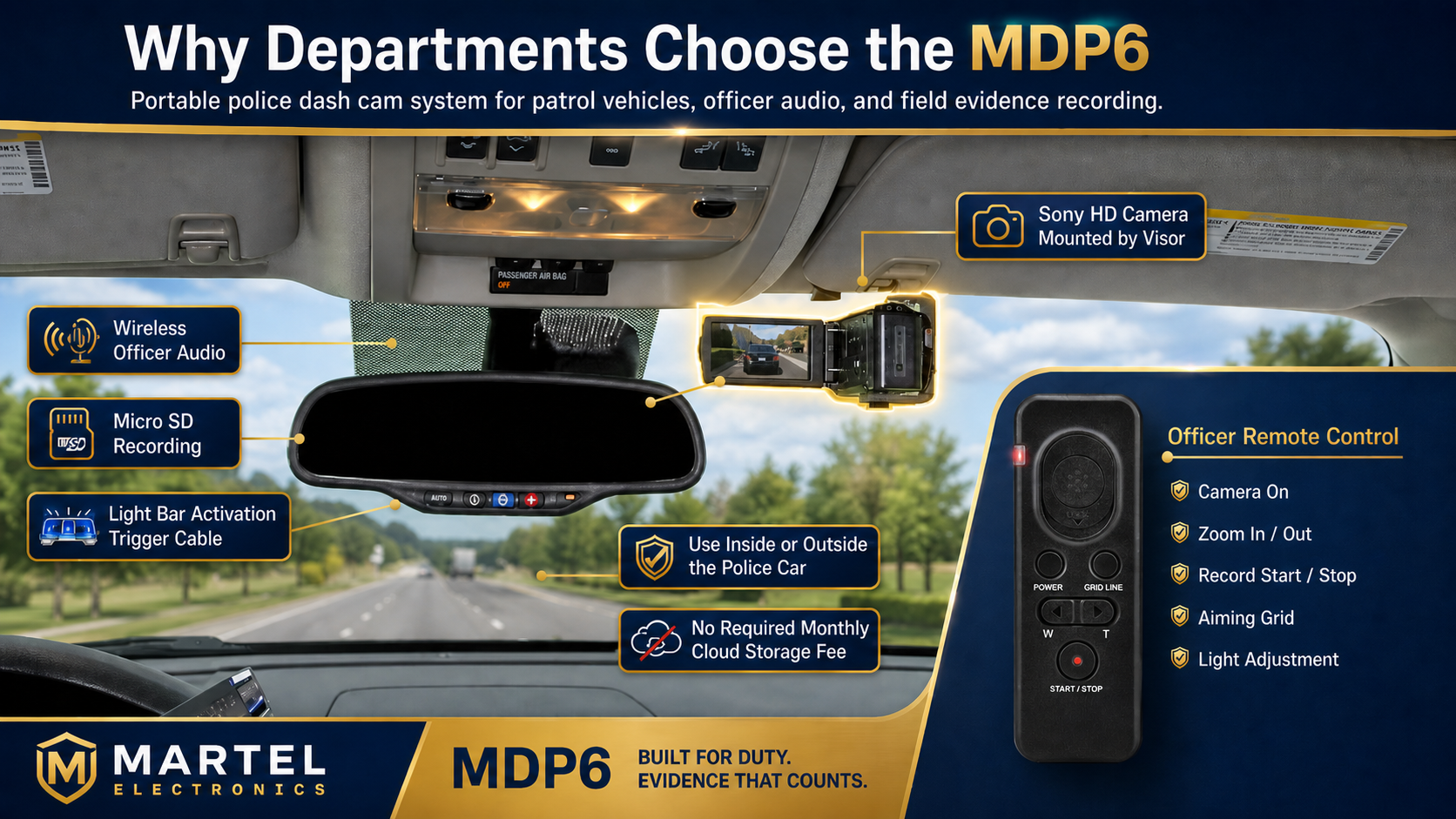
The Martel MDP6 listing describes a portable 1080p camera package and low-light sensor features. The DC7 listing describes dedicated front and rear vehicle coverage. Use those listings to frame questions, then request representative saved video from the proposed configuration. Avoid adding an unverified infrared, automatic plate-reading or guaranteed identification claim to a department requirement.
Technical review: resolution and subject size
A high-resolution frame still distributes its pixels across the whole recorded view. A small object in a wide scene occupies only part of that frame. If the test requirement concerns a small detail, note its size in the recording and the conditions under which it was captured. Enlarging the player window does not change what the source recording captured. Review both the overall sequence and the relevant original-size detail.
Also check whether a poor-looking sample is a review-copy problem. An emailed, compressed or screen-recorded copy may differ from the original export. Begin the evaluation with the original file and document any later processing. Keep enough surrounding footage to understand movement and lighting changes. A selected still image should support review of the event rather than silently replace the event itself.
Assess the reviewer’s workstation
Review the sample on the computer and software the department expects to use. A playback problem can resemble a recording problem. If one workstation skips or stalls while another plays the original normally, investigate that difference before concluding that the camera lost frames. Record the file used, player and observed behavior. Keep the test focused so a software change is not confused with a camera improvement.
Use a consistent screen setup when comparing clips. An unusually bright or dark display can influence subjective judgments. Ask reviewers to describe what they can actually observe: an area remains visible, a reflection obscures a portion of the scene, or movement becomes blurred. Those observations can be compared and investigated. A general “good” or “bad” score is harder to use later.
Turn the findings into a purchasing decision
Keep a short table of the required nighttime scenarios, observed results and unresolved questions. Record which conditions were not tested. If an essential requirement remains uncertain, request another demonstration before treating it as satisfied. The police car camera buyer’s guide connects these findings to the wider equipment decision, while the front and rear coverage guide helps distinguish camera roles.
Common questions about police dash cameras at night
Does 1080p guarantee readable license plates at night?
No. Framing, distance, movement, lighting and exposure affect the recorded detail. If a particular identification task matters to the agency, test it under representative conditions and document what the original recording actually contains. Do not substitute a resolution label for that evaluation.
Why can a parked scene look clearer than a moving one?
Movement creates a different imaging challenge. A setting that produces a bright stationary image can still show blurred movement. Include controlled motion in the evaluation rather than judging only a still scene.
Can video processing restore anything missing from a recording?
Processing may assist review, but it should not be presented as a promise to recover detail that was never captured. Preserve the source export and document working copies and processing. Refer difficult interpretation questions to appropriately qualified personnel.
Should every camera use identical settings?
Not automatically. Different viewpoints and assignments can require different choices. Use the model instructions and the department’s documented requirements. Compare actual saved results before accepting a new configuration.
Which Martel system should we evaluate?
Use the DC7 versus MDP6 comparison to identify the appropriate vehicle or portable workflow, then compare current packages in the Police camera category. Ask for the nighttime demonstration that matches your assignment.
Example: distinguish a lighting problem from a framing problem
Imagine a staged nighttime sample in which the overall scene is visible but a particular small detail cannot be assessed. First record where that detail appears in the original frame and how much of the image it occupies. Then compare a stationary and a moving version under the same lighting. A detail that is too small in both samples raises a different question from one that becomes blurred only during movement.
Keep those observations separate when speaking with the seller or installer. Ask for a demonstration directed at the unresolved requirement, with the proposed installation and supported settings. Do not make several unrecorded changes and select only the most flattering clip. A useful evaluation preserves the less successful sample as well as the improved one and states the conditions for each. This gives purchasing an honest account of the operating limits and gives later staff a reference if the same symptom returns.