
Martel Video Transcriber Kit or Software Only: Choose the Right Setup
Compare Martel SKU 1515 with pedal and headset against SKU 1527 software with two licenses. Choose the setup that matches the equipment you already own.
Martel field guide · Research, education and interviews
Create an oral-history video index with topic markers, source identifiers, names to verify and a clear distinction between summaries and quotations.
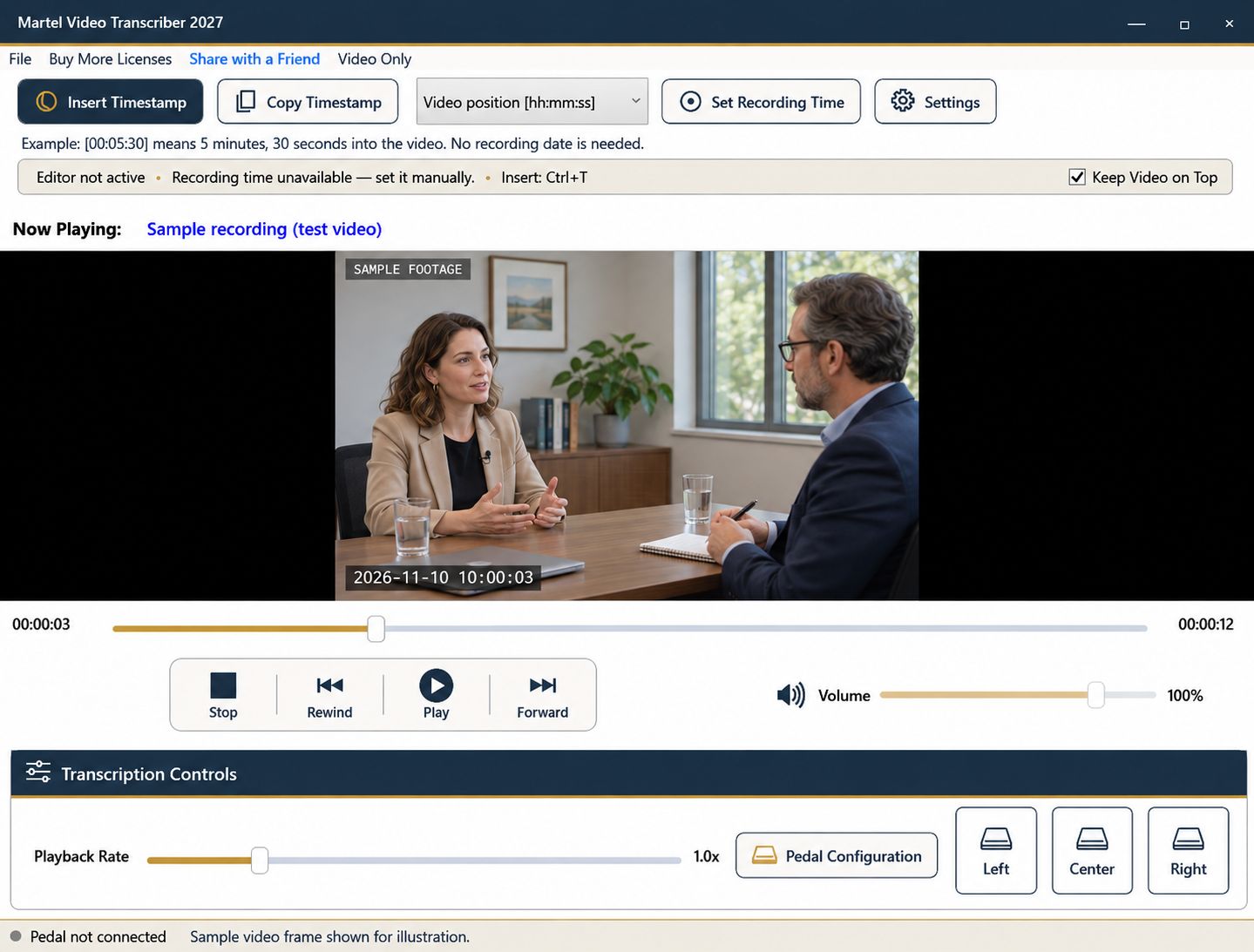
A full transcript is valuable, but an oral-history recording can also benefit from a timed topic index. An index helps a researcher find a story, place name, or period of a person's life without reading every page first. It should point back to the recording and make clear which entries are summaries rather than direct quotations.
Plan the index around the eventual reader. A family-history project, a local archive, and an academic interview collection may need different descriptive detail and access conventions.
Choose a small set of fields: elapsed position, topic, people or places mentioned, and review notes. Put the recording's exact identifier in the header. If the interview spans several files, give each segment a clear label and state that elapsed positions restart.
Decide how you will mark uncertainty. A name heard unclearly should remain a name to verify, not a confidently corrected entry based on a quick guess. Keep editorial notes separate from the narrator's words.
Listen for transitions such as childhood, a move, work, military service, or a particular event. Insert a deliberate timestamp near the beginning of each topic and write a concise description. Avoid making every sentence a separate index entry unless the collection requires that level of detail.
A pedal helps you pause and replay a transition while writing. Video Only mode can keep the narrator's picture visible beside the document without occupying the whole screen. Enlarge it when a gesture or object is relevant to the index.
An entry such as “Describes moving to the coast and beginning factory work” is an editorial summary. Quotation marks should be reserved for words you have checked against the recording. When a memorable phrase is important, rewind to its beginning, verify the wording, and add a more precise marker.
Do not silently smooth an uncertain date or relationship into a fact. An oral-history account may contain recollection, interpretation, and later correction. Preserve enough context for the reader to understand the account as recorded.
Some interviews include photographs, maps, keepsakes, or gestures that affect meaning. Add a brief visual note when it helps a future reviewer locate that material. State what is visible without assuming that an indistinct item is a specific document or person.
If the image does not show what the speaker refers to, note that limitation. A transcript or index can guide attention, but it cannot supply missing visual evidence.
Elapsed position is often sufficient for navigating an oral-history interview. A recording date can belong in the collection description without appearing in every marker. If you need a recording-clock format, establish a known reference with Set Recording Time rather than using the file's download date.
Fixed intervals can help a long working draft, but topic markers are usually easier to scan in an index. Use both only when each serves a clear purpose.
Test several entries by navigating directly to their positions. Check names, topic wording, and segment labels. Include a short explanation of your conventions and any restrictions supplied by the project. Save the index as a separate document while retaining the original recording as the source to which every entry points.
The Library of Congress treats a transcript as a useful companion to the recorded interview. A museum volunteer or family historian can make an index entry such as “00:18:40 | first teaching job | mentions a school photograph,” then check the name and image in a later pass. An archivist can retain the collection’s established identifier alongside that entry. Keep the index’s summary separate from the narrator’s actual words and record who reviewed any uncertain names.
Sources and further reading: Library of Congress: transcribing oral-history interviews. Sources explain professional tasks and editorial practice; the Martel workflow example is our own.
No. An index summarizes topics and points back to the recording. Label summaries and direct quotations differently.
Usually an elapsed marker and source identifier are sufficient for navigation. Include recording-date information where the collection or task needs it.
Mark them for verification using the project’s convention. Do not replace an unclear name with a confident guess merely to tidy the index.
Include relevant photographs, objects or gestures when they help locate or understand the account. Explain when the recording does not show the item clearly.
Usually a topic index benefits from meaningful topic starts. Use denser markers only when the project or reader needs them.
Create an oral-history video index with topic markers, source identifiers, names to verify and a clear distinction between summaries and quotations.


