
Martel Video Transcriber Kit or Software Only: Choose the Right Setup
Compare Martel SKU 1515 with pedal and headset against SKU 1527 software with two licenses. Choose the setup that matches the equipment you already own.
Martel field guide · Legal, investigative and case review
Organize a transcript that uses several video files. Keep clip identifiers, elapsed positions and recording-time references attached to the correct source.
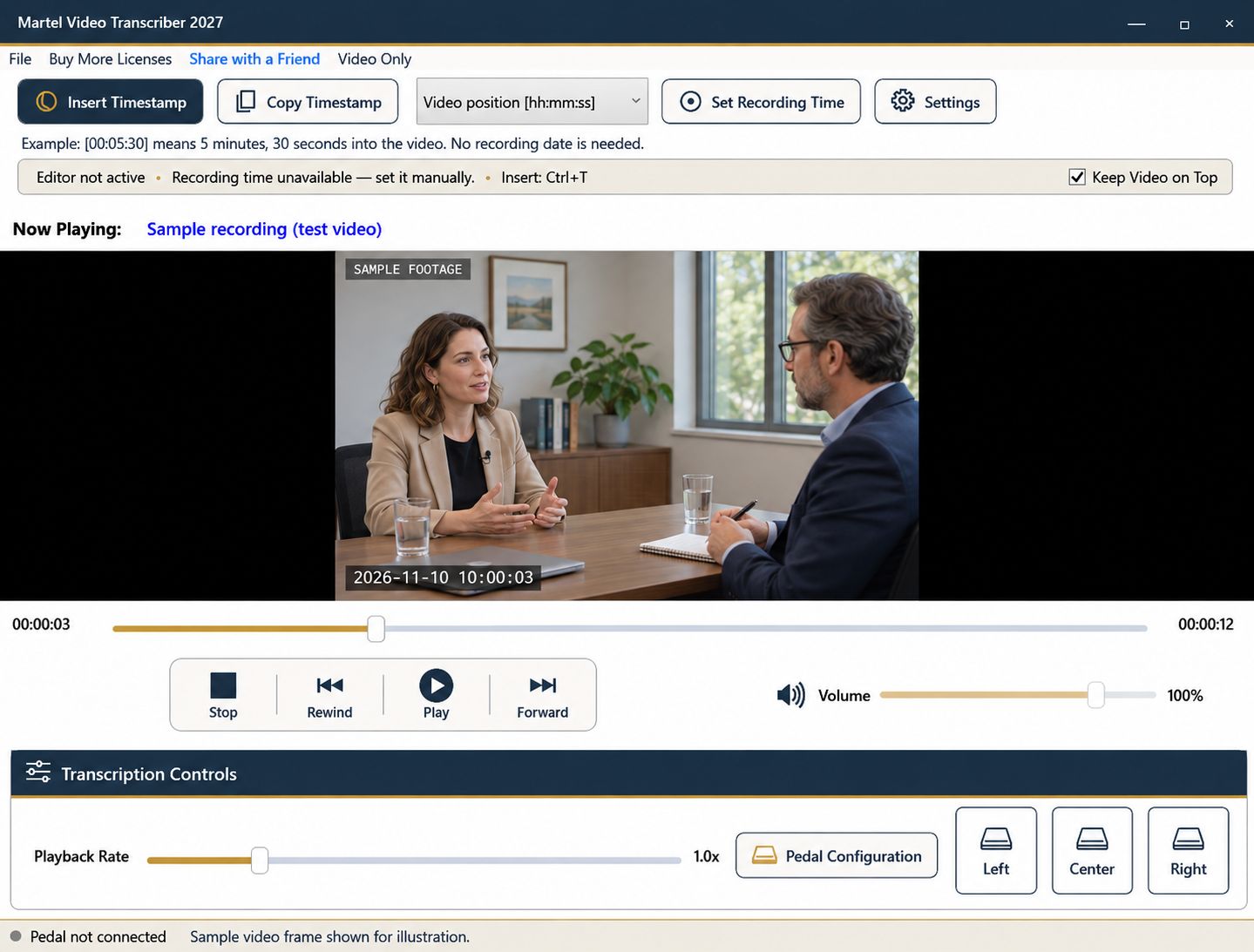
The timestamp 00:05:30 is clear only when the reader knows which file it belongs to. In a project with several interviews, camera views, or exported segments, each clip may start at zero. A transcript that omits file transitions can therefore contain correct numbers that are impossible to use reliably.
Create a simple source convention before the first detailed pass. It should remain understandable if the document is printed or separated from the folder where you originally worked.
Assign a short, stable label to each recording and retain its exact filename beside that label. For example, Clip A can refer to one complete source filename while Clip B refers to another. Use identifiers already required by the project when available instead of inventing a competing system.
Include enough information to distinguish similar exports. A filename ending in “final” may not be sufficient if several versions exist. Keep working copies organized and avoid overwriting a reviewed file with a different export under the same name.
Begin each clip section with its label and source filename. Explain once that the elapsed clock restarts for each file. If your notes alternate frequently between clips, include the short clip label beside individual references rather than relying only on a heading several pages earlier.
An example working reference is “Clip B — video position 00:05:30.” The label is part of your document convention; do not assume the player automatically inserts your complete project identifier with every timestamp.
Opening a new file must not borrow the previous recording's timing reference. In Martel, Set Recording Time attaches a known date/time and media position to the selected recording. Check the status after a file change and establish a reference only when you have valid information for that file.
Two cameras showing the same event may have different clock settings. Do not force their displayed times to agree by guessing an offset. Record what you know, how you verified it, and any remaining uncertainty.
Elapsed position alone does not synchronize recordings that began at different times. If you need to compare an event across two views, identify the corresponding moment in each source and document both references. A shared recording-clock label is useful only if the relationship has been established.
Keep descriptions tied to their viewpoints. One camera may show an action that another misses, while the second carries clearer audio. Avoid writing as though every observation came from a single uninterrupted recording.
Martel can remember a recording's playback position. At the next session, verify the loaded filename and match it to the document section before continuing. Reopen the correct transcript through its word processor and compare the last completed passage with the saved media checkpoint.
For a team handoff, include a small progress list naming the last reviewed position in each clip. This remains useful if another person uses a different computer or the files are moved to a new location.
Sample at least one early and one late reference from every clip. Confirm that the receiving reviewer can identify the right file and navigate to the intended passage. Check transitions separately because that is where a previous file's label or clock convention is most easily carried forward by mistake.
Save the transcript and source list together according to the project's workflow. Keep the original recordings unchanged and explain any edited versions used during review.
Use a source table such as “Interview-A → interview_a_full.mp4” and “Interview-B → interview_b_full.mp4.” Two entries at 00:05:30 then have different, unambiguous references. An assistant editor can add a separate field for the production team’s own identifier; a research assistant can retain the study’s approved participant code. Neither should infer camera synchronization from equal elapsed positions. When a replacement export arrives, verify the corresponding passage before transferring the old notes.
Sources and further reading: UK Data Service: preparing research files for reuse; U.S. Bureau of Labor Statistics: film and video editors. Sources explain professional tasks and editorial practice; the Martel workflow example is our own.
Several clips can contain the same elapsed value. The filename or source label identifies which timeline the reader should use.
No. Each recording needs its own supported timing information. Check the reference status whenever the loaded file changes.
No. The recordings may have started at different moments. Establish corresponding events or another verified timing relationship before comparing them.
Use distinct versions where possible. If replacement occurs, recheck the timeline and references before continuing the existing transcript.
Provide the source list, last reviewed position for each clip, timing convention and any segment-specific clock references.
Organize a transcript that uses several video files. Keep clip identifiers, elapsed positions and recording-time references attached to the correct source.


