
Martel Video Transcriber Kit or Software Only: Choose the Right Setup
Compare Martel SKU 1515 with pedal and headset against SKU 1527 software with two licenses. Choose the setup that matches the equipment you already own.
Martel field guide · Research, education and interviews
Organize lecture video notes around concepts, slide changes and verified quotations. Use elapsed timestamps to return to explanations and examples.
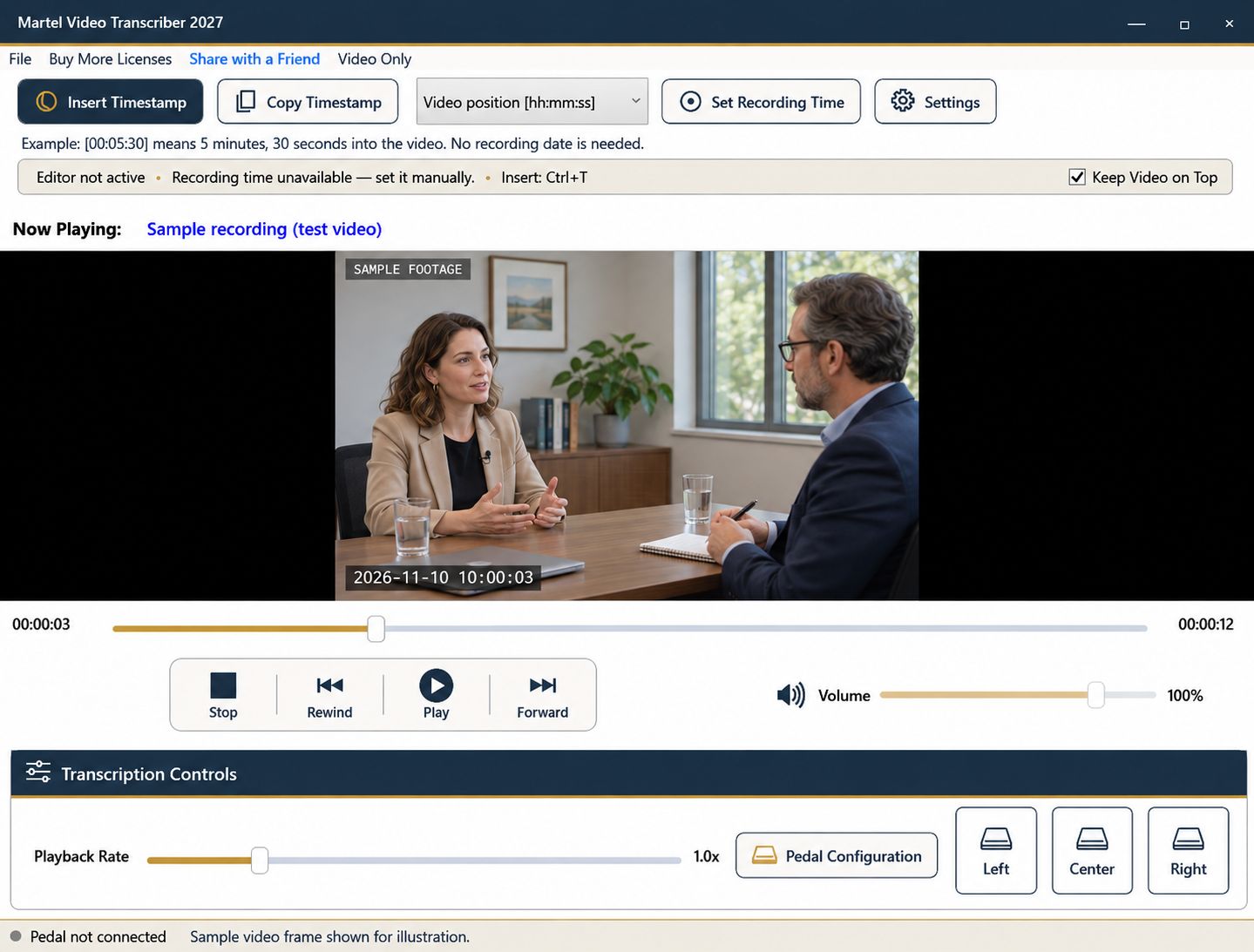
A lecture transcript is easier to study when the reader can return to the explanation, example, or slide that prompted a note. Timestamps provide navigation, while slide references provide context. Combining them thoughtfully is more useful than attaching a marker to every sentence without a clear purpose.
Decide whether you are preparing study notes, a reviewed transcript, or material for another audience. A summary of concepts and a verbatim account should be labeled differently.
Identify the lecture file, session title, and any provided slide deck. Confirm that the recording plays correctly and that the relevant screen content is readable. If slides and camera views alternate, note that some visual material may be absent from the recorded picture.
Create sections for major concepts rather than reproducing every visual line break. Leave space for examples, terminology to verify, and questions that need another pass.
Insert an elapsed timestamp when a new topic or worked example begins. A reader should be able to navigate to that position and hear enough context to understand the note. If the concept begins with a question, include the question's start rather than only the later answer.
Automatic paragraph timestamps can help when each Enter represents a meaningful topic or speaker change. For broad lecture navigation, a longer fixed interval may be less intrusive. Test a page before deciding which convention to use throughout.
If a slide number or title is visible, record it accurately. If no number is shown, use a brief descriptive reference such as “diagram of the three-stage process” and the elapsed position. Do not invent slide numbering that another reader cannot reproduce.
Pause and enlarge the video for equations, labels, or small text. If an item remains unreadable, mark it for verification against the supplied deck rather than copying a plausible-looking value into the notes.
Use quotation marks only for wording you checked. A paraphrase can be clearer for study, but label it as your summary rather than presenting it as exact speech. Keep personal questions and additional explanations in a separate note style.
When a diagram or demonstration supplies meaning that the speech alone omits, add a concise visual description. A note such as “points to the left-hand curve” should identify what is visible without inventing a conclusion not stated or shown.
Pedal playback and short rewind steps help with dense terminology or calculations. Slow the passage when useful, then listen at normal speed to check the result. Timestamp values continue to follow media position rather than the amount of time you spent studying.
If you are correcting an automatically generated draft, compare numbers, names, formulas, and negations especially carefully. Martel is a manual review player; it does not generate speech-to-text output itself.
Choose several notes and return to their timestamps. Confirm that each slide reference and explanation can be located in the same recording. Include the exact filename and note style in the document header, then save the document through your word processor. Keep accessibility and distribution requirements for the intended audience separate from the simple presence of timestamps.
An instructional designer converting a recorded lesson into learning material can mark the explanation, demonstration and learner question separately. In an illustrative note, “00:09:10 | slide titled Pressure | lecturer compares two readings” is clearer than inventing a slide number. Students and teaching assistants can use the same approach for study notes; technical and clinical educators can use it for authorized training recordings. Verify terminology against the supplied teaching material and keep editorial explanation outside the lecturer’s quotation.
Sources and further reading: U.S. Bureau of Labor Statistics: training and development specialists; W3C Web Accessibility Initiative: transcripts and visual information. Sources explain professional tasks and editorial practice; the Martel workflow example is our own.
No. Use a readable slide title or a concise description with the elapsed position, and verify it against any provided deck.
No. It supports manual transcription and review. You write or correct the notes in your document program.
No. Timing is only one aspect of a useful deliverable. Consider relevant speech and visual information and the audience’s actual accessibility requirements.
Yes, when they provide enough navigation for the task. Add deliberate markers for important examples, equations or topic starts.
Replay it and compare any authorized slide material. Mark unresolved details for verification rather than inserting a plausible value.
Organize lecture video notes around concepts, slide changes and verified quotations. Use elapsed timestamps to return to explanations and examples.


