
Martel Video Transcriber Kit or Software Only: Choose the Right Setup
Compare Martel SKU 1515 with pedal and headset against SKU 1527 software with two licenses. Choose the setup that matches the equipment you already own.
Martel field guide · Legal, investigative and case review
Build a practical deposition-video review workflow for questions, answers, objections and exhibit references using clear source and timestamp conventions.
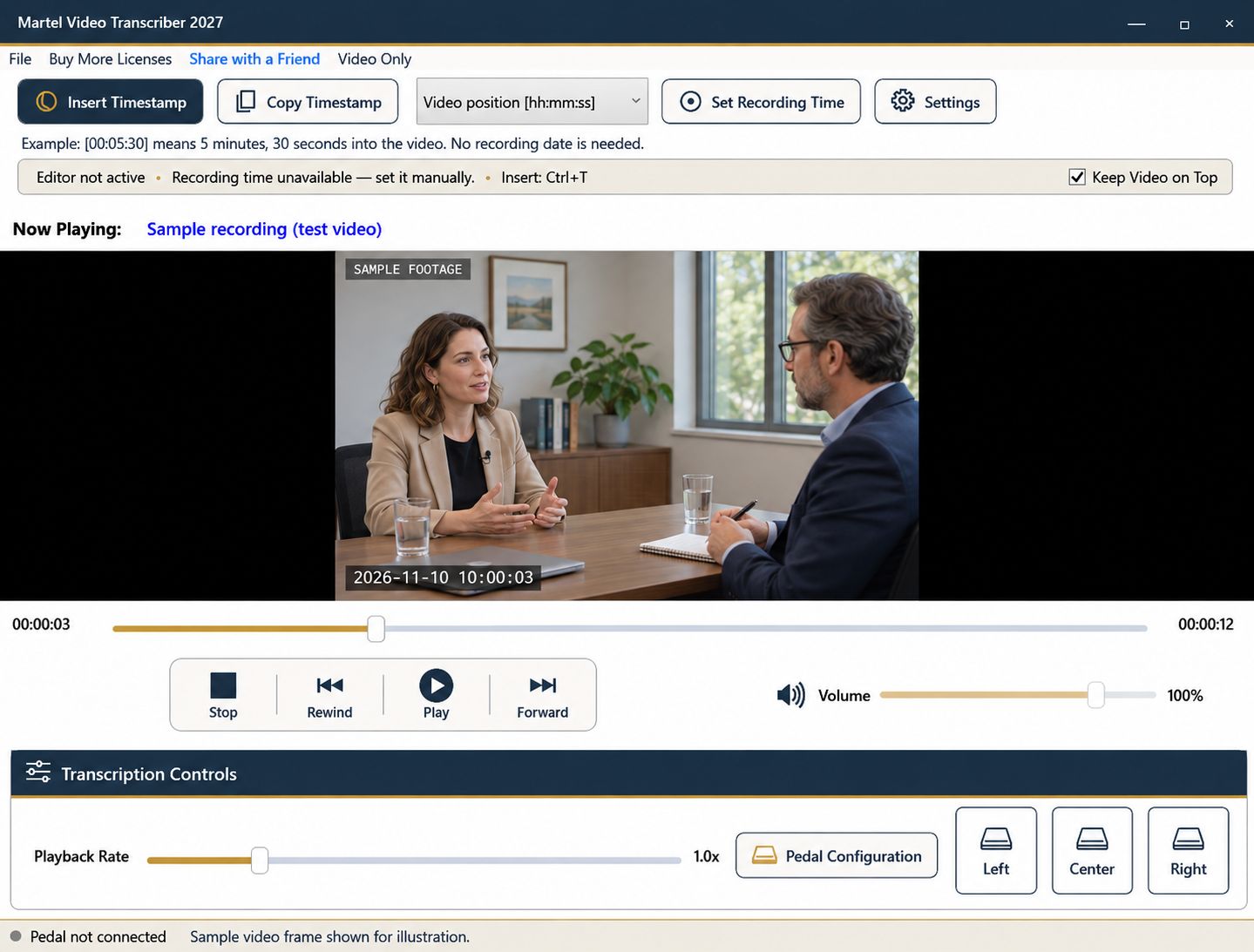
Deposition-video review often involves more than typing speech. A reviewer may need to find a question, verify an answer, note an objection, or identify when an exhibit entered the discussion. A consistent timestamp convention makes those tasks easier to repeat without confusing review notes with the official transcript.
Start from the deliverable requested for the assignment. A quotation-checking document, a topic outline, and a verbatim draft need different levels of detail and review.
Record the exact video filename, segment identifier, and relevant session information. If you are working alongside an existing transcript, distinguish its page-and-line references from elapsed video positions. Neither automatically substitutes for the other.
Do not imply that a typed timestamp is a clickable synchronized link unless your actual document workflow provides that function. Martel inserts text markers. They help a reader navigate the associated recording but do not create an integrated deposition synchronization file.
Use the required speaker labels or question-and-answer format. Keep objections, interruptions, and instructions distinguishable from the witness's answer. When a question is restarted or revised, preserve enough context to make clear which version the answer addresses.
Automatic paragraph timestamps can help if each Enter corresponds to a meaningful new exchange. If you use blank paragraphs for spacing, consider document formatting instead so extra paragraph markers do not overwhelm the page.
At the point where an exhibit is discussed, add its identifier as stated or reliably established for the assignment. Distinguish what is said about the exhibit from what is visibly shown. A document briefly held toward the camera may not be readable enough to identify independently.
Pause, enlarge the picture, and review when a visual detail matters. If it remains unreadable, note the limitation rather than reconstructing the document's contents from the conversation. A timestamp can direct the next reviewer to the same moment.
Rewind to the beginning of the relevant question or answer before inserting a marker intended to identify its start. A timestamp captured after you finish typing may be later than the quoted words. Check the value against playback rather than assuming automatic insertion performs word alignment.
For longer passages, an interval convention may provide useful navigation between deliberate markers. Keep the interval policy consistent and explain it in the header. Recording-clock values should be used only after establishing a known reference; elapsed positions remain available without one.
Separate video files usually restart their elapsed positions. Edited copies may also remove breaks or add an introduction. Label these boundaries and confirm that your transcript references the same version another reviewer will receive.
If a recording clock jumps, one offset may no longer apply. Establish a new reference at a verified point and document the change. Previously inserted timestamps need their own review; resetting the application reference does not rewrite the document.
Check a sample of questions, answers, objections, and exhibit references against the source. Save the document and include the timing convention and any unresolved uncertainty. Martel supports manual playback and timestamp insertion; it does not certify legal transcripts or replace the professional requirements attached to the assignment.
Make separate fields for the video marker, question, answer and exhibit identifier. If an existing transcript says page 42, line 7, retain that reference as well as the elapsed position; do not pretend one was calculated from the other. A legal assistant or litigation-support reviewer can flag the passage for an attorney, and a transcript proofreader can verify the exchange. This example creates a review document, not a synchronized deposition file or a substitute for the official transcript.
Sources and further reading: U.S. Bureau of Labor Statistics: paralegals and legal assistants; U.S. Bureau of Labor Statistics: court reporters and recorded proceedings. Sources explain professional tasks and editorial practice; the Martel workflow example is our own.
No. They are different reference systems. Keep each labeled and verify any relationship through the actual project workflow.
The timestamp feature inserts text markers. It does not create an integrated deposition synchronization file or automatically linked transcript.
Record the established identifier and what is actually audible or visible. Mark unreadable details for verification rather than reconstructing them from context.
Choose the convention the deliverable needs. Separate markers can help with a long exchange; retain the question’s context when checking an answer.
Verify the changed timeline. Elapsed positions may shift, and a recording-clock reference may need resetting after the cut.
Build a practical deposition-video review workflow for questions, answers, objections and exhibit references using clear source and timestamp conventions.


