
Martel Video Transcriber Kit or Software Only: Choose the Right Setup
Compare Martel SKU 1515 with pedal and headset against SKU 1527 software with two licenses. Choose the setup that matches the equipment you already own.
Martel field guide · Legal, investigative and case review
Organize court-hearing video review notes by source, speaker and elapsed position. Use foot-pedal playback without confusing working notes with a certified record.
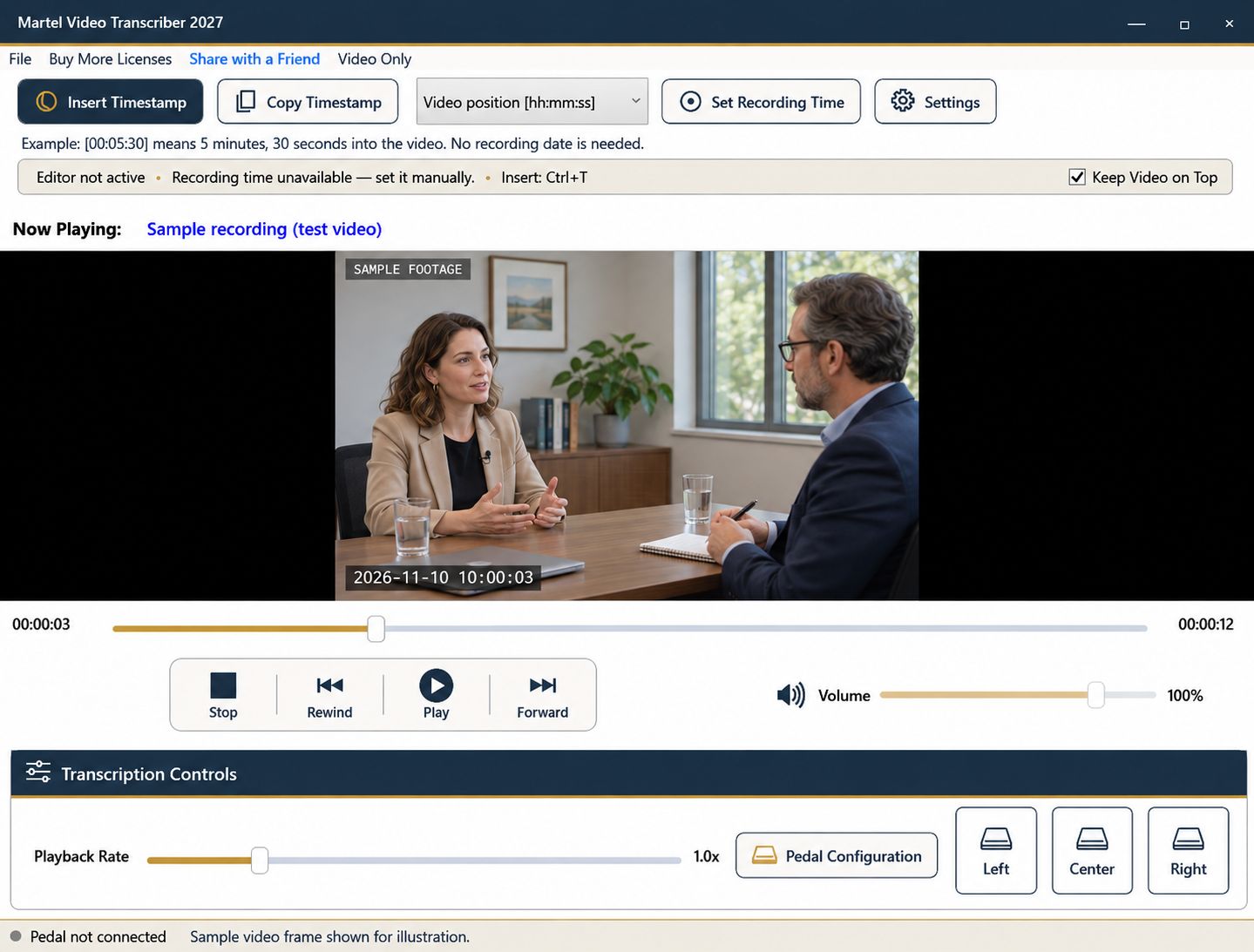
A hearing video may be reviewed to locate an argument, check a quotation, or identify the point where an exhibit was discussed. Timed working notes can make those tasks faster, provided the document clearly identifies the source and the level of detail it contains.
Decide whether you are preparing a verbatim draft, a topic index, or a set of review notes. Those are different deliverables. The playback equipment does not determine the official status of the document.
Name the recording and the session or segment being reviewed. State that timestamps are elapsed positions unless you have established and documented a recording-clock reference. If the video is split into morning and afternoon files, give each file its own label.
Add a short description of the note style. For example, “topic summaries with selected verified quotations” tells a reader not to interpret every sentence as a verbatim transcript. Apply the actual requirements of the assignment where a formal transcript is requested.
For an initial pass, create an outline of major events: an appearance, a motion discussion, a witness transition, or an exhibit reference. Insert elapsed timestamps at useful boundaries. This outline can guide a later detailed pass without requiring complete transcription of every moment immediately.
On the detailed pass, replay each relevant passage and verify the wording. Use the pedal to pause and rewind while the cursor remains in your document. Retain enough context to avoid a quotation that appears to answer a different question from the one actually asked.
Build a speaker list from reliable identification available for the assignment. A visible face, an audible voice, and a role in the proceeding are separate clues; do not assume that a voice belongs to the person currently shown by a switched camera.
Mark uncertain attribution according to the project's convention and return to it during review. Record interruptions and overlapping speech in a way that does not imply a clean exchange when several voices were speaking at once.
A marker at the start of a topic helps navigation, while a marker beside a selected quotation helps verification. Fixed intervals can support longer passages, but they do not replace a deliberate reference for a precise statement.
If a calendar clock is needed, establish it with Set Recording Time at a known point. Do not treat the video's file date or your work session's time as the hearing's clock. A combined elapsed-and-recording format can be useful, but only when its reference is explained.
Navigate to several markers and confirm that the associated material is there. Recheck any point after a recording break, edited gap, or file change. If the source was replaced by another export, verify its timeline before relying on old elapsed values.
Save the notes through your word processor and keep the recording unchanged. Martel's resume feature helps you return to a paused media position, while the document's own save routine preserves the writing. Label working notes and drafts clearly, and use the required professional review process for any official or certified deliverable.
The Bureau of Labor Statistics describes recorded proceedings and transcript review among the work of court-reporting and legal-support occupations. A practical working index can separate “motion begins,” “response begins” and “ruling discussed” into different entries, each checked against the recording. A paralegal or attorney can then locate an exchange for review. Court reporters, scopists and proofreaders must still use the required transcript format and their specialist production tools; a Martel note does not become a certified record.
Sources and further reading: U.S. Bureau of Labor Statistics: court reporters and recorded proceedings; U.S. Bureau of Labor Statistics: paralegals and legal assistants. Sources explain professional tasks and editorial practice; the Martel workflow example is our own.
Not automatically. Label working notes, topic indexes and drafts clearly, and follow the required process for an official or certified record.
Elapsed position is useful for navigating the same file. Add the hearing clock only when a valid reference has been established and explained.
No. A switched camera view may show someone other than the audible speaker. Use reliable identification and preserve uncertainty where needed.
They help broad navigation, but a specific argument, exhibit or quotation often needs a deliberate marker at a useful starting point.
Label each source clearly and state that elapsed positions restart. Establish recording-clock references separately when used.
Organize court-hearing video review notes by source, speaker and elapsed position. Use foot-pedal playback without confusing working notes with a certified record.


