
Martel Video Transcriber Kit or Software Only: Choose the Right Setup
Compare Martel SKU 1515 with pedal and headset against SKU 1527 software with two licenses. Choose the setup that matches the equipment you already own.
Martel field guide · Legal, investigative and case review
Prepare claims-interview review notes that separate statements, visible details and interpretation, with clear video references for later checking.
A claims interview recording may be reviewed to confirm a statement, locate a description, or compare a later account with the original conversation. Timed notes make those checks easier when they stay tied to the source and separate recorded information from the reviewer's interpretation.
Use the material and access permissions provided for the assignment. This guide concerns manual video review, not a method for deciding coverage, liability, credibility, or any other outcome.
State whether the document is a verbatim working transcript, a factual summary, or a list of passages for further review. Record the exact filename and interview segment. If several clips are involved, create a source list and mark each transition in the document.
Keep identifiers consistent with the organization's process. Avoid adding unnecessary personal details to a working copy simply because they are available elsewhere in the file set.
An answer may depend on a qualifier, a date range, or a hypothetical introduced in the question. Replay the complete exchange before summarizing it. Do not turn a partial or conditional response into an unconditional statement by omitting that context.
Use deliberate timestamps for passages that require later checking. A topic-level marker can point to a longer exchange, while a second marker may identify a specific quotation. Label the convention so a reviewer knows where to begin listening.
Keep statements attributed to the speaker separate from visible observations and from your own analysis. “Speaker says the damage was noticed on Monday” records a statement. “A mark is visible on the item shown” records an observation. A conclusion about when damage occurred requires additional analysis beyond those notes.
Use quotation marks only for wording you checked. Mark unclear names, numbers, or dates for review rather than silently selecting the most plausible value.
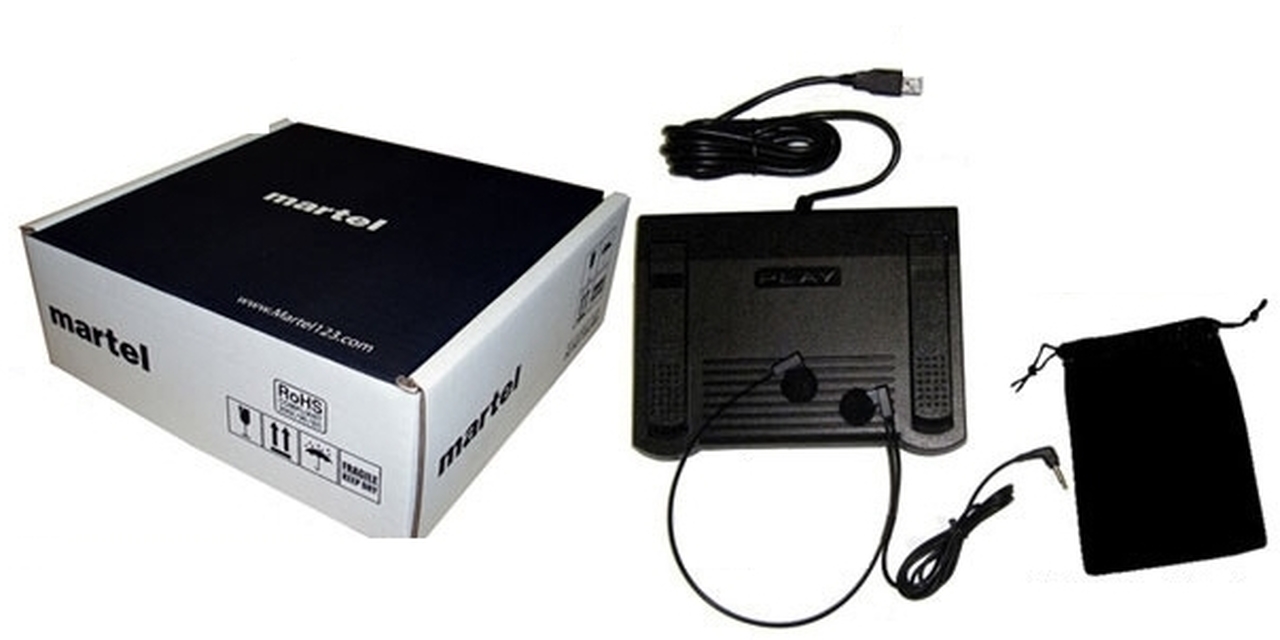
Pedal playback lets you pause and rewind without repeatedly moving away from the document. Use a manageable rewind amount so you retain context without replaying an entire interview after each uncertain word. Compare difficult passages at normal speed after any slowed review.
Enlarge the video when a displayed object or document matters. If the image is too small or obstructed, explain the limitation. Do not infer a document's contents merely because the speaker refers to it.
Elapsed video position identifies where material appears in the reviewed file. Recording-clock values need a known reference. If the assignment requires them, pause at a verified moment, use Set Recording Time, and document the date/time source and any known offset.
File creation, export, and download dates should not be treated as the event clock. If a clip was edited, check whether a single recording-time reference remains valid after each cut. Maintain separate references where continuity breaks.
Choose several notes and navigate back to their markers. Confirm that the wording, speaker label, and source version match. Keep unresolved questions visible for the appropriate reviewer instead of presenting the working document as a completed finding.
Save the notes in the word processor and retain the source recording unchanged. Martel's saved playback position can help resume review, but the written notes and the organization's record-handling process remain separate responsibilities.
The Bureau of Labor Statistics describes claims work that draws on interviews and recorded statements. An original working-note example is “00:11:05 | interviewer asks when the stain was first noticed | claimant says ‘after the weekend’ | exact day not established.” A claims assistant can flag this passage for the assigned examiner without converting it into a definite date. Preserve the speaker’s qualification and any uncertainty. The transcription workflow supplies a review reference, not a coverage or credibility decision.
Sources and further reading: U.S. Bureau of Labor Statistics: claims adjusters and examiners. Sources explain professional tasks and editorial practice; the Martel workflow example is our own.
No. They organize source material for review. Decisions and findings require the appropriate separate professional process.
Attribute it to the speaker and distinguish it from a visible observation or reviewer conclusion. Preserve relevant context from the question.
Do not assume so. Use elapsed position unless a valid recording-time reference has been established.
Retain the relevant question and qualifiers. Do not summarize a conditional or hypothetical response as an unconditional statement.
Include source identifiers, the note type, timing basis and unresolved checks. Keep statements, observations and analysis distinguishable.
Prepare claims-interview review notes that separate statements, visible details and interpretation, with clear video references for later checking.


