
Martel Video Transcriber Kit or Software Only: Choose the Right Setup
Compare Martel SKU 1515 with pedal and headset against SKU 1527 software with two licenses. Choose the setup that matches the equipment you already own.
Martel field guide · Automatic timestamps and workspace
Enable optional paragraph timestamps in Martel. Understand what Enter triggers, why wrapped lines are different, and how to check the result in Writer.
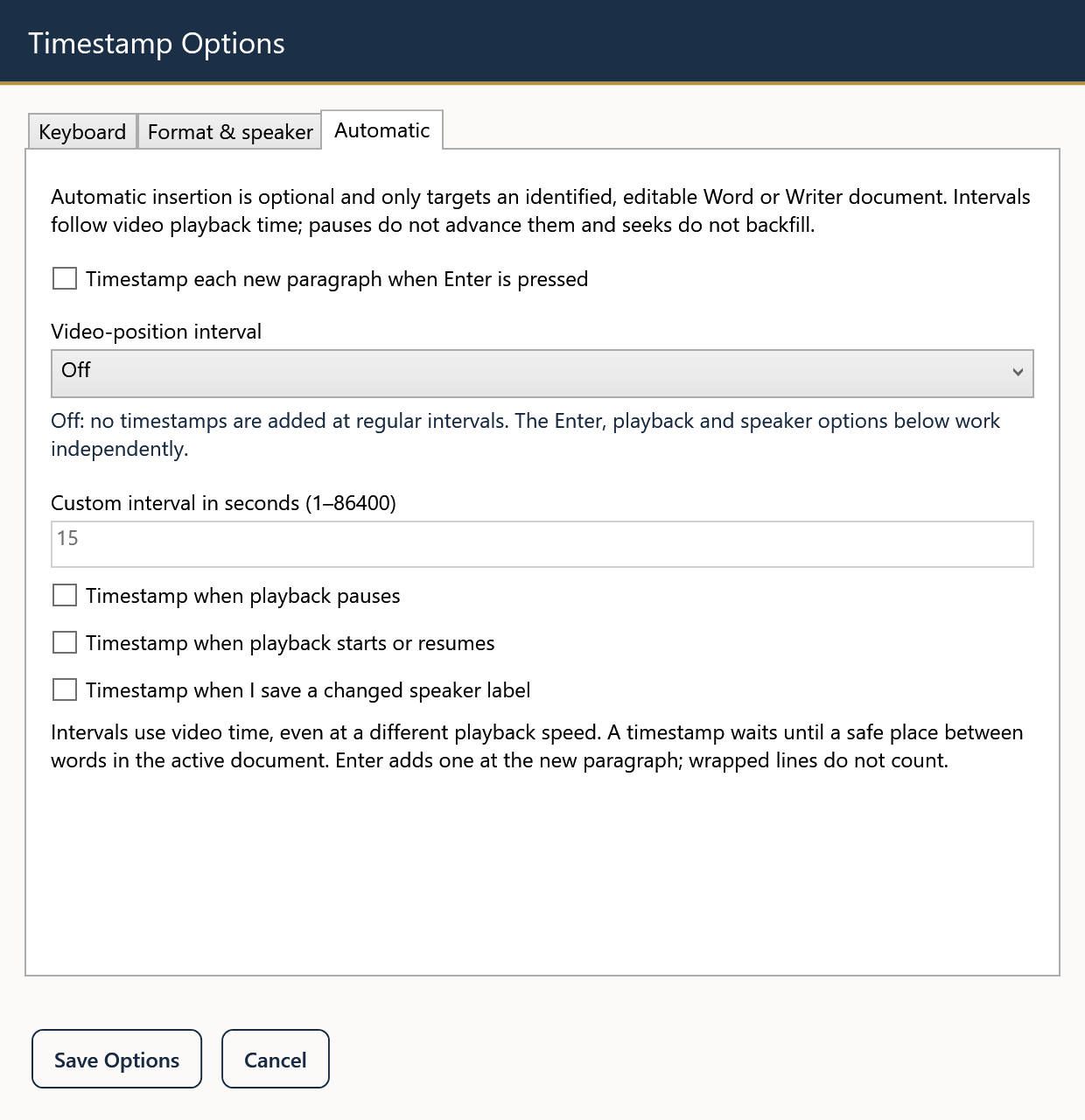
When a transcript is organized into short paragraphs, adding a timestamp at each new paragraph can make review easier. Martel offers an optional setting that observes Enter in a supported, identified editable document and inserts a timestamp for the new paragraph. It is intended for a deliberate paragraph break, not every line that wraps across the screen.
That distinction matters. Resizing your document window may change how many visual lines you see, but it should not change where timestamps belong. Decide your paragraph convention before enabling automatic insertion.
Open Settings, select Automatic, and check “Timestamp each new paragraph when Enter is pressed.” For your first test, leave the video-position interval Off and other automatic triggers unchecked. Save Options.
In a supported editable test document, click at the end of the text. Type First line, press Enter, type Second line, press Enter, and then type Third line without another Enter. Inspect the two new paragraph starts. Each intentional Enter should produce one timestamp, with no extra marker simply because a sentence wraps.
Use a paused recording for this first check. Repeated identical values are expected while the player remains at the same position. The feature follows the video; it does not advance the timestamp merely because you spent several minutes typing.
For an interview, you may begin a new paragraph when the speaker changes. For lecture notes, a paragraph may mark a topic or slide discussion. For a detailed transcript, you may need a different convention supplied by the client. Automatic insertion supports the structure you choose; it does not identify speakers or determine where a thought ends.
Press Enter only when you intend a new paragraph. Using several empty paragraphs as visual spacing can create unnecessary markers. Apply paragraph spacing through your word processor when you want extra white space without additional timestamped breaks.
The inserted value is captured from the player's position when the command occurs. If you listen to a sentence, pause three seconds later, and then press Enter, the new paragraph's marker reflects the paused position. It is not an automatic alignment of the sentence's first spoken word.
When a required timestamp must mark the exact beginning of a quoted passage, seek to that point and insert or correct the marker deliberately. Automatic paragraphs are a navigation aid, not word-by-word synchronization.
Paragraph and interval options serve different purposes. Turning both on can create more timestamps than a reader needs. Establish one reliable convention first, then add another trigger only if the document specification calls for it.
If you briefly switch to another editing program, do not assume automatic Enter behavior follows you everywhere. Direct automatic insertion is limited to recognized editable targets. Copy Timestamp remains available for a manual paste workflow in other programs.
After the simple test, transcribe a short passage with speaker labels, ordinary typing, and a few paragraph breaks. Review the cursor placement and count the intentional markers. Check that holding Enter or navigating existing paragraphs has not produced a document structure you did not intend.
Turn the option off when you begin work that should not receive paragraph markers. Save the transcript in your word processor. Martel's remembered playback position helps you resume the recording, but the writing program remains responsible for saving the document.
In an illustrative Q&A draft, place each question and answer in its own paragraph. Press Enter once between them and use paragraph spacing for visual separation. Two Enter presses create two paragraph events, even if one paragraph looks blank. While the video is paused, identical timestamp values on successive paragraphs are expected. For a marker at the first spoken word of an answer, return to that point before inserting it; paragraph insertion does not perform speech alignment.
Sources and further reading: U.S. Bureau of Labor Statistics: court reporters and recorded proceedings. Sources explain professional tasks and editorial practice; the Martel workflow example is our own.
No. This option follows an intentional Enter paragraph break. Changing the document width should not create markers for visual wrapping.
If the video is paused at the same position, identical values are expected. Time spent typing does not advance the recording.
It captures the player position when the command occurs. For an exact sentence start, seek to that moment and insert or correct the marker deliberately.
Enter is the trigger, so extra paragraph breaks can create unnecessary markers. Use paragraph-spacing formatting when you only want more white space.
The options can be enabled together, but first decide whether both serve the document. Test a sample to avoid clutter or misleading placement.
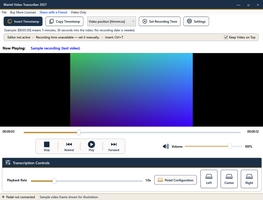
Enable optional paragraph timestamps in Martel. Understand what Enter triggers, why wrapped lines are different, and how to check the result in Writer.


