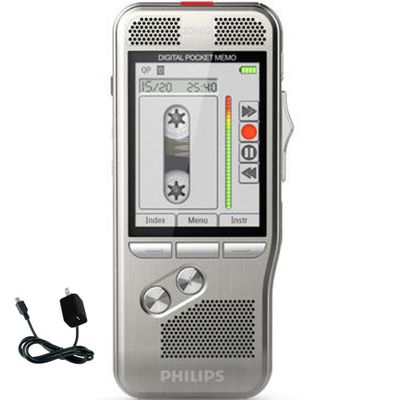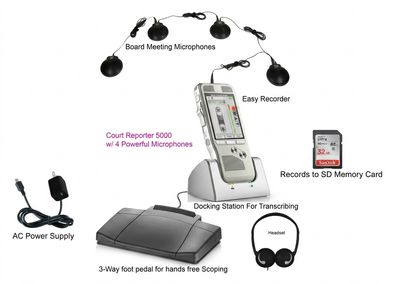
Digital Court Reporter 5000 Scopist Edition
SKU 1722
$799.99
On Sale
was $999.99 Save 20%
In stock: 1 available
Digital Court Reporter 5000 Scopist Edition
Product Details
Sampling Frequency: 44.1/48kHz
Weight: 4 oz (110g)
Bit Rate: 16/24-bit Linear PCM, 64/128/192kbps MP3
Dimensions: 2.5 x 1 x 4" (62 x 25 x 102mm)
Channels: 2
Wifi Interference Filter: Yes
Time Stamp: Yes
File Type: MP3, WAV
Connectors: 1 x Power Input, 1 x 3.5mm Mic Input, 1 x 3.5mm Line Input, 1 x 3.5mm Line Output, 1 x 3.5mm Headphone Output, 1 x USB 2.0 Port
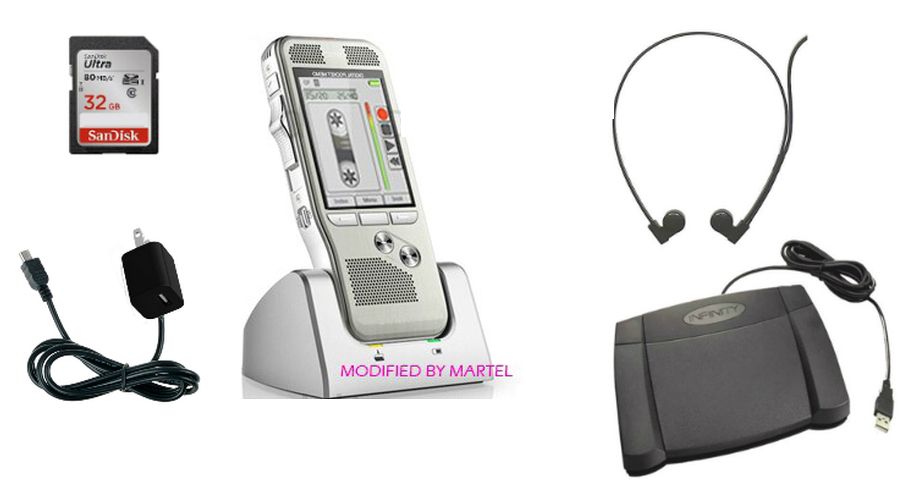
Transcription/Scopist Kit: Footpedal, headset, software
Media Typ: SD or SDHC Flash Memory Card
Condition: New
Availability: IN-STOCK
Computer, Scopist & Deposition Audio Workflow
Court Reporter 5000 Scopist Edition for Deposition Audio and Scopist Transcription
The Digital Court Reporter 5000 Scopist Edition is built for court reporters who want to record deposition audio and then email or share the audio files with a scopist for review and transcription.
Record the job with the Court Reporter 5000, save the audio in MP3/WAV format, then send the file by email, Dropbox, or your preferred file-sharing method. The scopist can listen to the deposition recording and use the USB foot pedal to transcribe, or the court reporter can use the foot pedal herself.
Send Audio to Scopist Email / Dropbox File Workflow USB Foot Pedal Transcription MP3 / WAV Recording Record-Over Protection
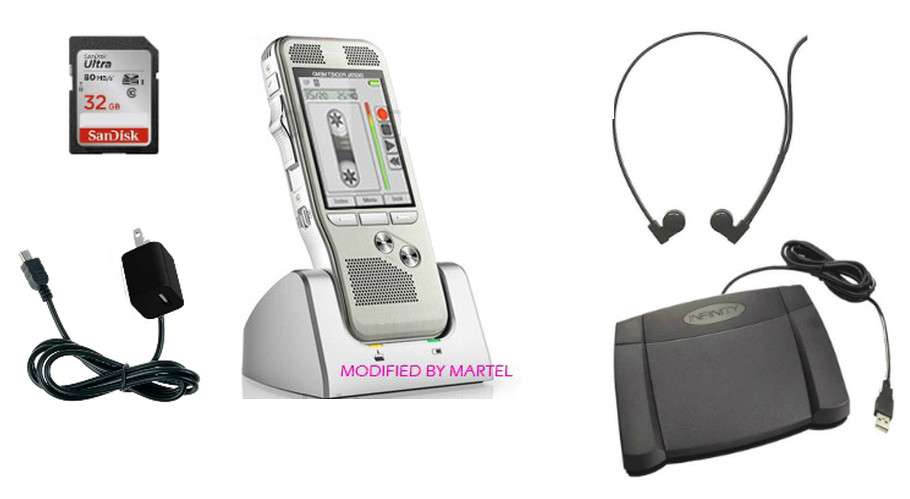 Scopist Edition — $799.99
Pick this version if: you want to record deposition audio with the Court Reporter 5000, email or share the files with a scopist, and use a USB foot pedal workflow for transcription.
Why you need it
Court reporters often need a clean deposition audio file that can be sent to a scopist or proofreader after the job. This version is made for that audio-file workflow.
Why this version
This package is focused on recording deposition audio, moving the file to a computer, and letting the reporter or scopist use a USB foot pedal to transcribe.
What to know
This is the best 5000 version for email, Dropbox, file-sharing, and scopist workflows. If you want the simplest no-computer-needed workflow, choose the Recorder + Transcriber Package.
What This Version Gives You
Best for court reporters and scopists who want to record deposition audio, send files for review, and use a USB foot pedal transcription workflow.
- Digital Court Reporter 5000 recorder for dedicated deposition backup audio.
- Records MP3/WAV audio files that can be emailed or shared through Dropbox or your preferred file-sharing method.
- Scopist can listen to the deposition recording and use the USB foot pedal to transcribe.
- Court reporter can also use the USB foot pedal herself for transcription and review.
- Computer/scopist transcription workflow for deposition audio files.
- Record-over protection to help reduce accidental overwrite mistakes.
- Noise reduction playback, auto-backspace review, and adjustable playback speed.
- External mic / line-in support for compatible courtroom audio or mixer-input workflows.
How the Scopist Edition Workflow Works
The Scopist Edition is designed around a simple file handoff workflow. The court reporter records the deposition audio with the Court Reporter 5000, transfers the MP3/WAV audio file to a computer, and then sends that file to the scopist.
- Record the deposition, hearing, or proceeding with the Court Reporter 5000.
- Move the audio file to a computer after the job.
- Email the file or share it through Dropbox or another file-sharing method.
- The scopist listens to the deposition recording and controls playback with the USB foot pedal.
- The court reporter can also use the same foot pedal workflow for her own transcription or review.
- Audio files stay easier to organize with MP3/WAV recording and date/time file tracking.
Pick the Right Court Reporter 5000 Version
Use this quick guide first. Then use the full chart below to compare all 4 versions before you order.
Need only backup audio?
Pick Recorder Only if you already have your transcription setup and just need the dedicated backup recorder.
Choose Recorder OnlyWant the easiest complete system?
Pick Recorder + Transcriber if you want the recorder, cradle, headset, and foot pedal workflow together.
Choose Complete PackageSend files to a scopist?
Pick Scopist Edition if you want to email or share deposition audio files and use a USB foot pedal transcription workflow.
Choose Scopist EditionNeed courtroom or deposition room coverage?
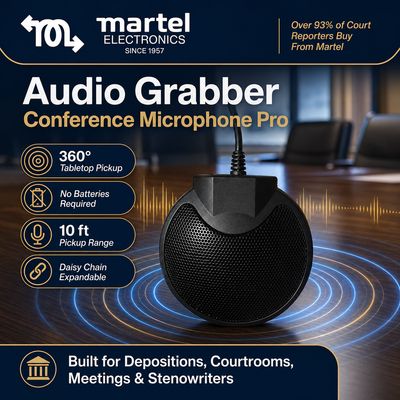
Pick the 4-Microphone Package if you need 4 Audio Grabber microphones that do not need batteries, plus foot pedal workflow.
Choose 4-Microphone PackageCompare All 4 Digital Court Reporter 5000 Versions
This chart is built into every 5000 product page so you can compare the other versions and move to the right product without calling.
| Feature / Package |  Recorder Only $599.99 Recorder Only $599.99 |
 Recorder + Transcriber $799.99 Recorder + Transcriber $799.99 |
Scopist Edition $799.99 Current Product |
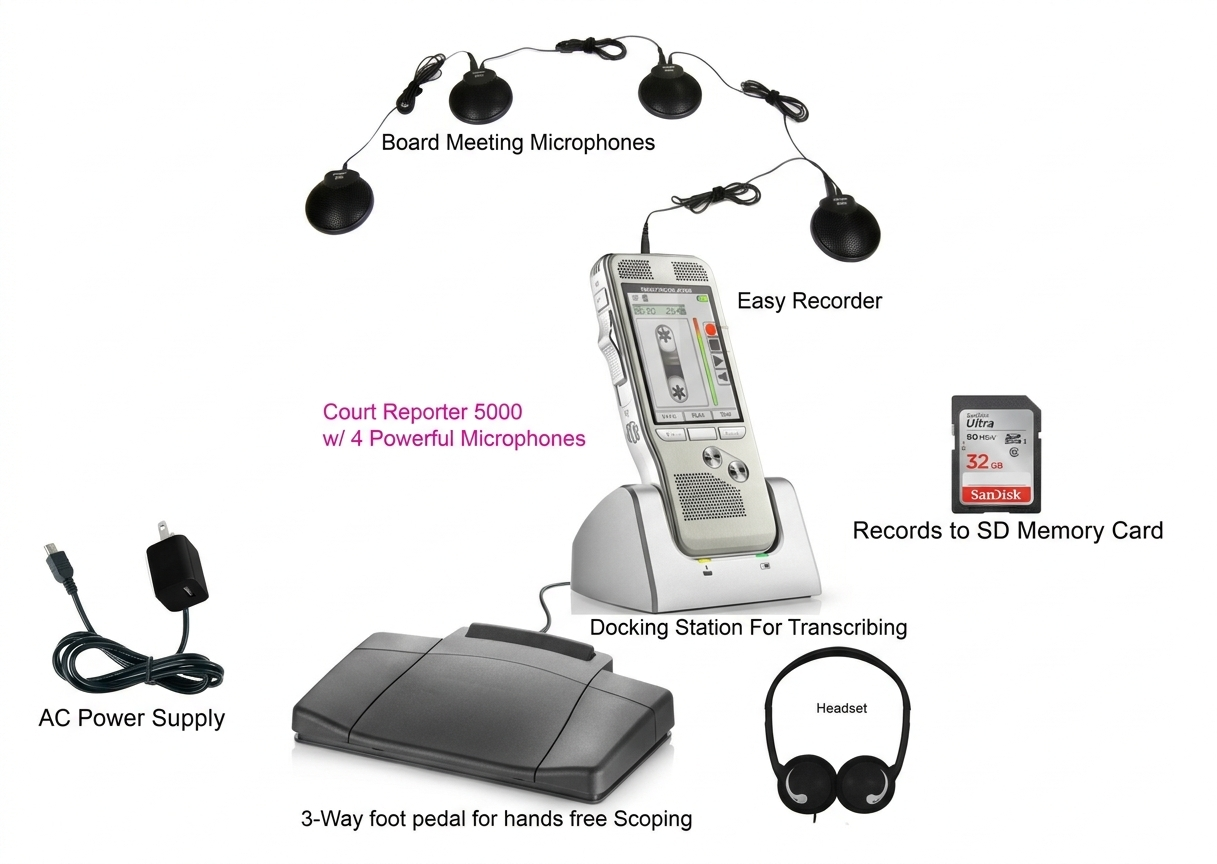 4-Microphone Package $899.99 4-Microphone Package $899.99 |
|---|---|---|---|---|
| Best for | Reporter who only needs a dedicated backup recorder. | Most court reporters who want the complete recorder and transcription package. | Court reporter or scopist using email, Dropbox, file-sharing, and USB foot pedal transcription workflow. | Courtrooms, deposition rooms, hearings, and larger rooms needing wider microphone coverage with foot pedal control. |
| Protect the Recording | ||||
| Dedicated backup recorder for court reporters | Yes | Yes | Yes | Yes |
| Record-Over Protection / File Protection Helps reduce accidental overwrite or deletion mistakes. | YesHelps protect important backup recordings. | YesBest all-around protected recorder/transcriber workflow. | YesUseful when preparing audio files for court reporter/scopist work. | YesHelpful for courtroom and deposition room audio protection. |
| Date / Time File Tracking Helps keep recordings organized by job, date, and review workflow. | Yes | Yes | Yes | Yes |
| Review Audio Easier | ||||
| Noise Reduction Playback Helps improve review clarity for quiet voices or background noise. | Yes | Yes | YesHelps the reporter or scopist review difficult audio. | Yes |
| Auto-Backspace Review Jumps back slightly when restarting playback for easier transcription review. | Yes | Yes | YesUseful for foot-pedal transcription review. | Yes |
| Adjustable Playback Speed Slow down difficult testimony or speed through clear sections. | Yes | Yes | YesHelpful when transcribing difficult deposition sections. | Yes |
| Record and Connect More Audio Sources | ||||
| MP3 / WAV recording | Yes | Yes | YesFiles can be emailed or shared to a scopist after transfer to computer. | Yes |
| Email / Dropbox / File-Sharing Workflow For sending deposition audio to a scopist or proofreader after the file is transferred to a computer. | Not the main workflow | Not the main workflow | YesReporter can send files to the scopist for listening and transcription. | Not the main workflow |
| Directional / 360° Microphone Modes Supports focused pickup or wider room pickup depending on the recording situation. | Yes | Yes | Yes | YesPlus 4 Audio Grabber microphones for wider room coverage. |
| Built-in recorder microphones | Yes | Yes | Yes | Yes + 4 Audio Grabber microphones |
| External Mic / Line-In Support For compatible external microphones, courtroom audio systems, amplified sources, or videographer mixer feeds. | YesRequires compatible output and cable path. | YesRequires compatible output and cable path. | YesRequires compatible output and cable path. | YesAdds 4 Audio Grabber microphones plus compatible input options. |
| Rechargeable battery | Yes | Yes | Yes | Yes |
| External microphone batteries required | No external microphones included | No external microphones included | No external microphones included | NoThe 4 Audio Grabber microphones do not need batteries. |
| Choose the Right Package | ||||
| Cradle / professional stand setup | Yes | Yes | Yes | Yes |
| Hands-Free Foot Pedal Transcription Controls playback/transcription workflow through the included package setup. | No included foot pedal kit | YesBest no-computer-needed recorder/cradle/foot-pedal workflow. | YesUSB foot pedal workflow for court reporter or scopist transcription. | YesSelf-contained package workflow plus wider microphone coverage. |
| Headset included | No | Yes | Yes | Yes |
| Computer transcription software workflow | No | Not required for basic recorder/transcriber use. | Yes, best choice for scopist/computer transcription. | Depends on setup; built mainly for room recording coverage. |
| 4 external courtroom / deposition room microphones | No | No | No | YesIncludes 4 Audio Grabber microphones that do not need batteries. |
| Recommended buyer | Reporter who already has transcription gear. | Most court reporters replacing tape recorder/transcriber workflows. | Reporter who sends deposition audio to a scopist, or reporter/scopist using USB foot pedal computer transcription. | Courtroom, deposition room, agency, or reporter needing more microphone pickup and foot pedal control. |
Order Online or Generate a Written Quote
Best for court reporters who record deposition audio and need to email or share files with a scopist, or for reporters/scopists who want a USB foot pedal transcription workflow. Ready-to-order customers can buy this version, and purchasing departments can generate a written quote.
Frequently Asked Questions
Who should buy the Court Reporter 5000 Scopist Edition?
Choose the Scopist Edition if you record deposition audio and want to email or share files with a scopist, or if the court reporter or scopist wants to use a USB foot pedal transcription workflow.
Can the court reporter send the audio to her scopist?
Yes. After the audio file is transferred to a computer, the court reporter can email it or share it through Dropbox or another file-sharing method so the scopist can listen to the deposition recording.
Can the scopist use the foot pedal to transcribe?
Yes. The Scopist Edition is designed for a USB foot pedal transcription workflow, so the scopist can use the foot pedal to control playback while transcribing.
Can the court reporter use the foot pedal herself?
Yes. The court reporter can also use the USB foot pedal workflow herself for review and transcription.
Is this the best version if I do not want to use a computer?
No. If you want the simpler no-computer-needed recorder, cradle, headset, and foot-pedal workflow, choose the Recorder + Transcriber Package.
What is Record-Over Protection?
Record-Over Protection helps reduce the risk of accidentally recording over or damaging an important existing recording by mistake.
Can the Court Reporter 5000 record from courtroom audio systems or videographer mixers?
The Court Reporter 5000 supports compatible external microphone and line-in recording workflows, including compatible courtroom audio systems, amplified audio sources, or legal videographer mixer feeds when the correct audio output and cable path are available.
Can the Court Reporter 5000 help with difficult playback?
Yes. Noise reduction playback, auto-backspace, and adjustable playback speed can help court reporters and scopists review quiet voices, difficult sections, or faster testimony more efficiently.
Package / Warranty Information
- Digital Recorder w/Shielding Modification
- Transcription Kit w/Footpedal, Headset, & Software
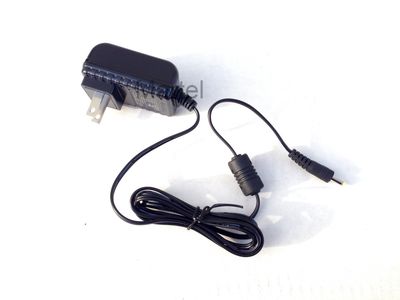
- AC Power Cord
- USB Cable
- Audio Cable
- 16 GB SD Card
- Instructions
Products related to this item
On Sale
All N One Transcription Kit - Digital Transcriber
All N One Transcription Kit - Digital Transcriber
#1 Selling Transcription Kit Pack in the World!
was $399.99
Save 38%
$249.99
#1 Selling Digital Recorder fo
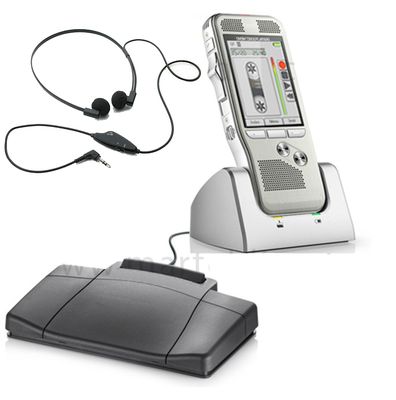
Digital Court Reporter 5000 (#1 used backup recorder by reporters)
Digital Court Reporter 5000 (#1 used backup recorder by reporters)
#1 Selling Digital Recorder for Court Reporters!
was $999.99
Save 20%
$799.99