TIME IS RUNNING OUT FOR 2026 TAX WRITE-OFFS

32 GB or 64 GB for a Voice Writer Taking a Remote Deposition?

Compare Martel’s 32 GB and 64 GB VOX laptops with a mock remote deposition. Check memory during exhibit sharing, mask dictation and saved audio review.
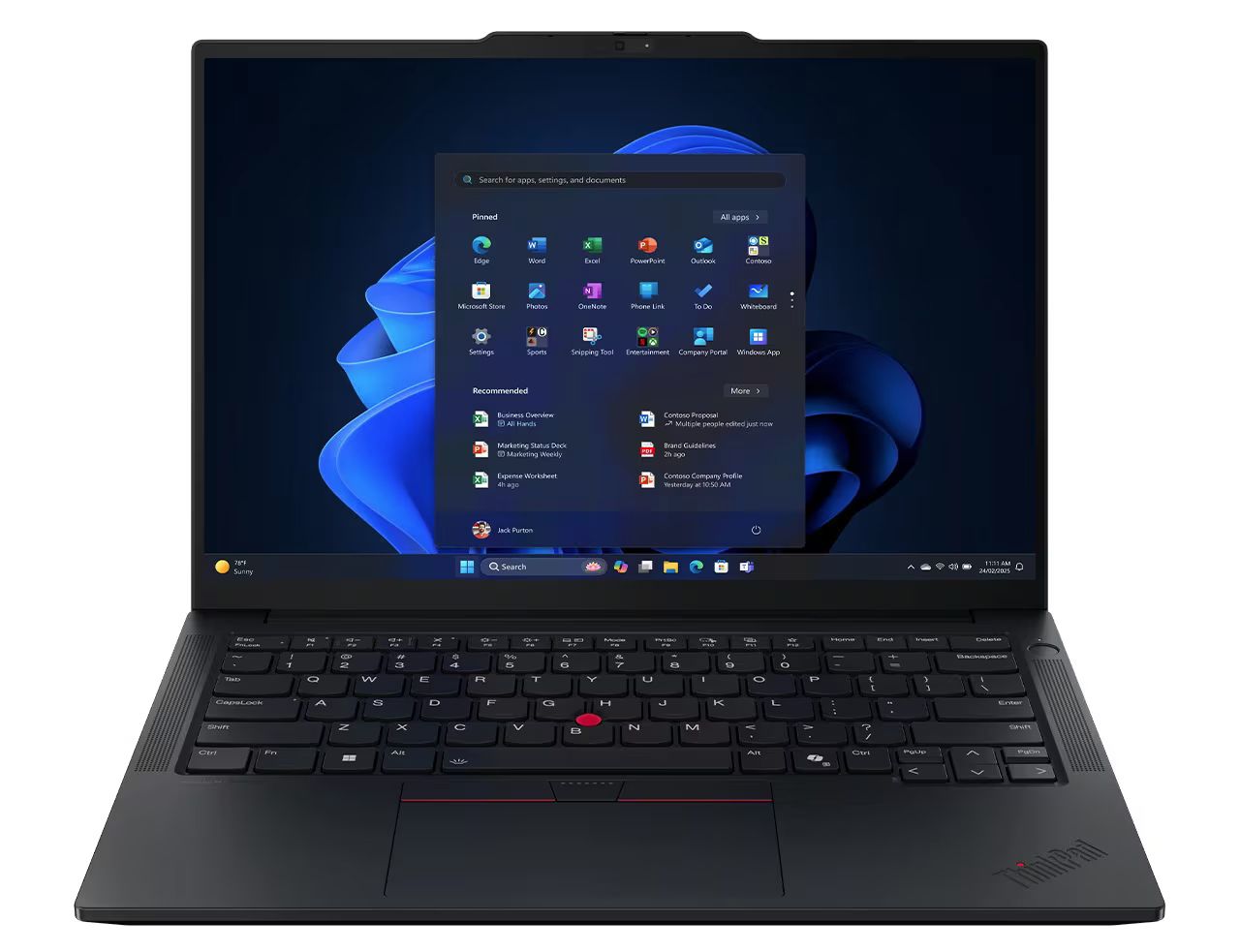
Front view of the Martel 32 GB VOX Elite ThinkPad with the Windows Start menu open
Martel VOX Elite 32GB Voice-Writing Laptop Package. View Martel’s product details for SKU 809.

A remote deposition can ask a voice writer to listen to counsel, repeat the testimony into a mask, watch the translated text, and identify an exhibit on the same laptop. The useful comparison between 32 GB and 64 GB starts with the moment those jobs overlap. Choose 32 GB if the proposed machine handles your representative overlap, saves the expected files and meets your software suppliers’ requirements with room for ordinary variation. Consider 64 GB when the necessary applications repeatedly compete for memory during that overlap, or when an agreed change to your work will add a substantial local workload. A headset carrying the wrong feed calls for a different fix. The rehearsal below lets you tell those purchasing decisions apart before you place an order.

Start with the assignment you actually accept

Write the invitation you wish a scheduler would send. It might describe a remote medical deposition with a questioning attorney, a witness joining by video, a reporter speaking privately into a mask, and an exhibit that someone else will share. Beside each participant, write what you must hear or see from them. Now write what the laptop must save. The text produced while you repeat testimony, an authorized reference recording of the participants and a copy of the exhibit are different deliverables. Your computer may supply all three, but their lifecycles and software requirements differ.

Distinguish programs you intentionally keep open from those that happen to be on the computer. If you use a browser to retrieve exhibits only during recesses, test that sequence first. If exhibits arrive while someone is answering and you need a PDF reader and a meeting window side by side, the overlap is part of the specification. Include your normal display arrangement, meeting controls and recognition settings. A proposed machine should earn its place at the job you expect to take, including the inconvenient parts of that job.

Write a short statement about the next year. A school lab that requires only single-speaker dictation today may later require both a meeting client and report review. A working reporter might already delegate exhibit handling and expect no change. Give real changes a date or a trigger. “The agency has booked a second series with exhibits displayed locally starting in March” is something a buyer can evaluate. “I might want every feature someday” offers little help when choosing how to spend an equipment budget.

Read the two Martel listings as configurations

Martel identifies its VOX Elite 32 GB voice-writing laptop as SKU 809 and its VOX Elite 64 GB model as SKU 421. Both listings describe Windows 11 Professional systems. The 32 GB product page lists a 1 TB solid-state drive, and the 64 GB listing also identifies 1 TB of solid-state storage. RAM and the drive are two separate lines on the specification. Doubling the advertised RAM between these models does not double the amount of storage available for authorized reference recordings. Existing files, installed applications and space actually available on an individual machine affect the storage decision.

Have the product details in front of you when discussing a configuration with Martel. Confirm the current processor, display, available ports, accessories and software installation arrangements for the unit being offered. Different configurations can change for reasons other than their memory size. If you compare machines with different processors, label the result a comparison of the two complete systems. You can make a sound purchase from that evidence without attributing every difference to RAM.

Keep software entitlement in its own line on the order worksheet. A laptop that supports a program and a license that lets you run the required edition are separate purchases or arrangements. Bring the name and version of your recognition and transcription applications to the conversation. Ask who supplies the license, who installs the software, whether authorization can move and which microphone the installer will test. A working setup on a demonstration computer cannot answer those questions about your particular account.

Build a short deposition with a difficult middle

Use an invented shipping dispute with ordinary words and an exact identifying detail. Have one helper act as examining counsel and another read a fictional witness answer. The opening can establish that three crates arrived on Monday. In the middle, share a sample packing list, move to its second page, and ask which crate had a blue seal. Let the witness answer with a deliberately distinct phrase such as “Blue on the middle crate, tag sixty-four.” Finish with a clarification about whether the tag described a crate or a pallet. No private case materials are needed to build this comparison.

Give each helper a cue card so you can repeat the same events. Have counsel ask the exhibit question while the document is being displayed, then allow a short pause for the answer. Voice write as you ordinarily would, including your speaker identifications. Avoid performing an extra set of administrative tasks during the second run just because you want to challenge the larger machine. Changing the script halfway through obscures the question the rehearsal is supposed to settle.

Choose one comparison that matters enough to write down. The phrase might be present in the room recording while its translation arrives late on screen. It might appear in the translated job while the saved reference audio omits counsel. It might be entirely usable while the PDF takes more time to display than you can tolerate. Give each outcome its own line. When you later speak to a seller or an application support team, you can describe the precise task a configuration needs to improve.

Give every sound a destination

Begin a practice meeting with the actual headset, mask and any interfaces you expect to carry. Ask the remote helper to read a neutral phrase while you keep the mask quiet. Then speak a different phrase into the mask while the helper stays silent. Check the permitted meeting output, your recognition input and the reference recording separately. A system that plays counsel clearly can still direct local mask speech to an unintended destination. Resolve routing during a mock session, with no real parties present.

Use the normal method for keeping your private dictation out of the meeting return. Ask the helper what they actually heard and record the answer on your practice sheet. Observe the input selected by each relevant program. Repeat after reconnecting your headset, since a newly available device might be chosen as the default. These tests establish whether you are comparing two computers with the same sound paths. They also prevent a bad device choice from becoming a misleading argument for more memory.

Close the job and open the saved output. Listen at the exhibit marker and compare the mask phrase with the translation that belonged to it. If the recording is supposed to contain only proceeding voices, check that it does so. Note the destination in ordinary terms, such as “meeting recording opened from the authorized test folder” or “CAT practice job reopened with linked reference audio.” A moving input meter tells you that a device saw activity. It cannot establish what that closed file will contain during review.

Observe memory while the reporter is still working

Windows Task Manager displays memory information at the system and process levels. Use it as an observer of this particular rehearsal. Keep the reporter’s normal working windows accessible. If possible, have the helper note the values at a few named events while you concentrate on voice writing. An exact context such as “packing list open, remote video visible, recognition running” is more informative than an isolated screenshot of a high number taken later.

Record the installed memory, the available memory shown at the selected moment and which programs are consuming the larger shares. Use the same view and units on both machines. An application’s memory entry, the total committed by the system and physical memory currently available describe different things. Adding up the displayed process values and expecting them to equal the installed RAM will lead to the wrong conclusion. What interests the reporter is whether pressure coincides with a repeatable interruption in a required task.

Let Windows and the applications complete their ordinary startup before trying the controlled comparison. If a system is busy installing updates or indexing a newly copied set of materials, write that down and repeat at a comparable point. Equally, a machine that works only after you close every program incidental to a real job may give too flattering a result. Use a quiet baseline to understand behavior, then restore the necessary working set and repeat the meaningful part of the deposition.

Change one requirement before changing machines

Suppose the exhibit page opens slowly at the marked question. Rehearse the same page from a local practice copy that both systems can open under the same conditions. Ask the helper whether the entire meeting slowed or only your local display. Try a plain one-page exhibit in a separate practice pass. The outcome can direct attention toward network delivery, document complexity, application rendering or broader system load. Write the changed condition beside the result before repeating the exercise with a second laptop.

Suppose instead that recognition text arrives in an uneven burst. Keep the microphone and the spoken phrase unchanged, then run the phrase in the configured recognition and CAT workflow without the meeting. Restore the meeting and introduce the document afterwards. If your recognition service needs network access, note that dependency on the worksheet. A voice writer can experience the same visible delay from several causes, and a local RAM increase addresses only some of them.

If the saved audio misses a word, replay the authorized source used in the rehearsal and compare both sides at exactly that marker. Check whether counsel spoke the word, whether your headphones carried it, whether the recording captured it, and whether your own repetition included it. A disagreement between these observations helps identify the next test. It also guards against buying a second computer to correct a misunderstanding about the difference between a reference recording and an individual voice-writing input.

Compare the complete working day

Add the ordinary transitions that make a short demonstration too easy. Close the first practice job and open a second one with a different fictional caption. Leave open only the applications you normally retain between jobs. Reconnect the same meeting equipment, then locate the new reference recording before you begin. A reporter who covers consecutive short depositions has a different workload from someone who starts one matter in the morning and leaves it open until adjournment.

Include one practice recess. Stop or pause the functions that your authorized procedure calls for, return to the meeting and take a distinctly worded new answer. Verify whether the new answer belongs to a new file, the same file, or a different segment linked by the application. Make the file boundary explicit. A rise or fall in reported memory following the recess means little if the comparison changed the number of running recorders or left an unintended meeting window open.

Close everything through the applications’ normal controls. Reopen the job and the associated practice recording from the location you would use after travel. Find the beginning, the exhibit marker and the first phrase after the recess. A system may feel smooth in the moment but be inconvenient when a recording must be found or a file was saved to an unexpected destination. Include that review in the decision, even when the solution is a modest workflow change that costs nothing.
Make the case for 32 GB

A useful 32 GB decision can be quite specific. Your required software supports the offered configuration. Your normal recognition, CAT, meeting and exhibit workload completes the practice events without a repeatable interruption that affects reporting. The chosen sound sources return after a recess, and you can reopen the expected files. Under those conditions a 32 GB system has met the job you defined. Preserve the practice materials so you can retest if that job changes.

Consider how often peak demand occurs and what you can reasonably do about it. A single optional archive browser that you opened during testing can often wait until the proceeding ends. On the other hand, closing the exhibit window every time counsel asks a question may make an otherwise acceptable demonstration unusable for your work. Distinguish an incidental convenience from a required function before describing a configuration as sufficient.

If a later upgrade matters to your purchasing decision, ask Martel about the exact unit, supported capacity, service route and what must happen to existing memory. Get the answer against the current quote. A configuration-specific upgrade path affects downtime and cost as well as hardware capability. You can choose the 32 GB package today and schedule a review when your assignments change, provided you understand how that future decision would actually be carried out.

Make the case for 64 GB

The case for additional memory grows stronger when a repeatable, unavoidable overlap produces trouble and available-memory observations support the same explanation. Perhaps the agency requires local recognition, a live meeting, a sizable exhibit and a separate review application open at once. If a comparable 64 GB configuration completes that same overlap more comfortably and both save the required data, you have evidence tied to your own work. Retain any processor or configuration differences as part of your notes.

Sometimes the reason for choosing 64 GB is a planned workload you cannot yet reproduce. Describe that uncertainty plainly. A confirmed license, a documented new application requirement or an assignment contract that changes which local tools must stay open provides a reason to reserve capacity. An attractive specification with no connection to a foreseeable task gives a weaker basis for spending. Ask the software supplier what runs locally and what runs on a remote service before estimating the effect on the laptop.

Check the rest of the system even when 64 GB is the right purchase. The meeting still needs a suitable connection. A USB headset still needs the correct audio device selection. The reporter still needs usable screen space and an approved location for saved job materials. Take the actual equipment list to Martel so that the proposed configuration addresses the complete reporting seat. Extra memory buys room for active work, while each of these other decisions still deserves its own examination.

Turn the rehearsal into a buying note

Put the two SKU numbers at the top and give each a separate column. For each machine, identify the installed reporting applications and their versions, the meeting role you used, the input and output devices, and the exhibit you opened. Add one line for each event that a reporter could recognize without a performance graph. Finish the sheet with the location of the practice text and audio so another authorized person can check how you reached the decision.

Write the unresolved issue as a sentence someone could act on. “At the first question after the exhibit, the remote participant was missing in the saved file on both machines” directs attention to routing. “The 32 GB configuration ran short of available memory during the required overlap, and the same event was uneventful on the offered 64 GB system” would support a different conversation if that is what your own rehearsal actually shows. These are examples of reports you could write, not findings about the products.

Carry the note into the handover appointment. Ask the installer to reproduce the important parts with your authorized software and the equipment that will leave with you. Confirm which test files should remain for future troubleshooting and where to store them. When the laptop is ready, the purchasing decision has a concrete endpoint. You can carry out the same remote-exhibit task, finish the job and retrieve the outputs you agreed to use.

34 questions and answers

1. What makes a remote deposition different from an ordinary voice-writing practice session?

You may have to receive a remote voice, repeat it into the mask, follow your text and monitor an exhibit while the meeting continues. A practice dictation can omit most of that activity. Put the moments that must happen together on one sheet, then recreate them in a mock call. Choose the computer on the strength of the completed reporting tasks, including review of the files after the call ends.

2. Is there a fixed amount of RAM every remote voice writer needs?

There is no single figure you can establish from the words “remote deposition.” A locally running recognition application and a remote service can make different demands. The customer may also require a live text output or an independently authorized recording. Start with supported specifications for the exact software releases you use. Test the proposed working combination against a representative assignment and identify which changes you expect to make during the life of the laptop.

3. Does the meeting application's recommended RAM cover the entire reporting setup?

The published figure describes the meeting application under the vendor’s stated conditions. Zoom, for example, publishes separate hardware recommendations and discusses the processor needed for screen sharing. Your working system also needs to handle any local recognition, CAT, exhibit and authorized recording tasks. Treat the meeting recommendation as one input when evaluating the package. Confirm that the exact applications can operate together and rehearse them in the actual configuration.

4. Who should speak during the comparison?

Ask someone other than the reporter to produce the remote speech whenever possible. That gives you a real separation between the voice arriving from the meeting and the repetition entering the mask. A second volunteer can read a witness answer, but one helper can also change roles according to a clearly labeled script. Keep a copy of those lines beside the reviewer so you can compare what was spoken with the reopened recording.

5. Can a recorded test clip replace the remote helper?

A clip is useful for repeating the same accent, phrase or exhibit timing, provided you are allowed to use the material. Playing a local file directly on the candidate laptop skips the meeting delivery path. A helper can share the permitted clip in a practice conference, then add a live question after it. This brings back the transition that sometimes exposes a problem. Label the clip and the live phrase separately in your notes.

6. Which applications should remain open during the benchmark?

Use the word rehearsal if it helps keep the task practical. Include the software you actually need while someone is giving testimony, in the versions and modes you intend to run. Put optional conveniences in a second pass. The first result answers whether the assignment is workable. The second tells you what margin is available for extra habits such as keeping a reference browser open or viewing a second document during a recess.

7. How do I choose a useful practice exhibit?

Use a document you created for this purpose. Match the features that matter to your assignments, such as the size of scanned pages, visible callouts, a photograph or a second page that takes time to render. Give the helper an instruction tied to a clear visual detail. Ask, for example, which row contains a blue circle. This verifies that the reporter saw the intended page while testimony continued and avoids using private exhibit materials.

8. Does opening the same PDF twice make the comparison unfair?

A second opening may benefit from work the system or application already performed. Separate the first opening from subsequent navigation and write down which operation you observed. If opening an unfamiliar exhibit during testimony matters, give both machines a comparable first opening. If your work mostly involves jumping between pages of an already open document, include that action as a separate event. Both answers can help you choose, but they describe different practical tasks.

9. What should I do with the meeting camera?

Use it as the assignment requires. If you must appear on camera or need to see several people at once, include that state in the shared exhibit portion. If your ordinary practice uses a different layout, describe it accurately. Changing the camera state only on one machine can change processor and network demands, making the RAM comparison harder to interpret. Note whether a helper reported the same interruption on their own screen.

10. Is a high memory percentage proof that the computer needs an upgrade?

Consider what the reporter actually experienced at that moment. Windows uses memory for several purposes, and a high displayed percentage alone does not identify the cause of an interruption. Note available memory, what was open and whether the event recurred under comparable conditions. A useful support question combines the observation with an action such as opening the second exhibit page. Repeated trouble during that action warrants more investigation than an isolated reading with no visible consequence.

11. How much available memory should I require at the end of a rehearsal?

Avoid setting a threshold simply because it is easy to include on a sheet. Treat available memory as a piece of evidence about the workload you ran. Include several events and leave room for normal variation in the applications you may need. If a vendor specifies a particular amount of memory for a supported configuration, preserve that separate requirement. Your own acceptance test should describe the working result that the reporter actually needs.

12. Why record CPU and disk activity as well?

Opening a large exhibit, starting recognition and saving an audio file can involve different parts of the machine. A busy processor or storage device can help explain why an event felt slow even when useful memory remained available. Capture the related observations during the same named event. You do not need to diagnose the entire computer yourself. A short note linking an event, a symptom and the visible system context gives the relevant support team a practical starting point.

13. Can a larger SSD solve a RAM problem?

Drive capacity determines how much material the system can store, subject to existing use. RAM serves active programs and work in progress. Insufficient free drive space can interfere with saving or other operations, so check it before testing. A larger drive does not establish that a system can handle more concurrent recognition and meeting activity. Likewise, additional RAM does not create a safe filing plan or expand the advertised storage capacity of these two configurations.

14. How should I test the stenomask during the comparison?

Use your ordinary mask, the same connection and your trained technique wherever the comparison allows. Repeat two invented names, a number and a short correction. Have the remote helper confirm that private dictation did not appear in the meeting return. Check the translated job on the local computer afterwards. Changing the mask at the same time as the laptop makes it difficult to decide whether poor recognition reflects a microphone change or a system difference.

15. What if the translated text stops while the meeting remains smooth?

Check which application had the input focus, whether the recognition microphone was active and whether words appeared elsewhere. Replay the reference source if you were authorized to make one. Try the same sentence locally with the meeting closed, then add the meeting and exhibit again. Record where the stop begins and whether speech was captured. More memory is one hypothesis only after those simpler, observable differences have been considered.

16. What if counsel hears my mask dictation?

End that practice exchange and correct the meeting microphone assignment or other intended return path. Ask the helper to confirm the correction with a fresh harmless phrase. Repeat after reconnecting any equipment you expect to move. This is a routing issue with an immediate consequence for how you work. Success on the RAM comparison cannot substitute for establishing that the meeting receives only the intended source during the rehearsal.

17. What if a word is spelled incorrectly on both machines?

Examine the audio and the recognition behavior around that word. A consistent spelling issue may involve vocabulary, pronunciation or a correction choice. Repeating the same error on two systems is a reason to investigate those shared conditions. Make any vocabulary experiment in an appropriate practice environment. A purchase aimed at spelling accuracy needs evidence that a hardware limitation is implicated, rather than a general impression that newer equipment should understand a name better.

18. Does using cloud recognition eliminate the need for a substantial laptop?

The recognition work may be divided differently, but the laptop still hosts the meeting interface, audio devices, editing window and any required local recording. Access to a remote service can introduce other dependencies, including a usable network connection and account permissions. Ask the provider exactly what the selected mode runs on the computer. Test the complete job so that neither a generous memory specification nor a service description stands in for actual compatibility.

19. What if the mock meeting is clear until someone shares a screen?

Determine who experiences the interruption. Ask the remote helper whether their own audio or video stalled, and whether their spoken marker reached the authorized saved file. Open the same material locally in a separate pass. Preserve the active meeting arrangement and change only the exhibit delivery where possible. This can distinguish a shared-screen issue from a general resource problem and helps identify whether a machine comparison should continue under different controlled conditions.

20. Do I need a second monitor for the rehearsal?

Use one if it forms part of your normal setup or of the proposed purchase. A second screen may make it easier to keep the exhibit visible while checking the transcript. Record its connection, resolution and whether you extended or duplicated the display. If only one of the machines uses the extra screen, describe that difference. A display arrangement may improve the reporter’s working experience even when memory use is comparable.

21. Could a USB hub change the answer?

A hub can affect which devices remain connected and where they get power. Keep the same hub, cables and ports during the initial comparison whenever feasible, then test the desk or travel configuration separately. A disappearing microphone deserves its own connection check, including an approved direct connection if supported. Observe whether the device still appears to the recording and recognition applications before treating a missing input as a symptom of insufficient laptop memory.

22. How should I compare battery operation?

If your normal remote work uses approved mains power, begin there on both machines. A travel assignment may justify a separate battery rehearsal with the equipment and power setting you will use. Note the starting condition and whether display brightness or performance settings changed. Do not present a short test as a measured all-day runtime. The decision is whether the computer and its power arrangement support your actual reporting plan.

23. How long does the rehearsal need to run?

Choose a duration that includes the events you are purchasing for, then extend it when prolonged operation is itself a requirement. A short practice call can expose a mismatched input. It provides less evidence about consecutive sessions, continuing data growth or a difficult end-of-day handoff. Include at least the needed closing and reopening steps so a successful on-screen performance is not mistaken for successful preservation of the work.

24. What if I cannot test both configurations side by side?

Run the complete exercise on the accessible computer and preserve the plain-language observations. Ask Martel whether it can demonstrate the unresolved event on the configuration you are considering, using an equivalent setup where permitted. Compare reported conditions before interpreting the result. If the second computer has not been tested, say so. You can still make a reasoned purchase using supplier requirements, real workload evidence and a clear account of what remains uncertain.

25. Does a clean demonstration with no internet count?

It answers questions about the local parts of the workflow that genuinely operate offline. It cannot demonstrate a live remote meeting, access to a network recognition service or delivery of a shared exhibit. Keep the offline pass as a reference if troubleshooting a specific local symptom. Follow it with the authorized connected scenario before calling a configuration ready for a remote deposition in which those services matter.

26. Should a student buy the same memory capacity as the instructor?

Begin with the school’s current specifications for the required course software and exam environment. An instructor may run extra demonstration or recording tools that a student never needs. Conversely, a student who already accepts certain professional assignments may have additional requirements. Bring the two lists together before comparing packages. Ask whether a temporary lab license, training microphone or borrowed accessories used in class differ from what you will run on your own laptop.

27. What should I ask about future memory upgrades?

Give Martel the exact model or quote and ask what capacity that particular system supports, whether its existing memory would be replaced, who can perform the work and how long you might be without the laptop. Discuss any service terms directly against that unit. A general statement about a product family is less helpful than a written answer about the configuration being offered. Include a plan for your authorized data before any equipment service.

28. What if my second client requires different software?

Make a second acceptance run based on that client’s actual workflow. You may need an additional installed application that rarely runs at the same time as the first client’s software. Alternatively, one client may require two programs concurrently. These are different memory demands. Confirm license compatibility and whether equipment can be prepared for both environments. Use a clearly separate practice job so the second test cannot alter the first client’s expected setup.

29. Should I include ordinary security and accessibility tools?

Yes, if they are part of the approved workstation. A meaningful test includes the protection and accessibility arrangements the reporter needs to complete the job. If you suspect an interaction with an organization-managed tool, refer the issue to the authorized administrator using a harmless practice example. Disabling required controls for a demonstration would produce a configuration you could not rely on at the assignment and could give a misleading impression of capacity.

30. How can I show a recurring delay without exposing a transcript?

Write a fresh fictional script that reproduces the sequence of actions. Label the exact event, the application that changed, the selected audio devices and the resulting behavior. A screenshot of system performance should be reviewed for identifying details before it is sent through an approved support channel. Often the supplier can start with a written description and product configuration alone. Real testimony is rarely necessary to demonstrate an exhibit window opening slowly.

31. What if the higher-capacity machine feels faster before a meeting starts?

Separate that observation from the decision about simultaneous reporting work. Startup behavior can reflect the processor, drive, installed programs, power state or work already in progress. It may still be valuable to you if fast setup is part of a tight schedule. Time or describe the specific startup task consistently. Then carry out the remote deposition exercise so you can judge whether a difference persists at the point where testimony, dictation and exhibit handling coincide.

32. Can two helpers use different internet connections for the test?

Different connections can represent real conditions, but they complicate a direct comparison. Use the same helper setup for both candidate laptops initially if you can. Then introduce a separate network or location as a second question. If a remote voice fails at both laptops while other sources remain clean, the helper’s path deserves attention. Describe the location of each participant and where the problem was heard without collecting private network credentials.

33. Which details should go into the final order request?

Include the Martel SKU, desired memory, exact reporting software, required ports or interfaces, display arrangement and any approved installation or transfer services you expect. Describe the hardest simultaneous event you need the seller to help evaluate. Confirm inclusion of accessories and software against the current quote. Keep the hardware purchase, software licenses and acceptance rehearsal distinguishable on the paperwork so you can verify each part when the machine is delivered.

34. How do I know when I can put the machine to work?

Finish a private mock deposition on the delivered configuration, restart the relevant applications and reopen the work that matters. Confirm the remote participant’s reference phrase, the translated text, the exhibit transition and the return from a recess. Make sure your approved job-filing procedure retrieves the right materials afterwards. A reporter who can identify those outputs has a concrete reason to trust this setup for an assignment with the same requirements.

Martel equipment and related guides

Martel VOX Elite 32GB Voice-Writing Laptop Package · SKU 809

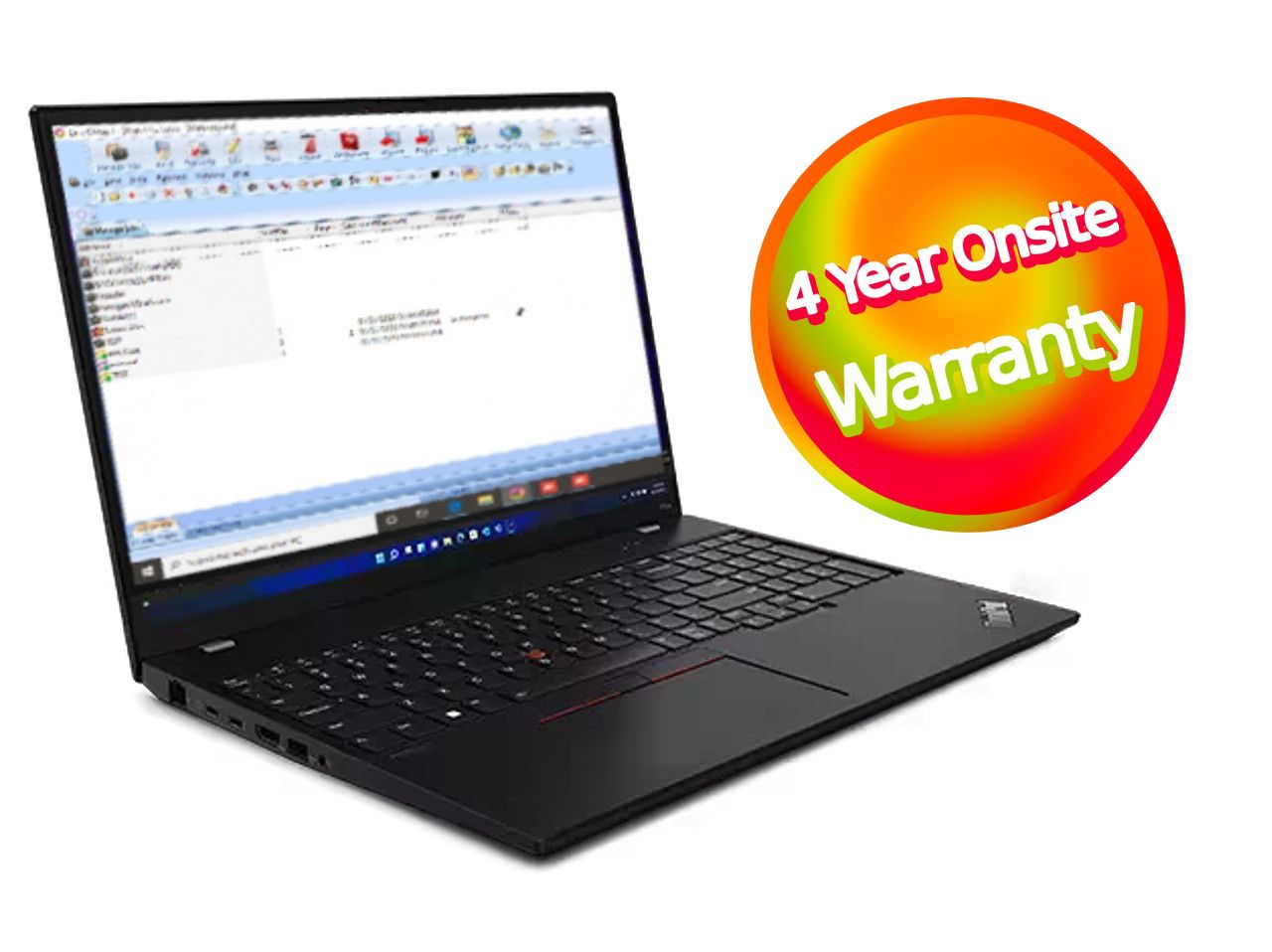
Martel 64 GB VOX Elite laptop shown at an angle with a four-year onsite warranty badge
Martel VOX Elite 64GB Voice-Writing Laptop Package. View Martel’s product details for SKU 421.

Martel VOX Elite 64GB Voice-Writing Laptop Package · SKU 421

This article is for educational purposes only.