Can Your Reporting Laptop Last Through a Morning Calendar on Battery?
Rehearse a morning calendar on a Windows 11 court reporter laptop. Measure time and charge with your writer, audio, transcript and normal breaks in use.
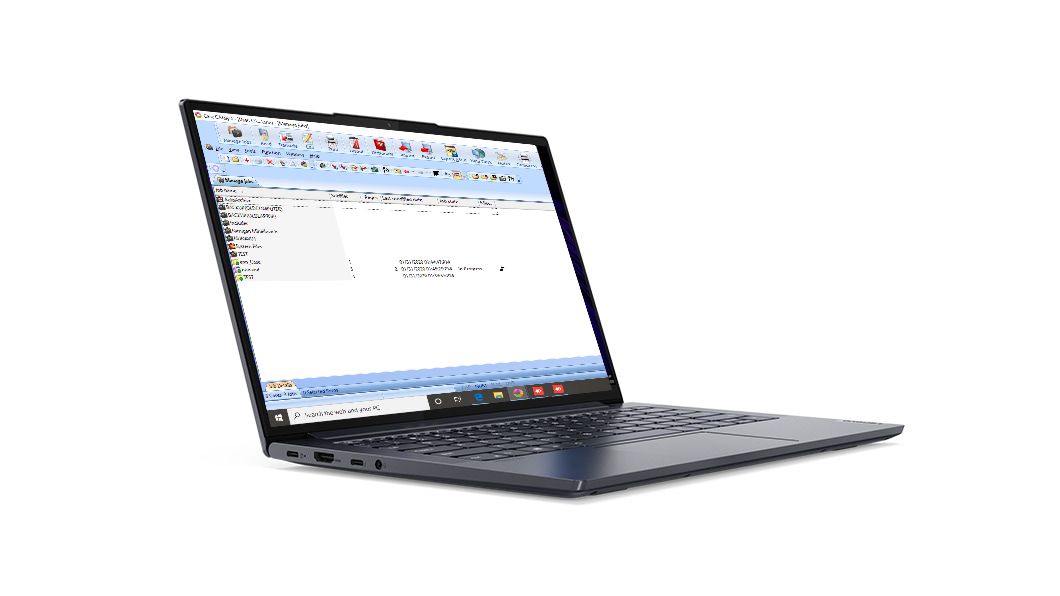
A court reporter can answer a battery question more precisely than a laptop advertisement can. Set up the writer, courtroom audio and reporting program you actually use, run through the morning you expect to cover, and keep working through the authorized practice close and save. Record the charge at both ends and what the saved practice job contains. The useful result is something like “this laptop completed this calendar and still had a documented reserve.” It belongs to a particular machine, workload, battery condition and starting charge. The following exercise shows how to obtain that result on a Windows 11 reporting laptop before deciding whether you need another power arrangement.
Define what the morning must contain
Write an approximate start, a realistic ending and the operations needed after the last witness. A scheduled session may start at nine, while the computer is already running at eight thirty for setup, a software check and a test exchange. A midday adjournment can still leave export, file verification or the move to the next room. Include those periods if the machine must operate away from mains power during them. The time from the first stroke to the final spoken answer can substantially understate the actual battery duty.
Make a second list of tasks you expect to overlap. A cable-connected writer, USB room microphone, reporting program and lit display may run through an entire block. A remote meeting, external monitor or second application may be active for only one witness. Choose a workload that reflects the assignment. A silent laptop displaying yesterday’s transcript for three hours measures a different use. A stress test that runs every optional device continuously can also lead to the wrong purchasing conclusion if those devices never run in the field configuration.
Identify the specific laptop and battery under review
On the setup sheet record the exact machine, its Windows 11 build and its ordinary power mode. The Elite CSR, Martel SKU 1978, is one Windows 11 reporting configuration with an included four-port USB hub. Identify the physical unit you are testing. Two laptops sold under one family name can have different histories, batteries, accessories or support configurations. Record whether the battery was recently replaced or the machine had a recent configuration change, using service information you can verify.
Microsoft documents the Windows battery report, available through the built-in powercfg /batteryreport command. The report may show design capacity, estimated full-charge capacity and usage history where the hardware supplies them. If you use it, store the report appropriately, since it can contain device identifiers. Use capacity figures with their units. A display showing ninety percent of a worn battery describes a different stored capacity from ninety percent of a new one. Treat the report as context for a measured workload. It cannot hear the courtroom microphone or decide whether your mock transcript reopened.
Establish the starting condition you can achieve in practice
A test begun immediately after a full overnight charge may be appropriate for a reporter who can consistently charge at home. It says less about a last-minute calendar received after an earlier short job. Measure the starting condition you actually expect. Note the charge shown, whether the laptop has been disconnected from power and whether it is running on an internal battery alone. If Windows uses an appropriate charge-management policy, record the level it normally reaches rather than changing that policy to obtain a nicer-looking starting figure.
Document the ordinary screen brightness, keyboard illumination if relevant, power mode, Wi-Fi use, external input and connected accessories. Include whether a peripheral supplies its own power or draws power from the laptop or hub. A separately powered display and a portable screen powered by the computer can produce different workloads. Keep cables in a stable working layout. If an unplanned device joins during the simulation, note the time and identify it. A second reporter can then reproduce the observation or understand why their measured morning differs.
Write a practice calendar with recognizable checkpoints
For a fictional exercise, call three short matters with neutral place names. The first includes a sequence of names and spellings, the second uses a mock exhibit with a reference number, and the third contains a correction and a short readback. Use filler rehearsal activity that resembles actual work between the marked exchanges, or run the full ordinary practice workload for each block. A continuous loud recording with no writing or review may fail to exercise the applications and devices whose combined battery behavior you need.
Prepare a row for setup, each called matter, recess, the last exchange and final file handling. At each boundary note time, displayed charge, power source and what task was active. Include one recoverable phrase unique to each matter. Keep a separate simple time reference so a changing Windows clock display does not become the only record of elapsed time. The same sheet can be used on a later date with fresh phrases. This permits an actual comparison of workloads without relying on what someone remembers about how long a similar court morning lasted.
Measure consumption in percentage points
Suppose a hypothetical rehearsal starts at 8:40 with 94 percent charge and finishes at 11:00 with 54 percent. The observed loss is forty percentage points over 140 minutes. A simple descriptive rate is about seventeen percentage points per hour over that interval. This arithmetic helps compare matched runs. It does not establish that a particular future hour will use seventeen points, and it does not measure the battery capacity in watt-hours. Workload, power policy and the battery gauge itself can change during the run.
Write down intermediate readings to see which period deserves another test. In an illustrative log, a twenty-minute recess with the screen dimmed may show a small change, while a forty-minute video segment shows a larger change. The durations differ, so compare the period and workload before attributing the difference to one application. Repeat the disputed segment under comparable conditions if the decision depends on it. Keep the absolute readings, elapsed minutes and any changed setting visible alongside the calculated rate so the calculation is easy to check.
Include the computer’s response at lower charge
A computer can change behavior as charge falls. Windows 11 offers settings for power mode, energy saver, screen and sleep timing, with choices depending on the computer and its configuration. Record which settings are in force and note if a threshold or visible mode change occurs. Keep using the actual writer and audio path during a representative portion of the lower-charge test. A laptop that stays on while its input goes missing or the job becomes impractical to handle has not met the reporting requirement.
Set a planned end point above exhaustion in accordance with your equipment and ordinary operating practice. The reporting question is whether you can complete the job and save with a workable reserve. You can answer it without repeatedly driving the battery to shutdown or exposing a real job to loss. If you reach the chosen reserve before completing the simulated morning, stop, save the mock job and make an orderly transition to approved power. Record the point at which the arrangement ceased to meet the plan.
Give the recess two realistic versions
One reporter stays at the desk with the laptop awake to review a passage during recess. Another deliberately saves, locks or sleeps the machine as permitted and resumes when court reconvenes. Those are distinct workloads with different recovery requirements. Run the version likely for the actual assignment. If short and long recess behavior materially affects the decision, rehearse both on comparable mornings. Document what the machine did during the interval and verify that the first authorized return phrase is present in the saved mock recording.
Distinguish a genuine recharge from a change in the percentage display after reconnecting power. If the routine includes an opportunity to charge at recess, time that opportunity from finding the outlet through reconnecting the work setup. Use the supplied or approved adapter. Record the charge when power is connected, the real charging interval and the charge when it is removed. A ten-minute break can leave fewer than ten minutes of usable charging time when moving rooms, setting up a desk and preparing the writer.
Compare an audio-only morning with a remote witness
When the expected calendar includes a remote witness, articulate the extra tasks. The laptop may run a meeting application, camera, network connection, audio return and transcript workflow concurrently. Connect the actual permitted equipment, use an invented remote exchange and take the usual actions. Keep the file-transfer or screen-sharing workload representative. Check not only the local spoken answer but also whether the intended remote response is present in the saved review path. A battery reading at noon has little practical value if the relevant source was never recorded.
Use two comparable repetitions to evaluate a change. For instance, compare ordinary in-room work with the same calendar that includes a prescribed remote block. Hold the laptop, starting charge band, brightness, peripherals and room conditions as steady as practical. If the remote block introduces a camera, an extra display and another microphone, the result describes that group of changes. A separate investigation would be needed to assign a particular share of the difference to the camera or display. State the comparison at the level your evidence supports.
Verify the work that remains at the end
Before reconnecting power for the final check, complete the portion of post-session work that genuinely must happen on battery. Save the mock transcript, finalize the recording normally, and follow any ordinary local copy procedure relevant to this test. Protect source files. Reopen the job and retrieve a marker from each called matter, including the final correction. Check that the expected writer strokes and the audio align well enough for your intended review. Record the remaining charge after those tasks, not just at the instant the witness stops speaking.
If the material has very long recordings, an export or copy can itself occupy time and energy. Time that stage and identify whether it is normally performed at the courtroom desk or after reaching an outlet. You may discover that recording the scheduled morning is feasible while the subsequent battery-only handoff is the real planning constraint. A practical remedy can be access to approved power for that final stage, a different supported workflow or another battery-tested computer. The result should tell you exactly which stage needs attention.
Add reserve using observed work rather than a marketing estimate
Choose the contingency your work needs to absorb. It might be an extra matter, an extended cross-examination, a delayed recess or the time required to move and save. Express the reserve first in minutes of a named task, then test that extension if practical. A reserve written as a percentage without context can mean very different amounts of useful work under different loads. Treating a hypothetical percentage as a universal threshold can also cause reporters with smaller or older batteries to overestimate the margin.
In a second mock run, extend the final block by the chosen contingency and retain the same stop point. If the machine completes the original schedule and the extension, preserves the material and ends above the selected reserve, record that observed result. If it completes the schedule but reaches the stop point halfway through the extension, say exactly that. A report showing a pass for the ordinary morning and an incomplete overrun is more informative than grouping the two into a general statement that the laptop lasts “all morning.”