TIME IS RUNNING OUT FOR 2026 TAX WRITE-OFFS

How to Try a Second Recognition Profile Without Changing Your Working Vocabulary

Compare two voice-writing recognition profiles using fictional names. Preserve the working vocabulary, test both profiles and verify a clean return.
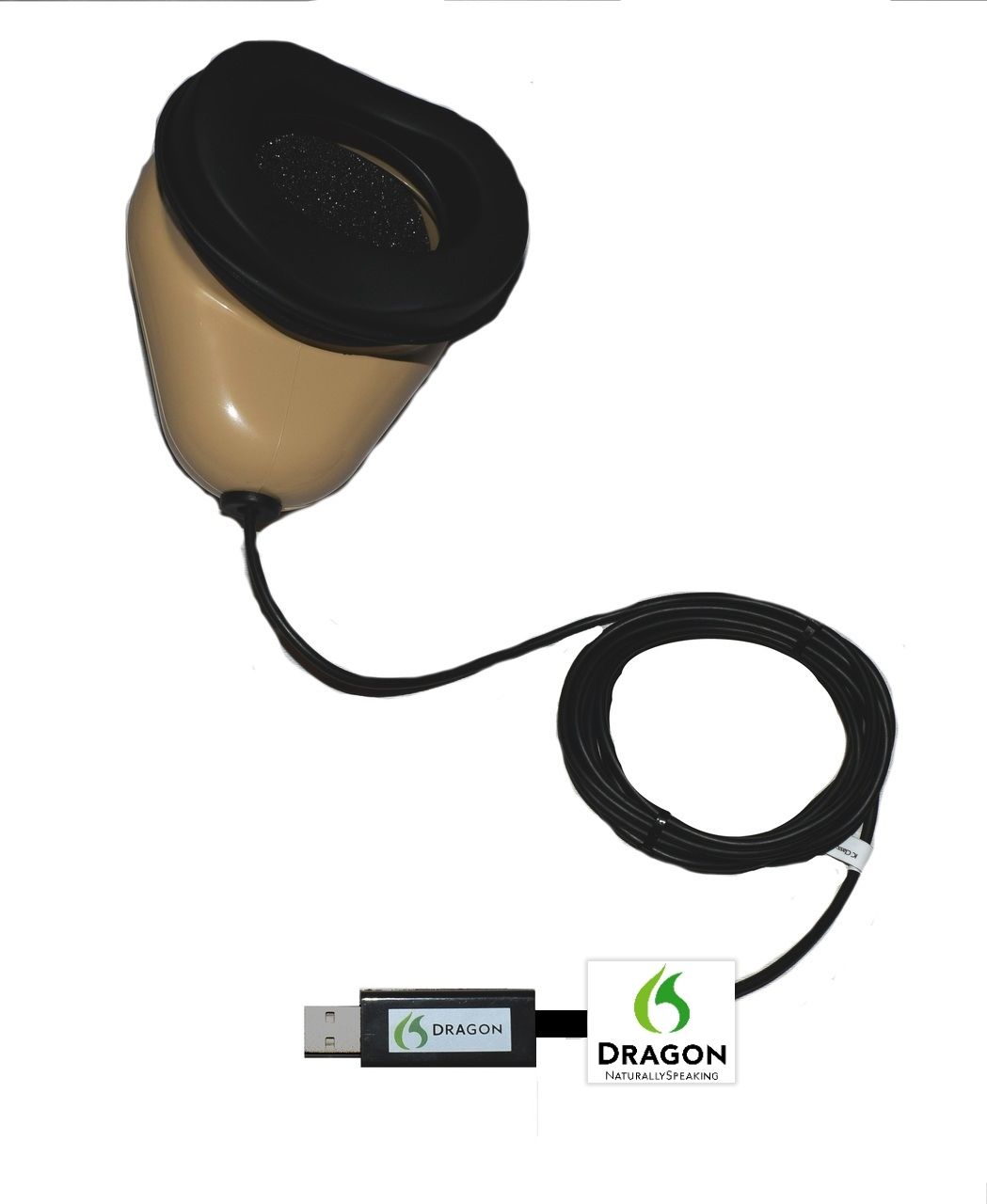
Martel Dragon USB Stenomask with its cable, USB connection and inline control
Dragon USB Stenomask. View Martel’s product details for SKU 1941.

Use a second, clearly named practice profile, preserve a recoverable copy of the working profile, and put only invented vocabulary into the trial. Before making a single change, prove you can identify which profile is active and return to the working one. A second document, a new CAT job and a different stenomask are not reliable substitutes for a separate recognition profile. The practical test is whether a word deliberately added to the trial stays out of the working vocabulary after both profiles have been closed and reopened.

Decide what you are trying to learn

Consider a voice writer preparing for assignments with similar-sounding business names. The working profile handles familiar assignments satisfactorily. The reporter wants to know whether particular spoken forms, word properties or correction habits make the new names easier to use. That is a narrow question about recognition behavior. It can be tested with fictional names and a controlled set of sentences before anyone considers changing a professional vocabulary.

Write the question in a form that predicts an observable difference. For example, “Can I dictate two invented dock names and have the trial print each agreed spelling in a witness answer?” is testable. “Will a brand-new profile be better?” leaves too many factors open. A newly created profile may lack years of corrections, settings or familiar terms. If you want to compare one vocabulary change, give both candidate conditions a known starting point and state which difference remains.

Separate that decision from a change of microphone. In some recognition environments a profile can use more than one supported audio source. If the only question is whether a new physical input works, consult the software’s guidance on audio sources before creating an entirely different vocabulary environment. Conversely, if the experiment changes learned words and corrections, merely choosing another microphone does not isolate that work. Identify the level at which the experiment should occur.

Inventory what you intend to protect

A recognition profile can contain information about a particular user’s speech, custom vocabulary, options and commands, depending on the software and installation. Nuance describes these components in its Dragon Professional installation material. A list of words is an important part of some profiles, but it is not a complete substitute for the profile. Determine the supported way to back up or export your active profile for the installed release and obtain any required permission on a managed computer.

Separate three questions about your backup. Does it contain the intended profile? Can you identify which installation or release produced it? Do you know how it would be restored to an appropriate destination without accidentally replacing the active professional profile? A dated archive in an approved location is useful; verifying recovery with an authorized practice example is stronger. Do not overwrite current production work merely to reassure yourself that an export exists.

Make a short inventory without copying client terms into your experiment. You can record that the working profile contains a specialist vocabulary and custom commands without listing a real party or case caption. Note which items a proposed export includes and which might need separate handling. If your office relies on custom commands or formatting properties, ask the software supplier how those travel in your particular release. A word list that imports successfully does not automatically recreate the rest.

Create a vocabulary made only for the exercise

Invent a small harbor directory. Let the organizations be Belwick Quay, Bellwic Key and the Kestrel Needle Workshop. Add one invented personal name, such as Nella Vosset, and one label containing digits, such as Pier K7. These are practice spellings, not facts about real organizations. Change the set if it resembles a real matter you handle. Give each item a sentence that makes its role clear, then another sentence that deliberately makes nearby words less helpful.

Prepare a reference sheet with the exact desired spelling, capitalization and number form. Add an optional spoken form only when the software supports it and you have a reason to try it. Decide which distinctions matter. One reporter may need the proper name to appear exactly on the first pass. Another may be satisfied if a correction is easy, repeatable and confined to the test vocabulary. Define success before looking at the output so you do not relax the goal after a difficult name.

Include a common phrase that resembles a target. “The bell was the key” is a useful foil for Bellwic Key. Use a second ordinary sentence with no trial term at all. This gives you a way to catch a change that helps a proper name while damaging ordinary speech. The aim is a vocabulary suitable for continuous voice writing, where a name rarely stands alone and a witness may use ordinary words immediately afterwards.

Verify the working profile before you leave it

Use the supported profile selection display to identify the working profile by its exact name. Some systems distinguish a Windows user account, a recognition profile, an active vocabulary and a microphone source. Write down enough visible information to distinguish these layers in your installed setup. A CAT filename alone tells you little about which recognition data will receive a correction. If the application does not show the active profile clearly, obtain the model-specific procedure before making a test change.

Use a read-only observation to establish a baseline. If the program offers a vocabulary editor or search, look for a distinctive invented test entry without adding it. Note that it was absent from the working vocabulary. The engine might still produce that spelling from ordinary language or a different component later. A visibly stored custom entry and an incidental correct guess are different observations. Preserve both ideas in your notes rather than using a single dictated sentence to prove isolation.

Close the working profile according to the application’s instructions. Consider any prompt about saving changes in light of work actually performed before the trial. If you had uncommitted professional corrections from an earlier session, follow your normal approved save procedure and create the baseline after those changes. An experiment should begin from a known working state. Do not turn an ambiguous save prompt into a decision about improvements you made before the test started.

Create and positively identify the trial profile

Use the professional recognition product’s documented new-profile or supported copy procedure for the licensed user and version. A blank new profile and a restored copy of an existing profile serve different purposes. A blank environment is a good place to demonstrate separation or test how much customization a new vocabulary needs. A supported copy of a practice baseline may be more appropriate when you want to isolate one word-property change while keeping other learned behavior similar.

Choose a name that remains legible wherever the application shortens long labels. For example, a prefix such as HARBOR PRACTICE distinguishes the trial at the beginning of a dropdown. Avoid creating two nearly identical labels with the only distinction hidden at the end. Write the exact trial label on the fictional reference sheet. Reopen the selection display after creating the profile and identify it again before using a vocabulary command.

Nuance’s Dragon Professional documentation describes active-profile selection and vocabulary import and export. Use the help for the exact edition and release in front of you. Menu labels and rights can differ in managed or newer installations. If a workflow uses centrally managed vocabulary, a synchronized user configuration or an additional cloud service, ask the responsible administrator what is actually isolated. Do not assume an arrangement shown on a standalone computer reproduces the behavior of a managed work seat.

Change one entry and check where it went

Start with one unusual trial entry, such as the invented spelling Vosset. Add it through the supported vocabulary function while the practice profile is visibly active. Check its stored spelling, then dictate it in a full sentence in a fictional practice document. If the product supports written and spoken forms, note each separately. A visible vocabulary entry proves that the intended profile holds the entry. The dictated sentence tests how the recognizer uses it in context.

Save the trial through the documented procedure, close it, and reopen the working profile. Search for the distinctive custom entry in the same way you did at baseline. If you hear the right pronunciation and receive a correct spelling by chance, do not confuse that with an entry having leaked into the working vocabulary. Look at the actual vocabulary evidence you selected for this test. Then reopen the trial and verify the custom entry remains there.

If the change appears in both profiles, stop adding vocabulary. Recheck which profile and vocabulary were active at each step and whether the organization supplies a common list. See whether the chosen term already existed through a different supported source. Resolve the scope before using any client material or applying a correction widely. A harmless invented name has done its job when it reveals a shared layer that the reporter did not expect.

Dictate sentences, not an isolated spelling list

Build three short exchanges. In the first, counsel asks Nella which shop issued the invoice, and the witness answers with the workshop’s complete invented name. In the second, counsel contrasts the two similar harbor names without spelling them aloud. In the third, the witness says the ordinary phrase about the bell and the key. Voice write each exchange with your normal phrasing, speaker identifications and pauses. Keep the reference script consistent across runs.

Save the first output before correcting it. Mark the exact difference between the recognized form and the reference sheet. A missing capital, an extra space, a wrong final consonant and a substitution of one company for the other involve different editorial work. A transcript that looks correct after you manually fix everything conceals those differences. If you plan to compare correction time or effort, define the actions you will count and separate them from the first-pass result.

Run a second set of sentences in a different order. A phrase rehearsed repeatedly in the same position may become easier for the speaker to deliver even before a recognition system changes. Ordinary speaking variation is part of practical voice writing, but a small experiment should not pretend to eliminate it. Write down any obvious departure from the script, such as hesitating before the name or emphasizing its final syllable, rather than attributing the entire result to the profile.

Keep the physical voice-writing setup fixed

Use the same stenomask, the same microphone input and the same ordinary working posture throughout the first comparison. The Martel Dragon USB Stenomask, SKU 1941, provides one concrete USB voice-writing input for a compatible workstation. Verify the selected source in the operating system and recognition application. A switch to the laptop’s built-in microphone can make the practice result sound convincingly different while telling you almost nothing about the vocabulary change.

If you are also choosing a workstation, the Martel VOX Elite 64 GB voice-writing laptop, SKU 421, is a product to evaluate with your authorized software. Set up and verify the physical input before opening the working profile. A computer sold for voice writing and a license for a particular recognition release still need to be matched. For this exercise, keep the machine fixed while testing profiles. Compare laptops separately under a controlled workload if hardware selection is also on your list.

Check whether opening a new profile changes the selected audio source or asks you to complete setup. Follow the application’s supported calibration steps for that profile. Record what was required. A fresh profile that still needs its initial microphone configuration should not be compared directly with a well-established professional setup as if the only difference were the spelling of Vosset. Establish clean capture first, then return to the narrow vocabulary question.

Interpret the results word by word

For each trial entry ask what the reporter actually saved. It may have appeared correctly on the first take, appeared correctly after a documented correction, or remained ambiguous in continuous speech. Include a separate observation for the ordinary foil phrase. If Belwick Quay improves while common uses of “key” deteriorate, the tradeoff matters. A single total score can hide a change that is inconvenient throughout a day of dictation.

Count comparable opportunities, not lines on a finished transcript. A target occurring three times gives you three chances to observe it. If one speaker skipped the third occurrence on a later run, the two runs do not offer the same count. Keep the observations small and interpretable. The rehearsal can help decide whether a trial entry is worth investigating. It cannot establish a universal accuracy percentage for Dragon, a Martel laptop, a stenomask or the reporter’s entire vocabulary.

If the exercise compares two separate profiles instead of two states of the same practice profile, describe their histories. One may have been built from scratch and the other from a supported practice backup. A difference in results could reflect different settings, prior corrections or initial configuration. Preserve that uncertainty when reporting the outcome. For a professional decision, the most useful finding is often narrower: this particular entry helped with this specific phrase under the stated conditions.

Move a proven change deliberately

If an invented entry works well, carry the lesson about how the feature behaves into your professional process. Do not import the entire harbor vocabulary into the working profile simply because the test succeeded. Select any real change separately using authorized words, approved handling and your reporter’s review. Make a recoverable backup before an intentional production change. Introduce a small group, verify it and retain a clear record of what you deliberately adopted.

Dragon Professional documentation distinguishes exporting custom words from exporting other profile material. It also identifies formats that may preserve different details, such as word properties in a supported XML export. Confirm the behavior for your installed release and chosen format. A plain list can be a straightforward way to move a small set of spellings. It should not be assumed to reproduce custom commands, acoustic history or every formatting behavior that mattered in the trial.

Finally, close the trial and reopen the normal profile through its known selection path. Confirm the correct microphone, dictate a short ordinary practice sentence and check that the fictional entry remains absent where it was absent at baseline. Record the exercise outcome and the identity of any deliberately adopted change. A good finish leaves the reporter able to start the next assignment in the intended professional environment without wondering which profile the software opened last.

Run a short practice hearing with a second reader

Invite someone to read the invented harbor dispute while you voice write. Give that person a separate sheet containing the expected answers and a few directions about ordinary speaking pace. Arrange for the first question to describe one pier, the next to refer to the other pier, and the last to use the ordinary words bell and key. Let the reader decide when to pause naturally within the sentences. You now have a better simulation of listening and repeating than you did when reading from your own list.

Set a narrow task for the reader after dictation. Ask them to identify which pier the displayed answer names before looking at the reference. If the reader confuses the two companies because the text selects the wrong written form, mark that as a meaningful error. If the text is right but the reader cannot tell who asked the question because a speaker label is missing, record a separate speaker-identification issue. Two readable proper names do not make a complete usable transcript if the surrounding exchange is ambiguous.

Preserve a small observation after the reader has finished. On one row record the spoken and written forms you intended, the observed output and the correction action you chose. On a second row record one ordinary phrase that remained distinguishable. On a third record the exact active profile used for the run. These three entries tell the next person much more about the experiment than a general statement that recognition got better after lunch.

Before ending the exercise, let the reader choose one sentence you did not rehearse. It should contain only invented names and ordinary language. This checks whether success depended on reciting a memorized script or generalized to a fresh sentence in a modest way. A successful extra sentence supports further practice. If it fails, keep the original trial evidence, identify the new context and decide whether a different supported spoken form deserves a separate experiment.

33 questions and answers

1. What is the difference between creating a second profile and starting a new CAT job?

A CAT job gives you a different document or session in which to work. The recognition engine may continue using the very same user profile while dictating into that new document. A correction made there could still affect the active vocabulary. Identify the recognition program’s active user profile independently of the job name. Use both a clearly identified practice profile and a fictional practice job when you need to demonstrate separation.

2. Can I use my colleague’s profile as the experiment?

Use a profile created for the properly licensed person who supplies the speech. Dragon Professional documentation describes user-specific profiles, and a colleague’s trained configuration can contain their voice information, specialized language and custom choices. It also introduces an uncontrolled change of speaker. Create an authorized practice environment for the reporter doing the exercise. If several reporters need the same invented test list, each can test it in their own appropriate setting.

3. Should the trial start empty or as a copy of an existing profile?

Choose according to the comparison. An empty profile can show how a new vocabulary entry behaves with little prior customization. A supported copy of a fictional or approved baseline can allow a narrower comparison between two word settings. Check whether your installed software and administrative arrangements support the method. Label the resulting profiles accurately. A blank trial and a long-trained professional profile cannot support a confident claim that one new word caused every difference.

4. Why use an invented spelling instead of a difficult customer name?

It lets the reporter examine storage, correction and export behavior without circulating actual confidential terms. Choose a spelling distinctive enough that you can search for an explicit custom entry. Add an ordinary phrase that could be confused with it. A fictional spelling is especially useful if you later need help from the software supplier, because you can reproduce the process and share the expected result through an appropriate channel without exposing case material.

5. What evidence shows the working profile stayed unchanged?

Record the active profile identity and inspect the same relevant vocabulary feature before and after the trial. Demonstrate that the invented entry existed in the practice profile, survived reopening there and remained absent from the working custom vocabulary. Also complete an ordinary practice dictation after returning. You are verifying the specific change you tested. An unchanged sentence alone cannot prove that every setting or learned detail throughout a profile remained identical.

6. Why might the working profile recognize an invented name it never stored?

A recognizer can produce words or plausible spelling from existing vocabulary and the context of a sentence. A correct visible result is useful for dictation, but it does not prove the presence of a particular custom entry. Search the active vocabulary or review the supported custom-word list in the same way you did at baseline. Distinguish what the recognizer wrote on this occasion from what you deliberately saved as a reusable entry.

7. Can I test two microphones and two profiles in the same session?

You can schedule both questions, but run them as separate comparisons. First hold the physical input, workstation and script fixed while changing only the profile condition. Then keep a known profile fixed and try the authorized second microphone, using its documented setup procedure. If both change simultaneously, a recognition difference could reflect sound level, microphone position, audio-source selection or vocabulary. Label each pass so the later conclusion matches the change you actually tested.

8. Will a custom-word export preserve my voice training?

A custom-word export serves a narrower purpose. It records selected vocabulary information according to the format and release. A full profile can also include speaker-specific information, preferences and commands. Use the supported profile backup process when you need broader recovery. If you intend to move only certain words, verify their written forms and properties after import. Do not assume possession of one text list means you can reconstruct your complete working configuration.

9. What is the advantage of adding one term before importing a whole list?

A single identifiable entry makes mistakes inexpensive and easy to find. You can see whether it went to the intended vocabulary, whether it survives reopening and whether another profile also sees it. If the wrong place receives one fictional entry, you can investigate the scope of the problem without disentangling dozens of changes. Proceed to a small list only after the one-entry test demonstrates the kind of isolation the assignment requires.

10. How should I choose a spoken form for an unusual name?

Start with the word as the reporter would naturally repeat it during testimony, then consult the software’s supported written and spoken form controls. Avoid inventing a pronunciation that the reporter cannot sustain during an ordinary question-and-answer exchange. Test the term beside familiar neighbors and in an ordinary phrase that could be mistaken for it. Record exactly which field changed so another practice run can reproduce the comparison.

11. What if two practice names sound nearly identical?

Make their written forms explicit on the reference sheet and dictate each in several contexts. Include a sentence where the surrounding words clearly distinguish the intended party and one where they do not. If the engine cannot consistently infer the distinction, a practical solution may involve a deliberate supported spoken form or a correction procedure. Report the limitation for that pair. Avoid treating a difficult invented contrast as a general measure of profile quality.

12. Should I correct every recognition error during the first pass?

Capture the uncorrected first-pass result before editing it. If correction is part of the experiment, make it in a separate documented pass and identify what changed. Combining uncorrected recognition with later manual repairs makes two profiles look deceptively alike. Ordinary typing back into the transcript and using a supported recognition correction may have different effects on future behavior. Check which action the receiving application and recognition product actually support.

13. Can a custom command masquerade as a vocabulary problem?

Yes. A spoken phrase may trigger an action, change the active window or insert a prepared passage rather than print the expected words. Observe what the system actually did and whether the same phrase behaves differently in plain dictation and in the intended CAT window. Keep command changes separate from vocabulary edits. If custom commands are part of a working setup, determine how to preserve them using the supplier’s documented method.

14. What if a profile opens with the built-in laptop microphone selected?

Select the intended supported stenomask input and complete any setup the recognition application requires for that profile. Use a harmless phrase to check that speaking into the mask produces the expected input and text. Reopen the profile once more before accepting the new selection as persistent. A test performed on the built-in microphone should be labeled as a different physical condition and repeated before drawing conclusions about vocabulary.

15. Does the amount of laptop RAM determine whether two vocabularies are separate?

Separation is a question of profile identity, storage and application behavior. A higher-memory laptop may suit a heavier workload, but its capacity does not tell you which profile is active or where a correction will be saved. To compare hardware capacity, conduct a separate workload rehearsal. For profile isolation, use the same workstation, inspect the active profile and demonstrate where a single invented entry is stored after closing and reopening.

16. How should I handle an unfamiliar save prompt when switching profiles?

Pause and identify which profile the prompt names, what changes were made and whether professional work preceded the experiment. Follow the installed product’s instructions and the office’s approved recovery method. If the label or consequence is unclear, seek support using the fictional scenario before selecting an option that could alter the working profile. Beginning with a confirmed backup and closing unrelated work makes this decision easier to make correctly.

17. Can the practice profile contain a copy of the professional word list?

It can if the software supports it and the reporter is authorized to copy, store and use that material in the proposed environment. For a feature test, a small fictional list is usually sufficient and easier to verify. If you require a realistic vocabulary size, discuss an authorized test method that protects actual case language. A copy used locally still needs the same thought about scope and handling as an export sent elsewhere.

18. What if the application selects the last-used profile on startup?

Make return-to-work verification part of the rehearsal. Close the trial, reopen the intended working profile and use the normal startup sequence once more. Read the active profile name and check the selected microphone before opening a professional job. Put a short reminder on the reporter’s setup sheet if startup behavior depends on the most recent choice. A clearly labeled practice profile prevents a routine convenience from becoming a morning mystery.

19. How do I compare recognition behavior without overstating accuracy?

Count the target opportunities actually spoken and record the specific errors that require correction. Include ordinary phrases used as controls. Indicate whether the first or corrected output was counted and which profile, microphone and script produced it. A small rehearsal can tell you whether a particular spelling change is promising for one workflow. It cannot establish an accuracy percentage for every speaker, matter, software release or working environment.

20. Does importing the same list twice prove that nothing changed?

Repeated imports can behave differently depending on existing entries, duplicate handling and word properties. Use a disposable practice profile to learn how your particular release handles a repeated import. Inspect the resulting entries and run the ordinary foil sentences afterwards. For a professional import, keep a record of the chosen file and its intended contents. The ability to import again is not a substitute for knowing what the first operation did.

21. What if the new custom term appears in the working profile as well?

Stop the vocabulary trial and preserve evidence from both active-profile displays. Check whether you were actually switching profiles, whether a shared vocabulary is configured or whether an administrative package supplies the entry. Compare with the pretrial observation. Avoid deleting the term from the professional profile until you know where it came from and what the deletion would affect. An invented test entry makes that investigation much easier to conduct safely.

22. Can an operating-system user account provide the needed isolation?

It may separate some settings and files, but the recognition environment can also depend on its own accounts, profiles, shared vocabulary and management configuration. Determine what the supported setup actually isolates. Sign-in labels alone do not establish where a correction will be stored. Run the single invented-entry test, close the applications and inspect both intended environments. Consult the responsible administrator when the computer or recognition service is centrally managed.

23. Should a voice writer use the same document for both passes?

Use equivalent fictional documents with distinguishable names or revisions. If you overwrite the first document with corrected output from the second pass, you lose the evidence needed for comparison. Keep the script consistent, preserve the first uncorrected text and note which output belongs to each condition. The document is evidence of recognition output. The profile remains a separate item that needs its own name, backup and selection check.

24. Why include punctuation and speaker changes in the script?

A name dictated alone may behave differently when spoken after a question, an initial or a speaker identification. Punctuation commands and pauses can influence the way the reporter phrases the next word or what the receiving program does with it. Include the transitions you actually use, but avoid changing your normal technique between conditions. Record whether the error involved vocabulary, capitalization, formatting or the receiving application acting on a command.

25. What if the trial profile performs worse on ordinary language?

Look for a specific tradeoff. A trial spoken form may collide with a common phrase, or a fresh profile may lack earlier training. Test several ordinary sentences that contain neither the problem name nor its near neighbor, then compare the targeted foil phrase. Do not promote the change until its advantage and its downside are clear. A narrowly successful proper name is not a good result if routine testimony becomes substantially harder to scope.

26. How can a reporter test a word’s capitalization?

Use the word once in the middle of an ordinary sentence and once in a position where initial capitalization occurs naturally. Compare the written output with the agreed spelling. A correctly capitalized term at the beginning of a sentence tells less than a correct form in its middle. Where supported, inspect the entry’s documented word properties and test again in the actual receiving application. Record whether the behavior persists after reopening the trial.

27. What if the cloud service or CAT application also learns corrections?

Ask the supplier or responsible administrator which component owns vocabulary, correction history and shared settings in the selected workflow. A local profile can be separate while a connected service, dictionary or user account supplies other language behavior. Begin with fictional data and observe the effect at each layer you can identify. If the scope of a learning feature remains unclear, do not assume creating a local profile isolates every connected component.

28. Should I record my practice dictation?

A recording can help distinguish what the reporter actually spoke from what the recognizer wrote, if creating and keeping it is authorized. Use fictional phrases and the permitted recording path. Also save the written first-pass results, since a recording alone does not document which profile or vocabulary was active. For many small tests a consistent helper script, a brief written log and the two output documents are sufficient to reach a practical conclusion.

29. What if a second practice run improves both profiles?

The reporter may be delivering the lines more consistently after seeing them once. Application state, microphone setup and the order of presentation may also have changed. Alternate the order of short fictional sentences and note obvious speaking changes. Interpret the finding as improvement in the repeated exercise unless you can isolate a narrower cause. You can still use the experience to design a more informative next trial without claiming the profile learned a particular rule.

30. How should I handle exporting entries with word properties?

Consult the documentation for your edition and release. Dragon Professional 16 describes text and XML options for custom word exports, with word properties relevant to the XML choice. Perform a small practice export and import, then examine both the visible entry and its behavior in a fictional sentence. Keep custom commands and broader profile recovery in their own documented process. Choose the format according to which specific details need to survive the transfer.

31. When does a promising practice change belong in production?

When the reporter can explain the original problem, the exact change tested, the positive result and its effect on similar ordinary language. Apply the approved professional equivalent deliberately after creating the appropriate recovery copy. Verify the active profile before importing or correcting anything. Reopen the working environment and test a permitted example. A trial is most valuable when it narrows the production change to something small enough to understand and reverse through the supported process.

32. How can I ask support about an unexpected result?

Give the profile type, edition and version, intended microphone source, fictional test entry and the two exact sentences that demonstrate the behavior. State whether the issue involves stored vocabulary, first-pass recognition, an export or an unexpected shared change. Include only the approved information needed to reproduce it. A specific report such as “the invented custom entry appears in both named profiles after reopening” is more actionable than a general complaint that the software forgot a word.

33. What is the last check before the next assignment?

Open the production environment through the reporter’s normal routine. Read the active profile name, confirm the microphone source, and dictate a short ordinary practice line into the intended application. Check the distinctive invented entry using the same pretrial observation. Put away the fictional practice documents so they cannot be mistaken for case materials. The reporter should be able to identify which changes were merely tested and which, if any, were intentionally adopted.

Martel equipment and related guides

Dragon USB Stenomask · SKU 1941

Martel 64 GB VOX Elite laptop shown at an angle with a four-year onsite warranty badge
Martel VOX Elite 64GB Voice-Writing Laptop Package. View Martel’s product details for SKU 421.

Martel VOX Elite 64GB Voice-Writing Laptop Package · SKU 421

This article is for educational purposes only.