TIME IS RUNNING OUT FOR 2026 TAX WRITE-OFFS

Finding Missing First Words in a Legal Dictation Recorder File

An attorney finishes a dictation, hands the recorder to a secretary, and later notices that the typed letter starts with “regarding the hearing” instead of “Please write to opposing counsel regarding the hearing.” The first reaction may be that the recorder cut off the beginning. That is possible, but it is not the only explanation. The words may never have been spoken after recording began, may be present in the recorder’s source file but absent from a working copy, may be present in the file but skipped during playback, or may have been heard and then omitted from the document.
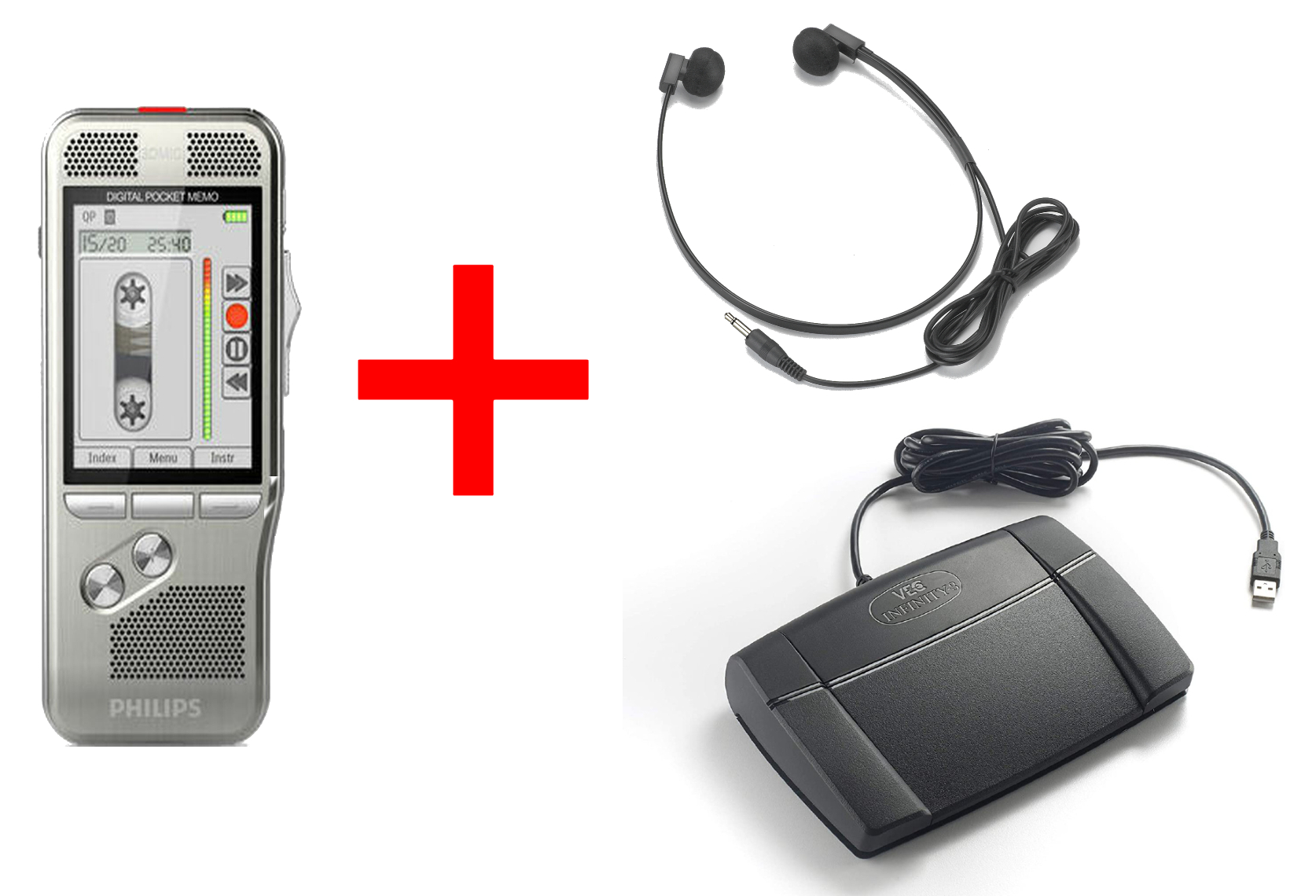
Martel lawyer dictation package with recorder, secretary headset and foot pedal

Check the same harmless test phrase at each handoff point. Preserve the legal recording, identify the expected opening, listen to the source on the recorder, compare the transferred file, replay the beginning at the secretary’s station, and compare the typed text. Do not change settings, overwrite files, or re-record client content until the office knows where the first complete version still exists.

This guide gives a repeatable Windows 11 workflow for an attorney and secretary. All names, matters, phrases, filenames, and results in the worked examples are fictional and illustrative. They do not describe a Martel customer or promise a result from any particular recorder, program, or office environment.

Define the symptom before trying to fix it

“The first words are missing” can describe at least five different observations:

  1. The saved recording begins after the attorney’s intended opening.
  2. The recorder plays the complete opening, but the transferred working file does not.
  3. The working file contains the opening, but playback starts a few seconds into the file.
  4. The secretary hears the complete opening, but the typed document omits it.
  5. The attorney remembers an opening that cannot be confirmed in any saved version.

Those observations require different responses. A recording control cannot recover words that were never saved. A transfer investigation is unnecessary if the source file and working copy both contain the same beginning. Dictating the document again may create a second version and more uncertainty when the complete opening was already present but the playback position began late.

Write the symptom as a comparison, not as a conclusion. For example:

  • “The attorney expected the phrase ‘Please prepare a letter,’ but the secretary’s playback begins with ‘to opposing counsel.’”
  • “The recorder plays the cue word ‘Cedar,’ while the received working file begins after ‘Cedar.’”
  • “The working file plays the complete sentence from 00:00, but the draft document begins with its fifth word.”

Each statement identifies what was expected, where the material was checked, and what was actually observed. “The recorder is clipping words” skips those distinctions and can send the office toward the wrong setting.

Preserve the source and the first received copy

Before testing, stop changing the questioned item. Follow the firm’s confidentiality, access, retention, and legal-hold requirements. Keep the recorder and its source recording available if office policy permits. Preserve the first file received by the secretary, then make an authorized working copy for listening and comparison.

A simple folder structure can keep the roles clear:

  • Received-Reference — the first transferred copy preserved without renaming or editing
  • Playback-Working — the copy used for replay, notes, and approved transcription work
  • Comparison-Notes — the office worksheet with source identity and observations
  • Training-Only — new recordings made with invented phrases, never client content

“Reference” means the office’s preserved first received copy. It is not a forensic claim about the device or the history before receipt. Record the source identifier, complete filename, file type, displayed duration, displayed file size, receipt time, and the person who made or received the copy. If Windows 11 hides filename extensions, open File Explorer and choose View > Show > File name extensions.

Do not trim silence, normalize audio, convert formats, or run a repair utility on the only copy. Do not rename the recorder’s source item while investigating. Do not assume that two similarly named files are identical. If the office uses an approved checksum procedure, it can record checksums for the received reference and later copies. If it does not, use the identifiers the office can actually verify and avoid describing the comparison as forensic.

Establish the expected opening without relying on memory alone

The office needs a specific expected beginning. General recollections such as “I introduced the matter first” are useful leads but not exact comparison material. Look for an authorized contemporaneous source:

  • a spoken matter and document label that is audible later in the recording;
  • a dictation log or handoff note made when the file was delivered;
  • a secretary’s intake note quoting the first audible words;
  • an earlier playback note that recorded the opening;
  • the attorney’s prompt or outline, if the firm treats it as an approved source;
  • direct confirmation from the attorney, labeled as a recollection rather than as saved audio.

Keep the evidence labels honest. “Expected from attorney recollection” is different from “audible on recorder source.” A comparison table should show that difference.

For a new harmless test, use a unique cue followed by a complete sentence. A useful cue is easy to recognize and unlikely to occur accidentally. This guide uses Cedar, Harbor, Juniper, and Linden as invented cues. They are not recommended client or matter names.

Check five handoff points in order

The central method is to check the same beginning at five points. Stop as soon as the first difference is established, then repeat the comparison once before changing anything.

Point 1: The intended spoken opening

Record what the attorney says was intended. If the attorney is available, ask for the exact first phrase rather than a summary. Label it “recollection” unless another record supports it. Do not ask the attorney to speak confidential matter details into a test file.

The comparison question is: What words were expected before any equipment or software became involved?

Point 2: The source recording on the recorder

Select the questioned source by its identifier. Return playback to the actual beginning. If the recorder displays an elapsed position, confirm that it is at the start. Listen through the first complete sentence without editing or overwriting the item.

The comparison question is: What is the first intelligible word saved in the recorder’s source item?

If the intended words are not audible there, later copies cannot prove that those words were saved in this source. Preserve the item and move to a controlled training test. Do not keep changing recorder settings while using the client file as the test material.

Point 3: The first received file

Open the preserved received reference with an approved player or transcription application. Move to 00:00, not merely to the earliest position at which playback happens to resume. Listen through the same complete sentence. Record the first audible word and the displayed start position.

The comparison question is: Does the transferred reference contain the same beginning as the recorder source?

If both begin with the same word and continue with the same phrase, the first observed difference lies later in the workflow. If the recorder source is complete and the first received file is not, preserve both and document the transfer route before trying another transfer.

Point 4: The secretary’s playback behavior

Now check the exact playback route used for work. The file may contain the words even when the listener does not hear them during normal operation. Return to the beginning, use the secretary’s normal headset or approved listening equipment, and compare manual on-screen playback with the usual foot-pedal action when applicable.

Record whether playback begins at 00:00, resumes from a previous position, or jumps to a stored bookmark or later cue. If an automatic backstep or rewind behavior is part of the approved setup, note the observed behavior rather than assuming it applies at the very beginning of a file.

The comparison question is: When the complete file exists, does the normal playback action actually present its beginning to the secretary?

Point 5: The typed document

Compare the first audible sentence with the typed opening. A source can be complete while the document is not. The secretary may have treated the first phrase as an instruction rather than text, started typing after a matter label, or resumed a document below an earlier paragraph.

The comparison question is: Did the transcription decision preserve the words that belong in the document and exclude only the words that were truly instructions?

Do not decide that question from audio alone when the distinction is legally or procedurally important. An attorney may need to confirm whether “Please write to counsel” is an instruction or intended letter text.

Use one worksheet for all five points

A single row per recording prevents the office from mixing observations from different copies.

Field Example entry Why it matters
Source ID Recorder item 0147 Keeps the test tied to one source
Expected opening “Cedar begins the training letter” Gives the comparison a definite target
Basis for expectation Spoken training script Separates a script from recollection
First word on recorder Cedar Shows what the source retained
First word in received reference Cedar Checks the transfer result
First word in secretary playback begins on first pedal press; Cedar heard after return to 00:00 Identifies playback-position behavior
First typed word Cedar Checks the document handoff
Status Playback started late; file complete States the observed layer, not an unsupported cause

Use neutral verbs: heard, displayed, received, started, typed, and confirmed. Avoid corrupted, failed, deleted, or clipped unless the evidence establishes that description.

An illustrative four-opening exercise

The following exercise is fictional. It should be performed only with invented material on an authorized training route.

Create four new recordings. For each one, begin recording, observe the equipment’s record indication according to its instructions, pause naturally, and speak the complete line:

  1. “Cedar begins the training letter for Monday.”
  2. “Harbor opens the fictional status note for Tuesday.”
  3. “Juniper starts the invented scheduling memo for Wednesday.”
  4. “Linden introduces the sample follow-up for Thursday.”

End each item normally. Do not edit the beginning. Transfer the four items through the office’s ordinary authorized route and preserve the first received versions.

The trainee then completes this table:

Cue First word on recorder First word in received reference First word through normal secretary playback First typed word Result
Cedar Cedar Cedar Cedar Cedar Complete at every point
Harbor Harbor Harbor opens Harbor Normal playback began after the cue; file remained complete
Juniper starts starts starts starts Beginning absent from source; repeat controlled recording
Linden Linden Linden Linden introduces Typed opening omitted the cue

These results are invented to demonstrate classification. They are not performance claims.

The Cedar row establishes that the complete route can preserve a beginning under the conditions tested. The Harbor row localizes an observed playback-position issue because the complete cue exists in both saved versions. The Juniper row shows that the first saved word is already later than intended, so copying and transcription are not the first point of difference. The Linden row moves the question to the typing decision because every audio check includes the cue.

Repeat only the row that needs confirmation, and repeat it with a new invented sentence. Do not overwrite the first test. If a difference cannot be repeated, record that fact rather than declaring the problem fixed.

Distinguish four common patterns

Pattern A: The first saved audio begins late

The recorder source and every copy begin with the same later word. The intended cue is not audible in the source. That establishes where the first observable difference appears; it does not by itself establish why.

For a new training item, verify the recorder’s ready and record indications, begin recording, allow a natural lead-in, and then speak the cue and sentence. Compare the result with the instructions for the exact recorder. If the office intentionally uses a supported sound-triggered recording mode, test that documented mode separately from manual continuous recording. A sound-triggered function can behave differently from manual recording, and not every product offers or enables the same controls.

Do not claim that the recorder “lost” words that may have been spoken before recording actually started. Do not change several controls at once. One controlled comparison is more informative than a series of unexplained changes.

Pattern B: The recorder source is complete, but the received file is not

This is a file-identity and transfer question. Confirm that the office compared the same source item, not a corrected version, similarly named item, exported excerpt, or earlier transfer. Record the source identifier, received filename, duration, and transfer method.

Make a second authorized transfer into a new working folder without replacing the first received reference. Compare the new copy with the recorder source and the earlier reference. Do not assume that email, a shared folder, or a cable “cuts off first words” as a general rule. The evidence is limited to the files actually compared.

If the office can verify that the source and received file differ, preserve both versions and involve the appropriate equipment or software support path. Avoid repeated conversions or repairs that create additional versions before the original comparison is documented.

Pattern C: The file is complete, but normal playback starts late

Return the playhead to 00:00 and use manual playback once. If the opening is audible, the file contains it. Then reproduce the secretary’s normal action. A program may resume from a saved position, follow a bookmark, reopen the most recent location, or react differently to a pedal than to an on-screen control. The actual behavior depends on the equipment and software in use.

Write down the starting position shown before and after each action. Close and reopen only the working copy. Test whether the next session resumes at the last position or starts at the beginning. Do not reset a production profile until its current settings and effects are documented.

The corrective step may be as simple as returning to the beginning before the first transcription pass, but the office should verify the behavior on its actual route. A repeatable opening check belongs in the intake routine.

Pattern D: The audio is complete, but the document begins late

Compare the spoken opening with the intended document. Dictation often mixes instructions and text. “New paragraph,” “letter to Ms. Rivera,” or “subject line” may be an instruction. “Dear Ms. Rivera” may be intended text. A secretary cannot always decide the boundary from word choice alone.

Mark the disputed phrase and request a focused confirmation: “Should the document begin with ‘Please accept this letter,’ or was that an instruction?” Preserve the audio position and source identifier in the note. Correct the document through the firm’s normal revision process rather than editing the recording.

Training can reduce this ambiguity. The attorney can use a consistent opening: first identify the matter and document as instructions, then say a clear approved cue such as “begin text.” The exact wording should match office procedure.

Assume attorney Jordan Lee dictates a fictional letter in the invented North Cedar matter. The handoff note says the letter should begin, “Please accept this response regarding the scheduling request.” The secretary’s first draft begins, “regarding the scheduling request.”

The office makes these observations:

Check Observation
Attorney expectation Complete sentence recalled and shown on an approved outline
Recorder source at beginning “Please accept this response regarding the scheduling request” is audible
Preserved received file at 00:00 Same complete sentence is audible
Secretary’s normal reopened session Playback resumes immediately before “regarding”
Manual return to 00:00 Complete sentence is audible
Typed draft Begins with “regarding”

The narrow conclusion is that the two preserved audio versions contain the complete opening, while the tested reopened playback session resumed later. The office can correct the document and review the playback-position workflow. It should not label the recorder or transfer as the cause.

Now change one observation: suppose the recorder source itself begins with “regarding.” The result changes. The preserved audio does not contain the earlier phrase, so the office should not waste time comparing playback resume positions as though the phrase were hidden later in the file. It should preserve the source, note the difference between expected and saved audio, and use invented content for a controlled recording test.

Test manual recording separately from a supported sound-triggered mode

Some workflows may intentionally use a recorder setting that starts or pauses recording in response to sound. If the specific recorder supports such a mode and the office uses it, the beginning test should separate it from manual continuous recording.

Use two new, nonconfidential items:

  • Manual test: begin recording according to the instructions, observe the record indication, wait a natural moment, then say “Maple confirms manual beginning.”
  • Supported triggered-mode test: enable only the documented mode, follow its instructions, and say “Willow confirms triggered beginning” in the same speaking position.

Play each source from its beginning. Record the first audible word and the exact setting used. This does not establish how every voice, room, distance, or noise level will behave. It establishes what happened in that controlled comparison.

If the triggered test begins later, consult the exact equipment instructions and support route before altering sensitivity or other controls. If the office does not need the mode, it can evaluate whether manual recording better fits its procedure. Do not imply that a Martel product offers the feature unless the current product documentation confirms it.

Check file identity in Windows 11

Windows 11 can help an office keep versions separate, but its displayed dates do not prove audio completeness.

In File Explorer:

  1. Show filename extensions.
  2. Use Details view.
  3. Record the complete name, type, size, and date values shown.
  4. Keep the received reference and playback working copy in clearly labeled folders.
  5. Do not sort by date and assume the first row is the source checked on the recorder.
  6. If the office uses approved hashes, record them in the comparison worksheet.

Two files with matching names may reside in different folders and contain different audio. Two files with different names may be copies of the same source. A matching displayed duration is helpful but not conclusive. Start the listening comparison at 00:00 and identify the same cue and sentence.

If an application creates an exported version, label it as an export. If it creates a working copy, retain the link to the source identifier. If a file is converted to another format for an approved reason, do not treat the converted file as the untouched received reference.

The Martel guide to dictation file formats explains why a filename extension and a playback workflow should be considered together. For this missing-opening check, the key is to compare the same content at the source and received stages without silently substituting an export.

Build an opening check into attorney-to-secretary handoff

A short intake check can find a missing beginning before a document is fully typed.

For each new file, the secretary can:

  1. Confirm the source identifier and full filename.
  2. Return playback to the beginning.
  3. Listen through the first complete sentence.
  4. Confirm the matter and document label under office policy.
  5. Mark the first audible words in the intake record.
  6. Note whether the phrase is instruction, intended text, or unresolved.
  7. Begin transcription only after the start is understood.

The attorney can make that check easier by waiting for the equipment’s record indication and using a consistent opening. The Martel legal correspondence dictation guide provides a broader structure for matter identification, document instructions, punctuation, corrections, and closing review.

This opening check should remain proportionate. It is not a requirement to make a separate administrative record of every word. It is a brief verification that the file selected, the beginning heard, and the document expected belong together.

When to stop testing and request help

Stop changing the setup and preserve the evidence when:

  • the recorder source is complete but a verified transfer copy differs;
  • the source cannot be played reliably through the approved route;
  • the item appears damaged, incomplete, or unexpectedly changed;
  • confidential material may have been sent to an unauthorized location;
  • the office cannot identify which of several versions is the received reference;
  • an equipment setting is undocumented or its effect is unclear;
  • the same controlled test produces inconsistent beginnings;
  • the question affects a deadline, filing, quotation, or substantive legal instruction.

Prepare a concise support note: product name, source identifier, file type, observable first word at each stage, steps that reproduce the issue, and changes already made. Do not include client content unless the approved support process expressly allows it. A harmless test file can often demonstrate the workflow without exposing confidential audio.

Choose equipment by testing the complete handoff

The Lawyer Dictation Recorder + Free Secretary Transcriber is a current Martel arrangement that connects the attorney’s recorder with the secretary’s transcription controls, headset, cradle, and software described on the product page. When evaluating it, do not stop at making a recording. Trace an invented opening from the recorder through transfer, playback, pedal control, and typed document.

Use the four-cue exercise with the office’s actual authorized workstation and working procedure. Confirm the current package contents and compatibility before purchase or deployment. The test should answer practical questions: Can the attorney verify the beginning on the source? Can the secretary identify the same file? Does playback return to 00:00? Can the secretary distinguish instruction from intended text? Does the completed document retain the approved opening?

Martel’s Dictation Recorders category provides other current recorder, transcription, and package choices. Compare them by the complete author-to-secretary route, not by an isolated feature. The guide to choosing dictation equipment can help an office define its recording, transfer, playback, and support requirements before comparing products.

Final checklist for a questioned opening

Before closing the investigation, confirm:

  • The questioned recorder source was preserved.
  • The first received file was preserved separately from working copies.
  • The expected opening and the basis for that expectation were recorded.
  • Playback began at the actual start for each comparison.
  • The first audible word was recorded for the source, received reference, and normal secretary playback.
  • The typed opening was compared with the audible opening.
  • Instructions were distinguished from intended document text.
  • Invented phrases, not client material, were used for new tests.
  • Only one setting or workflow step was changed at a time.
  • The result states where the first observable difference appeared without inventing a cause.
  • Unresolved legal or procedural questions were returned for authorized confirmation.
  • No file was published, uploaded to an unapproved service, or overwritten during the check.

The most useful result is not always “fixed.” It may be “the source and received file are complete; normal playback resumed late,” or “the source itself begins after the intended cue; controlled testing is required.” A precise, preserved result gives the attorney, secretary, and support team a common starting point.

Questions and answers

1. Why is the first word missing from my dictation recording?

The observation can begin at several points. Recording may have started after the intended word, the source and received copy may differ, playback may have resumed after 00:00, or the document may omit words that are present in the audio. Compare the exact same opening at the recorder, received file, secretary playback, and typed document before assigning a cause.

2. Can the missing first words be recovered?

If the words are present in the recorder source or another preserved authorized copy, the office may be able to use that complete version. If no preserved source contains them, a setting change cannot recreate the original spoken audio. The attorney may need to supply a confirmed correction through the firm’s normal procedure.

First preserve and compare the existing versions. Immediate re-dictation can create a second document with uncertain differences. If a replacement is needed, label it clearly as a new version and connect it to the questioned source under office policy.

4. What should I check first on the recorder?

Identify the exact source item, return playback to its beginning, and record the first intelligible word. Do not edit or overwrite the item. Compare its identifier with the file the secretary received.

5. What if the recorder contains the words but the computer file does not?

Preserve both versions, confirm that they represent the same source item, and document the transfer route. Make any second transfer into a separate folder so it does not replace the first received reference. Report only the verified difference, not a general claim that a transfer method removes beginnings.

6. What if the computer file contains the words but the secretary never heard them?

Return the working copy to 00:00 and compare manual playback with the normal foot-pedal or application action. The session may have resumed from a later position. Record the position and behavior before changing playback settings.

7. Can a foot pedal skip the beginning?

A pedal operates through the connected playback setup, and observed behavior can depend on the application and its current state. Test the same complete working file once with manual playback and once with the normal pedal action. Do not blame the pedal merely because playback started late.

8. How much silence should I leave before speaking?

Use a natural, repeatable lead-in that allows the attorney to verify the recorder’s record indication before speaking. The exact procedure should follow the equipment instructions and office workflow. The goal is verification, not an arbitrary fixed number of seconds.

9. Does voice-activated recording cut off first words?

A supported sound-triggered mode may behave differently from manual recording, but the result depends on the specific documented feature and conditions. Test it separately with invented phrases. Do not assume that every recorder has the feature or that it caused a particular missing opening.

10. Should I increase microphone sensitivity?

Not before the office establishes where the first difference appears and consults the exact product instructions. Sensitivity can affect more than the opening. Changing it along with other controls makes the comparison harder to interpret.

11. Can Windows 11 remove the beginning of an audio file?

Do not make that conclusion from a folder view. Windows dates and names help identify versions, but the audio comparison must use the source and preserved received files. Record what each file plays from 00:00 and what application was used.

12. Is file duration enough to prove two copies are identical?

No. Matching displayed durations are useful but not conclusive. Compare complete filenames, source identity, size, the actual opening, and any approved verification information the office keeps.

13. Should I convert the audio to another format to repair it?

Not on the only copy. Preserve the source and first received file. A conversion creates another version and may not restore audio that is absent from the source. Use conversions only for an approved purpose and label the result clearly.

14. How do I tell whether the first phrase is an instruction or letter text?

Use the office’s agreed dictation cues and the document context. If the distinction affects the document, ask a focused question and preserve the audio position. Do not silently discard an ambiguous phrase.

15. What should an attorney say at the beginning of a dictation?

An approved matter identifier, document type, delivery instruction, and clear transition into text can reduce ambiguity. The exact script should fit the firm’s confidentiality and workflow rules. The attorney should also verify that recording has begun before speaking the opening.

16. Can I use a client file for repeated equipment testing?

Use the client file only as authorized to preserve and compare the existing evidence. New repeated tests should use invented, nonconfidential phrases in an approved location. Do not upload legal audio to an unapproved service.

17. What if only one out of several files is missing its opening?

Give that file its own comparison row. Do not apply the observation to the whole batch. Check its source, received reference, playback start, and typed document separately from the files that begin correctly.

18. What if the attorney cannot remember the exact first words?

Label the opening as uncertain and look for an authorized outline, handoff note, or other contemporaneous source. Do not turn a general recollection into an exact quotation. The office can still establish the first audible saved words.

19. Should I delete a short or incomplete-looking recording?

No. Preserve it until the office identifies its source and relationship to other versions. It may be an instruction, continuation, correction, or the only saved portion of a dictation. Follow retention and legal-hold rules.

20. How can two secretaries reproduce the same test?

Use the same preserved working copy, begin at 00:00, state the playback method, and record the first complete sentence each person hears. Keep the application and equipment route constant for the first comparison, then change one element at a time.

21. What evidence should I send to support?

Provide the product name shown on your order, source identifier, file type, first audible word at each verified point, exact reproduction steps, and changes already attempted. Prefer an invented test file where allowed. Exclude client content unless the authorized support process requires and protects it.

22. When is the problem considered resolved?

Resolution means the office has a complete approved document and understands the tested handoff well enough to repeat it. A single successful retry is useful, but record whether the original remains unexplained. Do not claim a permanent fix without repeatable evidence.

23. Can a new computer model change this workflow?

The model can change, but the verification method remains stable: identify the source, preserve the first received file, start playback at 00:00, and compare the typed opening. Confirm current compatibility for the recorder, software, transcription controls, and Windows 11 when equipment changes.

24. What is the most important rule when the cause remains unknown?

Preserve the versions and state only what was observed. “The recorder source begins with ‘Juniper,’ while the received file begins with ‘starts’” is actionable. “The system lost the word” is not justified until the office has established where and how the versions diverged.

Martel Electronics