Did the Courtroom Recorder Split a Long Hearing Into Two Files or Miss Testimony?
Check both sides of a long hearing recording’s file boundary. Use numbered questions, channel IDs and replay evidence to distinguish a split from missing audio.
Two adjacent filenames do not tell a court reporter whether testimony is missing. Open the end of the first file and the start of the next, identify the speaking positions and compare what you hear with a known sequence. For a buying or setup rehearsal, create that sequence yourself with numbered questions and distinctive answers. For a real hearing, use the contemporaneous notes and authorized reference sources available for that assignment. Preserve uncertainty when those sources cannot establish what happened between files.
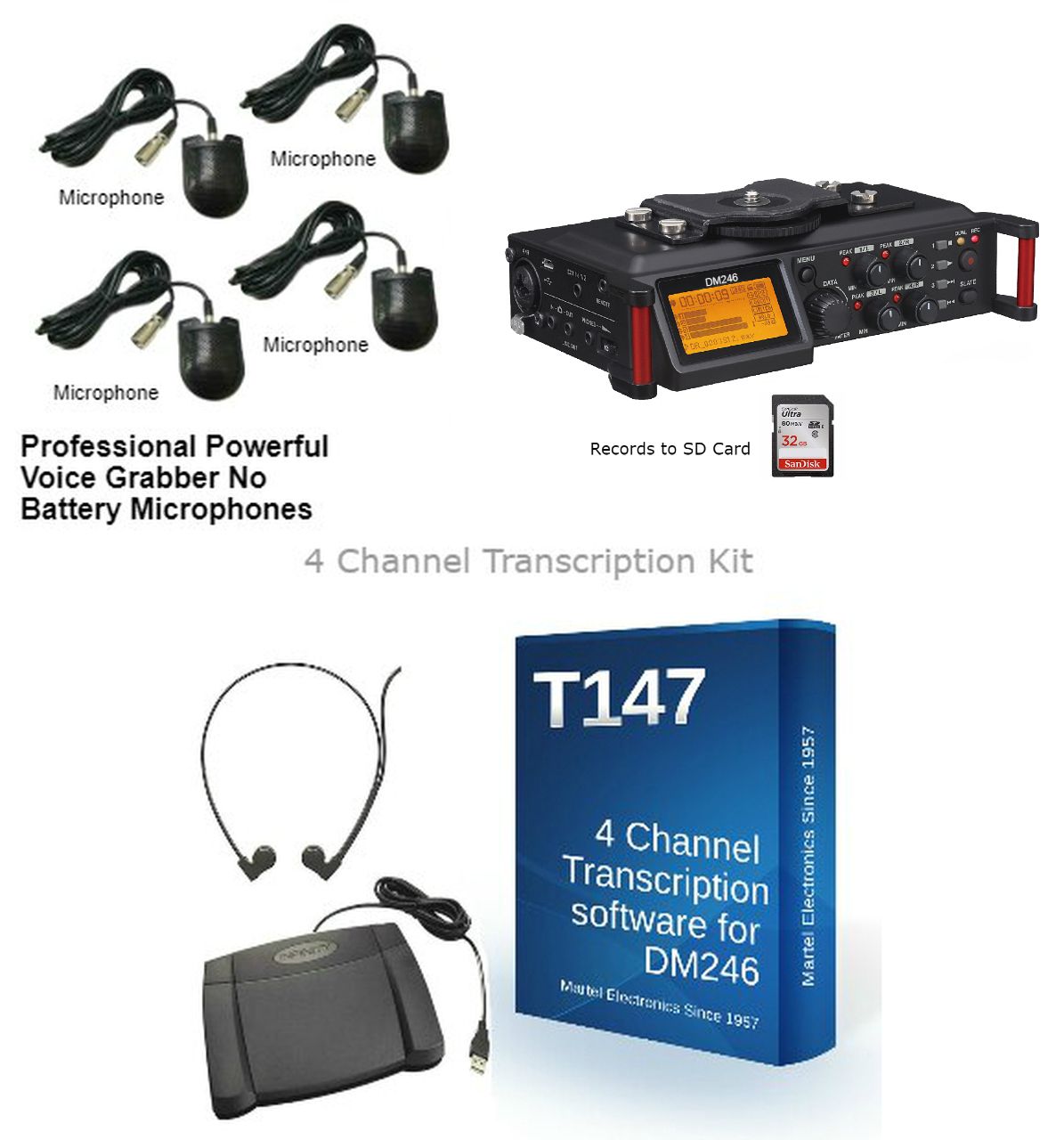
Martel describes automatic splitting at 2 GB on the DM246 package with four omnidirectional microphones, SKU 1583. Its listing also describes four separate WAV files when four channels are enabled in mono mode. These are two different reasons to see more than one file. A room with four microphones can produce simultaneous channel files, successive time parts, or both. Identify the arrangement before naming one file the “next” one.
Decide which kind of boundary is in front of you
Start with the question a later reader needs answered. “Did the recorder create another part?” concerns the device's storage behavior. “Can I hear the entire question and answer across these files?” concerns the available speech. “Did the hearing break at that time?” concerns the proceeding. Treat each question on its own evidence. A documented file-size threshold can make a split plausible. It cannot by itself tell you which words belong in a transcript or when the court went into recess.
On the working review sheet, label an interval by time part and an input by channel. If channel A and channel B both start with the same chair introducing the practice hearing, they may be simultaneous sources. If two files on channel A contain different passages and the second continues the first exchange, they may be successive parts. Names and recorder documentation guide that interpretation. Listening helps confirm it. A single folder sorted by file size can interleave unrelated items even when every underlying recording is present.
Keep the received originals together in the authorized source location. Work from copies when the workflow calls for it. Renaming everything to Part 1, Part 2 and Part 3 before you understand the order can replace useful device information with your first assumption. A companion list can assign friendly labels while preserving the supplied names. Someone receiving the material later should be able to reconstruct which named file supplied each side of a boundary even if their player sorts the list differently.
Read the recorder’s limit before designing a rehearsal
Martel's DM246 listing states that a new file can begin at 2 GB during a long session and describes continued recording without a pause. The same product page explains which settings yield four separate mono WAVs. Those statements are specific to that product description. Do not substitute a general maximum associated with a card's filesystem or with a format for the recorder's published split behavior. A device can impose its own threshold below another component's maximum, and a different recording mode can produce a different set of files.
If you are using the Court Reporter 5000, find the supported recording mode and obtain the relevant operating instructions for your unit. Its SKU 1491 listing identifies SD media, MP3 and WAV recording and a review workflow. Do not assign the DM246's 2 GB behavior to the 5000 on the strength of the shared brand. Ask what happens at the relevant per-file limit, if any, and how to identify subsequent parts. If that answer is unavailable, practice identifying boundaries without claiming the cause of a split on that model.
Allow realistic time and approved empty capacity for an automatic-boundary test. A short stop-and-start exercise can train a reviewer to navigate between two named files. It does not demonstrate that a device automatically split a continuous session. Avoid trying to force an event by nearly filling job media, changing the device clock or modifying a recorder's files. If a manufacturer provides a documented smaller test threshold or example media, use it as described and identify the conditions. Rehearsing the review remains valuable when a full automatic split test is impractical.
Create a question card that shows exactly what went missing
Consecutive numbers on their own can hide a loss. A speaker counting slowly from forty through forty-five might lose an article, negative or short qualifier when the listener still hears every number. Write a short series of neutral practice questions with distinctive answers. For instance, question eighteen asks about the color of a file tab and the answer says “green, except for the outside tab.” Question nineteen asks who moved the binder and the answer says “Avery moved the smaller binder.” The two clauses surrounding a change give the reviewer more than a numerical sequence to check.
Vary where the important word falls. Put one decisive word just before a pause, another in the middle of a longer answer and another at the beginning of a question from a different chair. Mark the expected wording on a reference sheet kept separately from the initial listening pass. If the reviewer sees the correct text first, a weak syllable can seem clearer than it really is. Have them write the words they hear before looking at the answer key. Then compare any uncertain phrase with another authorized channel.
Keep the speech at ordinary effort, with the positions a court reporter would actually need to cover. When recording a long rehearsal for a natural size threshold, speak an identifiable sequence around the anticipated interval and continue afterward. If the exact moment is uncertain, schedule recurring short numbered exchanges across a longer window. Someone can then find one nearby marker without continuously reading for hours. Record what happened during the quiet stretches. An unmarked long silence does not supply evidence that all hypothetical speech would have been audible there.
Inventory the actual parts before listening in sequence
Use the source folder to list the exact filenames, their sizes and displayed durations, plus the mode and expected channel labels if known. Treat a whole folder as an inventory unit when the device creates related sidecar files or organizes channels by subfolder. Ask the manual what each supporting file does before discarding it. A copied audio file might play by itself, while software that normally groups recordings needs additional context. Preserve the normal delivered structure during the investigation.
Separate same-time groups from later-time groups in your notes. A useful working label might be “chair, opening part” or “witness, second part.” Make clear that the label is yours. Where the device gives only numbers, keep the supplied number beside that label. If the filenames sort strangely because number ten appears between one and two, record the intended order separately. Do not change the original names or force the reviewer to infer the time series from a folder's current visual arrangement.
Check whether the number of expected parts fits the observed recording mode. Four enabled channels can yield four files for one span. Another four may represent a later span under that mode. Do not turn that possible arrangement into an expectation that every device or setting must produce exactly eight files for two spans. If one source is missing, look for a disabled channel, an incomplete copy, a different grouping mode or an absent file. Size alone cannot distinguish those explanations. Keep all of them open until the relevant evidence supports one.
Build a listening bridge from the last complete exchange
Open the source carrying the clearest version of the targeted speaking position. Move back far enough from its end to hear a complete thought, speaker change and question number. Write the last identifiable words with their elapsed location within that file. Then open the proposed next part and listen from its true start, taking care that the player has not resumed from a prior saved position. Write the first identifiable words and the first complete following exchange. The reader now has an address for each side.
Replay the transition once with normal speech pacing. A small delay in launching a different file is not evidence of a gap in the recorded material. Conversely, a player or playlist that switches parts smoothly can mask missing words if the sentence sounds plausible without them. Mark each expected word in the question card against what the saved files actually contain. Determine whether the last word of one file and the first word of the other make the intended sequence, and identify any ambiguity caused by background noise or simultaneous voices.
When a word crosses the boundary, keep the two files distinct in the review note. You may hear the start of “orange” as one part ends and its completion as the next begins. Check the short pause and surrounding words in their original positions. Avoid creating a polished combined file as the only surviving evidence of how you reached the interpretation. If the office makes an authorized convenience copy for sequential review, retain the original file names and a mapping to them so another reviewer can revisit the same spots.