Why Does a Court Reporter Microphone Distort a Loud Objection?
Hear why a loud objection can distort a court reporter microphone. Compare two input levels on Windows 11 and check the quiet witness with a Martel HGM-USB.
A witness answers in a nearly private voice. Counsel leans across the table and objects. On playback, you can hear the witness say “Unit B,” but the first syllable of the objection breaks up like someone tearing paper. One possible cause is overload. Somewhere between the microphone and the saved file, the louder voice exceeded the level that part of the recording setup could pass cleanly. Turning down your headphones may make that sound quieter. To find out whether you recorded the distortion, replay the same half sentence at a comfortable level on a second listening device.
The fix you want is quite specific. You need room for an attorney’s emphatic first word and enough detail to understand the witness’s last word. Start with the two seats, the actual recording application and a practice file. Change one input setting, then listen for the same name or number at both seats. The middle of an ordinarily spoken sentence can sound lovely at a setting that fails this test.
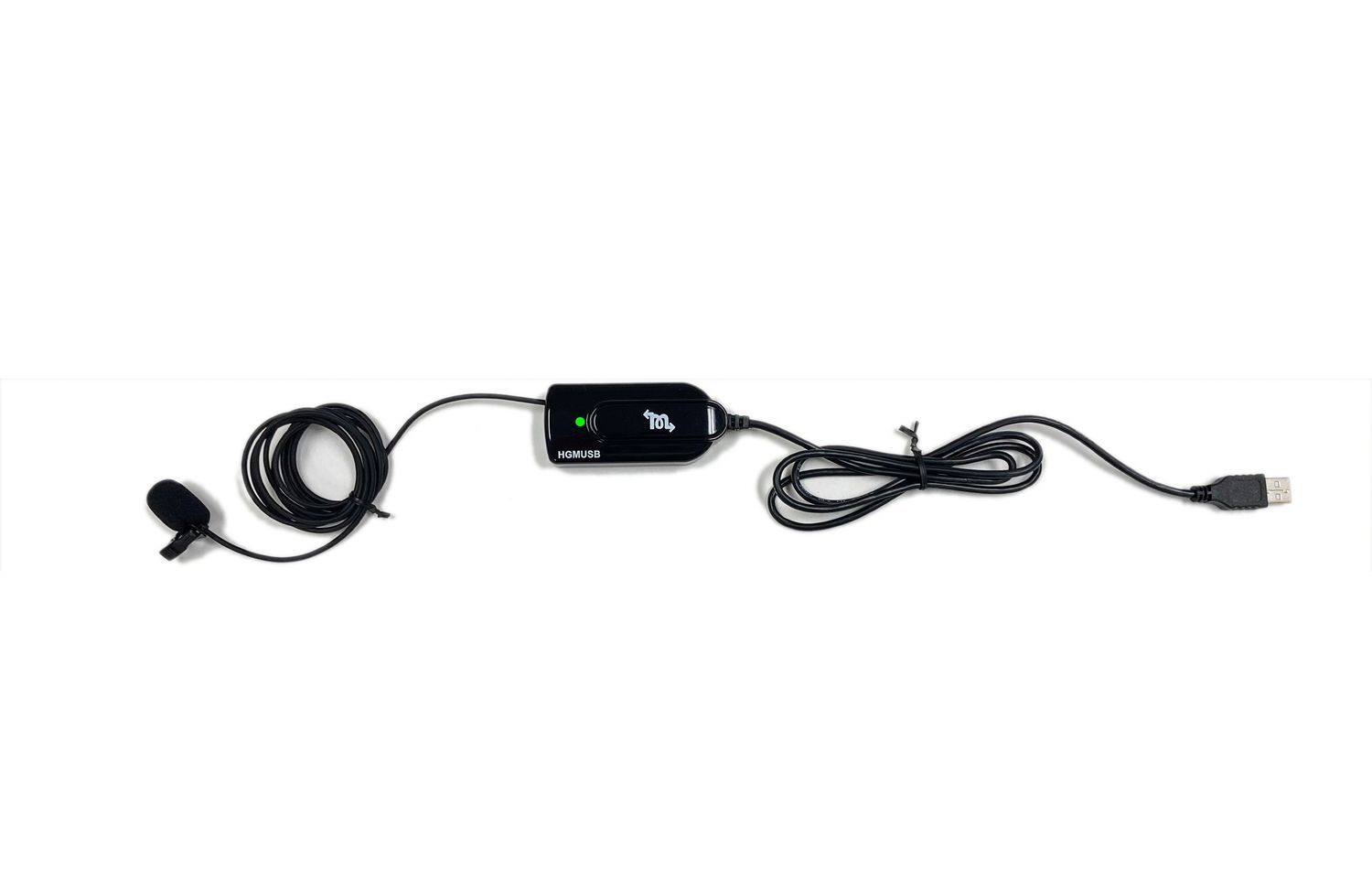
For a reporter who keeps the audio on a Windows 11 laptop, the Martel Elite HGM-USB court reporter microphone, SKU 1277, is a USB-powered room microphone with omnidirectional pickup. Its product photo and equipment link appear in this guide. The exercises use fictional testimony so you can judge your own microphone position and recording level before there is a transcript depending on them.
View the HGM-USB court reporter microphone.
Describe the damaged word before you change a setting
Find the first word you would actually have difficulty writing from the recording. If the objection is “Objection, that was a different carton,” the loud entry may sound ragged while “different carton” stays completely understandable. Write down which part breaks up, whether the tail of the word is clean and what the witness was doing at that instant. Those observations narrow the problem more effectively than writing “bad audio” beside the file. A sound that lasts only for the first hard vowel points you toward a different test from a buzz running under the whole room.
Listen to the original take once with your hands off the volume control. Then take it down a little and play the identical spot. If the tear in the vowel stays attached to exactly the same syllable, compare a second pair of headphones or a second playback device. A tiny laptop speaker can itself sound strained when driven hard. If the roughness vanishes on another output, you have found a reason to investigate the first listening path before changing the level used to record witnesses. If it follows the file from player to player, treat the saved signal as the starting point for the next test.
Distortion, overlap and handling noise call for different decisions. On a distorted vowel, you may recognize the word but hear a harsh edge on the voice. With overlap, you may hear two quite natural voices and still be unable to distinguish the last word of the quiet answer. A hand hitting the table can produce a sharp thump that has little to do with the force of anyone’s voice. Ask the practice reader to repeat the line with hands still, and then to tap the exhibit folder without speaking. You now have two identifiable sounds to compare with the troubling moment.
Make room for the loud voice at the point where it enters the recording
A microphone turns changes in air pressure into a signal. That signal passes through electronics, is converted to numbers in a digital setup and is stored by the recorder or application you selected. Each stage has a range it can handle. If a large peak exceeds a stage’s usable range, part of the original shape can be lost. That can give a stressed syllable the rough or crunchy edge reporters associate with clipping. A signal can be too strong at an early stage and subsequently be turned down on its way to the saved track.
Think about two different controls that both look like volume. One changes the level being sent into the recording. Another changes how loudly you hear a file that already exists. Turning up playback helps you hear a softly recorded voice in a quiet office. It cannot give an overloaded input the missing detail of the original objection. If you are unsure which control you used, make two ten-second files at different settings with the same speaking position, then compare them with the playback volume fixed. A change heard only while you wear the headphones points you toward monitoring or playback.
Engineers use the word headroom for the margin left before the signal reaches a limit. A court reporter can think of it as space for the unexpected sound that arrives after the routine sound check. “Can everybody hear me?” spoken from the chair is a poor test of the lawyer who stands up, faces the microphone and emphasizes the first word of an objection. A short sample containing ordinary speech, one firm interruption and an ordinary finish reveals whether that margin is doing its job. A louder average recording brings little benefit if it sacrifices the single word you wanted to retrieve.
On a meter marked in dBFS, zero is the upper end of the digital full-scale reference for a conventional fixed-point recording. Other displays use a color or a percentage without exposing a scale. Do not transfer a number from one display to the other as though their marks mean the same thing. Some meters are showing the application’s input after other adjustments. Use a meter to spot suspicious peaks and listen to the saved word to decide whether the intended recording is usable. An upstream overload can survive even when the final meter looks modest.
Set up the HGM-USB and verify the microphone the job will actually use
Start with the location where you plan to run the laptop. Connect the HGM-USB using the connection specified for your kit. Martel lists this model as USB powered and intended for a computer. Set its cable so the microphone can remain at the chosen table position without pulling on the laptop when someone opens an exhibit. Write down whether this is planned as your main room audio, a laptop backup to a writer or a separate recording for review. Knowing where you expect to find the answer later keeps you from testing a file that will never be used on the job.
On Windows 11, open Settings, select System and open Sound. Under Input, choose the connected microphone you intend to test. Open its properties and use the available microphone test. Microsoft’s support instructions explain how to start the test, speak, stop it, listen to the sample where available and adjust input volume. Keep the selected device name in your practice notes. If two entries have similar names, make a short spoken test near the intended microphone and another near the laptop’s built-in microphone before deciding which entry is which.
Next, open the reporting or recording application you will use. Inspect its own input choice if it offers one. Make a new disposable job, record a sentence from each of the two marked seats, stop and reopen the saved file from that job. Windows recognizing the USB device establishes that a device is present. This second step establishes that the chosen application can save the sound from it. A default input, a previously selected built-in microphone or an application opened before the device was connected can change what the saved test tells you.
Martel includes live headphone monitoring in the HGM-USB product description. It can help you notice an unplugged lead or a handling sound before a practice run. For a distortion question, also listen through the software to the file that was written. Direct monitoring and recorded playback can include different portions of the path. If live speech sounds fine and the file sounds strained, note that difference precisely. It is a much better clue than assuming that either the headset or the microphone must be defective.
| What changes in the practice file? | What to check next |
|---|---|
| Only the nearby attorney sounds rough | Compare a lower recording level while both seats stay marked. |
| The same word is rough at every playback volume | Compare the saved file on a second listening device. |
| A second, quieter input setting saves the loud word clearly | Check whether the distant answer still contains its name and number. |
| The witness sounds clear through live monitoring alone | Reopen the file made by the reporting application and find that answer. |
Run the two-level objection exercise with two marked seats
This fictional deposition passage uses ordinary details that are easy to score. Ask the witness to say in a soft, conversational voice, “The orange divider is behind tab B. The last entry is sixteen.” Have counsel enter firmly, without shouting, “Objection. Did you say sixteen or sixty?” Allow the witness to finish at the initial voice level, “Sixteen. I wrote the second digit with a curl.” The passage has a hard start, competing stress and a quiet distinction with consequences. It is newly written practice material, so there is no reason to play actual testimony to get this comparison.
Mark the witness’s chair and counsel’s chair. Note the place on the table where the microphone rests and which direction each reader faces. Photograph the setup with empty seats and the fictional tab if you want a record of it. Set the reporting application as you intend to use it and pick a comfortable playback level. Let the first reader say the entire passage once at the current input setting. Call the file “orange divider A” and note the displayed setting in your log. This is the reference for your next recording, even if it sounds unpleasant.
For the second pass, lower the available recording input a visible step, leave the chairs and microphone in place and repeat the passage using the same readers. Avoid asking counsel to be gentler on the second reading. A gentler performance changes exactly the condition you are trying to evaluate. Name the file “orange divider B” and note the second setting. Play the two files at the same listening volume. Focus first on the consonants and vowel in “objection,” then write down the distant witness’s number before looking at the script.
If the second pass preserves “objection” but loses the final “sixteen,” you have learned something about the seating arrangement. Moving the microphone a little toward the distant witness can change the difference in sound level arriving from the two seats. Try a third take with that move and the second input setting. If the softer witness is clear at both levels and the objection remains rough on both, try moving the nearby reader farther from the microphone before making another large software adjustment. An exercise is most valuable when you can explain what changed between each pair of files.