Preparing Helpful Support Notes for Your Court Reporter Laptop
A clear support note helps the people who know your software and equipment understand the question you want to answer. When an observation occurs only occasionally, record the task, the last confirmed working action, and what appeared next. Preserve the work, keep observations separate from explanations, and prepare a small practice case that the appropriate support team can discuss with you.
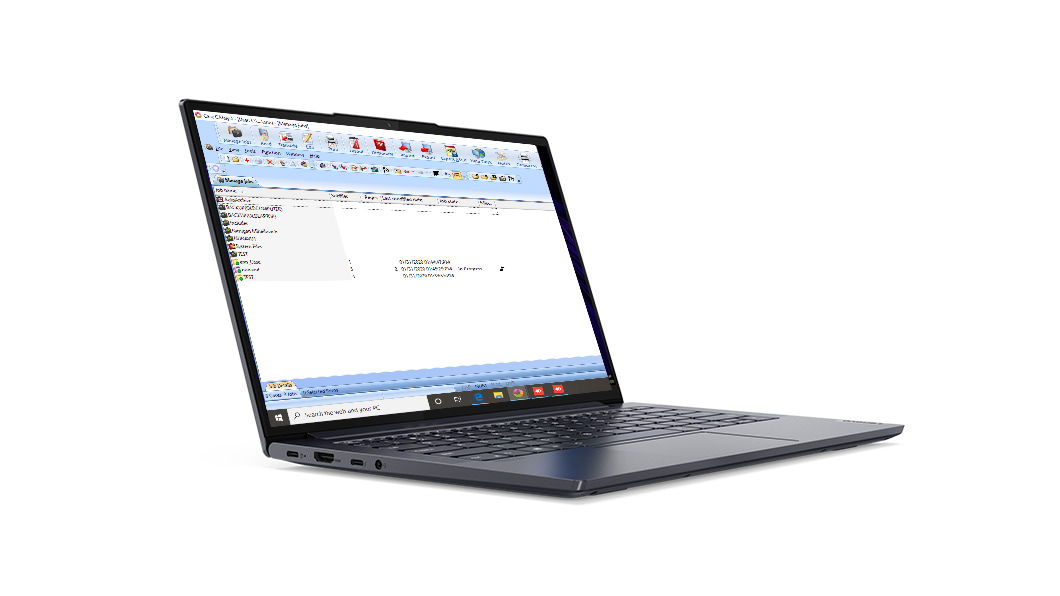
This guide builds one redacted support packet from three invented incidents and a four-pass practice grid. All names, jobs, times, messages, and outcomes are illustrative. They do not describe a Martel customer, prove a cause, or promise how a particular software version will behave. Use the current support instructions for the exact laptop, Windows 11 installation, CAT application, writer or voice-writing equipment, and service arrangement involved.
Make an occasional observation useful to support
A brief, specific account gives support a shared starting point. An observation that occurs only occasionally becomes easier to discuss when the note answers a few concrete questions:
- What exact task was in progress?
- What was the last action that definitely worked?
- What did you expect to happen next?
- What appeared, disappeared, stopped, repeated, or changed?
- What time did the event occur, and where was the reporter within the practice job?
- Which applications and attached devices were active?
- Did the same harmless sequence repeat the result?
Those questions help support identify the relevant part of the workflow. A writer-input question, playback observation, application status, text-display question, and microphone-selection question each provide a different starting point. Describe what you saw or heard, including the exact message when one appeared, and let the responsible support team guide the next check.
Use careful labels. Confirmed means the result was checked directly. Observed once means it happened in one recorded event. Repeated means the same planned sequence produced the same observable result again. Not tested means no check was made. Unknown means the available evidence cannot answer the question. These labels are more useful than “probably,” “always,” or “never.”
Protect the proceeding before collecting details
Evidence collection must not put a live record at greater risk. During testimony, a class, a captioning session, or a filing deadline, follow the reporter’s professional stop, backup, and notification procedures. Do not keep a live job running merely to make a problem repeat. Do not deliberately disconnect equipment, disable a network, force an application to close, or install an update in a production matter for the sake of a screenshot.
When it is safe, preserve the current work through the application’s supported save process. If the application is not responding, avoid repeated clicks and unplanned power actions. Note what is visible and follow the current application or support guidance. A forced shutdown can change the evidence and may affect unsaved material.
Keep client information out of a general support packet. A useful description can say “the event occurred after returning from the first break” without naming the witness. A screenshot can show a device or application status after case names and personal details have been redacted. Send confidential jobs, audio, dictionaries, license information, or logs only through an approved method and only when the authorized support person requests them.
Start with one sentence that describes the symptom
Write the first sentence so that another person can recognize the event without reading your theory. A good pattern is:
During [harmless task], after [last confirmed working action], [specific observable result] occurred at [wall time and job-relative position].
Examples include:
- During an invented CAT practice job, after strokes appeared normally for the opening paragraph, the next writer stroke did not appear at 10:14 a.m., immediately after resuming from the planned break.
- During playback of a saved training job, after the first cue played through the selected headset, the playhead continued moving but no sound was heard at the second cue.
- During a nonconfidential voice-writing exercise, after the application accepted the first phrase, the application window displayed “Not responding” when the reporter selected the normal save action.
Each sentence reports what was seen. It does not claim that a port, driver, update, writer, microphone, CAT program, or Windows caused the result. Support can ask for the next discriminating check.
Record both wall time and job-relative position
Wall time helps support compare an event with an application message or Windows log. Job-relative position helps the reporter find the same point without sharing confidential content. Record both.
For example, write 2:37 p.m.; two minutes after returning from the practice break; immediately after the phrase “Cedar marker seven.” The wall time is useful even if the computer clock later proves inaccurate, because it gives everyone one reference to reconcile. The job-relative marker is useful even if the support packet is read in a different time zone.
Check the displayed date, time, and time zone after the work is safe. Do not silently “correct” the event time from memory. If a paper note says 2:37 p.m. and a screenshot shows 2:39 p.m., preserve both and say when each was made. A small discrepancy is evidence about documentation timing, not a reason to discard the report.
Use an invented marker in practice material. A phrase such as Harbor marker three is easier to locate than “somewhere in the middle.” Do not insert a troubleshooting marker into a live transcript unless the professional workflow permits it.
Capture the application state, not just the application name
“The CAT software was open” leaves important questions unanswered. Record the application’s name and version, the user or profile in use, the practice job name, the active window, and the action being performed. If recognition, audio, remote-meeting, or delivery software was also involved, list its role separately.
State what was visible:
- the job was open and accepting strokes;
- the audio playhead was moving;
- the record indicator was present;
- the selected input name appeared in the application;
- a save confirmation appeared;
- an exact error message appeared;
- the window stopped redrawing or Windows labeled it as not responding.
Copy the displayed message exactly when possible, keeping its wording separate from your interpretation. If a code is displayed, copy the code and the surrounding words. If no message appeared, say no message observed. The original wording gives support useful context for choosing the next check and can be as useful as a screenshot.
For Windows 11, record the edition, version, and operating-system build only if support asks or the support form includes those fields. Keep the packet focused on the software state, attached equipment, task, and observed event so the procedure remains useful as laptop configurations change.
Draw the attached-equipment path in plain language
Support needs to know what was attached, but a list of product names alone may not show the path. Write one line per function:
- writer → its normal cable or approved adapter → laptop → CAT practice job;
- microphone or voice-writing mask → its approved audio route → Windows input → intended application;
- headset → Windows output → playback in the intended application;
- external display → approved connection → extended or duplicated desktop;
- network → authorized connection → remote meeting or cloud service, if involved.
Record the product names printed on the equipment or shown in the approved setup notes. Note whether a dock, hub, adapter, or extension was present. Do not begin swapping routes as part of the first description. The direct-port-versus-hub comparison is a separate controlled exercise. An intermittent-event packet should first preserve the route that was actually in use.
A photo of the cable arrangement may help if it contains no confidential screen content, serial number, security badge, address, or unrelated personal material. Label the photo with the time taken. Do not assume a cable that looks connected was electrically or logically active; call it visibly connected unless the function was also tested.
Identify the last confirmed working action
The last confirmed working action creates a boundary. It is not simply the last thing the reporter remembers doing. It is the last action whose result was directly observed.
Suppose a writer sent visible strokes, the reporter changed to another window, then returned and noticed no new text. The last confirmed action is not “the writer was working all morning.” It may be “the phrase Cedar marker seven appeared in the practice job at 10:13 a.m.” That statement gives support a precise starting point.
Use a short chain:
- Action: pressed the practice stroke sequence.
- Expected result: the invented marker should appear in the open job.
- Observed result: the marker appeared.
- Next action: resumed after the planned break and entered one practice stroke.
- Observed event: no new stroke appeared; no message was visible.
Do not fill a gap with assumptions. If the reporter did not watch the screen during the final minute before the event, say that the last confirmed working action occurred earlier. Honest uncertainty narrows the evidence more effectively than a confident but unsupported timeline.
Build a redacted seven-part support packet
A compact support packet can be assembled in this order:
| Part | What to record | What to leave out unless requested through an approved method |
|---|---|---|
| 1. Environment | Exact product, Windows 11 information requested by support, application name/version, user or profile | Unrequested specifications, passwords, license keys |
| 2. Task | Harmless practice action or redacted description of the production task | Witness names, matter numbers, confidential transcript text |
| 3. Timeline | Wall time, time zone, job-relative marker, last confirmed working action | Reconstructed times presented as exact facts |
| 4. Expected and observed | One sentence for each; exact message if present | Diagnosis stated as fact |
| 5. Attached equipment | Functional connection path and visible device names | Unneeded serial numbers or personal information in photos |
| 6. Repetition | Four-pass grid and unchanged variables | A long list of unrecorded experiments |
| 7. Evidence | Redacted screenshot, small practice file, requested log excerpt | Whole confidential jobs, full audio, broad log dumps |
Name the packet consistently, for example Cedar-Support-Packet-2026-11-19. Place the description, grid, screenshots, and requested practice files together in the approved private location. Do not email a compressed archive containing real case material just because it is convenient.
The current Martel support information asks for the product model, computer and operating system, software version, task, and a short test. Confirm the support coverage for the exact product and problem. A well-organized packet helps the conversation; it does not change warranty, software-vendor, or service terms.