TIME IS RUNNING OUT FOR 2026 TAX WRITE-OFFS

Planning Connection Continuity for Cloud Voice Writing on a VOX Laptop

A connection-continuity plan helps a voice writer prepare the network, software session, and saved working record before an assignment. A harmless practice rehearsal can show which indications to watch and which publisher-supported steps to follow when connectivity changes. Divide an invented passage into recognizable segments, record each observed state, and practice the approved return to the working session in a training environment.
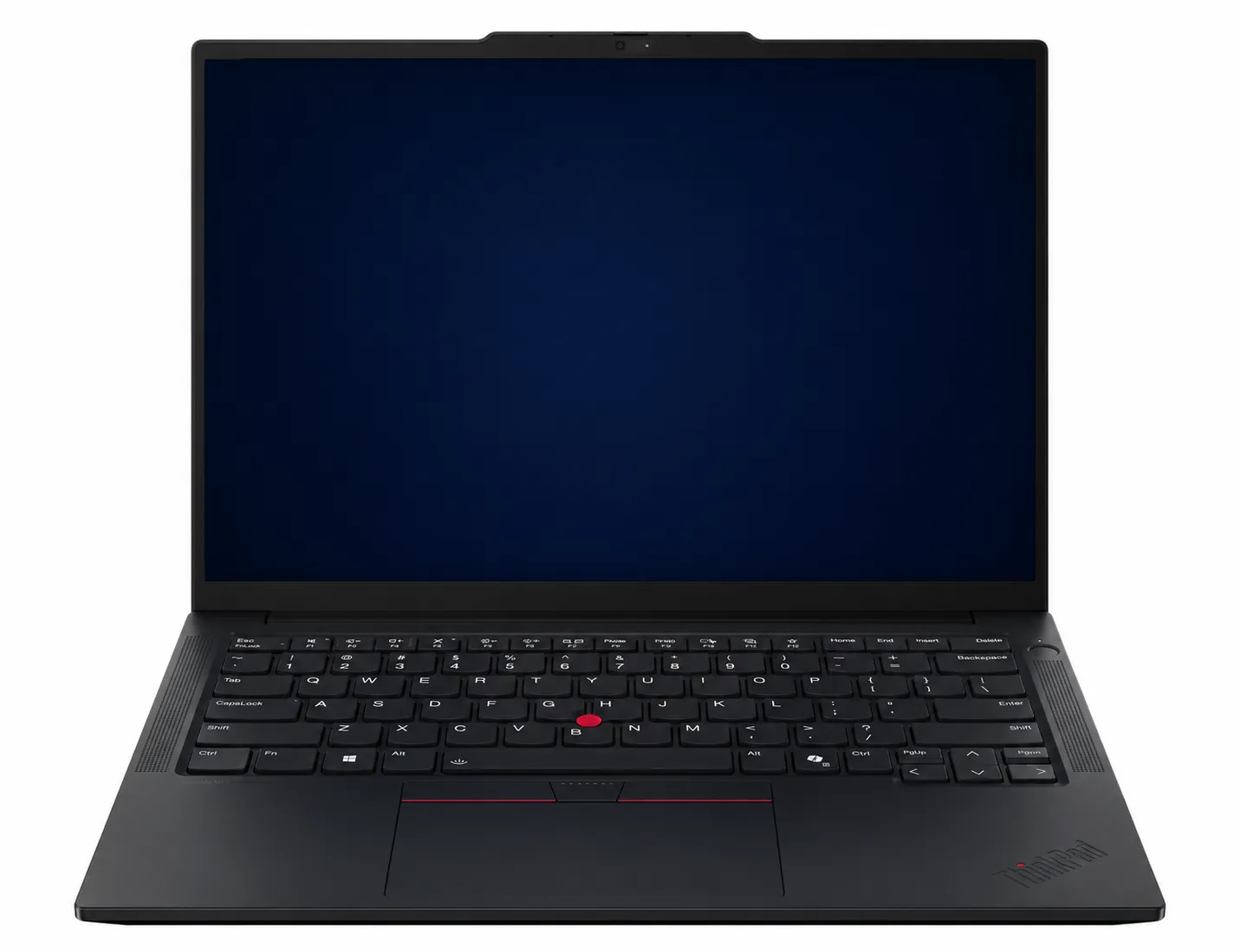
Martel VOX Elite laptop; screen display simplified for illustration.

Use this connection rehearsal when EclipseVox is set up for cloud Speechmatics. Check the release first: the publisher documents that cloud choice for Eclipse 12, which also supports local Speechmatics. Its Eclipse 10 and 11 listings specify the local route. Dragon is another EclipseVox recognition choice and needs a separate practice plan. A local Speechmatics Enhanced purchase must include the Eclipse publisher’s Boost Box or a qualifying laptop obtained from that publisher. Prepare whichever arrangement you selected using its own instructions.

All names, passages, file labels, times, status messages, and outcomes in the worked examples are invented and illustrative. They do not describe a Martel customer or promise that a particular application version will display the same message. Follow the current EclipseVox and Speechmatics instructions for the account and version actually used.

Define the interruption you want to rehearse

“The internet went down” is too broad for a useful test record. The laptop might have disconnected from Wi-Fi, the local network might have remained connected without internet access, a cloud session might have ended, the recognition application might have stopped listening, or text might have continued briefly and then stopped. Those are different observations.

Write a narrow rehearsal question:

During a nonconfidential EclipseVox practice job using cloud Speechmatics, what text is visible before a controlled network interruption, what happens while the connection is unavailable, and what operator action is required after connectivity returns?

That question does not predict automatic buffering, retransmission, or failover. It asks the reporter to observe the current supported workflow. It also keeps the CAT job, recognized text, cloud session, and any separate practice audio in distinct roles.

Choose one interruption to test at a time. For a Windows 11 Wi-Fi rehearsal, the planned event might be turning off Wi-Fi through Quick Settings for a brief practice segment, then turning it back on. If the production desk uses a wired connection, a mobile connection, an organization-managed network, or a separate network device, obtain the appropriate authorized test method. Keep unfamiliar office equipment and managed network settings unchanged; use only the approved practice method.

Keep three recognition routes separate

The recovery plan must name the recognition route being used when the interruption occurs.

Recognition route Connection assumption for this guide What the rehearsal establishes
EclipseVox with cloud Speechmatics The supported cloud session uses a working network path Observed connection and text states during the planned practice interruption
EclipseVox with Dragon A separate Dragon recognition application and its own licensed, configured resources are involved Requires its own separate Dragon rehearsal
EclipseVox with local Speechmatics Enhanced The publisher requires its Boost Box or a qualifying laptop supplied by the publisher Requires a separate local rehearsal using the designated hardware

Plan a Dragon workflow as its own supported recognition arrangement. Confirm the license, user resources, microphone selection, vocabulary behavior, commands, and launch sequence that apply to it. If the office wants to include a transition between recognition routes in its continuity plan, have the software support team guide that preparation and rehearse the approved sequence separately.

For local Speechmatics Enhanced, record the publisher’s designated hardware requirement in the continuity plan: its Boost Box or a qualifying laptop purchased from the publisher. A cloud setup and a local setup have separate requirements, so identify the arrangement being supplied and the instructions that accompany it.

Decide which evidence will survive the test

Recognized text is only one possible record. Before the rehearsal, identify which artifacts the approved setup is expected to create:

  • the EclipseVox or CAT practice job;
  • the text visible before, during, and after the interruption;
  • a manual observation log kept by a second person or written immediately after each segment;
  • any application status or connection message;
  • a separately authorized practice recording, if the workflow includes one;
  • a Windows 11 network observation;
  • the final saved and reopened practice job.

Do not assume that cloud recognition automatically creates a complete local audio recording. Do not assume that CAT audio, a meeting recording, and recognition input contain the same source. If independent audio is required, plan and verify that recording path separately with invented material.

The Martel guide to a separate backup recording path explains why two applications can still share important dependencies. For this rehearsal, a separate recording may help identify what was spoken during the interruption, but it does not turn missing recognized text into recovered text and does not replace the reporter’s professional contingency procedure.

Prepare a safe Windows 11 practice environment

Use a training job and a passage that contains no client, witness, student, medical, financial, or confidential case information. Tell anyone helping with the rehearsal that the connection will be interrupted deliberately. Do not run the test during class instruction, testimony, a remote appearance, a production captioning session, or a filing deadline.

Before starting:

  1. Restart or prepare the VOX laptop according to the normal practice routine.
  2. Connect the Stenomask or approved voice input through the usual supported route.
  3. Open the intended EclipseVox user and a clearly labeled training job.
  4. Confirm that cloud Speechmatics is the selected recognition route.
  5. Confirm the Windows 11 network icon shows the intended connection.
  6. Make one short baseline recognition pass.
  7. Save and reopen the training job.
  8. Verify any separate practice recording independently.
  9. Record the application versions and the date of the rehearsal in the private setup note.

Avoid Windows network resets, driver removal, application repair, or profile changes during this first test. The objective is to observe a controlled loss and return of the existing connection, not to combine an interruption rehearsal with system maintenance.

Use an original three-segment passage

The following passage is invented for this guide. Each segment begins and ends with a unique cue. The cue makes the boundary visible in recognized text and audible in an authorized practice recording.

Segment A: connected baseline

Amber Gate begins the connected segment. The fictional clerk places the blue folder beside the calendar and confirms a review for Monday morning. Amber Gate ends the connected segment.

Segment B: planned interruption

Silver Harbor begins the interruption segment. The invented witness moves the sample map from the left table to the empty display stand. Silver Harbor ends the interruption segment.

Segment C: restored connection

Cedar Lantern begins the restored segment. The fictional reporter marks the practice page, checks the visible text, and saves a new training note. Cedar Lantern ends the restored segment.

Speak the three segments at a practiced, comfortable voice-writing pace. Do not accelerate Segment B to “beat” the interruption. Do not change mask position, user, dictionary, or CAT layout between segments. The unique cue and sentence matter more than a precise duration.

If the normal workflow uses an independently approved audio recording, begin it before Segment A and verify it after the rehearsal. If no such recording is part of the setup, the exercise can still compare visible text and the saved training job. Label unobserved audio as not tested rather than implying that it exists.

Run a fully connected baseline first

Before deliberately interrupting anything, dictate all three segments while the connection remains available. Save the job and compare the visible text with the source passage. The baseline has two purposes:

  1. It confirms that the route can process the invented passage under ordinary connected conditions.
  2. It reveals passage, technique, vocabulary, or formatting differences that already exist without an interruption.

Do not demand perfect word-for-word recognition as a condition for continuing. Instead, record the actual connected result. Suppose the invented baseline renders Silver Harbor as silver harbour. That difference belongs in the baseline. If the interruption run produces the same variation, it should not be described as a network-loss effect.

Use a worksheet such as:

Segment First visible cue Last visible cue Job saved Separate audio checked Notes
A Amber Gate Amber Gate Yes Yes, if applicable Connected baseline
B Silver Harbor Silver Harbor Yes Yes, if applicable Connected baseline
C Cedar Lantern Cedar Lantern Yes Yes, if applicable Connected baseline

Close and reopen the job after saving. A screen full of text during dictation does not by itself prove that the practice job reopens with that text.

Run the controlled interruption

Start a new training job or a clearly labeled second take. Confirm cloud Speechmatics is active under the supported workflow. Begin any separately approved practice recorder and check its own indication.

Step 1: dictate Segment A while connected

Speak the complete Amber Gate segment. Note the last visible words after the segment settles. Save the CAT job through the normal supported action. Do not rely on memory; write the last visible phrase in the worksheet.

Step 2: interrupt only the planned network path

For a permitted Windows 11 Wi-Fi practice, open Quick Settings from the network area and turn Wi-Fi off. Do not select a different network, forget the saved network, or reset the adapter. A helper can perform the planned click while the voice writer maintains normal posture.

Record what Windows shows and what EclipseVox shows during the planned practice interruption. Note the visible text and any connection indication in the installed version. Copy any actual message exactly into the practice record and use the publisher’s instructions for the selected workflow. This creates a clear record of the rehearsal without assigning an unsupported cause.

Step 3: dictate Segment B during the interruption

Speak the complete Silver Harbor segment. Mark whether any words appear and identify the last visible text. If a separate authorized recorder is running, let it continue according to its own procedure. Do not stop and restart multiple applications in the middle of the segment unless that is the exact contingency being tested.

Step 4: restore the planned connection

Turn Wi-Fi back on and allow Windows 11 to reconnect to the intended authorized network. Confirm the network indication. Then follow the current EclipseVox publisher-supported action to confirm or restart cloud recognition. Complete both the Windows connection check and the software’s supported readiness check before continuing the practice passage.

Step 5: dictate Segment C after recovery

Speak the complete Cedar Lantern segment only after the supported recognition route indicates readiness. Record its first visible cue and final visible phrase. Save the training job, stop any separate recorder normally, and close the applications through their supported controls.

Step 6: reopen and compare

Reopen the saved job. Check the three cue phrases in order. Play the separately approved audio from its saved file when one was part of the test. Preserve the first results before making corrections.

An illustrative result table

The following observations are invented. They demonstrate how to report a result without claiming that every version behaves this way.

Evidence point Illustrative observation What can be concluded
Connected baseline All three cues appear in the reopened job The passage and route worked during that connected run
Interruption run, Segment A Amber Gate beginning and ending appear Text was visible before the planned interruption
Windows 11 during Segment B Wi-Fi shown off The planned local Wi-Fi action occurred
Cloud recognition during Segment B No new words visible after the last Amber Gate phrase Visible text stopped during the observed interval
After Wi-Fi return Reporter followed the supported restart action Network return alone was not treated as proof of recognition readiness
Interruption run, Segment C Cedar Lantern appears after restart New text resumed for that segment
Reopened CAT job Amber Gate and Cedar Lantern present; Silver Harbor absent The tested saved text contains a gap corresponding to Segment B
Separate practice audio All three segments audible That independent recording retained the spoken practice passage; it did not automatically restore the text

The narrow result is: in this illustrative run, visible and saved recognized text stopped during the planned cloud interruption and resumed after the supported restart; the separate practice audio retained the spoken segment.

Keep the finding specific to this rehearsal. Record the version, connection conditions, supported actions, and saved results. Use the publisher’s guidance when confirming how the current workflow handles an interruption, and keep any open question beside the observation that prompted it.

Check for delayed or returned text without assuming it

After connectivity returns, watch for a reasonable, documented observation period under the supported workflow. Record whether any Segment B text appears later and where it appears. Do not keep speaking new material while trying to determine whether old material is still arriving; that mixes recovery with a new workload.

Three broad observations are possible:

  • No delayed text observed: Segment B remains absent from the saved recognized text.
  • Some text appears later: identify the exact cue, order, and position; do not call the segment complete until compared.
  • The state is unclear: preserve the job and status information and ask the publisher’s support team how the current version is intended to behave.

Even if delayed text appears, compare it with the independent source. Arrival does not prove completeness or correct order. A recovered phrase placed after Segment C may require a different review action from a phrase returned to its original location.

Separate connection recovery from transcript reconciliation

Restoring the cloud session answers one question: can new recognition continue? Reconciling the gap answers another: what spoken material belongs between the last confirmed pre-interruption text and the first confirmed post-recovery text?

Use the approved record for that job. In training, the source passage supplies the answer. In a permitted professional workflow, a separately verified recording may assist review. It must be authorized, contain the required voice, and be saved successfully. Hearing the speaker live is not a retained record.

Mark boundaries before editing:

  • Last confirmed pre-interruption words
  • First uncertain or absent phrase
  • First confirmed post-recovery words
  • Source used for reconciliation
  • Person who reviewed the gap
  • Revision status

Do not silently type the missing passage from memory and then describe the cloud output as complete. Keep the initial recognized result and the later reviewed text distinguishable according to the CAT and office workflow.

Do not confuse a backup recording with a backup recognizer

A recording can preserve sound without producing realtime text. A second recognition engine can produce text while sharing the same microphone, laptop, or power. A local recognizer can avoid one network dependency but introduce a different setup, license, vocabulary, and support route.

Write separate contingency statements:

  • Recognition contingency: the approved action when cloud text stops.
  • Audio contingency: the approved path for retaining required speech.
  • CAT contingency: the action for saving, reopening, and marking the job.
  • Communication contingency: the person to notify when the interruption affects the assignment.

The statements can point to different equipment and different responsible people. Naming each part separately shows which continuity step the office has rehearsed and which person can help with the next question.

Why switching to Dragon is a separate rehearsal

EclipseVox supports Dragon as a separate recognition option. Prepare that route with the publisher’s instructions, including the Dragon license, supported version, user resources, input choice, CAT integration and practiced launch sequence. If a continuity plan includes moving between recognition options, ask the software support team to identify the supported sequence and how to preserve the current job before rehearsing it.

If an office authorizes a Dragon contingency, build a different invented exercise. Start from a saved boundary, follow the publisher-supported steps for the transition, and use a new labeled segment in the prepared Dragon workflow. Compare the resulting text and document how the two segments are joined. Keep that Dragon practice result beside the cloud rehearsal as a separate record of the arrangement tested.

The distinction also helps the software support team. For a cloud rehearsal, record the network state and cloud-session indication. For a Dragon rehearsal, record the selected microphone and listening state. Notes tied to the selected route give the appropriate support specialist a useful starting point.

Prepare the supported local Speechmatics Enhanced arrangement

An office choosing local Speechmatics Enhanced should name the required device in its continuity plan. The EclipseVox publisher calls for purchase of either its Boost Box or a supported laptop from the publisher. Keep that device’s setup instructions with the order so the local rehearsal starts from the specified arrangement.

When the office selects local Speechmatics Enhanced, prepare the publisher-designated hardware with the current instructions for that arrangement. Record the device, its connection to the reporting workstation and the person who completed setup. Then perform a local rehearsal using invented material and retain its results alongside the relevant configuration notes.

For the local rehearsal, record the microphone input, configured EclipseVox recognition route, saved CAT job, recognized text and any separate audio path. Also identify which other applications or services in that working setup use a network connection. This keeps the local recognition arrangement and the rest of the reporting desk clear in the practice record.

Build a concise incident note

A support note should contain observable facts, not a theory written as fact. Include:

  • Rehearsal date and local time
  • Windows 11 connection type tested
  • EclipseVox version and recognition route
  • Training job name
  • Last visible text before interruption
  • Windows indication during interruption
  • Application message, copied accurately if one appeared
  • First visible text after recovery
  • Supported action used to resume
  • Whether the reopened job preserved each segment
  • Whether a separately authorized audio file was created and checked
  • Whether the result repeated on a second harmless attempt

Exclude confidential audio and case information. Do not send screenshots or files outside the authorized support process. If an invented test reproduces the issue, it can often provide more useful and safer evidence than a production job.

Repeat once, changing only one variable

Run the interruption exercise a second time only after preserving the first result. Keep the same passage, recognition route, voice input, application order, and connection action. Change one variable only if the question requires it.

For example, the second run might compare:

  • recovery after using the publisher’s normal restart action versus closing the entire application;
  • Wi-Fi loss versus loss of internet access while Wi-Fi remains connected, when the network administrator provides a safe method;
  • cloud Speechmatics on the normal desk versus the same cloud workflow at an approved second location.

Do not change the microphone, recognition engine, CAT user, network, and passage in one comparison. If the two runs differ, preserve both and avoid selecting the more reassuring one as the “real” result without explanation.

Turn the result into a pre-job checklist

The rehearsal should produce a short action card, not a promise that outages cannot happen.

Before an assignment:

  1. Confirm the intended recognition route.
  2. Confirm the authorized network is available.
  3. Open a harmless practice job.
  4. Verify new cloud text appears.
  5. Save and reopen the practice job.
  6. Verify any required separate audio path.
  7. Keep the supported recovery instructions available.
  8. Know the last-confirmed-text marking procedure.
  9. Know whom to notify if realtime delivery is affected.
  10. Keep Dragon or local Speechmatics out of the contingency description unless that route is separately supplied, licensed, configured, and rehearsed.

During an interruption, mark the boundary and follow the approved procedure. Afterward, preserve the initial output and reconcile any gap from an authorized source. Do not experiment with untested recognition switching while the assignment continues.

Record five states in the continuity plan

A connection-loss rehearsal is easier to interpret when the worksheet separates five states. A single box labeled internet worked hides the transition the reporter actually needs to manage.

State 1: Windows has a network connection

Record the network name or approved connection type and the Windows 11 indication. This is the local computer’s view. It does not prove that the recognition account is authenticated, the cloud session is active, or a particular service can be reached.

State 2: the cloud recognition session is ready

Use the current EclipseVox publisher-supported indication or short harmless phrase to establish readiness. Record the actual indication and result for that session, using the terminology shown by the installed release. Repeat this brief check when beginning another practice session so each record describes the arrangement used at that time.

State 3: new text is visibly arriving

Speak a unique cue and confirm that it appears in the intended job. This establishes that the tested input and recognition route are producing visible output at that moment. It does not yet establish that the job will save and reopen.

State 4: the CAT job preserves the text

Save, close, and reopen the training job. Check the cue again. If the reopened copy differs from the previously visible text, record that observation separately for support. The save path and recognition path serve different roles, and each deserves its own clearly described check.

State 5: any separate audio is complete

Stop the independent practice recorder normally, locate its saved file, and listen for the three cues. A moving meter or an active timer is not the same as a verified saved recording. The audio check should identify which voices or sources it actually contains.

Use a state table during the rehearsal:

Moment Windows network Cloud session New text CAT save checked Separate audio checked
Before Segment A Observed Observed ready Amber Gate appears Yes Yes, if included
During Segment B Planned interruption Record actual indication Record actual result Not yet Recorder state observed
Before Segment C Connection restored Readiness confirmed through supported action Cedar Lantern appears Not yet Recorder state observed
After closing Not the deciding fact Session ended normally No longer live Reopened and compared Saved file played

This table prevents one successful state from being used as proof of all the others. For example, Windows may reconnect while the cloud session still requires an operator action. A separate recording may be complete while the CAT job contains a recognition gap. The rehearsal is valuable precisely because those results can differ.

Use a second observer without creating a second operator

A second person can record transition details while the voice writer maintains normal mask position and speaking technique. The observer should not make unplanned setting changes or take over the CAT job. Give the observer a narrow worksheet:

  1. Write the last visible Amber Gate phrase.
  2. Perform or witness the authorized network action.
  3. Copy any status message exactly.
  4. Mark whether new text appears during Silver Harbor.
  5. Mark the time the Windows connection returns.
  6. Mark the time the supported cloud-readiness step succeeds.
  7. Write the first visible Cedar Lantern phrase.

Use local clock times only as transition notes. They do not prove when a cloud server processed a word. If the observer misses a time, leave it blank rather than reconstructing a precise second afterward.

After the run, the voice writer and observer compare notes before editing the job. Disagreement is useful evidence. If one person believes text resumed before the readiness indication and the other is unsure, preserve the job and repeat the harmless test. Do not settle the difference by rewriting the first worksheet.

For a solo rehearsal, the reporter can stop after each complete segment and make the note. That changes the speaking rhythm, so label it as a solo segmented test rather than claiming it recreates continuous work. The purpose is to learn the recovery controls safely, not to simulate every pressure of an actual proceeding.

An ambiguous recovery example

Consider an invented second run. Amber Gate appears completely. Wi-Fi is turned off, and the first two words of Silver Harbor appear before visible text stops. After Wi-Fi returns, the application window remains open, but no new words appear when the reporter immediately begins Cedar Lantern. The reporter then follows the supported restart action and repeats Cedar Lantern as a newly labeled take. The repeated take appears and survives reopening.

Several boundaries matter:

  • The first Silver Harbor attempt is incomplete, not wholly absent.
  • The first Cedar Lantern attempt occurred before confirmed cloud readiness and is uncertain.
  • The repeated Cedar Lantern take is new speech, not automatic recovery of the first attempt.
  • An independent audio file, if verified, may contain both attempts and must be reviewed with the worksheet.

The final training record should not merge the two Cedar Lantern attempts silently. It can preserve the initial output, label the first attempt unresolved, and identify the repeated segment as a post-restart take. This is why the guide uses unique cues and explicit state changes. “It came back” is too vague to explain which words were recognized, which were repeated, and which were later reconciled.

If that pattern occurs on the current supported version, give the publisher’s support team the harmless passage, accurate state notes, and saved training result. Do not convert the pattern into a claim about every network interruption. The observation belongs to the tested version and sequence.

Where Martel’s VOX laptop fits

The Martel VOX Elite Voice-Writing Laptop Package is a current starting point for a Windows 11 voice-writing arrangement. The product page describes Martel preparation for voice writing, Dragon and CAT workflows, along with Stenomask setup and support. Confirm the current package, software responsibilities, and recognition route on the written order rather than treating the laptop as including every recognition service named in this guide.

Compare current options in Martel’s Voice Writers VOX Dragon Laptops category. Use the VOX laptop buyer’s guide to record the mask, CAT program, recognition route, setup assistance, and first practice task. The broader voice-writing workload rehearsal tests the complete working session; this guide supplies the narrower cloud-interruption exercise.

Questions and answers

1. Does cloud Speechmatics require an internet connection?

The cloud recognition route depends on a working path to the cloud service through the publisher-supported workflow. Rehearse that route on the authorized network and record what the current version displays when the path is interrupted.

2. Will missing words automatically appear when the connection returns?

Do not assume they will. Observe the current supported workflow, preserve the last visible text, and compare the reopened job with the invented passage or another authorized source. Record delayed text only if it actually appears.

3. Should I test an interruption during a real proceeding?

No. Use a nonconfidential training job with everyone informed that the interruption is deliberate. A production assignment is not the place to discover an unpracticed recovery sequence.

4. Does a Wi-Fi rehearsal cover every kind of connection change?

No. It covers one planned local event. A router, service provider, account, cloud session, wired connection, or managed network has its own state and supported instructions. Label the exact connection change rehearsed and use the appropriate guidance for any additional scenario.

5. What should I write down before disconnecting?

Record the recognition route, training job, connection type, last visible cue, CAT save state, and any separate recorder state. Those facts establish the pre-interruption boundary.

6. How do I turn Wi-Fi off for the Windows 11 rehearsal?

Only in an authorized practice session, open Windows 11 Quick Settings from the network area and turn the Wi-Fi control off. Turn it back on after the planned segment. Do not forget the network or reset the adapter for this basic rehearsal.

7. Does the Windows network icon prove cloud recognition is ready?

Check both the Windows connection and the EclipseVox cloud session. The Windows icon reports the network state; the publisher’s supported readiness or restart procedure identifies the next software check. Complete both before continuing the practice passage.

8. Should I keep dictating while waiting for recovery?

The rehearsal can include one clearly bounded interruption segment, but do not mix continued new material with an uncertain recovery observation. In production, follow the approved professional contingency and notification procedure.

9. Can a separate audio recording recover the text automatically?

No. It may preserve authorized speech for later review if its source and saved file were verified. Reconciliation and correction remain separate actions in the CAT workflow.

10. Does hearing everyone through headphones prove the backup recorded them?

No. Listening output and recording input are different paths. Stop, save, reopen, and play the separate practice file to verify the required voices.

11. Is Dragon the offline version of Speechmatics?

No. Dragon and Speechmatics are different recognition routes with different licensing, user resources, setup, and support responsibilities. A Dragon contingency requires its own rehearsal.

12. Can I switch from cloud Speechmatics to Dragon in the middle of a job?

Only if the office and software workflow specifically support and have rehearsed that transition. Do not improvise it. Preserve the cloud boundary, follow approved steps, and use a newly labeled practice segment when testing.

13. What hardware does the publisher specify for local Speechmatics Enhanced?

The EclipseVox publisher requires its Boost Box or a qualifying laptop purchased from that publisher for local Speechmatics Enhanced. Include that designated arrangement, its supported connections and the setup instructions in the written local-workflow plan.

14. Does a successful cloud session prove the local route is ready?

Give the cloud and local arrangements their own setup records. Local Speechmatics Enhanced uses the publisher’s designated hardware and its own configured rehearsal. Save each result with the release, devices and recognition route used for that session.

15. Should I reset Windows networking when text stops?

Not as the first step in this exercise. Preserve the current state, check the planned connection observation, and follow the supported application recovery sequence. A reset changes more variables and can remove useful evidence.

16. What if no warning message appears?

Record that no message was observed and note the last visible text. Do not invent a message or conclude that the application remained connected merely because the window stayed open.

17. What if only part of the interruption segment appears later?

Compare it word by word with the authorized source, record where it appeared, and mark the segment incomplete until reviewed. Partial delayed text should not be reported as automatic full recovery.

18. How do I know whether the CAT job saved the recovered text?

Save through the normal supported action, close the training job, reopen it, and check the three unique cues. Visible text before closing is not sufficient evidence of the reopened job.

19. Should I correct the text before saving the first result?

Preserve the initial output first. Corrections can then be made in a reviewed copy or through the normal revision process. This keeps the interruption observation distinguishable from later editing.

20. What if the second rehearsal gives a different result?

Keep both results and compare the conditions. Check whether the recognition route, network action, application state, passage, input, or recovery step changed. Do not discard the less convenient observation.

21. What information is useful to EclipseVox support?

Provide the version, recognition route, harmless training job, exact connection event, last visible text, accurately copied message, recovery action, and reopened-job result. Keep client information out of the support material.

22. Does this rehearsal test a remote meeting too?

No. It tests the cloud recognition interruption defined in the plan. Meeting communication, remote audio capture, CAT recording, and cloud recognition may have different paths and require separate checks.

23. When should I repeat the test?

Repeat after a material change to the recognition route, application version, supported recovery procedure, Windows network arrangement, or working location. Use invented material and preserve the prior accepted result for comparison.

24. What is the most important result of the rehearsal?

A precise boundary and a practiced action: the last text confirmed before the interruption, the first text confirmed after recovery, the saved evidence available for the gap, and the supported steps the reporter can follow without guessing.

Martel Electronics