TIME IS RUNNING OUT FOR 2026 TAX WRITE-OFFS

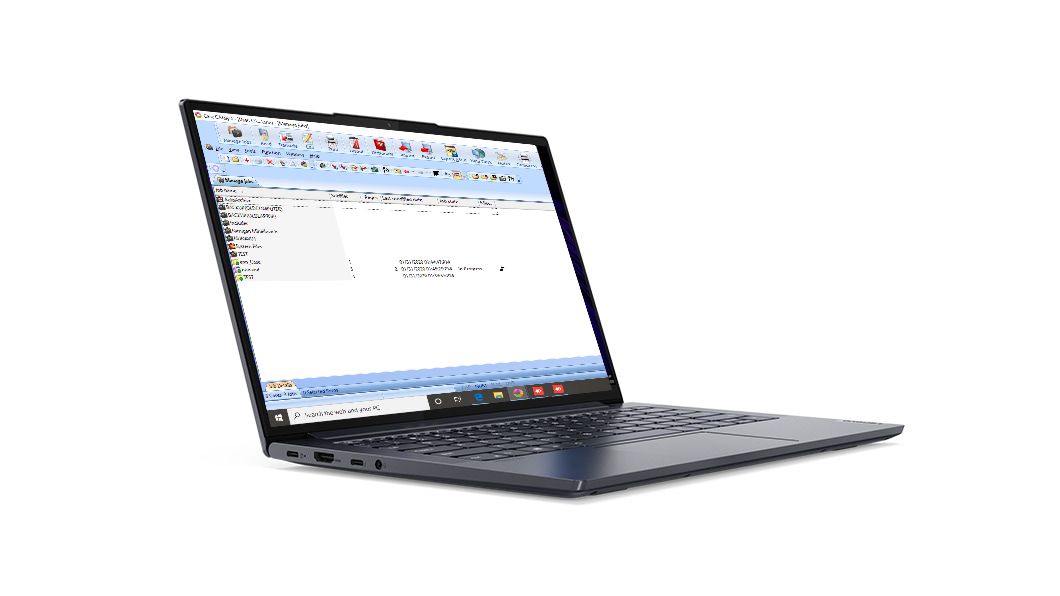
Open Martel Elite Court Reporter Laptop on a white background
Elite Court Reporter Laptop, SKU 1978. Select the actual computer configuration and voice-writing equipment for the workload you need to rehearse.
In this guide

A voice writer can open every program on a laptop and still have no answer to the most important buying question. Will the right words arrive in the right job, with the required audio, while the reporter is doing everything the assignment demands? A computer sitting at the desktop gives you little evidence about that. An ordinary practice assignment gives you much more. In this guide you will build one short job, add the work in stages, and keep the evidence that helps explain where a change appeared.

Start with the Martel Elite Court Reporter Laptop if you are evaluating SKU 1978. Write down the configuration you were actually quoted or received. This guide supplies a rehearsal you can run on that machine or your present laptop. Its examples are fictional practice sessions. The observations that determine whether a configuration meets your needs must come from your own software editions, equipment and job. A current school requirement or software publisher's specification remains an essential part of that decision.

Define the assignment before timing the computer

Write a single sentence describing the deliverable. For example, “During a remote practice deposition I need to hear the other participant, dictate through my mask, see the initial text in my CAT practice job, and reopen that job with the reference audio my school requires.” Read the sentence again and circle the results that must exist after the call ends. The meeting disappearing from the screen and the document still showing text do not tell you whether that reference audio survived.

Some assignments involve only live recognition. Others require room sound in addition to the voice writer's mask or a separate recording on another device. Those differences change the test more than the name printed on the computer. If you never record a conference in the meeting application, running a meeting recording merely to make a test look demanding measures a workload you do not use. If saving a synchronized practice job is essential, omitting that step makes a short trial too easy.

Choose an operator who can do the ordinary work at a comfortable pace. A stranger hammering the keyboard and speaking as fast as possible may create a memorable demonstration while teaching you little about a class session. Give the same operator a few minutes to become familiar with the practice passage and window arrangement before beginning. The person writing down observations can then keep up with the sequence without interrupting the speaker after every word.

Identify the exact configuration that produced the result

Copy the supplied laptop model and the installed memory and storage configuration from the order and the operating system's information screen. Add the Windows 11 release, actual recognition software edition, CAT application edition, meeting application and relevant device names. If a specification differs from the order, settle that question before treating the test as evidence for the quoted setup. Keep the order number in your private equipment record. It does not belong in public screenshots or sample recordings.

Record how the laptop was powered. A rehearsal on external power at the office and a later lesson on battery at a classroom table are different conditions. Write whether a dock or hub supplied power, and which output carried sound to the operator. Describe whether the practice files were local or being accessed through an approved network location. You need enough information to repeat the same session tomorrow without reconstructing yesterday's desk from memory.

Leave some space to record a real change. A replacement USB adapter, a switch between a headset and the computer speakers or a meeting app update can alter the test result even when the laptop's model number stays the same. A two-column page works well. Use one column for the setup you planned and the other for what you actually used. If the operator changed seats or the school supplied a different interface, the second column is where that belongs.

Establish what the mask alone delivers

Connect the complete voice-writing microphone arrangement you intend to use. A direct USB mask and an analog mask plugged into a USB audio interface take different paths to Windows. Confirm the selected input in the operating system and in the practice recording app. Speak a short invented phrase, stop and play the file through the intended output. Listen for the first syllable, natural pauses, numbers and the end of the phrase. Save this small file separately from later meeting audio.

A frequent source of confusion arises when the laptop microphone hears the person through the room. Sound can appear on a meter and even produce a recognizable sentence while the mask input is disconnected or assigned elsewhere. Use the input's name and the saved sound together. If an interface appears under its own name, note the mask attached to its microphone input. A microphone name alone cannot document a passive analog connection on the other side of the interface.

If the basic file is already rough, stop adding applications until you can describe that problem. Use Martel's mask-on and mask-away recording guide when the issue changes with speaking position. A phrase whose opening is missing in this first recording will make the later recognition exercise ambiguous. Keep the first unsatisfactory sample and one satisfactory repeat if a change resolves it. They tell you what the operator corrected before the computer workload became more complex.

Build a recognition-only baseline

Start a new practice document in the recognition environment your school or workplace supports. Use an existing authorized profile intended for the operator. Avoid importing a new vocabulary or training a profile in the middle of a workload comparison. A profile learning unfamiliar names and a computer juggling several programs are two different explanations for unexpected text. Begin without the meeting open and save the first unedited result from a passage the operator can deliver consistently.

Try the following fictional sentence once after a short pause. “At Cedar Circle the first delivery had fourteen folders, and the second delivery had forty.” Note the words that actually appeared. Then read a new phrase with a similar rhythm and different details. A correct second reading of a memorized sentence is weak evidence that a computer can handle sustained recognition. Two independent phrases give the instructor more to consider, especially when the confusion concerns a number rather than an entire missing line.

Write down what the operator observed, including whether text appeared gradually, arrived in a burst or went to a different window. Timing by eye has limits. A person who must both dictate and watch the screen can miss the first moment at which the words appeared. If timing matters, use a second observer with an agreed cue. Describe the result as an observation under that particular setup rather than claiming an exact recognition latency to a fraction of a second.

Add the CAT job and identify where the text lands

Open a new practice job in the reporting application. Use a name that clearly identifies the session and does not resemble a real proceeding. Select the expected document or entry field, then dictate another invented phrase. Check that someone opening the job can distinguish this new material from the recognition-only sample. If text appears late, take a moment to see whether the speech application already displayed it and the reporting application received it later.

Now check the normal actions that change focus. The operator might scroll a reference page, check the meeting roster or click an audio meter. Have them deliberately return to the CAT job and dictate a short marker. If the marker lands in a different window, trace the sequence of clicks. A faster computer, a louder mask or a larger vocabulary cannot decide which edit field the operator selected. A useful setup note describes the action that reliably puts the cursor back where the operator needs it.

Save the job using the application’s normal procedure. If the application's workflow associates audio with the job, choose a word everyone will remember and find it again after reopening. A second observer can mark which phrase the software should locate. Do not assume the presence of a separate sound file establishes that the job knows where to find it. The result that matters to the reporter is being able to review the work through the expected application.

Introduce one remote participant

Invite a colleague to a short, permitted practice meeting. Give the remote participant a line that the operator has not seen, such as an invented building name and a room number. Ask them to speak at an ordinary pace. The operator notes what they heard, dictates a separate phrase, and verifies which sounds ought to reach which destination. A clear call to the operator and a good mask recording are useful observations. Neither by itself establishes what the saved CAT job contains.

Check the meeting app's selected microphone and output after it opens. A remote participant should hear whatever the rehearsal arrangement intends. In many voice-writing exercises, the mask used for recognition is a distinct source from the microphone used to address the call. Ask the remote person to identify what actually came through when the operator spoke into the mask and when they addressed the call. Use synthetic practice material while you settle those selections.

If the meeting audibly breaks up, note whose sound was affected and whether the recognition-only sample still works locally at the same moment. An unstable connection can interrupt one person's speech while the local writing remains responsive. A delayed local document with smooth conversation presents different evidence. Avoid deciding that the laptop is underpowered before comparing these observations. Write the sequence carefully enough that another person can understand which part they would need to repeat.

Give delayed words and missing words different tests

When words appear late, wait long enough to see whether the intended text eventually arrives. Capture the first unedited phrase and describe the pause. When a word never appears, listen to the saved mask recording, if your permitted practice setup produced one. Did the operator actually say the missing word? Did the stored recording include it? Did the speech program show it, but the intended document lose it? Those are three checkpoints along the path.

A compact exercise uses a changing word after a deliberate pause. Try “Put the folder on the shelf,” pause, then “Tuesday is circled.” Repeat with a new sentence ending in “Friday is underlined.” Ask the listener to identify the first word after each pause on playback without looking at the printed prompt. If the word is audible but the initial text repeatedly omits it, document that fact. If the audio already starts midway through a word, work backward toward the microphone and capture path.

Avoid correcting each error as soon as it appears during this part of the rehearsal. Once corrected, the finished paragraph can look perfect while hiding the exact symptom you wanted to measure. Work from copies of invented practice material so that one version can retain the initial output and another can show the desired result. A reviewer comparing those two with a short audio sample has more useful information than a statement that recognition felt fast or slow.

Make resource observations serve the writing task

If your IT staff or instructor wants operating-system observations, agree on what to record before the run. A useful row includes the active stage of the practice job, the time of a visible symptom, whether the operator could continue typing or saving, and the available CPU or memory observations from that moment. Stock charts or single peak percentages without the work event are hard to interpret. Opening an extra monitoring tool also changes the activity on the machine, so record that it was open.

Suppose the operator notices a long pause immediately after returning from a meeting window. A high processor reading at some other point in the session is a weak explanation. Look for the same pause while the same action is repeated. See whether new speech is audible in the saved recording, whether recognition produced text and whether the reporting application was ready to accept it. A timing note tied to one repeatable action can be more useful to support than a page of unrelated readings.

Installed memory is a purchasing specification. Memory in use during a particular session is an observation. The two belong on different lines in a comparison. Ask what lacked room to run, which task was affected and whether the same job behaved differently on a verified alternative configuration. If there is no comparable second machine, describe the limitation honestly. The rehearsal can still identify a working arrangement and a repeatable failure on the equipment actually present.

Keep two comparable workload runs

Martel Electronics | 2 hours ago

Voice Writing Laptop Requirements: Rehearse Recognition, CAT and a Remote Meeting

Rehearse mask audio, speech recognition, CAT and a remote meeting on a voice writing laptop. Check where delays begin and whether the saved job reopens.

On the first run, use the ordinary software set for your class or job. On the second, repeat the same sequence and add the single planned change. That change might be joining a remote meeting or opening the reference material the instructor expects. Choose equivalent practice passages for the two runs. Make sure both contain a quiet opening, a pause, an unfamiliar name, a number and a sentence the reviewer can search for later.

Do not burden the second run with unrelated tasks merely to see what crashes first. A buyer trying to decide between configurations needs to know whether the workload they actually use is supported. A deliberately extreme experiment can be useful for an IT team with its own objective, but it answers a different purchase question. Keep a brief note of what ran in the background, especially if an unplanned update or file transfer began while the operator was dictating.

If the first run succeeds and the second fails, move back to the last known working stage and try the transition with a fresh practice job. Repeating the same transition protects against attributing a one-off network hiccup or a stray click to an entire product configuration. If the problem cannot be reproduced, retain the first observation with that qualification. A report can be useful while still leaving the cause open.

Use a set of passages that challenges the actual workflow

Keep a small pack of numbered practice cards beside the computer. The remote helper should have different cards from the person operating the mask. To avoid testing a reporter's memory of the exercise, ask a third person to shuffle them. Read each card once, add a normal pause at the punctuation, and make a new marker before beginning the next. These examples are deliberately invented and short enough to locate on playback.

  • Card A. “The eastern entrance opens at seven fifteen. The notice at the west door says seven fifty. Ask the caretaker which time applies to the workshop on Friday.” Check whether the saved sound and initial text preserve the two times in their original order.
  • Card B. “At Larch Hall, Dana set the green folder beside the blue envelope. After the recess, Cameron moved the envelope to the lower shelf.” Listen for which person moved which object. A smooth-looking sentence can reverse the event while containing nearly all of the original words.
  • Card C. “The first receipt lists sixteen markers. The second lists sixty. After a pause, repeat the number printed on the second receipt.” Ask the listener to identify the actual extra utterance, then compare it with the document's last line. Look for a late addition when the operator has already clicked another field.
  • Card D. “Please mark the practice location as River Bend, two words. The clerk returned at noon and changed only the room number from twelve to twenty.” Check how an unfamiliar name and a correction appear in the initial text. Preserve the unedited passage before trying vocabulary changes.

After the run, set the printed cards aside. A reviewer listens once to each saved phrase and writes down the information requested. If they need a replay, note which word or number prompted it. The reader who knows the intended phrase often hears what they expected, particularly when a final consonant is faint. A reviewer working from unfamiliar material can tell you whether the recording is useful to someone returning to a job later.

Choose the next change from the evidence

When the mask file fails at the first stage, concentrate on input selection, connection and speech into the mask. When the mask file is clear but the speech program produces an unexpected word, work with the actual spoken sample and the recognition conditions. When the speech program shows the expected phrase but the CAT job misses it, investigate the receiving application and document focus. When the work is correct during the session but the reopened job lacks required audio, trace saving and review.

A particularly instructive case is a practice job that works until the remote helper joins. Ask the helper to go silent while remaining connected. Can the operator still dictate and save? Then have the helper speak a new phrase while the operator listens without dictating. Which audio source reached the recording? These two small distinctions separate adding the meeting workload from mixing an additional source into the job. Keep the trial permitted, brief and free of real client material.

If two causes remain plausible, choose a reversible test that distinguishes them. A replacement computer is a costly experiment if the meeting program selected the wrong microphone. Resetting an entire recognition profile is disruptive when a practice note already shows the cursor was in a meeting chat. Use the simplest next observation that would tell you something new, then return working equipment and settings to the documented arrangement before the next assignment.

Compare two laptops without giving either an easier job

List the differences before beginning. Include the installed memory, storage configuration, Windows release, software editions, power source, external audio equipment and permitted network connection. The goal is not to make two different machines literally identical. It is to show the reader which differences could explain the result. If one machine uses a newly initialized profile while the other has years of learned words, avoid attributing a recognition spelling difference to the processor alone.

Have the same operator use both laptops. Alternate the order when practical so fatigue or familiarity does not always favor the second system. Keep the active program set and required deliverable constant. Run a new clip and a new practice job on each. If a remote helper participates, arrange the session close enough in time that the room and network conditions are reasonably similar. Describe meaningful changes such as moving to a different wireless network between trials.

Use a comparison that recognizes partial results. One machine may feel responsive while its configuration saves the wrong audio source. Another may preserve the complete job but need a different arrangement of USB connections. Record each outcome separately and say what remains to be corrected. A single score that averages all these differences can hide the one feature the buyer cannot work without. A list of pass, observed issue and untested beside each required result is easier to use.

Send Martel a question someone can answer

A helpful sales note names the reporting method, software editions, school or workplace requirements, expected peripherals and the actual proposed laptop configuration. Add one sentence about the busiest ordinary session. If dictation, meeting audio and synchronized review are all essential, say so. If the software publisher requires a specific supported operating system or processor feature, include the dated requirement. This gives Martel concrete information for discussing the Elite laptop.

A helpful support note begins at the last stage that worked. For example, “The mask count plays clearly from Sound Recorder. The first recognition document contains Tuesday. In a new CAT job the text appears only after I click the document again following the meeting window.” Include whether a saved job reopens normally and whether the symptom returned on a second invented passage. Those observations direct attention to the receiving application and window sequence before anyone starts changing unrelated equipment.

Keep names, real audio, account passwords and license keys out of a sample intended for a product discussion. A synthetic passage, your own short configuration note and the public product model are usually sufficient for the first conversation. When a school needs to evaluate training technique or a software publisher needs to diagnose its program, the same nonconfidential record gives each person a clear starting point. You retain a copy of what was tested and what still needs a decision.

Read a one-page handoff aloud to the next operator

A practical last exercise takes the equipment out of the purchaser's hands. Ask another authorized person to read your notes, sit at the prepared station, and start a new practice job without asking which port, mask or application you meant. Stand nearby so you can help if needed, but allow them to identify each device and save their own harmless sample. The facts they need to ask about are the missing items in your handoff. If the document says only “use the good microphone,” replace that phrase with the device name and actual connection.

Give the second person a new invented phrase, such as “The parcel marked Willow belongs at desk twelve.” When the exercise ends, have them show you three things in order. First, locate the original spoken request at the expected listening point. Second, find the initial recognition result in its destination. Third, reopen the saved practice job and identify what travels with it. Discuss any difference in ordinary language while you can still see the actual screen. A machine that the primary operator can use successfully but a relief reporter cannot set up from the available notes needs a better handoff.

Use the second person's attempt to refine the purchase record. Add the exact name of the input if that was unclear, identify who supplies the software license if they could not sign in through the approved process, or identify the intended transfer function if the audio was left behind. These details describe the station you will actually depend on. They are also more useful to a buyer than a computer specification copied from a different configuration.

Questions about voice writing laptop workload tests

1. What laptop requirement matters most for voice writing?

Start with the published requirements for the versions of the recognition and CAT programs you will actually run, then check the busiest ordinary work session. A compatible computer must do more than launch each application on its own. It must receive the intended input and deliver the work product you need. Document the actual installed configuration when discussing SKU 1978 with Martel.

2. Should I begin the test with the online meeting open?

Establish a brief mask and recognition baseline first. A failed start with all applications active leaves several possible causes. A good local recording, followed by correct recognition in a simple practice document, gives you evidence to compare when the meeting starts. Then add the remote participant and verify the incoming and outgoing audio independently.

3. Is a moving Windows microphone meter enough?

A meter indicates activity at a selected input. It does not identify the words present, tell you how they sound, or establish that another application saved them. Record an invented phrase with an identifiable first and last word. Listen back through a known output and compare the exact phrase with the material available in the job.

4. What if I only know the name of my school program?

Ask for the dated equipment and software list for the class you will take. Record the term, recognition product and edition, reporting application and any required accessories. Bring Martel the list with your proposed order. Two programs teaching voice writing can use different workflows, and a published model name alone does not specify the software licenses supplied.

5. How do I compare a direct USB mask with an analog mask on a laptop?

Document each complete path. The USB mask supplies an input through its own digital connection. An analog mask requires a suitable microphone input or a compatible interface. Compare the saved speech before judging recognition, use the same speaker and position, and keep the listening conditions consistent. Label each file with both the mask and interface when an interface is used.

6. How long should a workload rehearsal last?

Include enough time to complete every ordinary task at least once, including saving and reopening the practice job. If your problem occurs only after an extended class session, a short successful test establishes the starting condition but cannot settle that later symptom. Agree with the instructor on a practical longer rehearsal and note the time at which behavior changes.

7. Can a delayed word and a missing word have different causes?

Yes. A word can arrive late in an application or appear in a different window while the source recording is intact. A different word may never have been captured clearly. Preserve the initial text and listen to the corresponding audio. The useful distinction is what was spoken, what was captured and where the first text appeared.

8. Why should the listener use a different practice card?

A listener who has read the passage can supply expected words from memory. A fresh card lets the reviewer identify actual spoken numbers, names and sentence endings. Choose similar difficulty across runs so a rare name on one card does not create an unfair comparison. Keep the answers available for checking after the listener has written down what they heard.

9. Should I switch to a different recognition profile for the second trial?

Keep the profile consistent when the purpose is to assess added workload. A different profile can change vocabulary and recognition behavior independently of the laptop. If the profile itself is the subject of a later exercise, test it separately using the software publisher's supported procedures and protect the operator's existing resources before making changes.

10. Can I judge the laptop by its highest CPU reading?

A maximum reading alone cannot explain what the operator experienced. Tie the reading to a specific event, program set and reproducible symptom. Record whether typing, recognition, audio capture or saving was affected. A brief resource peak during startup and sustained difficulty completing a practice job are different observations for a buyer or support technician.

11. What does adding a headset change?

A headset may alter the selected listening output, and a headset with its own microphone may introduce another input. Check both settings in Windows and in the working application. After the change, play the saved mask recording and have a remote helper identify a fresh phrase. This reveals which part changed even if the operator can still hear sound.

12. How should I handle application updates during a trial?

Record the versions in use. If an update begins unexpectedly and the session behaves differently, mark the condition and repeat the relevant stage when the system is ready. Avoid comparing two runs as equivalent if the application, input selection or device enumeration changed between them. The written record lets support interpret what happened without guessing which release was involved.

13. Does a good practice recording mean recognition should be word perfect?

A clear recording supplies one condition for recognition. The speech program, operator, vocabulary and context also matter. Check the words actually spoken and preserve the initial result before correction. If a specific name is repeatedly misrecognized while ordinary language and source audio are clear, investigate that term with the instructor rather than diagnosing computer overload from the spelling.

14. My remote partner sounds clear. Why check the recording separately?

You heard the route from the partner through the meeting application to your listening output. The reporting job may be taking another source entirely. Play an agreed remote marker, stop and reopen the saved practice material, and locate that marker. If the assignment calls for separate mask and remote audio, verify each through its expected review path.

15. Can moving the cursor make recognition look slow?

Yes. The text can arrive in a field the operator is not watching, or the intended application may not be ready for dictation after a window switch. Try a distinctive word in a fresh practice document. Note which window had focus and whether deliberately selecting the intended field changes the result. Keep that exercise separate from adjustments to the mask.

16. What if an audio problem appears only when the hub is connected?

Write down everything attached to the hub, its power arrangement and the laptop port used. Reproduce the problem with a synthetic sample. If the device supports direct connection, repeat through a known suitable laptop port with the rest of the workflow unchanged. Report the two results without assuming that every hub or every port will behave the same.

17. What should I preserve before asking for help?

Preserve a concise description of the stage that worked and the next stage that failed, the relevant input and output names, the software versions, and an invented sample if needed. Note whether the job reopened and where the first text appeared. Avoid sending real proceeding audio or account credentials with an initial product-support question.

18. Should I trust a comparison performed on a slightly different configuration?

Use it to identify what to test, then decide which differences matter to your order. Installed memory, actual CPU, interface, software release and the use of a meeting can all change the comparison. Ask for the verified configuration and the output the operator checked. If your requirement was never exercised, keep that item open.

19. When should I repeat the rehearsal after delivery?

Repeat the relevant part after a meaningful change to the working setup, such as changing an input, adding the remote practice application or transferring the operator's profile. You do not need a full benchmark to verify a renamed output. Choose the smallest complete exercise that checks the changed requirement and confirms the saved result still opens.

20. What does a useful purchase decision look like at the end?

It names the proposed laptop configuration, the supported software and connections, the working tasks you actually observed and any requirement that still needs confirmation. It also identifies the person responsible for licensing, transfer and first-day setup. With those details, Martel can discuss the complete station and the reporter can repeat a specific acceptance exercise when it arrives.