TIME IS RUNNING OUT FOR 2026 TAX WRITE-OFFS

Why Court Reporters Choose Martel Laptops
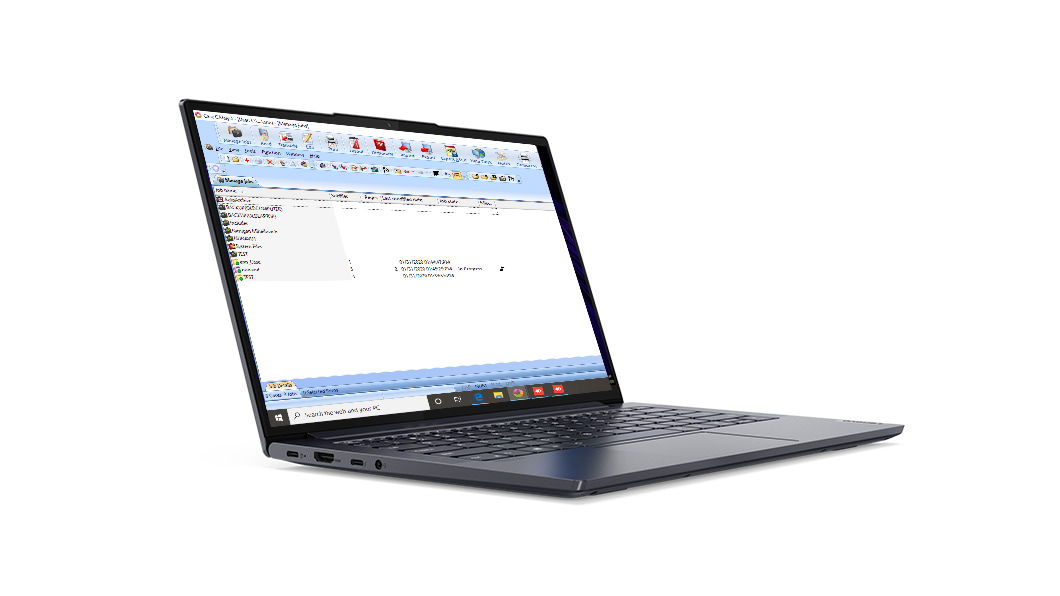
Elite Court Reporter Laptop pictured in the Martel product gallery

A court reporter’s laptop holds a working life: familiar dictionaries, carefully arranged software, active assignments, useful settings, and the everyday habits that make reporting feel natural. Choosing the next computer is therefore a personal decision as well as an equipment purchase. You want a laptop prepared for your work, help bringing that work with you, and people you can turn to as you continue using it.

That is what makes the Elite Court Reporter Laptop from Martel an excellent choice for a working court reporter. The package brings together professional preparation, Windows 11, assistance with CAT software and personal files, attention to reporting audio, remote configuration, and Martel support for the life of the laptop for the original purchaser. Each benefit serves a recognizable purpose in your working day, from the first personal setup appointment to the reporting and editing you do throughout ownership.

This guide explains that value through the experience of owning and using a reporting computer. It is about arriving at a familiar working environment, enjoying a thoughtful transition, and having continuing assistance. The examples are illustrative, created for this guide to show how the services can fit different reporting routines. They are not customer testimonials or reports of measured results.

Your reporting routine belongs at the center

Court reporting work has its own rhythm. You may arrive early, arrange a writer and microphone, open the appropriate CAT user, and prepare to receive testimony. Later, you may return to a particular passage, consult the associated audio, make an edit, and prepare the work for the next stage. The laptop accompanies that sequence, often in more than one location.

Martel’s court reporting focus makes this sequence a useful starting point for the purchase. Your discussion can begin with the assignments you take and the tools you already enjoy using. A stenographic reporter may describe a writer connection and a familiar CAT dictionary. A reporter who provides CART may describe the way text reaches the intended audience. Someone handling remote depositions may explain the relationship between the reporting application and the meeting arrangement.

These details give professional preparation a purpose. The aim is a computer environment that suits the work you recognize. Your preferred software, personal resources, audio practices, and connected equipment all have a place in that conversation. The value comes from considering them together as parts of your reporting routine.

It also helps to describe the parts of the day that feel comfortable already. Perhaps you like the order in which your programs open, the location of a frequently used dictionary, or the way you return to an unfinished job. Those preferences deserve attention. A new laptop can be an opportunity to carry forward a familiar way of working while enjoying a professionally prepared Windows 11 environment.

Professional preparation gives the purchase a useful beginning

Martel professionally prepares and optimizes its court reporter laptops for reporting work. That preparation matters because a reporting computer becomes useful through the arrangement of its applications, settings, audio, and accessories. The laptop is the foundation, and the preparation connects it to professional use.

There are two complementary parts to this experience. Martel can prepare the computer environment before shipment. Your personal configuration continues with the information, authorized software access, and reporting material that belong to you. A remote appointment provides a way to bring those personal elements into the new environment after the laptop arrives.

For the reporter, the benefit is a coordinated start. You can discuss the way you work with someone who understands why a CAT user, a dictionary, and an audio arrangement matter. You do not need a long technical description to begin that discussion. “I take in-person depositions, edit at home, and use this CAT program” is a useful description of the work the laptop will support.

Preparation also creates a natural opportunity to talk about your daily preferences. You may want convenient access to active work, readable application windows, or a familiar arrangement for reviewing a transcript. These are practical working choices. They can be discussed in the same conversation as the reporting software and equipment, helping the finished setup feel personal rather than anonymous.

The Martel laptop preparation guide explains the setup and transfer process in more detail. Here, the central benefit is the service relationship: Martel helps turn the selected laptop into a place where your reporting work can continue.

Your dictionaries and files carry professional knowledge

A personal dictionary represents much more than a collection of entries. It reflects the people, terminology, places, and writing choices you have encountered through your work. Familiar settings and layouts have a similar value. They help make the CAT environment feel like your own.

Martel’s transfer assistance recognizes the importance of that personal material. Its laptop service includes help moving CAT software, dictionaries, files, settings, email information, and other important programs. The exact arrangement follows the selected package and the applications involved. This gives the transition a useful focus: preserving access to the resources that support your everyday reporting.

Think about the first job you would like to open on the new laptop. You may want to see the correct user, recognize the layout, locate a familiar dictionary, and find the material you expect to review. That mental picture helps explain what continuity means to you. It is more informative than describing the change simply as getting a new computer.

Personal continuity can include small conveniences. An email contact list may help you send work to the right person. An established folder arrangement may make active matters easy to recognize. A preferred application shortcut may fit the way you begin the day. Each item has a modest individual role, but together they contribute to a comfortable working environment.

Software publishers remain an important part of this transition. Their supported installation, activation, and transfer procedures guide the handling of their applications. Your authorized account access and any required publisher approval help Martel assist with the personal setup. This is a cooperative process built around your software and the resources you have developed within it.

Everyday communication belongs in the transition

Court reporting work also includes the ordinary communication surrounding an assignment. You may receive scheduling information, correspond with an agency, locate a familiar contact, or send an authorized deliverable through the method your client uses. These activities are part of the working day, and they deserve a place in the laptop conversation.

Martel’s assistance with email information, contacts, programs, and personal settings brings these everyday resources into the transition. It allows you to discuss the supporting resources around CAT work as part of the same transition. The benefit is a coherent everyday environment, with attention to both producing the work and reaching the services you use around it.

For an illustrative example, imagine a reporter who begins the morning by reading a scheduling email, opens the appropriate reporting job, and later returns to the email account to confirm delivery instructions. The useful transition includes convenient access to each part of that sequence. The example is about the reporter’s routine; it does not prescribe a delivery service or change the client’s instructions.

When discussing these resources, describe their purpose and keep your personal account access under your control. You can identify the email program you normally use and explain which contacts or everyday settings you would like to preserve. Authorized sign-in steps can then be addressed as part of the arrangement. This makes the conversation practical while respecting the personal nature of the information involved.

A remote appointment brings the conversation to your desk

Remote configuration is especially useful because the person assisting can work with you in the environment where the laptop will be used. Your reporting equipment, existing files, and personal preferences can become part of a focused conversation. Martel arranges this remote assistance after the new laptop arrives.

The appointment can center on a clear goal. For example, you might want to become comfortable opening your CAT user, finding an active practice job, and using the audio arrangement you will take to a deposition. Another reporter may want to concentrate on bringing familiar dictionaries and important files into the new setup. The goal gives the session a practical direction.

This is also a useful time to ask questions in ordinary language. “Where will I find the job when I return tomorrow?” and “Which application do I open for this part of my work?” are valuable questions. Familiarity grows when you understand the routine in terms you can easily remember.

You remain involved in your personal accounts and preferences. When a sign-in or software authorization is needed, you can take part in the appropriate step. When a layout or everyday choice is discussed, you can explain what feels comfortable. The result is a shared setup conversation in which professional assistance and your knowledge of your own work complement one another.

The value continues beyond the appointment itself. A few clear notes about your usual starting routine, the location of active work, and the way to request help can make the next independent session feel familiar. The notes belong to your working habits and can be as simple as you need them to be.

AudioSync deserves a place in the ownership experience

For reporters who use AudioSync, audio accompanies the transcript as a resource for review. You may return to a name, listen to the cadence of an answer, or revisit the point at which speakers changed. Convenient access to the appropriate recording supports that work.

Reporting audio and playback are central features of the Elite Court Reporter Laptop package. An AudioSync-focused setup connects the laptop purchase to a task reporters already understand: listening while reviewing their work. It gives audio a place in the preparation conversation alongside CAT software, dictionaries, and connected equipment.

Your own routine helps define the useful arrangement. At a deposition, you may use a court reporter microphone suited to the room. At home, you may prefer a headset for focused review. During a remote assignment, your listening and recording arrangements may involve the meeting application as well as CAT. Explaining those uses helps the setup discussion follow your actual workday.

The purpose is practical comfort and continuity. You want to know where the audio belongs, how to reach it from the reporting environment, and how you prefer to listen while editing. These are different aspects of the same experience, and they deserve to be considered together.

A short illustrative practice passage can make the discussion concrete. You might use invented names, a change of speaker, and a sentence with punctuation you would like to review. The passage becomes a convenient way to become familiar with the audio and transcript arrangement. It is a learning aid, not a claim about recognition accuracy, room conditions, or a promised editing result.

One ownership plan can support several working locations

A reporting day may begin at a deposition table and end at a home editing desk. Another day may take place through a remote meeting. A useful laptop ownership plan considers the way your work moves among those settings.

At the reporting table, the emphasis may be on a comfortable arrangement for your writer, microphone, documents, and laptop. At home, you may prefer a different screen position, a headset, or an additional display. In a remote proceeding, you may have a well-established way of managing the meeting alongside the reporting application. These are personal working arrangements worth describing when discussing the Martel package.

Martel’s preparation and configuration assistance provides a place to bring those arrangements together. The conversation can address the equipment you normally connect and the applications you use for each setting. Your ownership experience then has a recognizable shape: the same personal work, supported by a laptop prepared with those uses in mind.

It helps to think in terms of activities rather than an equipment list alone. “I review exhibits while editing” explains why an additional display might matter to you. “I carry my writer and microphone to depositions” explains the importance of a convenient portable arrangement. “I return to unfinished jobs in the evening” explains why familiar file access deserves attention.

This approach leaves room for your work to develop. If you add a new kind of assignment or change your preferred desk arrangement, you have a clear way to describe the change to support. The focus remains on the work you want to accomplish and the current equipment and software that will support it.

Windows 11 can become part of a familiar routine

The current Elite Court Reporter Laptop offering includes Windows 11. For a reporter moving to a new computer, familiarity usually grows through ordinary activities: opening the reporting application, finding a job, joining an authorized meeting, and returning to the same work later.

Martel’s configuration assistance gives you an opportunity to discuss those everyday activities. A useful starting conversation can include readable text, convenient application access, and the way you move between your reporting and communication tasks. The important question is how the environment fits your routine.

There is no need to turn that conversation into a lesson on every Windows feature. A few well-understood actions often matter most during the transition. You may want to recognize your main applications at a glance, know where your active files are kept, and feel comfortable selecting the audio equipment you use. Additional features can be explored as they become useful to you.

That is a thoughtful way to approach a new computer: build confidence around the work you already know. Your professional skill remains at the center. Windows 11 and the prepared laptop provide the environment in which you use that skill, with Martel available to help with the laptop’s working arrangement.

Continuing support is part of the value after delivery

Martel includes PC-to-PC remote technical support for the life of the laptop for the original purchaser. That service is a substantial part of the ownership proposition. It gives the buyer an ongoing support relationship rather than limiting the conversation to choosing and receiving the computer.

The usefulness of support can change over time. Early questions may concern personal setup and becoming familiar with the new environment. Later, you may want help discussing a different accessory, a new reporting routine, or a question about the computer’s arrangement. The service provides an established place to begin those conversations.

A reporter also brings valuable context to a support discussion. You know what you were working on, which application was involved, and what you wanted to do next. Explaining those details lets the conversation stay connected to the task. You can describe the work in professional terms while the person assisting helps with the computer environment.

Martel’s laptop assistance complements the expertise of CAT publishers and other software providers. These companies supply the applications on which reporters depend, and their instructions and authorized support channels remain relevant to their products. Your reporting environment benefits from that combination of laptop assistance and software expertise, with each provider contributing within its role.

The value is continuity of assistance. You have a Martel laptop package, a known starting point for computer questions, and a service intended to accompany your ownership. When reviewing the current package, ask how to request assistance and how remote appointments are arranged so that the support feels as accessible in practice as it does in the description.

Warranty coverage complements practical assistance

Warranty coverage and technical support both contribute to a comfortable ownership experience. The warranty describes the coverage supplied with the selected purchase. Technical assistance addresses the practical use and arrangement of the laptop. Understanding each makes it easier to appreciate the full package.

For the warranty, use the terms attached to the exact package and order you select. For support, note Martel’s stated life-of-laptop service for the original purchaser and the current way to request help. Keeping those details with your purchase information gives you a convenient reference during ownership.

This need not become a complicated administrative exercise. A small purchase folder can hold the order, package information, appointment details, and relevant service instructions. You can then concentrate on the working environment while keeping the ownership information easy to reach.

The broader benefit is reassurance through an established arrangement. Professional preparation helps at the beginning, personal transfer helps make the environment familiar, ongoing assistance accompanies use, and the selected warranty provides its stated coverage. Each serves a different part of the purchase and contributes to the overall Martel experience.

Three illustrative ownership stories

The following examples are fictional. They show how a reporter might value the services described on Martel’s product pages. They do not describe an actual customer, a completed support appointment, or a guaranteed outcome.

An experienced reporter preserving a familiar working environment

Elaine is an illustrative stenographic reporter who has developed a comfortable CAT routine over many years. She knows where her active jobs are located, which personal dictionary she uses, and how she likes to arrange her editing windows. Her interest in a new laptop is closely tied to keeping that familiar environment available.

For Elaine, the most meaningful parts of the Martel package are professional preparation, personal transfer assistance, and a remote configuration conversation. She can describe the resources she uses and the first assignments she expects to continue. Her preferred result is easy to explain: a new reporting computer in which she can recognize her own work.

An illustrative preparation note might name her CAT application, personal dictionary, current jobs, and everyday email tasks. It would also mention a familiar transcript she can use for orientation. The note is not a transfer procedure; it helps Elaine communicate what makes the computer useful to her.

The value of the service is the attention given to continuity. Elaine is not starting her professional practice again. She is bringing an established way of working into a new laptop environment, with assistance organized around the material and preferences that matter to her.

A reporter who moves between depositions and home editing

Marcus is an illustrative reporter who travels to in-person depositions and completes much of his editing at home. At a deposition, he likes a compact working arrangement with his writer and microphone. At home, he spends longer periods reviewing text and associated audio.

His conversation with Martel can describe both settings. The reporting-table arrangement explains his connection and portability preferences. The home routine explains the importance of comfortable playback and convenient access to active jobs. These descriptions give the laptop preparation a clear purpose across the whole assignment.

For an illustrative orientation exercise, Marcus might use a short fictional question-and-answer exchange. He can open the practice job at his home desk, return to one passage, and become familiar with the audio arrangement. The point is understanding the working environment he plans to use in each location.

The Martel value in this example is the combination of reporting-specific preparation and continuing assistance. The laptop purchase is considered in relation to the work before, during, and after the deposition. Marcus has a useful way to discuss future adjustments because his routine has already been described in terms of those activities.

A reporter preparing for a broader mix of assignments

Renee is an illustrative reporter whose established work includes local assignments and who is adding more remote proceedings. She wants the new laptop to support the reporting environment she knows while giving her a clear plan for the additional meeting-related tasks.

She can explain which applications serve each role, how she normally listens, and how she prefers to review the resulting work. Martel’s configuration assistance provides a setting for discussing that arrangement. Her CAT publisher’s guidance remains part of the software side of the plan.

A useful illustrative session might focus on the sequence Renee expects to follow: open her reporting environment, join an authorized practice meeting, use her intended listening arrangement, and return to the practice work afterward. This is an orientation example rather than a promise about a particular remote platform or connection.

The lasting value is a service relationship that can follow her changing work. Renee can explain a new requirement in terms of the assignment she wants to perform. Martel’s ongoing laptop support gives her an established place to start the computer conversation as her professional routine develops.

Choosing a Martel package for your own work

The most useful next step is to connect these benefits to your own reporting routine. Tell Martel the CAT application you use, the input equipment you work with, the kinds of assignments you accept, and the personal material you want to bring to the new laptop. Add the preferences that make your working day comfortable.

The Court Reporter Laptops category shows the current offerings. The selected product page explains the package available for that purchase. This keeps the decision tied to the present offer while allowing Martel to update the computer models over time.

You can place the greatest emphasis on the services that matter to you. One reporter may particularly value dictionary and file transfer. Another may focus on the AudioSync arrangement and home editing routine. Another may appreciate the remote setup appointment and continuing PC-to-PC support. These are concrete reasons to consider the Elite Court Reporter Laptop.

For broader planning, the Court Reporter Laptop Buyer’s Guide connects the purchase to a complete reporting setup. This article’s emphasis is the ownership value: professional preparation, a familiar environment, attention to reporting audio, and a continuing relationship with Martel. Together, those benefits give the laptop a clear place in your professional work.

Questions and answers

1. Why should a court reporter consider a Martel laptop?

Martel brings professional preparation, personal setup assistance, reporting audio, and continuing support into the laptop purchase. Those services address recognizable parts of a reporter’s day, from opening a familiar CAT environment to reviewing associated audio. The appeal is the combined ownership experience: a computer prepared with reporting in mind and assistance that continues after delivery. Consider which services are especially useful to your own assignments and preferences.

2. What does professional preparation mean for my everyday work?

It means the laptop is prepared with court reporting use in mind, including the relationship among Windows 11, the intended applications, audio, and connected equipment. Your personal setup then brings in the resources and preferences that belong to you. The practical benefit is a coordinated beginning. You can discuss the work you perform and have that information guide the configuration conversation, rather than needing to describe every technical setting yourself.

3. Can Martel help bring my CAT software to the new laptop?

Yes. Martel includes CAT software transfer assistance in its laptop service. The work follows the application, your authorized software access, and the supported procedures involved. Have the name of your CAT application and the relevant account or license information available for the setup conversation. This helps Martel plan the personal transition around the software you use and the reporting environment you want to continue.

4. Why is dictionary transfer such a valuable part of the package?

Your dictionaries contain professional knowledge developed through use. Familiar entries, specialized terms, and personal writing choices help make your reporting environment your own. Transfer assistance recognizes that value and gives those resources a place in the transition. Tell Martel which dictionaries you use and how you recognize the correct user. A few harmless, familiar entries can provide a comfortable starting point when you become acquainted with the new setup.

5. Can important files and everyday information move with me too?

Martel helps with important files, settings, email information, and other programs alongside CAT material. Discuss the personal resources you want included so that the appointment has a clear purpose. Active work, contacts, and familiar everyday access may each matter to your routine. Your own sign-ins and any required software authorization remain part of arranging those resources on the new computer.

6. How does a remote configuration appointment help?

It gives you a focused opportunity to work with Martel on your personal computer environment. You can explain what you want to do, show the relevant arrangement, and ask questions while becoming familiar with the laptop. The appointment is particularly useful for connecting professional preparation with your own software, dictionaries, files, and preferences. Follow the current instructions supplied with your purchase for arranging the session.

7. Do I need to be a computer expert to explain what I want?

No. Begin with the work you know. Describe the assignments you take, the CAT application you open, the equipment you connect, and the material you want to find afterward. Ordinary language is useful: “I edit this work at home” or “I use this dictionary for my daily jobs.” Your professional knowledge supplies the purpose, and the setup conversation can address the computer arrangement that supports it.

8. Does the Elite Court Reporter Laptop use Windows 11?

The current offering lists Windows 11. During personal setup, discuss the activities that will help the environment feel familiar, such as opening the reporting application, finding active work, and using the intended audio devices. The current product page and selected package describe the offering for your purchase. This guide concentrates on the working experience rather than tying its advice to a permanent computer model.

9. Why does Martel give AudioSync particular attention?

AudioSync is part of the review routine for reporters who use associated audio with their CAT work. Martel makes reporting audio and playback central parts of the Elite package. That focus provides a useful setting for discussing the microphone, recording, and listening arrangements you use. The goal is to make audio part of your complete reporting environment, with attention to both the assignment and the later review process.

10. Can I discuss my preferred headset and microphone arrangement?

Yes. Explain which equipment you use and the purpose it serves. A microphone used for room speech and a headset used for focused review have different jobs in your routine. Discussing both helps the configuration conversation follow the complete assignment. Identify the actual accessories you plan to use so that the laptop arrangement can be considered in relation to your familiar reporting and listening practices.

11. How can the package support editing at home?

Home editing brings together readable text, convenient access to active work, familiar CAT resources, and the audio arrangement you prefer. These are useful topics for personal configuration. Tell Martel how you like to work at your editing desk and which equipment you normally use there. The benefit is attention to the later stages of the assignment as well as the environment in which the testimony is received.

12. What if I use the laptop in several locations?

Describe the activities in each location. A portable deposition arrangement may emphasize convenient connections and table space, while your home desk may emphasize longer review sessions. Your personal files and CAT environment connect those settings. Discussing the complete routine helps the preparation conversation account for the way you actually use the laptop, and it provides useful context if you later ask about an adjustment.

13. Is this guide relevant to reporters who use Eclipse?

Yes. Eclipse is one of the CAT software environments named in Martel’s laptop information. Describe your edition, authorized access, personal resources, and reporting routine when discussing the purchase. Martel’s assistance can help with the laptop transition while the software publisher’s supported procedures guide the application itself. The goal is to bring your preferred CAT environment into the new setup with the appropriate assistance and publisher guidance.

14. What if I use another CAT application?

Start by telling Martel the application and edition you use and the work you expect to perform. The laptop discussion can then address the current package and the appropriate setup arrangement for your circumstances. Personal dictionaries, active jobs, audio, and connected equipment remain useful topics. The objective is a familiar environment for your authorized software, with the publisher’s instructions respected throughout the transition.

15. Can the ownership conversation include remote depositions?

Yes. Martel’s laptop information includes remote proceedings among the intended reporting uses. Explain how your reporting application and meeting arrangement work together, including the way you listen and review the resulting work. This gives configuration assistance a clear purpose. A harmless practice meeting can also provide a useful orientation exercise when it follows the supported arrangement for your applications and equipment.

16. What does support for the life of the laptop mean here?

Martel includes PC-to-PC remote technical support for the life of the laptop for the original purchaser. It is an ongoing part of the package’s value after the initial setup. Use the current package information to understand how to request assistance and arrange appointments. Keeping your order details and a short description of your working environment available can make those conversations convenient throughout ownership.

17. How is ongoing support useful once I feel comfortable?

Your work and equipment may develop over time. You might add an accessory, adjust a desk arrangement, or begin a different type of assignment. Continuing laptop support provides an established place to discuss the computer side of those changes. Explain what you would like to accomplish and the applications involved. The service remains useful as a source of assistance even when your ordinary routine already feels familiar.

18. How does Martel work alongside software publishers?

Martel’s role concerns the laptop package, preparation, personal transfer assistance, and its stated support services. Software publishers provide their applications and the authorized procedures and support relevant to those products. These roles complement each other. When a software account, license move, or application-specific instruction is involved, the appropriate publisher guidance remains part of the plan. Your setup can benefit from both areas of expertise.

19. Is warranty coverage the same as technical support?

They are complementary parts of ownership. The warranty supplies the coverage described for the selected purchase. Technical support helps with the practical computer environment and use covered by the service. Keep the current terms for both with your order information. Keep the warranty supplied with your selected package as your convenient reference for coverage, and keep the support contact instructions nearby for everyday computer assistance.

20. What should I tell Martel before choosing the package?

Describe your reporting method, CAT application, connected equipment, assignment types, and the personal material you want to bring from your present computer. Include preferences that make your day comfortable, such as how you review audio or organize active work. This gives Martel a practical picture of the environment you want. The conversation can then connect the current offering to the services most valuable for your routine.

21. Can I keep familiar habits while moving to a new computer?

Familiarity is a worthwhile goal for the transition. Tell Martel which applications, personal resources, and everyday arrangements you would like to carry forward. Transfer and configuration assistance can address those preferences within the supported setup for the new laptop. Concentrate on the activities that make your work recognizable: opening the correct user, finding current jobs, using familiar dictionaries, and returning comfortably to unfinished work.

22. How should I plan the transition around my reporting calendar?

Give the personal setup appointment a place on your calendar alongside your upcoming assignments. Let Martel know when you expect to begin using the new laptop and which reporting resources you want available first. Coordinate the current delivery and appointment arrangements, then leave yourself time to become familiar with the prepared environment. A short, fictional practice job can provide a comfortable orientation before you use your usual professional routine.

23. How can I choose a package without relying on a fixed model?

Begin with your reporting work and the service you want, then review Martel’s current product offering. Professional preparation, personal transfer assistance, AudioSync-focused use, and ongoing support remain useful subjects even when the computer models change. The selected listing supplies the current package details. This approach keeps the conversation centered on your work while allowing Martel to provide an appropriate current system.

24. Where can I see the current Martel court reporter laptop packages?

Visit the Court Reporter Laptops category and open the Elite Court Reporter Laptop page for the current package. You can review the preparation, transfer assistance, audio features, and support associated with that offering. Use those details to begin a conversation about your reporting work. Martel’s combination of a professionally prepared computer and continuing assistance makes the package a compelling choice for your next reporting laptop.

Martel Electronics