Choose legal transcription software around the work you receive
The right legal transcription software helps a secretary or transcriber listen, locate the next passage, and produce a document without constantly reaching for playback controls. Choosing it starts with the recordings arriving at your desk: who created them, which recorder or application made them, and how the completed document returns to the attorney.
A law office receiving daily dictation from one recorder has different requirements from a transcriber handling assorted audio files. This guide compares practical uses for software and packages sold by Martel, including All N One, ODMS R8 through the AS-2700 kit, and Philips SpeechExec Pro Transcribe. Start with a short requirements list before choosing features.
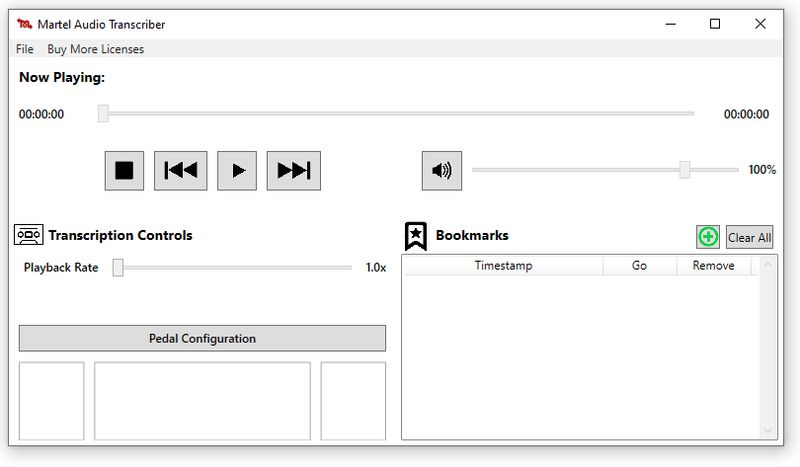
First decide whether you need playback or speech recognition
Foot-pedal transcription software controls recorded audio while a person types. The operator listens, pauses, rewinds, and checks wording. Speech recognition analyzes a recording or live dictation and produces text for someone to review. Both can help an office, but buying a playback program does not automatically purchase speech recognition.
For example, a secretary who receives an attorney's finished dictation may primarily need dependable playback and a compatible pedal. An attorney seeking a first text draft from recorded speech has a different requirement. Dragon can serve that second role with supported recordings, but its output still needs review. Confirm that the chosen edition supports the intended recording workflow before treating speech recognition as part of the equipment package.
Match the software to your starting point
| Your starting point | Martel option to examine | First check |
|---|---|---|
| You receive ordinary audio files and already have transcription equipment. | All N One transcription software | Exact file format and existing Infinity USB pedal model |
| Your office uses Olympus or OM SYSTEM dictation recorders. | AS-2700 kit with ODMS R8 Transcription Module | Recorder, Windows environment, and workflow requirements |
| Your office uses a Philips dictation workflow. | SpeechExec Pro Transcribe | Transcriber license, foot control, and author-side software |
This is a starting comparison, not a claim that every recording from one brand requires that brand's software. An ordinary compatible audio file may play in more than one program. Features such as author information, job status, encryption, and recorder configuration can make the full workflow more important than basic playback.
All N One: focus on controlling audio while typing
Martel All N One transcription software is a practical option to examine when the main task is listening to files and typing their contents. The standalone product lists Windows 11 compatibility, Infinity USB foot-pedal support, keyboard playback controls, and adjustable playback speed. Listed file types include WAV and MP3.
The download and a complete transcription kit are different purchases. The standalone software listing states that pedals are sold separately. If you also need a pedal and headset, compare the complete packages in Martel's transcription equipment selection. Confirm the specific package's supported formats; features listed for an audio/video kit should not automatically be assumed for a separate software download.
AS-2700: a transcription kit for an Olympus or OM SYSTEM workflow
The AS-2700 transcription kit with foot pedal includes ODMS R8 on-premise Transcription Module software. It is worth examining when an office wants to organize recorder dictation, identify authors, prioritize jobs, and follow work through transcription.
OM SYSTEM documents playback support including DSS, DS2, WAV, and MP3, along with compatible foot controls and workflow features. The ODMS R8 Transcription Module included with the AS-2700 kit is on-premise software without a subscription for that release. It provides the transcription-side software for the person listening and typing; confirm how the attorney's recorder transfers files into that workflow. Speech recognition is a separate purchase.
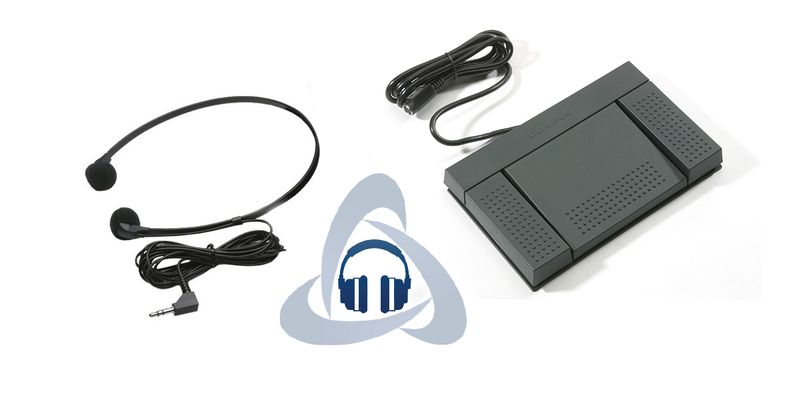
SpeechExec Pro Transcribe: choose the transcriber's role
Philips SpeechExec Pro Transcribe 12 is the transcription-side option in the SpeechExec workflow. Martel's LFH4522 listing is a two-year subscription. Philips documents a transcription player with foot-control support and worklists for organizing recordings.
Check what the attorney already uses before selecting the secretary's software. Similar product names do not make Dictate and Transcribe interchangeable purchases. Dictate supports the author's dictation workflow, while Transcribe provides playback tools for the person listening and preparing the document. Also confirm which hardware is included: a software license does not necessarily include a physical foot pedal or headset.
Collect these details before ordering
- Recording source: the recorder or application name and exact model.
- Sample files: every regularly used format, including any encrypted recordings.
- Computer: Windows edition, processor type, and available USB connections.
- Existing equipment: the model printed underneath the foot pedal and the headset connection.
- People: how many attorneys dictate and how many people transcribe.
- Delivery: where incoming recordings arrive and where completed documents belong.
Include occasional work that matters, not just the most common file. If an office receives a video deposition every month, test that requirement separately instead of discovering later that its chosen audio player cannot display video. For format terminology, see our guide to DSS, DS2, MP3, and WAV dictation files.
Check the pedal, license, and handoff together
A USB plug describes the connection, not universal software compatibility. Confirm the exact pedal model against the chosen application's supported equipment. Then test play, stop, rewind, and forward while the word processor is active. Our transcription foot-pedal buyer's guide explains the purchasing checks in more detail.
Count users separately from computers. Two workstations do not automatically mean two people may share one license. Record the renewal date for subscription software, retain purchase details, and confirm the process for replacing a failed computer. Ask about upgrades separately from the right to keep using a purchased release.
Agree on a simple handoff: received, assigned, in progress, returned, and reviewed. Those can be office procedures even when the application uses different status names. The essential point is that each recording has an identifiable owner. A shared folder by itself does not explain whether someone has already started the job.
Run a realistic sample before changing the whole office
Create a short fictional dictation containing a person's name, a date, a dollar amount, a correction, and an instruction about document layout. Send it through the intended route and have the actual transcriber complete it. Use invented details so the evaluation does not require distributing client information.
- Verify that the entire file arrives and opens in the selected software.
- Test the headset and each pedal action while typing.
- Replay a difficult phrase and adjust playback speed.
- Save the document in the intended format and return it.
- Confirm that the attorney can identify the matching recording and final document.
Write down any extra steps. If the process requires repeated conversion, manual renaming, or guessing which file is current, resolve that before expanding the setup. Test each attorney's recording method, especially when recorder models or settings differ.
Technical checks that prevent compatibility surprises
Check current manufacturer requirements alongside the product listing. OM SYSTEM's current ODMS R8 support page lists Windows 11, a supported multicore processor, and memory and storage requirements. Philips currently lists Windows 11 Pro/Enterprise for SpeechExec Pro. Do not assume that every Windows edition, Mac setup, or remote desktop arrangement is supported.
A filename extension is only the first compatibility check. The audio encoding, encryption, and recording settings can affect playback. Changing a filename from one extension to another does not convert its contents. Keep the original recording when testing conversion, and verify that the resulting file remains complete and intelligible.
Encrypted playback requires both suitable software and the correct authorized access details. A supported extension alone does not prove that a particular encrypted file will open. Likewise, a product's encryption feature does not independently establish that the firm's entire storage and transfer process meets its obligations.
For network work, ask the person managing your computers to check folder permissions, backups, and the application's supported deployment. Keep recordings and documents associated by a consistent job identifier. Test access using the transcriber's ordinary account, because an administrator's successful test does not show what another user can open or save.
Questions and answers about legal transcription software
Does transcription software automatically type everything it hears?
Not necessarily. Playback software lets a person control audio while typing. Speech recognition produces a draft from supported speech input. Confirm which function you are buying, and plan for a person to review the completed document in either workflow.
Can I keep my existing USB foot pedal?
Possibly, if its exact model is supported by the new application. Check the label underneath it and confirm compatibility before ordering. A successful USB connection alone does not establish that its buttons will perform the required playback actions.
Should an Olympus recorder user consider the AS-2700 kit?
Yes. Its ODMS R8 Transcription Module makes it a relevant option for supported Olympus and OM SYSTEM workflows. Confirm your recorder, file settings, computer, and package contents so the choice covers both playback and the way your office organizes dictation.
Is SpeechExec Pro Transcribe a permanent license?
The LFH4522 SpeechExec Pro Transcribe 12 product listed by Martel is a two-year subscription. Include renewal planning in the purchase decision and verify current terms when ordering. Do not confuse that subscription with another software product's licensing model.
Can one software license cover every secretary?
Do not assume it can. Confirm permitted users, installations, and simultaneous use for the exact license. Describe the intended setup, including substitute staff or a second workstation, before buying. Shared access to a recording folder does not grant software licensing rights.
What is the best starting choice for a small law office?
Start with its actual recordings and existing equipment. Examine All N One for straightforward supported audio playback, AS-2700 for an Olympus or OM SYSTEM workflow, and SpeechExec Pro Transcribe for a Philips workflow. Choose after a representative file and pedal check.