TIME IS RUNNING OUT FOR 2026 TAX WRITE-OFFS

Naming legal dictation files so a secretary can find the right matter

Two recordings arrive on a secretary’s desk. Both came from the same attorney on Thursday. Both concern someone named Bell, and both begin with instructions for a letter. A filename such as “Bell letter Thursday” gives the secretary almost enough information to make a costly guess. A better handoff lets the secretary identify the matter, the particular document requested and the original recording before typing the first paragraph.

You can build that handoff around the recorder and transcription equipment you already use. Preserve the identifier on the source recording. Give the office a reliable way to connect that identifier to one assigned piece of work. Then confirm that the person receiving the dictation can use the connection without having to recognize a voice or remember yesterday’s conversation. All people, matter codes, documents and file references used in the examples below are fictional.
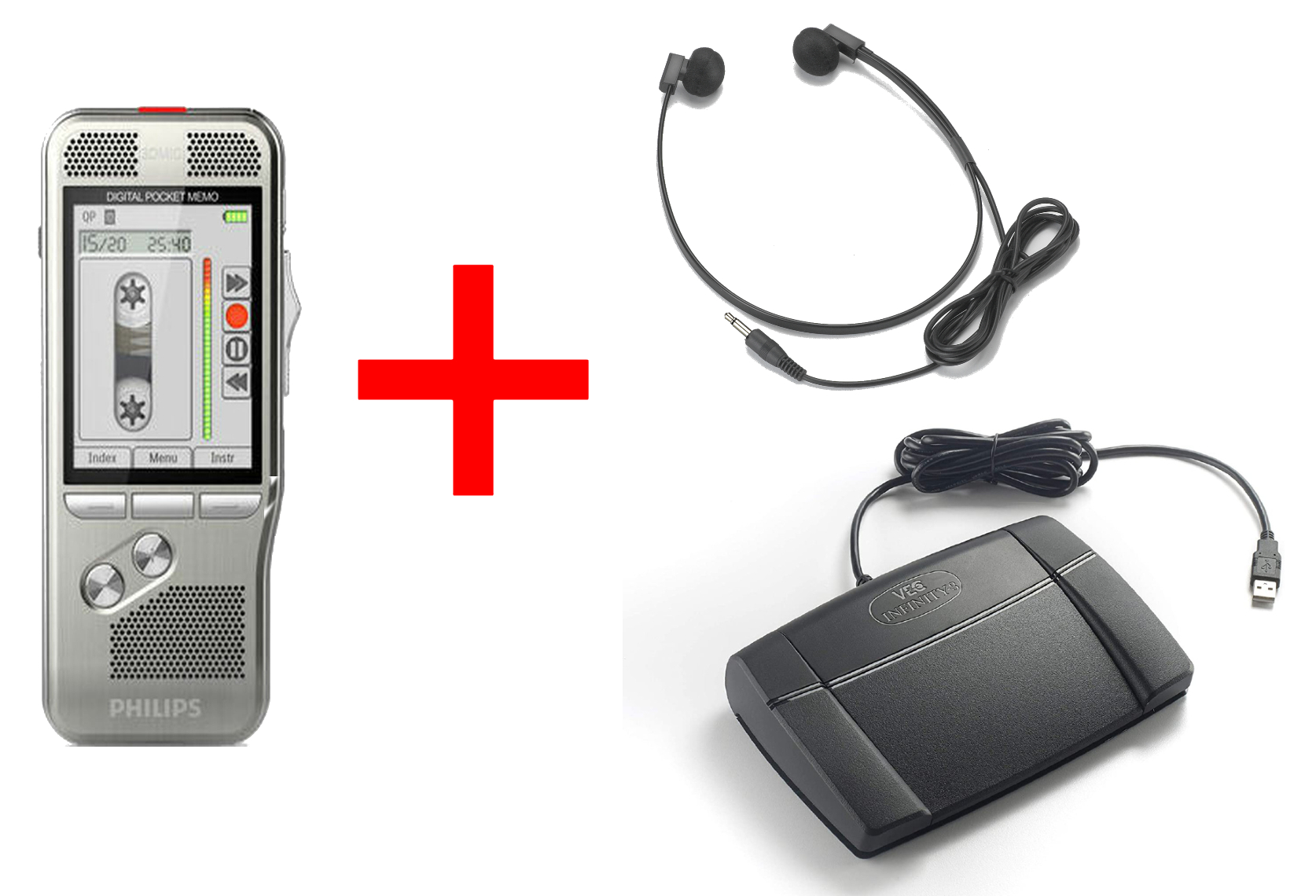
Martel lawyer dictation package showing the handheld recorder, secretary headset and foot pedal

The Lawyer Dictation Recorder + Free Secretary Transcriber from Martel pairs the attorney’s recording equipment with playback equipment for the secretary. The office supplies its own matter references, routing decisions and receipt procedure. Check the current product listing for the equipment and software supplied with the package you select.

Start with the three things a secretary must distinguish

The source recording is the item delivered from the recorder or dictation application. It may have a number, filename, date, author field or folder position assigned by the equipment. Preserve the original in accordance with the office’s procedure. At intake, write its identifying details exactly as seen. A later working copy can acquire a more descriptive label while the connection to the source remains intact.

The matter is the office’s authorized reference for a particular engagement or file. Use the reference the office expects staff to recognize. A surname can supplement that reference when permitted, but two matters can share a surname, a business name or the same primary contact. An internal matter identifier is often more dependable, especially when the filename may appear on a small recorder screen, a transfer list, a printer queue or a workstation shared by several authorized employees.

The assignment is what the attorney wants the secretary to produce. A letter, an internal attendance note and an amendment to a prior draft can all belong to one matter. Recordings and assignments also have a many-to-many relationship in practice. A recording may contain two requests. One long assignment may span two recordings after an interruption. A useful office system can describe both circumstances without pretending every single file always equals one finished document.

To test your current method, ask a colleague to answer three questions from a fictional handoff. “Which source do I open?” “Which matter does the requested work belong to?” “How will we identify the resulting draft?” If the answer to the second question depends on recognizing the attorney’s voice or guessing which Bell file has been active lately, you have found a missing field. If all three answers are clear, keep the convention short enough that the people doing the work will keep using it.

Choose a short office reference that survives a busy day

Give each assignment a reference that will still be unique when the message is forwarded, the folder is sorted a different way or a relief secretary picks up the afternoon’s work. One possible pattern is an approved matter code followed by a short assignment number, such as M417-A03. Here, M417 means the fictional matter and A03 identifies a particular request on that matter. An office with an existing assignment system should use its existing identifiers so staff do not have to reconcile two competing numbering systems.

Add only the fields people genuinely need to see. A readable working label might be M417-A03-letter. The office log can hold the author, received date, requested document, priority and authorized return destination. Putting every detail in a filename produces long strings that get cut off precisely where a reader needs to see the distinguishing part. Think about what appears in the first few characters of a list on the secretary’s screen. Put the most useful identifier where it remains visible.

Choose a consistent policy for leading zeros if numbers are part of the scheme. A list of A1, A2 and A10 can sort differently across tools. A01, A02 and A10 are easier to compare visually in a simple list. Decide who issues the next number when two people accept assignments at the same time. An intake workbook, office case system or supported dictation queue may already provide this service. A handwritten pad at each desk cannot reliably allocate the same office-wide sequence unless the desks use different assigned ranges.

Use characters your applications accept. Simple letters, digits, hyphens and underscores usually make a good starting point for a cross-application test. In Windows 11, several punctuation marks have special meanings in file paths. A date written with slashes, for example, makes a poor literal filename component. Test the agreed pattern with a harmless sample in the actual recorder software, transfer location and playback application. Let the original file extension stay intact. Changing a suffix is a separate operation from naming an assignment.

Before a practice rename in Windows 11, show file name extensions so the part that identifies the format remains visible. A working name can change from a recorder’s number to an office assignment label while the extension stays the same. Reopen the renamed practice copy in the secretary’s normal playback application and confirm the spoken introduction. Complete that check before adopting the naming pattern for daily work. If the program manages files through its own job list, make the label change there through the supported process instead of renaming the underlying managed files in File Explorer.

Keep an intake record simple enough to use

Six fields are enough to test an initial design. Record the source identifier, the source device or sender, the office assignment, the authorized matter code, the requested document and the receipt state. The receipt state might say “received, identity checked,” “awaiting author clarification,” or “second recording still expected.” Use terms that describe an observable condition. “Done” can mean that the recording was transferred, typed, reviewed or returned. Those events happen at different times.

For a sample entry, write “Desk recorder R2, source 0048, M417-A03, M417, letter to building manager, received and matched.” Keep the device label because another recorder may also create a file numbered 0048. Keep the original identifier because the working label may change when the office system files or exports the assignment. Keep the brief document description because someone reading M417-A03 in isolation will need to know what work is expected.

If your software maintains the source and authorship information internally, try using those fields before inventing a separate tracking tool. Open a fictional item as the secretary and see which values survive the transfer. A field visible only on the attorney’s recorder may vanish from a simple audio export. Conversely, a managed queue might display an excellent job number even though the underlying file has an unhelpful name. Choose the record accessible to the people who must make the decision at each step.

For an office where the secretary plays the device directly, use the same principle on a slip or in the office system. A machine-generated filename never has to leave the recorder. The handoff can say “loan unit R2, folder B, item 048, M417-A03, one letter.” The receiving person verifies that the labeled item is present and that the authorized beginning agrees with the assignment. This makes the method usable for both a computer-based package and a desk routine that relies on a physical recorder.

A worked example with two Bell matters

On Thursday morning a fictional attorney dictates three items. A letter concerns matter M417. A call note concerns another matter, M862. A second letter also concerns M417. Both matters happen to involve people named Bell. The recorder shows three source items numbered 0048, 0049 and 0050. The attorney’s assistant prepares a simple intake sheet before anyone opens a production document.

The first row reads “R2 / 0048 / M417-A03 / letter to building manager.” The second reads “R2 / 0049 / M862-A01 / call note for the file.” The third reads “R2 / 0050 / M417-A04 / letter to contractor.” In these sample rows the slashes separate fields on paper. They are not part of the working filenames. The three corresponding working labels might be M417-A03-letter, M862-A01-call-note and M417-A04-letter. Each can be traced back to the source number and producing device.

The secretary opens the first row and hears the attorney identify M417 and the requested letter. The final row also belongs to M417, so matter identity alone cannot distinguish which letter is being typed. The assignment number and intended document resolve that remaining ambiguity. Before returning the first draft, the secretary uses its assignment identifier to check the requested recipient role. No one has to search through three recordings to remember which Bell letter goes to the building manager.

Now suppose the spoken introduction in source 0050 says M862 while the intake sheet shows M417. A sound recording and a typed note are giving different answers. The secretary marks that row “awaiting author clarification,” retains the source reference and sends a narrow inquiry through the authorized office channel. The other two verified assignments can continue. Rewriting the entry to match the more familiar surname would remove the very discrepancy that needs the attorney’s attention.

When the attorney resolves the mismatch, add the correction according to the office’s normal procedure, including who clarified it and when. Keep a connection to the earlier entry so a colleague arriving later can understand why two references appeared. The completed receipt can then say “0050 confirmed as M417-A04, letter to contractor.” The office has solved a real identification problem without changing the audio or relying on a guess about the substance of the work.

A spoken introduction that helps the receiving person

A useful opening line gives the receiving person a second opportunity to verify the assignment. For a fictional rehearsal, the author might say, “Practice matter M four one seven. Assignment A zero three. One letter to the building manager.” A short pause separates the identification from the document. The office can choose its own phrasing. Consistency helps the secretary recognize which words describe the job and which are intended for the finished document.

Read a code in a way a listener can distinguish. A running sequence of numbers can be hard to catch in a noisy room or when spoken quickly. Say the meaningful groups and repeat a critical code once when appropriate. On the receiving side, compare the spoken reference with the written assignment. If only one digit is unclear, ask the author for that digit and preserve the rest of the verified information. The question “Was the matter M417 or M471?” is usually easier to resolve than “Which recording is this?”

Choose a different phrasing for instructions that should stay out of the document. In the same exercise the attorney might say, “Routing note for the secretary. This is the first of two separate letters.” An office may have an established way to mark directions or use cues in its dictation software. Use the supported convention and teach new staff what it means. A filename can identify an assignment, but it cannot reliably convey which sentence within the audio was an instruction to the typist.

Finish the practice recording with a short count where it adds value. “End of assignment A zero three, one letter” gives the receiver something to check when the file finishes. It is particularly useful if recording stopped during an interruption or if the office expected more than one document from the session. The count describes what the author intended to deliver. Actual receipt still requires the secretary to identify and open the relevant item.

Handling one recording that contains several documents

Consider source 0053, in which the author dictates a cover letter, pauses, and then dictates an internal note. Both belong to M417, but different people may review them. Preserve one source reference and create two assignment rows if the office treats them as separate deliverables. For example, record M417-A06 for the cover letter and M417-A07 for the note. Both rows can refer to R2/0053. The second row can include an approximate start cue or time within the working copy.

In a fictional 7 minute and 40 second recording, the speaker says “end of letter” at 3 minutes and 12 seconds, then begins the internal note at about 3 minutes and 28 seconds. Record the boundary as a location aid. The source recording remains a single item. If a different playback tool reports slightly different timing or the secretary changes playback speed, the spoken cue and document descriptions still identify the intended boundary. The assignment link should survive normal differences in playback behavior.

This approach also avoids suggesting that a single physical file is missing whenever there are two work requests. At intake the receipt can read “one source received, two assignments opened.” At handback it can read “cover letter returned, internal note awaiting clarification.” The author and secretary can see which portion remains open. Merely marking the entire source file “complete” after the letter is sent could hide the unfinished second document.

If a playback application supports notes or bookmarks, test whether those aids travel with an exported working file. A bookmark visible on one workstation may be application-specific. Keep the assignment identifiers and a brief spoken cue in the office record so another authorized person can find the boundary. Avoid splitting or editing the source simply to make the tracking system look tidy. A supported working copy can be prepared separately when the office needs one.

Handling two recordings that continue one document

The inverse problem occurs when the attorney is interrupted halfway through a letter. The first recording ends after the description of a meeting. The second resumes with the requested next step. Give the document one assignment number and write two source references in sequence. For example, M862-A04 could refer to R2/0061 followed by R2/0064. Other dictations may occupy the intervening source numbers, so the numbers alone do not establish the relationship.

During handoff the author can say “continuation of M862-A04, part two of two.” The secretary records which part is present and which part is expected. When only the first has arrived, the status might read “part one received, continuation pending.” This tells a relief secretary whether to start available work, ask for the final portion or hold the item according to office procedure. It also prevents the second recording from accidentally starting a second document with nearly the same name.

Listen for the point of continuity in a fictional practice rather than assuming the last and first words join cleanly. The author might repeat the final phrase when resuming. In the handoff note, identify the repeated opening and which part contains the complete intended instruction. If the two versions differ in a material way, ask the author to clarify through the normal channel. A filename such as “part two” describes the sequence. It cannot settle a conflict about what the author meant.

When work is returned, include the assignment number and record the two sources used. A later auditor of the office’s internal workflow, or simply a colleague answering a question that afternoon, can locate both relevant recordings without scanning all of Thursday’s dictation. This is also a useful test when buying playback equipment. The secretary should be able to move between the actual sample files and resume at the relevant parts using the intended setup.

What to do when an author submits the same audio again

A second delivery can mean the original was lost, a copy was resent unchanged, or a corrected recording has replaced or supplemented earlier instructions. Matching filenames or matching durations are clues. They do not establish which event took place. Record when the second item arrived, its source identifier and what the sender said about it. Link it initially to the original assignment as a possible repeat so that another typist does not start the same work independently.

In a practice example, the office first receives R2/0068 for M417-A09, then receives an email with another audio attachment identified as M417-A09. The message says “sending again in case it did not arrive.” The secretary checks the authorized intake record. If the original is already matched and the second item is confirmed as the same source, mark the second receipt as a duplicate delivery. Keep handling of the underlying files within the office’s retention process. A duplicate receipt need not create a duplicate assignment.

Now change just one sentence in the fictional message to “use this updated opening paragraph.” The appropriate handling changes. Record that the author supplied a revision, which assignment it affects, and whether the original draft is already in progress. A revised section can be tracked as an amendment with its own source reference. If the sender has not explained which version should govern, mark the precise question. Avoid treating the most recent timestamp as automatic proof of authority.

Sometimes no one knows whether the second item is an unchanged copy. Keep both intake references and ask the authorized sender to resolve the uncertainty. Opening and comparing recordings may be appropriate within the established workflow. A file’s date can change when it is copied, and two different recordings can happen to share a duration. Preserve those observations as facts without promoting them into a conclusion the available evidence cannot support.

A handoff that works when the regular secretary is away

On a busy afternoon, an unfamiliar colleague may have thirty minutes with the queue and no memory of the morning’s dictation. Give them the same three points of reference you would want in their position. What source has arrived? Which assignment is authorized? What stage has actually been completed? For a fictional row, “R2/0050, M417-A04, correct matter confirmed, letter started through second paragraph” is much easier to resume than “Bell, in progress.”

The relief secretary can return a concise receipt such as “I have the original reference and the working draft for M417-A04. I will continue from the second paragraph. The other Bell letter remains with its current typist.” That message prevents two people editing competing copies. Staff can choose a different wording that fits their office systems. The important part is recording ownership of the current action and the identity of the material involved.

If a file cannot be located, work back from the last confirmed point. An author reporting “I recorded it” establishes a claim about capture. A sender reporting “I attached it” establishes a claim about transmission. A recipient recording “I opened R2/0050 and heard the matching introduction” establishes receipt and identification. Keeping these events separate helps the office decide where to look. Starting over with a new recorder or asking someone to redictate everything may be unnecessary.

Design a short training exercise for a substitute. Give them two dummy recordings with the same surname, two assignment rows and a deliberately unclear digit on one row. Ask them to start the verified document and state the exact question that would resolve the other. Award the exercise a successful outcome when the right work proceeds and the ambiguous work is held for a narrow clarification. Rewarding people just for clearing every file encourages them to guess.

Run a blind retrieval exercise before adopting the names

Set up a private practice folder containing four fictional recordings and their corresponding intake entries. Give one colleague only the information a regular secretary would receive. Ask them to locate a particular assignment, name the original recording, and identify whether the related draft is waiting for review or still waiting for a second part. The colleague who created the examples should stay quiet during the exercise. A hint supplied from memory would conceal a weakness in the handoff.

Here is a useful twist for the third sample. Give two matters the same document description and the same receipt date. Make only the approved matter reference and the number at the end of each assignment different. Watch which field the reader looks at first. If the folder view cuts off the number on the right, shorten the label or move the identifier toward the beginning. If the reader picks the wrong recording because both devices display 0048, add the source-device reference to the receiving view.

Record what happened in ordinary language. “The substitute found the letter and traced it to R2/0048 without asking its author” is a specific observation. “It worked” is harder to use when the next colleague encounters a different playback screen. After a change, try a fresh set of sample records. The improvement should help someone identify unfamiliar work even when nobody who created the first test is available.

Buying equipment with file identification in mind

Before choosing among Martel dictation recorders and transcription packages, ask to see the whole route your office intends to use. What does the recorder display after a file is saved? Which identifier appears when it reaches the secretary? Does the playback application show the same name or a different job number? Can the receiver return to the right item after lunch? Product features become useful when the people using the equipment know exactly which field they are looking at.

For computer-based dictation, stage two fictional assignments with nearly identical descriptions. Transfer them through the supported workflow and have the secretary identify them without prompting from the author. Try reopening one the following day. For a desk method with the physical recorder, use the actual folder, item numbers and playback arrangement. If the office needs to carry source identifiers into a separate case system, include that step in the practice. A manufacturer’s generic screenshot cannot demonstrate the office’s entire handoff.

The Martel lawyer and secretary computer dictation setup guide covers the equipment connection and transfer. The guide for several attorneys sharing a secretary addresses equipment and work allocation across authors. Use the naming exercise here when the transport already works and the question is whether the correct recording reaches the correct matter every time staff have to make a choice.

Start with the office’s approved matter reference and a way to distinguish the particular document or request. M417-A03 is one fictional example. Add a short document type when it helps a human select the right item. Keep an intake record connecting that label to the original recording and its source. A short label backed by a reliable lookup is often easier to use than a long filename containing every instruction for the typist.

2. Should I rename the file directly on the recorder?

Use the recorder’s supported workflow and your office’s established handling practice. Some devices and applications track items through information beyond their visible filename. A working copy or an office job label can carry a useful name while the original keeps its identifying information. Test the complete process with a fictional recording before changing how production items are handled. If a model or application manages its own files, follow its instructions.

3. Why keep the device identifier if the recording already has a number?

Two devices may allocate overlapping numbers. An office that receives 0048 from two attorneys can distinguish the sources with a recorder or sender reference such as R2/0048 and R5/0048. A device label alone cannot establish who was speaking if the recorder was borrowed. Retain any verified author information as its own field, especially when the equipment circulates between staff members or departments.

4. What if the software automatically issues a unique job number?

Use it if it remains available to the people who need to locate the assignment. Check whether the job number travels with a supported transfer, appears at the secretary’s workstation and can be referenced when a document is returned. A single reliable identifier can spare the staff another numbering task. Keep a link to the authorized matter and source when those details sit in different applications or records.

5. Can we use the client surname when only one person in the office types?

A single typist can still receive two letters for the same surname, two matters with the same name or a second recording after an interruption. Use an approved reference that distinguishes the assignments, and include a surname only according to the office’s policy. An exercise using two identical surnames is a simple way to discover whether the existing method depends too heavily on the regular typist’s memory.

6. Which date belongs in the filename?

Choose one defined date if the office needs a date in the label, such as receipt date or dictation date. Record other dates in their appropriate fields. An item dictated late on Wednesday and received Thursday may reasonably have two dates associated with it. Consistency matters more than which convention the office chooses. When the date is entered in a working filename, use a sortable format accepted by the applications involved.

7. What should the secretary do if the spoken matter code is unclear?

Keep the source and any verified information together, mark the affected row as awaiting identification, and ask a narrowly framed question through the authorized office channel. If two digits sound similar, explain which portion is unclear. Avoid filling the gap with the name of a recent matter. Work on independently identified assignments can continue while the author or designated office contact resolves the ambiguity.

8. Can filenames include the full names of people involved in a matter?

Ask the office which identifiers are permitted in filenames and which belong inside its approved case system. Names can appear in folder previews, recent-file lists, transfer notifications or shared work queues. A short approved reference often limits unnecessary exposure while still letting authorized staff identify the matter. Test the scheme with fictional material and choose the least information that reliably distinguishes the assignments in your working environment.

9. What if a recording contains work for two different matters?

Preserve the original source according to the office procedure and record the two requested assignments separately. Where access rules differ, ask the responsible office person how the authorized portions may be prepared and delivered. A label alone cannot control access to different parts of one audio file. For future work, a separate recording per matter may simplify handling if that practice fits the office’s approved workflow.

10. How do we note a continuation when the second recording arrives tomorrow?

Keep the original assignment open with a clear status saying that a continuation is expected. When the second part arrives, attach its verified source reference, record its place in the sequence and confirm the spoken continuation cue if present. If the sender appears to be giving new instructions rather than continuing the first document, ask which interpretation is intended before the secretary joins the material.

11. Can the recorder’s urgent flag serve as the assignment number?

An urgent flag usually describes how quickly something needs attention. Several jobs can be urgent at the same time. Keep a stable assignment identifier and put priority in a separate field. When a routine item becomes urgent, the office can update its handling sequence without changing the source reference, breaking the link to an existing draft or making the same assignment appear twice in the queue.

12. What happens if the secretary has already renamed a working copy?

Add the original-to-working reference to the intake record if the relationship can be verified. Look at the authorized transfer details and the spoken opening. Record how the identity was established. If several source items could match, preserve the working copy and ask the responsible person to reconcile the ambiguity. Creating a convincing descriptive label after the fact does not establish which recording supplied the words.

13. Does a file extension need to change when we add the matter reference?

Preserve the actual extension during a supported file rename. It can help the application identify the recording format. Adding a different suffix does not convert the encoded audio into that format. If the receiving program needs a supported conversion, follow the authorized conversion procedure on a working copy and keep the source connection. Treat conversion compatibility and assignment identity as two separate checks.

14. What should the receipt say when three files arrive for two documents?

List the three source references and how they map to the two assignments. For instance, the first two could be consecutive parts of one letter while the third contains a separate internal note. Mark any part that has still to be confirmed. A receipt stating only “three files received” can be correct about delivery while leaving the typist unclear about the number of documents to return.

15. How do we tell a resent attachment from a new instruction?

Look for a statement from the authorized sender and compare the receipt with the original assignment record. An identical filename, a similar duration or a later email timestamp cannot on its own identify the sender’s intention. Ask whether the new material repeats, adds to or supersedes the earlier delivery. Record the reply against the assignment before two people begin work on different interpretations.

16. Can a handwritten slip work with a standalone dictation system?

Yes, if the slip carries the verified device and item reference, matter code, assignment and receipt state, and the office permits that handling method. Store or route it through the office’s normal protected process. Give the person receiving the equipment a way to confirm the assignment and report uncertainty. The principles of matching source to work apply even when no one transfers a computer file.

17. What if two staff members issue the same assignment number?

Preserve both source references and flag the collision before either document is returned. Have the designated office authority issue a distinct assignment reference and record which earlier entry it corresponds to. Then review how numbers are allocated. A single managed sequence, suitable existing office system or documented ranges can prevent a repeat. The two items can remain identifiable throughout correction if their source details were retained.

18. Should the finished document have exactly the same filename as the recording?

It is helpful to carry the stable assignment reference into the draft or its case-system entry. The rest of the document name can follow the office’s document naming and revision rules. A transcript, a working note and the original audio have different purposes and may have different file extensions or storage locations. Shared assignment identity is what lets the receiver trace them back to the same request.

19. How can an office test a naming convention before changing its workflow?

Prepare fictional recordings with two similar matter names, one continuation and one duplicate delivery. Ask someone who did not create the samples to identify each assignment, select the correct source and explain what remains unresolved. Note the first place where that person has to guess. Adjust that specific field and repeat with new labels. Keep normal production work and any real client material out of the rehearsal.

20. What should we compare when shopping for an attorney recorder and secretary playback station?

Check which information each person can see at their end, how a supported transfer handles that information and whether the secretary can reopen the right sample after an interruption. Test the playback controls required for the work and bring along the office’s sample naming pattern. A suitable equipment choice should support identification and ordinary listening together. A clear sample handoff can reveal a missing step that a list of feature names will never show.

21. What can the author do when an office changes its matter code after dictation?

Ask the person responsible for the office record to document the change and the correspondence between old and new references. Preserve the original spoken identifier as part of the source history and connect the assignment to the corrected office reference. Inform the current typist through the approved channel. That way, a later search under the earlier code can still lead to the same assignment and its returned document.

Martel Electronics