Can Your Deposition Microphone Capture a Video Exhibit and the Attorney’s Next Question?
Test a video exhibit and counsel’s next question in the same deposition recording. Compare speaker placement, room microphones and the saved exchange.
A lawyer plays a short exhibit and asks, “What happened after the second knock?” The witness answers, “I heard the latch close.” When a court reporter reviews that exchange, three sounds matter. The recording needs the portion of the exhibit the court authorized the reporter to capture, the lawyer's question, and the witness's reply. A clear recording of the knocks alone can leave the reporter with a puzzling gap. Clear spoken testimony alone can leave the reference to a second knock difficult to place.
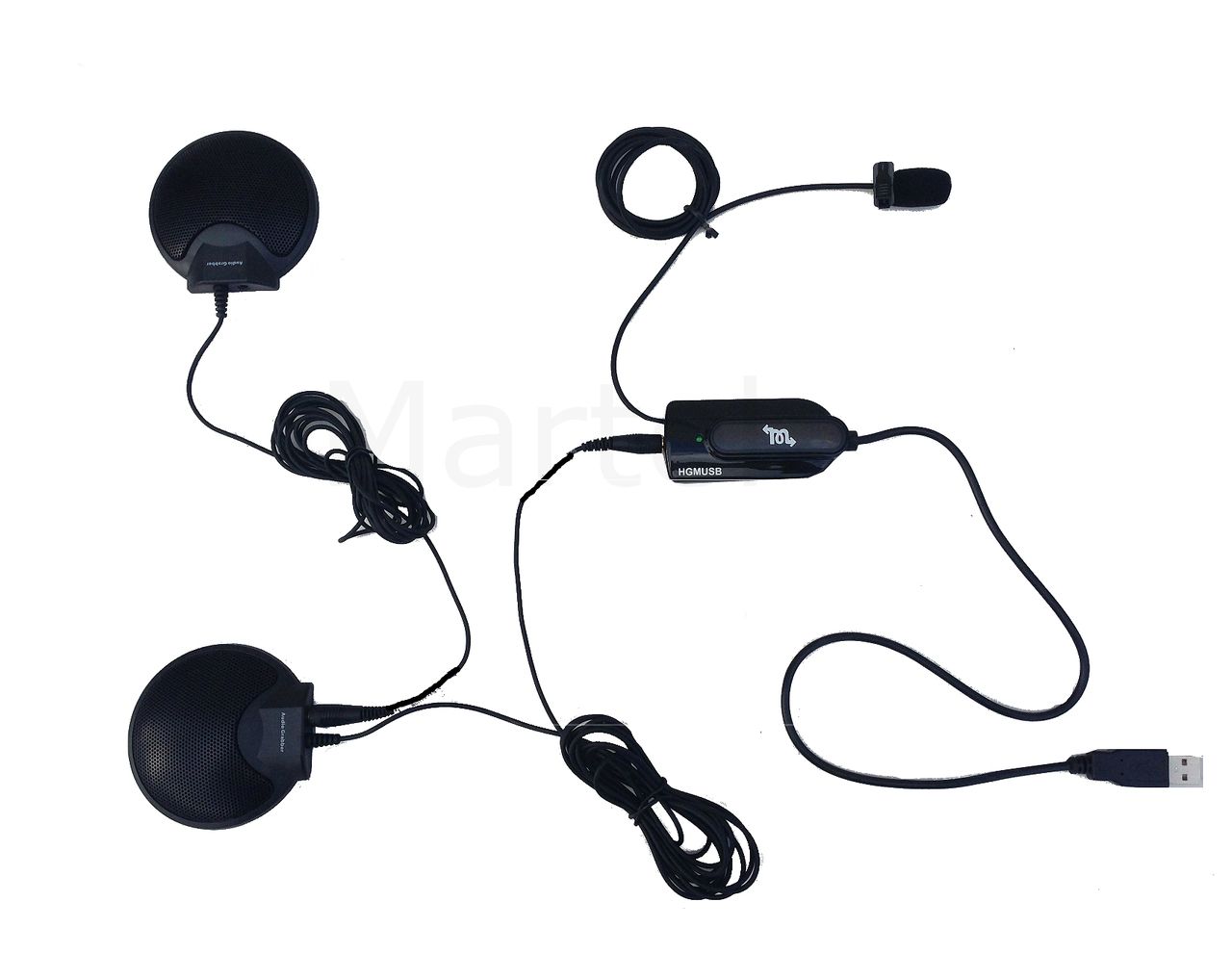
A deposition microphone can pick up an exhibit played through a room loudspeaker and the people who speak around it. Whether the result serves the job depends on the positions, playback volume, equipment, and recording arrangement. Before relying on any combination, play a harmless practice clip, turn to the witness, and ask a question at normal volume as soon as the clip ends. Save and reopen that exchange. You will hear what your recording includes at the very moment attention shifts from the screen back to testimony.
Decide which sounds belong in the reporter's recording
Ask the person responsible for the proceeding how the exhibit will be presented and what you are expected to capture. Some assignments call for supporting audio of the spoken exchange around an exhibit. Others include the room playback as part of an authorized recording arrangement. A videographer may have a separate assignment. Write down the expected result in practical language. “Hear the three-second clip through the room and identify the words of the follow-up question” gives you a clear rehearsal target. “Record the video” leaves open whether anyone is asking for a video file, an audio feed, or a recording of speech in the room.
Identify who controls the show-and-pause commands and where that person sits. Ask whether the presenter plans to pause midway through the clip, start it again, or replay a short section. The reporter who expects one uninterrupted presentation may check the beginning and the end and overlook the important discussion at a pause. If counsel uses a remote control while walking to a screen, include that position in the practice. Where recording instructions are unsettled, use mock material to check the equipment and resolve the assignment before capturing the actual presentation.
Keep the source exhibit and the reporter's captured sound identifiable. A room microphone hears the particular loudspeaker, room, and people present during playback. The source file has its own contents and timing. Label a practice record in a way that preserves that distinction. For example, “practice presentation as heard from the reporter's table” tells the next listener what to expect. Someone who needs the original exhibit can use the established exhibit procedure to obtain it. Turning up the reporter's capture or trimming a pause cannot supply a piece of the original file that the room never played.
Find the loudspeaker that actually produces the sound
A picture on a large display makes the front of the room an obvious place to look. It may tell you very little about where the sound originates. The picture could travel to a monitor while the presenter's laptop plays the audio from the opposite end of the table. A separate speaker on a cart might handle the room. Ask the operator to play two spoken words from a practice clip. From your authorized work position, identify the device producing those words. If its location is ambiguous, ask the operator to identify the selected output.
Make a small sketch with four marks for the speaker, questioning attorney, witness, and reporter. Add an arrow showing which way the attorney faces while presenting. A lawyer who asks routine questions toward the witness may ask exhibit questions while facing the display. A microphone beside the laptop can therefore be close to the exhibit speaker and relatively far from the attorney's mouth. Moving the recording mic toward the seated people may improve the question while leaving enough exhibit sound for the assignment. Your saved rehearsal will reveal the tradeoff.
Check that the presenter can leave the playback arrangement in the tested state. A lawyer may test a clip through laptop speakers while unpacking and then connect a display or conference device. That connection can change where the audio goes. Another person may take over the presentation using a different computer after lunch. Add the playback device to your exhibit note. A useful reminder is “display picture, cart speaker sound, presenter at north end.” When any of those details changes, the previous test describes the old arrangement. A short new excerpt will establish what you have now.
Prepare a practice clip with an ending you can recognize
You can make a useful practice exhibit with an ordinary spoken recording. One person reads, “The parcel came in a green sleeve. The seal carried number forty-six. End of demonstration.” Leave a brief gap between the second and third sentences. Use invented details that nobody will confuse with the assignment. Keep the practice file short enough for the operator to replay without delay. The words “end of demonstration” form a marker you can locate even when a media player gives you an unfamiliar time display.
Write a follow-up question that depends on one detail in the clip, such as “What number did the speaker give?” Have a practice witness answer in a complete sentence. On a second run, change to “Which item was green?” This moves attention to the first detail and changes the sound of the first word in the question. A listener who knows roughly what happened can easily fill in an omitted “what” or “which.” Ask someone to identify the actual opening word from the saved file before showing the script. That small difference makes a useful test of the handoff.
The practice clip need not mimic the facts of anyone's case. It should mimic the way people will use the equipment. If the actual presentation is likely to be quiet speech from a laptop, start with quiet speech from that laptop. If the operator plans to pause and ask several questions while a still image remains on screen, rehearse a pause. Include a silent picture only when the rehearsal needs it. A completely silent clip cannot tell you whether the reporter's recording received the presenter's sound. A single count spoken live in the room cannot test an exhibit route either.
Run three passes with the final seating arrangement
For the first pass, play only the clip. Leave the question and answer out. Save the result under a practice identifier. Reopen it and write down the sleeve color, seal number, and last spoken phrase. Notice whether the listener can distinguish “forty-six” from “forty” at ordinary listening volume. If these words are unclear, establish whether the problem already exists in the practice source. Let the operator play the source in a known working setup. An indistinct word already embedded in the source calls for a different line of inquiry from a clear word that becomes indistinct in the room capture.
For the second pass, silence the exhibit and record just the attorney and witness from their real seats. Have the attorney ask one question toward the screen and one toward the witness. If either voice becomes weak, record which word or part of the sentence disappears. A report that “the attorney gets softer when looking left at the display” points to an actionable position. A report that “the recording quality is bad” gives the person adjusting the equipment little to reproduce. Leave the two seats, room noise, application, and playback conditions as consistent as practical.
For the last pass, combine the events. Ask the operator to play through the final marker. Have counsel begin at their natural pace, then let the witness answer. Save and reopen the result in the program used for review. Write down the final recorded word from the exhibit, the first recorded word from counsel, and the distinguishing part of the answer. If all three are identifiable, you have evidence about this room at this setting. If a component fails, the first two passes help you decide whether the difficulty arises with that source alone or when the sources follow one another closely.
Set the speaker volume for the people and the microphone
Ask the presenter to choose a listening volume appropriate for the people in the room. Then test the recording at that level. A reporter who checks an empty room with the exhibit barely audible may face an abrupt change when the witness asks to hear it more clearly. Conversely, a presenter may play the rehearsal unusually loud to see whether the system works, then turn it down for testimony. Record the final choice in terms the operator recognizes, such as which device controls it and whether the room has its own separate volume control.
Listen to how loud the clip seems relative to the follow-up question on the same saved file. If you have to turn down the headphones for the clip and immediately turn them up for counsel, inspect the mic position. A head sitting beside the playback speaker may receive a strong version of the clip and little of a quiet lawyer across the table. Move the mic toward the speaking positions when permitted, keep the operator's playback level steady, and repeat the exchange. Judge the following answer as well. A change that helps the question but obscures the witness leaves part of the task unresolved.
When a loud excerpt sounds rough even at low headphone volume, make a new trial with the presenter's cooperation. Lower the playback level or change the mic position, one at a time. A loudness adjustment during review changes what reaches the listener. It cannot undo distortion that was already saved. Preserve the first practice file so that a comparison is possible. Use the second file to decide whether the change affected the damaged-sounding words, the attorney's voice, or both. Avoid describing a particular electronic fault until you have isolated where the rough sound enters the arrangement.
Work through an interrupted presentation
A presenter may press pause halfway through a sentence to ask about what is on the screen. The silence can begin in the middle of a word. Build a rehearsal around that exact interruption. Ask the operator to stop the parcel clip after “the seal carried” and have counsel say, “Look at the label at the top.” Resume the clip from the chosen point. During playback, identify the last words before the interruption, counsel's intervening instruction, and the first words after the restart. A timing note about the operator's button press alone cannot establish any of those details.
If the presentation includes several replays, give each rehearsal event a spoken identifier outside the clip. For example, the presenter can say “first pass” and “repeat pass” while practicing. On an actual assignment use the reporter's customary authorized method of indexing the proceeding. The practice identifiers teach you how two otherwise identical stretches can sound different from the reporter's seat. One might be interrupted by an attorney who speaks toward the screen. Another might run while a binder opens near the microphone. Write notes about what changed in the room rather than assuming the operator selected a different source file.
An attorney might talk over the last phrase instead of waiting for silence. Include one short overlap as a separate exercise. Decide whether you can identify the sentence that was underway and tell when the attorney began. A mixed room recording can make two simultaneous voices difficult to separate even when the mic works as designed. Where the rehearsal exposes a serious problem, coordinate an appropriate practice or procedural solution with the responsible people. An increase in volume on a combined track raises both sounds. It seldom provides the distinction the reporter hoped to hear.