TIME IS RUNNING OUT FOR 2026 TAX WRITE-OFFS

Will Your Court Reporting Backup Recorder Keep the Right Time After a Battery Change?

Check a court reporter backup recorder’s clock before and after a battery change. Compare the display, file and spoken marker against a named time reference.
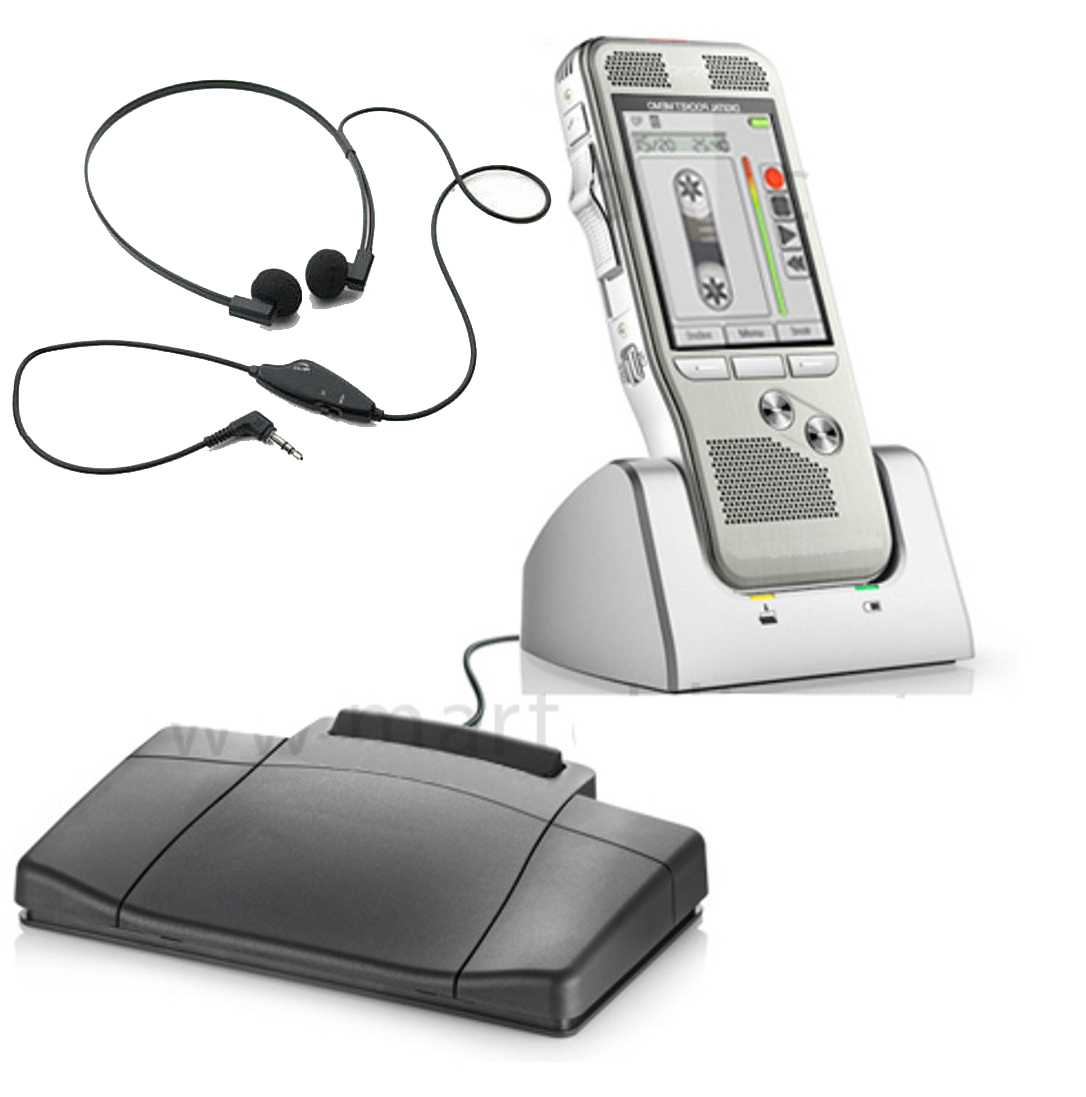
Court Reporter 5000 in its dock, wired earpieces and transcription foot pedal
Court Reporter 5000 Recorder and Transcriber. View Martel’s product details for SKU 1491.

A battery change can leave a court reporter with a perfectly playable recording filed under yesterday’s date. Check your particular recorder before relying on its clock. Make one short practice file, stop it, change the batteries as the instructions for that model allow, and make a second practice file. Compare the display and both saved files with a reference you can name. On the Martel Court Reporter 5000, time stamping and battery operation are listed features. The product listing does not specify how long the clock retains its setting with the batteries removed.

This exercise answers a narrow question with a practical payoff. Tomorrow morning, can the reporter or scopist find the right recording by the combination of job label, segment, time and content? A clock does not have to agree to the second to distinguish your two samples. Two files named with the same date and time can still represent different sessions. Decide what the person retrieving the file actually needs before trying to explain every number on a screen.

Start with the several meanings of “time”

The clock on a portable recorder can serve several purposes. It can show the time of day while you set up. It may supply a date or time used when the recorder makes a file. A player can also count minutes and seconds from the beginning when you listen later. If a test phrase appears at twelve seconds into a file, it still appears there after you move the recorder to another time zone. The number twelve tells a reviewer where to listen. It supplies no date or local hour for the proceeding.

Look at a saved practice file through the same route the receiving reporter uses. A device browser may offer one date field. A computer might present Date modified, Date created and an additional media field in a details view. A filename may include digits that look like a date. Treat those as separate observations until you know what the equipment wrote and which value the reviewer picked. Microsoft's file-time documentation explains why filesystem and time-zone handling can affect displayed times. A similarly labeled column on two systems does not establish that they report the same event.

A reporter can answer most everyday retrieval questions without untangling the internals of a proprietary recorder. Give the rehearsal two labels you can say aloud and write down. Link each one to its exact filename, source folder and observed time. If a calendar value later looks surprising, the spoken label helps locate the right material without changing the original. Save the clock-setting question for a copy or future practice session. Changing the date on an existing file to make two screens agree takes away one of the few clues you had.

Choose a reference clock that belongs to the job

Use the clock designated for your work when there is one. A hearing-room wall clock, a clerk's displayed session time and a workstation set to automatic time can each play a different role. For a rehearsal in the United States, NIST's time.gov is an identifiable outside reference if your computer has approved internet access. Select the relevant zone and read the displayed date as well as the hour. The reference used in a practice note should be the one you actually consulted. A phone left in another room is not a source you observed.

For a routine check, aim to read the two clocks close together. Say which one you read first. A clock displaying only hours and minutes can roll into the next minute while you turn your head. If two screens both display seconds, you can sometimes describe a smaller apparent difference. That still includes your observation and the displays’ updates. Write “recorder appeared about a minute slow” when that is all your method supports. Reporting 51.4 seconds of error from a clock showing only minutes gives your note undeserved precision.

If remote counsel joins from a different zone, name the zone used for the equipment check independently of the location of the speaker. A support note can say that both recorder and reference were read in the reporter's local time. An agency in another city can then reproduce the comparison with the same basis. When a court has a separate convention for recording session times, that convention governs its own records. Your rehearsal measures the equipment and helps locate its files. It does not assign the official starting time for testimony.

Make a baseline file before removing power

Choose a quiet moment away from live proceedings and clear the work surface. Use media on which you can make authorized practice files. Record the model and the name on the package or service label. Some people call every recorder in a pooled kit “the backup.” Two units in identical carrying cases may hold different settings. Assign a plain identifier such as Practice Unit North in the worksheet. Keep case details and participant names out of this test so another reporter can reuse the sample without a privacy decision.

Read the recorder's displayed date and time and write down the reference. Start a short recording. Speak a distinctive line such as “Initial battery set, blue folder, first recording.” Leave a pause, then say “end of first recording.” Stop normally and allow the unit to finish saving. Reopen the file on the recorder. Note its name and what you hear near the start and end. That two-ended check establishes a known complete file and gives you a control if later samples have an unexpected name or cannot be opened.

Now record what the file browser displays for the completed sample. Some workflows use ordinal names, some use dates, and some include folder names that carry more information than the file alone. Preserve the entire visible name including its extension when available. If there are multiple folders with the same naming pattern, note the folder too. Record whether your observed value appeared immediately after starting, after stopping, or only when the computer read the card. You are collecting the details needed to reproduce the observation, not deciding which field a recorder ought to have used.

Change the batteries as a separate operation

End recording, confirm the file has closed and follow the instructions for powering down that exact unit. Use batteries of the supported kind and the correct orientation. If a docking station or power adapter also supplies the recorder, note whether it remains connected during a permitted change. With another source connected, a good clock reading may describe that docked configuration only. A practice result from a quick desk change does not automatically transfer to a kit that spends the afternoon in transit without its batteries.

Time the service interval with an ordinary timer or by noting the approximate beginning and end. Do not make a deliberate extended interruption solely to discover a hidden limit if the manual does not recommend it. The most informative trial mirrors your normal change at a recess or before packing. If your practice is to remove batteries for storage, treat that as a separate use case and check the clock at unpacking. A reporter who always carries fresh cells beside the recorder faces a different interval from an agency that stores kits empty between assignments.

Upon restart, read what the screen actually says before dismissing messages. It may show the expected date, an implausible year, a prompt to set time, or a list of other settings. A prompt is an observation worth recording. Avoid clicking through three screens and later describing the result as a clean restart. If a date entry is required to continue, note the prompt, set the correct local date using the model's instructions, and distinguish that manual correction from retention. Then proceed with your after-change file.

Make the after-change sample identify itself

Speak a different marker, use a different short question, and give the recording a separate ending. For example, ask “Which folder belongs to the second run?” and answer “The green folder.” The initial sample used blue. A listener can now tell which file was actually opened even if the list shows two nearly identical names. This avoids relying on color labels inside an application or someone remembering that the top item was the most recent one when the files were viewed.

Read the recorder and reference clocks again shortly after the second file closes. Note the folder name, filename, date display and where each appears. If filenames repeat across folders, include both folder paths in the note. If the recorder asks to replace a file during practice, stop and investigate on authorized test media. An ambiguous name deserves attention, especially if the normal weekly routine includes copying recordings into a shared destination where similarly named files already exist. Preserve both samples while you resolve the collision.

Compare the result with the question you started with. You might write “After a normal battery change on Unit North, the date persisted and the local-hour display agreed with our reference to the minute. Both samples reopened and were distinguishable by their spoken markers.” That statement describes the observed configuration, interval and practical check. If the date reset, a useful result is a new receiving step such as checking the date at every battery replacement. The observation still improves the workflow even when the equipment behaved differently than you hoped.

Work through four possible results

Imagine a practice kit used for morning depositions. Before the change, the recorder and reference both show February 11 at 8:42 a.m. The first file opens with the blue marker. Following a brief approved battery change, the recorder reads 8:47 a.m. on February 11 and the reference reads 8:47. The green sample opens after the blue one in the device browser. The reporter has evidence that the ordinary operation worked on this unit this morning. There is no measurement here of what happens after an overnight interval.

In a second hypothetical run, both clocks read 8:42 before the change, then the recorder starts at January 1 after it is turned back on. The first recording still contains the blue marker. The reporter records the reset, sets the clock, and saves the green marker under the corrected date. A third sample can confirm that a new file is sorted where expected after that correction. None of these steps requires editing the first filename or pretending the post-replacement clock was originally correct. The new step belongs on the kit card.

A third reporter finds that the device agrees but the first copied file appears an hour later in an office list. She opens the verified sample by its original name and hears blue. She asks which date field the office views, which time zone the workstation uses, and whether the office is looking at a copied object. A fourth reporter gets a more serious result. Blue exists but the green question never appears on any saved recording. The next investigation concerns incomplete or wrongly selected capture. Correcting clock settings alone would leave that fault undiscovered.

Observed resultWhat the result supportsNext check
Correct date, expected play order, both markers presentRoutine change passed on this unitRecheck at the next materially different use
Clock reset or required reentryDate needs attention after that operationSet it and create another labeled sample
Recorder agrees, computer column differsViews or metadata may differCompare exact file, column and zone
Missing marker or fileClock evidence cannot explain the missing speechVerify save, folder and recording path

Prevent a time-zone or midnight mix-up

A date crossover can make a small adjustment look like a full day's loss. For an agency traveling across time zones, a Friday evening file created close to midnight may appear under Saturday depending on the selected clock, display convention and representation being examined. Make a note of the local date and zone on each end of a practice handoff. Include the beginning of the spoken exchange as a retrieval cue. You can then distinguish a shifted calendar presentation from genuinely selecting the wrong recording.

When local clocks move back, the same local hour can occur twice. Two different sessions might both carry a visible 1:20 label. Preserve their session identifiers, sequence, source filenames and any known zone or offset that the designated clock actually showed. Do not assign an offset by guessing which file sounds earlier. A clean practice exercise can use “first break” and “return from break” with unmistakable questions. A real proceeding calls for the indexing convention authorized for that work and the contemporaneous notes already made.

If an agency ships a recorder between offices, label the outgoing timezone setting on the packing record if it is known. The receiving reporter should set up the clock for the local workflow before making new job files. Old files may still carry their original values. Keep that distinction visible if old material is present under the applicable handling rules. A traveler can recreate the issue with a practice file and two computer display zones when appropriate, without altering the settings of a shared courtroom workstation.

Compare the copy a scopist actually receives

A file that opens neatly on the recorder can arrive at the reviewing desk among several downloads, exports or copies. Send a harmless sample through the approved normal route and ask the recipient to find the green exchange using only the handoff note. Include the original folder or segment label and the specific filename. If the recipient needs an unrelated calendar clue from you, improve the note. The goal is for the next person to identify the same source independently while respecting the office's access restrictions.

Record what the receiving computer calls each displayed time field. On Windows, details can include creation and modification dates for the particular file in front of the reviewer. Those operating-system values are not interchangeable with the recorder's internal clock reading when a person spoke. A copy made at noon may show a noon-related field even if the recorder was tested over breakfast. If the recipient's player shows an elapsed counter starting at zero, the note can cite the green exchange around twelve seconds into the named file for a more direct lookup.

Suppose both test files have the same visible name once a transfer tool strips folder names. The recipient hears blue in one copy and green in another, but no longer knows which device folder supplied either. Change the receiving arrangement on a practice run to preserve per-segment subfolders or an accompanying manifest. Leave original media names intact when policy calls for it. Teach both desks to consult the full path as well as the filename, and use the spoken marker to check that the transfer kept both objects.

Choose recorder features for the question you need answered

Martel lists the Court Reporter 5000 recorder and transcriber package, SKU 1491, with time stamping, SD media and date/time file tracking. Its specifications also identify two AA batteries and a supplied AC adapter. That combination makes it a relevant choice for a reporter who wants a dedicated backup recording and a way to find and review it later. The specification gives you grounds to ask about a date-tracking workflow. It does not supply a tested battery-out grace period, guaranteed clock error or time-code synchronization with a second device.

Before buying a second unit for a shared office, ask Martel about the specific revision you expect to receive and about the battery change described in its documentation. Ask how the date appears in recorder playback and where a Windows recipient will see it. Separate questions about retaining a clock from questions about resuming a stopped recording. The same word “backup” can refer to a reference audio file, battery operation, stored settings or a duplicate computer copy. A focused question gets the answer relevant to your planned purchase.

For a kit decision, score the observation with plain words. “Date persisted after our ordinary battery exchange,” “date can be restored before starting,” and “date behavior remains unidentified” represent different amounts of work for the reporter. Pair that with the ease of retrieving a named sample from the approved review environment. A reliable receiving script can be worth more than a long feature list when multiple reporters rotate through the kit and each uses a different folder arrangement back at the office.

Build a clock note the relief reporter can reproduce

Keep a short worksheet with the kit or in its authorized job documentation. Give it room for the unit identifier, source of the reference time, zone, before and after observations, approximate service interval, and the filename and marker for each side. Add a field for intervention. Setting the clock, reselecting a folder or manually changing a computer display all count as interventions. Without that field, a later reader could interpret a screen that was manually corrected as proof the unit remembered its date.

Write the outcome in terms of another person's next action. An agency can say, “Check the local date at unpacking after battery-free shipment. Record one practice exchange and reopen the saved file before the job starts.” A reporter at a permanent desk may instead need to note that a particular computer displays the copied sample differently. Give the person a specific observation to reproduce. “Time issue fixed” is too slight to tell them whether to check the device, the reference clock, the calendar field or the recording itself.

Review the worksheet when the unit, power arrangement, service procedure or receiving software changes. Preserve the date of the rehearsal so a current operator can see which set of facts still applies. If a clock problem affected actual work, follow the reporting authority’s process for documenting an observed discrepancy and identifying affected files. A short practice note can describe the equipment clearly. Establishing official times or changing authoritative records is a separate responsibility assigned by the court or agency.

Read a four-line comparison before deciding what changed

Consider an invented evening practice with a display precise enough to show seconds. Before service, the designated reference reads 6:10:30 and the recorder reads 6:09:55. The recorder is 35 seconds behind. Four minutes later, after the approved battery change, the reference reads 6:14:30 and the recorder reads 6:13:54. It now appears 36 seconds behind. The second reading still deserves attention for retrieval if the agency expects a closer match, but comparing the two readings does not show that the battery change caused the original discrepancy. It was visible beforehand.

Now substitute a different result for the same first reading. At 6:14:30 after the change the recorder still reads 6:09:55. It appears more than four minutes behind the reference instead of about half a minute behind. Record the values and the fact that this was a practice trial. That pattern raises a question about time progression while power was removed. It is not proof of the internal mechanism. A unit left on an open setup screen might also display a value someone must confirm before normal operation resumes. Support will need the actual screen and sequence.

The comparison changes the purchasing question for a deposition agency. One office may tolerate a stable small difference in a file-organizing clock because its jobs use named sessions and reliable playback markers. Another may be unable to use a unit that loses the time each morning when the kit travels, unless the receiving reporter has a simple clock-setting routine. In each decision, state the practical consequence. “Both files were retrievable within our normal workflow” describes the first office's needs more faithfully than a claim about accuracy to a fraction of a second.

If a second person reviews the worksheet, let them calculate the direction from the original pair of readings instead of handing them only the words fast or slow. Include the date and zone when crossing an hour or midnight could reverse an apparent comparison. Check your own subtraction by describing which clock would reach the next minute first. Small as this sounds, a reversed sign can send a reviewer to the wrong side of a recess when they are already trying to distinguish two similarly named files.

31 questions and answers

1. How can I tell whether the clock reset if the recorder always starts on a file list?

Follow the normal menu path for the date and time display before saving a new practice recording. If that display is unavailable, document the limit of your observation. Inspect the new sample's name, any device date listing and the corresponding spoken marker. A correct date in one field is useful evidence about that field. It cannot tell you which settings survived the change if you never viewed them.

2. Do I need a clock showing seconds?

For ordinary file identification, knowing the correct local date and minute may be adequate. Choose the precision required by the intended task. If your recorder only shows whole minutes, take readings away from the rollover when practical and report at that precision. A requirement to align independent recordings more closely calls for a suitable synchronization method and specifications beyond a comparison of two minute displays.

3. Should the recorder be running during the battery replacement?

For a clock-retention check, stop the practice recording normally and confirm that it saved before performing the supported battery change. This isolates whether the time survived. Swapping a supply during a recording tests an entirely different operation and may interrupt or damage the unfinished file. Use the procedure described for your model and leave live recording continuity to a separate supported rehearsal.

4. Which battery detail belongs in my note?

Describe the kind used, whether the set was replaced together and whether a dock or other supported source remained attached. If interruption length matters, record a reasonable observed interval. Do not put a manufacturer, capacity or charge number in the note unless you can identify it. For a shared agency kit, identifying the physical unit and the conditions you can reproduce is usually more informative than saying “fresh power.”

5. What if I changed the batteries before making the baseline?

You can still check the clock against the reference, make a distinct practice file and document whether the device prompted for a date. That verifies the current state. Without a before reading or earlier labeled sample, you have less evidence about what changed during removal. Run the full two-sample exercise at the next appropriate battery service instead of inventing a starting value.

6. The previous job's date is still correct. Does that show the clock retained its setting?

An existing recording can preserve information written when it was made even if the recorder's current clock has reset. Open the clock display and create a fresh practice sample with a known marker. Compare that new result with the designated reference. Keep the prior job's file intact and follow its access rules. It is unnecessary to use actual testimony for the experiment.

7. Why put a closing phrase in each short file?

The opening phrase identifies the sample. The closing phrase gives you a second check that the sample you reopened contains the expected end. A file can have a promising name and an audible first second but still be the wrong version or a partial copy. The two phrases provide a simple way to notice that difference before you begin comparing calendar fields.

8. Can I use my laptop clock instead of an internet service?

Use the laptop if it is the reference designated for the work or a suitable stated reference for the rehearsal. Record which computer or clock display you consulted, what zone it showed and whether you had any reason to doubt its setting. Do not describe the result as agreement with an outside timing service unless you actually made that comparison through an approved route.

9. What does a one-minute difference near the end of a minute mean?

It can be an artifact of reading the two screens on opposite sides of the minute boundary. Wait for a clean opportunity on your practice setup and repeat the simultaneous comparison as closely as you can. If the displayed difference persists, record its approximate direction. Keep the observation separate from any claim about the clock gaining or losing time gradually throughout a long hearing.

10. How would I check gradual drift over a day?

Observe the same recorder and reference at the beginning and end of a defined practice interval while using a consistent display convention. Record both observed differences. A single offset does not reveal its rate of change. If either clock was adjusted between readings or a zone changed, document that event and avoid treating the endpoints as an uninterrupted measurement of drift.

11. Does a correct date guarantee the next file will sort last?

The selected list might sort by name, file number, modified time or another field. Confirm the sort behavior in the view your office uses and look for the green spoken marker. If a workstation sorts filenames as text, two files can appear in an order that differs from the recorder's list. Use source folder and marker details to establish the intended example order.

12. Why does my imported sample show today’s creation date?

A computer can display properties of the particular object that now exists at the destination. Use the full filename and duration to identify that object, then compare the original device list and relevant computer columns. If the sample still opens with the expected phrase, the transfer view may be the source of the surprise. The creation-date column alone cannot establish the time the witness spoke.

13. How should I note a wrong year?

Write the actual displayed year and where you saw it, plus the date and zone of your named reference. If you corrected the year before making the second file, say so. In a practice environment you can then make a third sample with the corrected date. A later reviewer can distinguish the observed fault from the manually restored operating condition.

14. My recorder asks for a date every time it wakes. What should I investigate?

Record whether the prompt follows ordinary sleep, complete shutdown, a change of batteries, or docking and undocking. Those are different operations that can look alike between assignments. Use a practice unit or authorized test media and change one condition at a time. Send the model and sequence to support. A repeated prompt alone does not establish that a particular internal component has failed.

15. Will changing the clock repair older file names?

The behavior of existing names and metadata depends on the device and workflow. Preserve originals as received and make any necessary clarification in the authorized notes or manifest. After correcting the clock, save a new practice sample to see how future files are named. Separate the behavior you observe on new files from any proposed change to historical records.

16. Is there a stated retention interval for Martel's Court Reporter 5000?

The SKU 1491 listing identifies time stamping and its AC and battery power choices. It does not state how many minutes the calendar clock will hold while batteries are out. Ask about the exact unit and operating instructions if an interval is essential to a purchase decision. For daily practice, use a normal change and verify the result before taking the recorder onto a job.

17. Should I measure how long the recorder can sit completely without power?

Start with the interval you actually need and the manufacturer's storage instructions. A court reporter who changes cells before a deposition gains little from experimenting with every possible duration. For an agency whose kits ship without cells, check the clock at receiving and make that step repeatable. Document any long interval you happened to observe without turning it into a guaranteed limit.

18. How can I organize checks on two identical recorders?

Label the hardware and its case with stable identifiers permitted by your office, then test one unit at a time. Use different spoken markers for the units as well as for before and after. Store the practice results in separate folders. An agency should avoid adopting one unit's successful date retention as a verified result for every apparently identical unit it owns.

19. What if both before and after files have the same number?

Record the complete path on the device and any extension. Duplicate ordinal names can exist in different folders or on different cards. Copy practice material to a destination that preserves that distinction and pause if the computer asks to replace a file. The spoken question identifies the sample's content. A stable, separate folder identifies where that particular copy came from.

20. Is the recorder clock enough to match my steno notes to exact words?

Use the established note-to-audio method for the writing system and its own reference points. A recorder's wall-clock display may help narrow the search to a session or approximate part of the day. It cannot by itself specify the exact elapsed point corresponding to a particular stroke, especially across pauses and restarts. Test that relationship with the playback method you intend to use.

21. Do I need to change the recorder when another participant is in a different time zone?

Use the time convention designated for the reporting assignment. The equipment note should identify the convention at the reporter's end. If a remote participant cites another local time during a sample, the words can be recorded accurately without resetting the equipment for that participant. Distinguish a time spoken in testimony from the setting used to label the file.

22. How do I explain two files from the repeated hour in autumn?

Give each file an independent sequence or session label and identify its source. Add an observed zone or offset when available from the designated reference. A useful handoff gives the reader evidence for which file precedes the break. If the only surviving information is two identical local hour labels, say what is unresolved and seek the authorized session notes.

23. Should a reporter use current case names in a workshop exercise?

An invented job label and arbitrary neutral words are enough to identify the files. This makes it easier to send a practice observation to technical support or another operator through approved channels. Keep it clearly labeled as a rehearsal so its contents cannot be mistaken for actual testimony. The words can remain simple while the time and transfer checks are realistic.

24. Can a correct clock conceal a wrong destination folder?

Yes. The recorder may show the right date while saving into a different project folder than the recipient expects. Check folder, filename, opening phrase and ending phrase on the after-change sample. If the file appears elsewhere, record the path before adjusting the folder choice. That observation explains more than a good wall-clock reading and can prevent repeated searching after the next job.

25. Should I include screen captures?

A brief written reading is usually enough for a basic practice note. Where useful and permitted, an image of the practice clock screen or file browser can help support distinguish displayed fields. Crop or prepare it according to the approved process so unrelated job names and details stay protected. Include the device and context because a screen image by itself may omit the reference clock.

26. What if the recorder and reference both show an obviously wrong date?

Agreement between two clocks is only as informative as the reference. Check the named source independently, including the selected zone and calendar date. If the supposed reference was an offline laptop recently reset, make that clear in the note and repeat the comparison against a reliable authorized source. Avoid granting accuracy to either screen merely because their values agree.

27. Can I update settings during an active deposition to correct a discrepancy?

Raise any operational question through the procedure governing that proceeding. Do not risk interrupting authorized recording to fix an indexing inconvenience. Note the observed discrepancy using an available reference and address settings at an approved break or after the session. The rehearsal is designed to surface this issue beforehand, when restarting a device or making several test files has no effect on the work.

28. Does copying a sample to an external drive verify it?

Open the particular destination file and listen to its identifying phrases. Record its full path and compare the appropriate observations. An icon showing that a copy exists tells you little about whether it is the right blue or green file. For a production copy and card reuse, use the broader verification and authorization process required by your agency.

29. How can a relief reporter check the time without seeing my worksheet?

Hand over a short, approved reference that names the unit, the observed discrepancy, the relevant file and the convention you used. If the relief reporter has to reconstruct your reference from memory, the equipment check loses practical value. During training, try asking a colleague to find the sample without coaching. The questions they ask show which pieces belong in the handoff.

30. What should my support question contain?

Identify the model, power configuration, normal shutdown steps and duration of the battery change. Give the observed before and after readings and whether the unit requested a date. Say where you saw the unexpected value and whether both practice markers survived. That lets support distinguish clock retention, naming and transfer-display questions without access to confidential audio.

31. What is the shortest useful routine for a reporter who already tested the kit?

After a routine battery service, read the displayed date and local time, identify the intended folder and save a distinct short practice sample. Reopen the file and compare its identity with the established rehearsal. If something differs, repeat the fuller two-sample check when conditions permit. Keep enough information for the next reviewer to distinguish a correctable setting from a lost recording.

Martel equipment and related guides

Court Reporter 5000 Recorder and Transcriber · SKU 1491

This article is for educational purposes only.