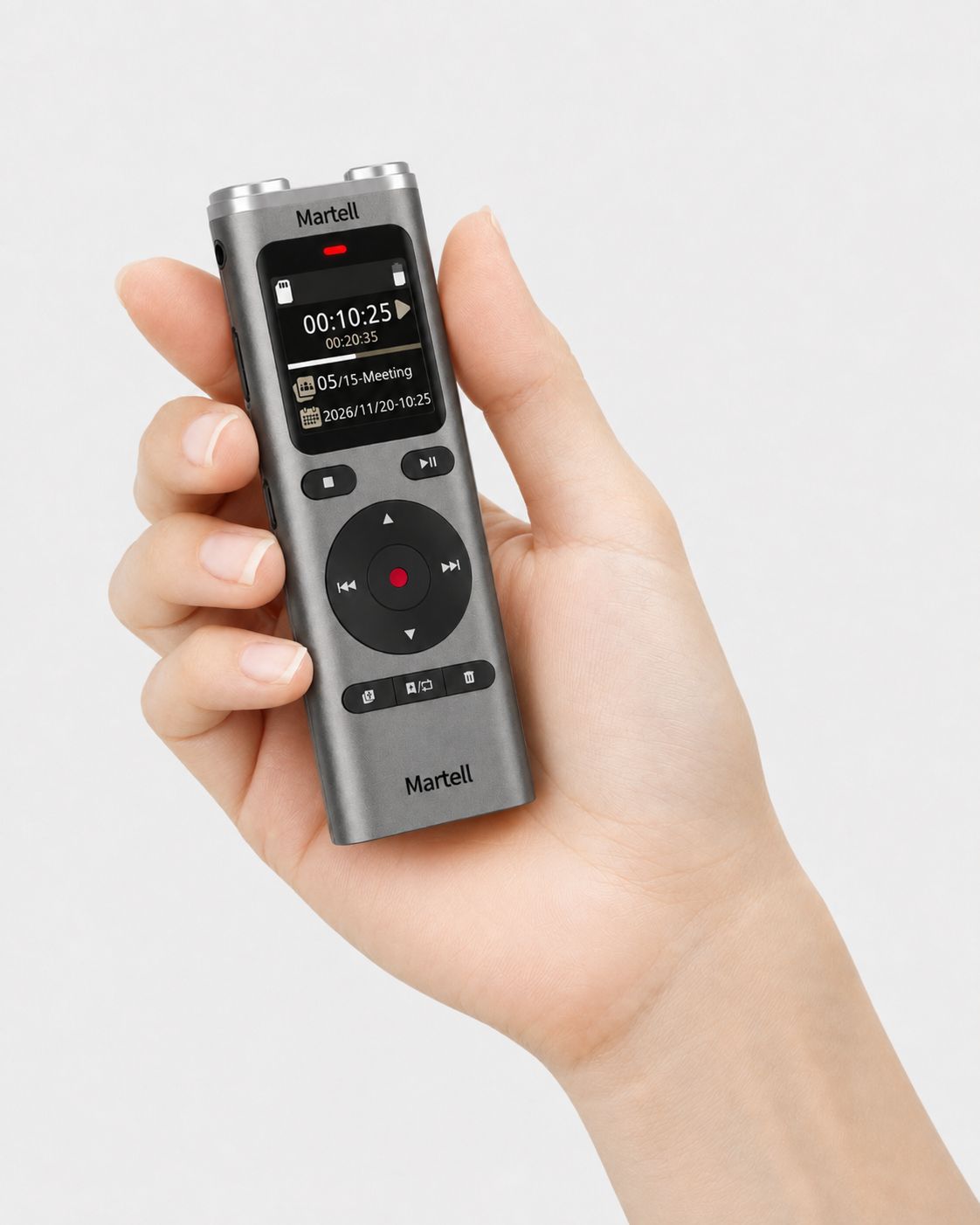
Simple-to-Use Court Reporter Backup Digital Recorder
SKU 1075
$199.99
In stock: 1 available
Simple-to-Use Court Reporter Backup Digital Recorder
Product Details
Condition: New
Availability: IN-STOCK
Built for Court Reporters Who Want It Easy
No Complicated Setup. No Complicated Software.
A dedicated backup recorder should make your job safer—not give you another complicated piece of equipment to learn.
Turn it on. Select Meeting. Press Record. Confirm the red recording light.
Professional Independent Backup Audio
Simple-to-Use Court Reporter Backup Digital Recorder
Press Record. Protect Your Job.
A compact professional stereo recorder designed to give court reporters a completely separate backup audio file without depending on the laptop, CAT software, or primary recording program.
Depositions Zoom Depositions Courtrooms Hearings
35-Hour Battery* Up to 270 Hours MP3* MP3 + WAV External Mic Jack Headphone Jack microSD up to 128GB
*Maximum figures are based on MP3 recording at 64 kbps.
The Easy Court Reporter Workflow
Four Simple Steps
1
Turn It On
Use the POWER/LOCK switch.
2
Select Meeting
Recommended for most court reporting backup jobs.
3
Press Record
Start your independent backup recording.
4
See the Red Light
Red status light confirms recording is active.
8GB
Built-in memory
270 Hours
Maximum built-in MP3 capacity*
35 Hours
Maximum recording battery life*
128GB
Optional microSD support
1.8 oz.
Lightweight and portable
One Recorder for Your Everyday Jobs
Use it for depositions, Zoom depositions, courtrooms, and hearings
Keep the same simple independent backup recorder with you whether the proceeding is in person, in a courtroom, or being conducted over Zoom.
Depositions
Place the recorder where it can capture the proceeding and keep a separate backup audio file.
Zoom Depositions
Use it as a separate backup recorder alongside your Zoom deposition setup so you are not relying on only one recording path.
Courtrooms
Use it as a compact independent backup recorder during courtroom proceedings.
Hearings
Keep a dedicated secondary audio recording available for hearings and other proceedings.
The Setting Court Reporters Need
For most jobs, simply select Meeting
Meeting mode is the easy choice for depositions, Zoom deposition backup, courtroom proceedings, hearings, meetings, classrooms, and situations with multiple speakers.
Most Court Reporting Backup Use
MEETING
Select Meeting, point the built-in microphones toward the people or audio source you want to capture, press Record, and confirm the red recording light.
Protect the Record
Your laptop, CAT, or Zoom recording should never be your only recording
Computers can freeze, programs can close, cables can disconnect, internet connections can be interrupted, and audio settings can change. A dedicated recorder gives you a second recording path that stays separate from your primary system.
01
Independent Backup
The audio is stored directly on the dedicated recorder rather than depending on your laptop or primary recording software.
02
Easy Visual Check
The red status light gives you a quick visual confirmation that recording is active.
03
Long Job Ready
Up to 35 hours of battery recording time means you can prepare the recorder before the job and keep your workflow simple.
04
Easy File Transfer
Connect the USB-C cable and copy recordings to a Windows or macOS computer without special transfer software.
AC Wall Charging Adapter Included
Charge the built-in battery from a standard outlet
Martel includes a USB wall charging adapter and USB-C cable so you can conveniently recharge the recorder’s built-in battery before your proceeding.
35
Hours Max Recording*
2
Approx. Hours to Charge
The included wall adapter is provided for charging the built-in rechargeable battery.
More Than Just Built-In Microphones
Add your trusted Martel external microphone
The dedicated 3.5mm microphone input gives court reporters the option of using a compatible external microphone when desired.
3.5mm Headphone Jack
Listen privately to your recorded audio.
3.5mm Microphone Input
Connect a compatible external microphone.
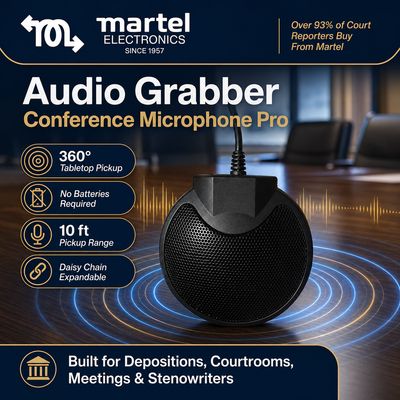
Martel Audio Grabber
Compatible models with a standard 3.5mm microphone plug can connect to the recorder.
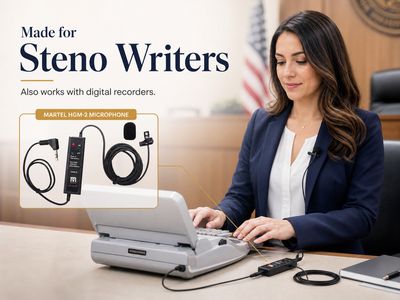
Martel HGM-2
Compatible HGM-2 models with a standard 3.5mm microphone plug can connect to the recorder.
Keep It Simple or Choose More Quality
MP3 for long jobs. WAV for uncompressed audio.
Choose the format that matches the job without needing special computer recording software.
MP3
64, 128, or 192 kbps recording options for manageable file sizes and long recording capacity.
PCM / WAV
Uncompressed stereo recording at 48 kHz / 16-bit when WAV audio is preferred.
Expandable Memory
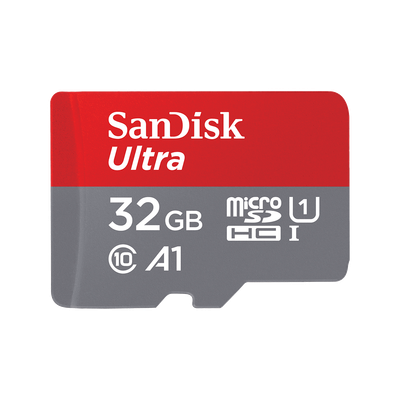
Add an optional microSD card with support for capacities up to 128GB.
Product Specifications
Everything you need without making the page complicated
Recording
Microphones: Dual-channel stereo
Formats: MP3 and PCM/WAV
MP3: 64 / 128 / 192 kbps
Scenes: Memo, Meeting, Music, Personal
Memory
Internal: 8GB
64 kbps MP3: Up to 270 hours
128 kbps MP3: Up to 135 hours
192 kbps MP3: Up to 90 hours
microSD: Up to 128GB
Battery
Type: Built-in rechargeable battery
Capacity: 700 mAh
Runtime: Up to 35 hours*
Charging: Approx. 2 hours
Connections
Microphone: 3.5mm stereo input
Headphones: 3.5mm
USB: USB-C
Speaker: Built in
Size
Dimensions: Approx. 4.5 × 1.6 × 0.6 in.
Weight: Approx. 1.8 oz.
Display: 1.44-inch color LCD
Computer Use
File transfer: USB mass storage
Compatible: Windows and macOS
Transfer software: None required
Complete Martel Package
Everything you need to charge, record, and transfer your backup audio
Martel includes the charging accessories and quick-start instructions so you can get the recorder ready for your court reporting workflow.
✓ Simple-to-Use Court Reporter Backup Digital Recorder
✓ USB-C charging and file-transfer cable
✓ Martel USB wall charging adapter
✓ Court Reporter Quick-Start Guide
Optional microSD memory card, headphones, Martel Audio Grabber microphone, and Martel HGM-2 microphone are sold separately unless specifically included with the selected package.
The Point of This Recorder Is Simplicity
One easy backup recorder for depositions, Zoom depositions, and courtrooms
Charge it before the job, select Meeting, press Record, confirm the red light, and let your independent backup recorder do its job while you concentrate on yours.
Quick Answers
Frequently Asked Questions
Is this recorder actually easy to use?
Yes. For most court reporting backup use, turn the recorder on, select Meeting, press Record, and confirm the red status light is on.
Can I use it for depositions, Zoom depositions, and courtrooms?
Yes. It can be used as a dedicated independent backup recorder for depositions, courtroom proceedings, hearings, and alongside your Zoom deposition setup. For Zoom proceedings, it serves as a separate backup recording path rather than replacing your Zoom or CAT recording system.
Which recording scene should a court reporter use?
For most court reporting backup situations, select Meeting. It is suited to depositions, hearings, meetings, court reporting environments, and multiple speakers.
How do I know the recorder is recording?
The recording status light turns red while recording is active. Always visually confirm the red light before relying on the backup recording.
How long can it record on a full charge?
Maximum recording battery life is up to 35 hours when recording in MP3 at 64 kbps. Actual battery life varies with settings and operating conditions.
What is the included AC wall adapter for?
The included Martel USB wall adapter and USB-C cable are used to charge the recorder’s built-in rechargeable battery.
Does it have an external microphone input?
Yes. The recorder has a standard 3.5mm stereo microphone input for compatible external microphones.
Does it have a headphone jack?
Yes. A standard 3.5mm headphone jack is included for private playback of recordings.
Can I move the recordings to my computer?
Yes. Connect the recorder with USB-C, open the recorder storage on your computer, and copy the recording files to the desired folder. No special file-transfer software is required.
Does this replace my CAT or Zoom audio?
No. This recorder is intended to provide a separate independent backup recording alongside your CAT audio, Zoom recording, or other primary recording system.
Simple Backup. Serious Protection.
Every court reporter should have a separate backup recording
Use it for depositions, Zoom depositions, courtroom proceedings, hearings, and everyday court reporting backup.
Your backup recorder does not have to be complicated. Charge it, select Meeting, press Record, confirm the red light, and protect the proceeding.
Add the Simple-to-Use Backup Recorder to Your Equipment
Depositions • Zoom Depositions • Courtrooms • Hearings
Recording capacity and battery runtime vary according to recording format, selected settings, battery condition, memory capacity, and operating conditions. Maximum battery runtime of up to 35 hours and maximum internal recording capacity of up to 270 hours are based on MP3 recording at 64 kbps. For Zoom depositions, this recorder is intended as a separate backup recording device alongside the primary Zoom/CAT workflow; recording results depend on recorder placement, room audio, and the audio source being captured. Confirm that recording is active and sufficient storage remains before every proceeding. Always follow applicable laws, consent requirements, and courtroom rules.
Package / Warranty Information
Comes with 1 year Part and labor 1 Ac Adapter include
Products related to this item
On Sale
HGM-2 Court Reporter Microphone w/Battery Tester Built-in
HGM-2 Court Reporter Microphone w/Battery Tester Built-in
#1 Selling Court Reporter Microphone in the World!
was $299.99
Save 33%
$199.99
On Sale
All N One Transcription Kit - Digital Transcriber
All N One Transcription Kit - Digital Transcriber
#1 Selling Transcription Kit Pack in the World!
was $399.99
Save 38%
$249.99