Zoom Mute & Unmute Foot Pedal for Court Reporters
SKU 132
$129.99
On Sale
was $249.99 Save 48%
In stock: 1 available
Zoom Mute & Unmute Foot Pedal for Court Reporters
Product Details
Condition: New
Availability: In-Stock
Exclusive From Martel Electronics
The World’s First Zoom-Mute Foot Pedal for Court Reporters
Mute and unmute Zoom instantly with your foot while your hands stay on your writer and your focus stays on the record.
This is something you can’t live without. Never take your hands off your writer to use the mouse to mute yourself.
Tap once to mute
Tap again to unmute
15-foot cable included
Windows only
Stop Wearing Yourself Out During Remote Depositions
When you are writing, watching Zoom, listening carefully, and managing your CAT software at the same time, reaching for the mouse just to mute yourself becomes one more distraction. This foot pedal solves that problem instantly.
1
Keep Your Hands on the Writer
No more taking your hands off your steno machine to grab a mouse or hunt for the mute button on-screen.
2
Mute Instantly With One Tap
Tap once with your foot to mute. Tap again to unmute. It is fast, natural, and perfect for the way court reporters work.
3
Avoid Distracting Unmutes
Protect your workflow, reduce audio distractions, and avoid missing part of the record while you fumble with Zoom controls.
Mute and Unmute Zoom With Your Foot
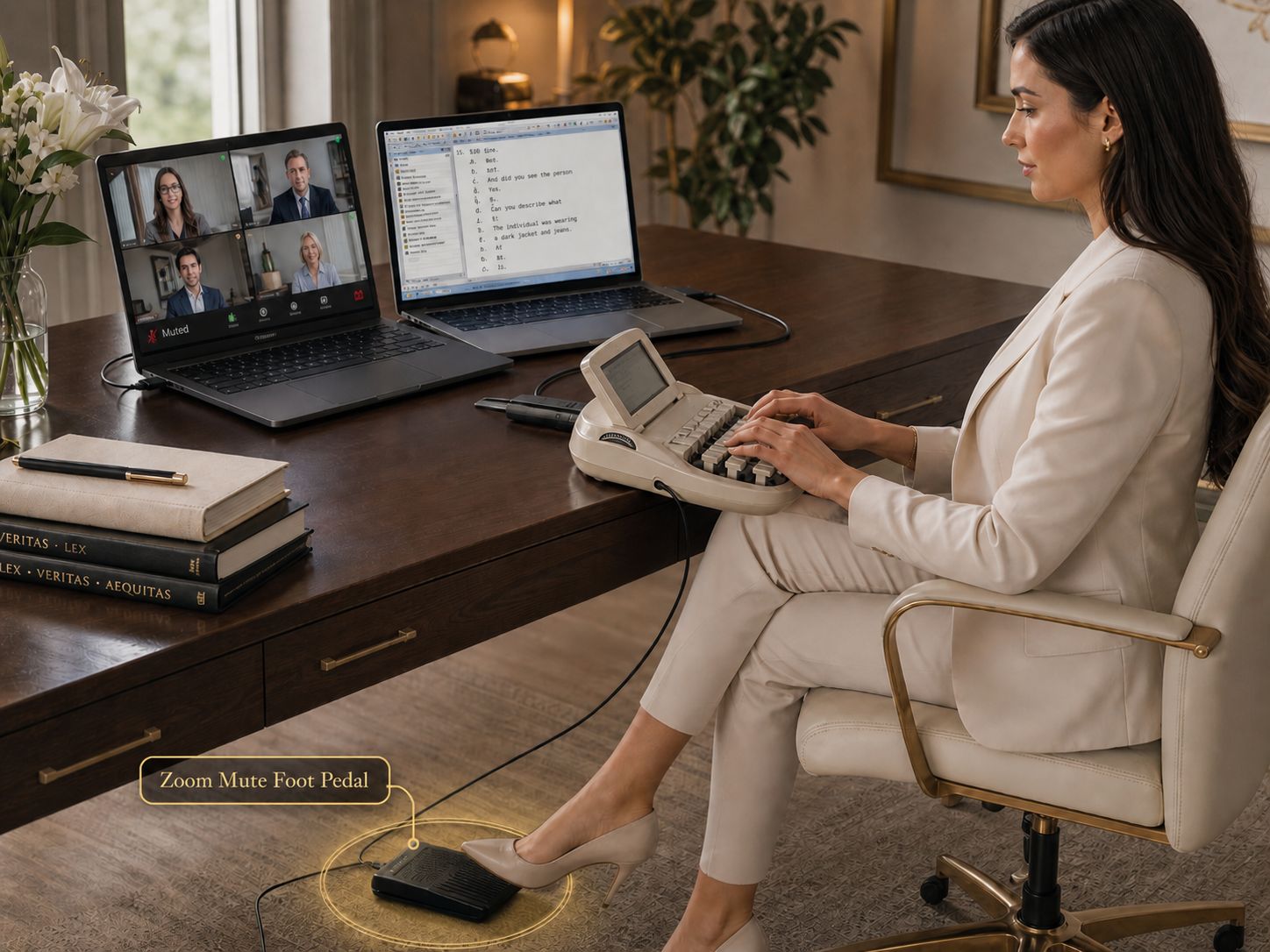
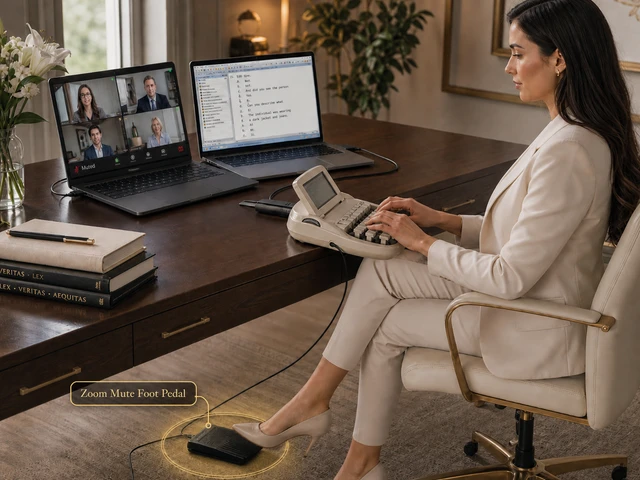
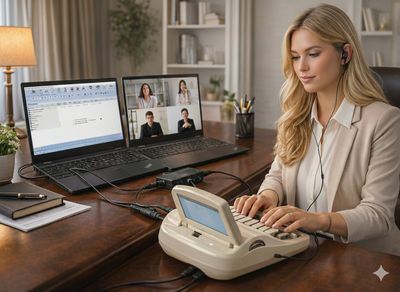
This shows the whole court reporter workflow instantly: Zoom on one computer, CAT software on the other, hands on the writer, and mute control under your foot.

Built for the Real Two-Computer Court Reporter Setup
Many court reporters use one computer for Zoom and another for Case CATalyst or other CAT software. This foot pedal fits that exact workflow beautifully.
- ✓ One laptop runs Zoom
- ✓ One laptop runs your CAT software
- ✓ Your hands stay on your writer
- ✓ Your foot controls mute and unmute
- ✓ You stay focused instead of reaching for the mouse
Designed to Stop Zoom Fatigue
Remote depositions already demand enough focus. This gives court reporters one simple movement for mute control so they can stay calm, accurate, and in control.
- ✓ No more reaching for the Zoom button
- ✓ No more keyboard shortcut fumbling
- ✓ No more interrupting your writing flow
- ✓ Better control during live Zoom jobs
Perfect for the Two-Laptop Court Reporter Setup
Plug the foot pedal into the Windows computer running Zoom. Keep your writer and CAT software workflow uninterrupted on your other machine.
Laptop 1: Zoom Computer
Run Zoom here. The foot pedal connects to this Windows computer so you can mute and unmute without touching your mouse.
Laptop 2: CAT Software
Run Case CATalyst or your preferred CAT software here while keeping your hands on the writer and your attention on the deposition.
Your Foot: Mute Control
Tap once when you need privacy. Tap once again when you want to speak. No holding down the pedal. No interrupting your workflow.
Court reporters love this because it removes one of the most annoying parts of remote depositions — constantly reaching for the mouse just to mute or unmute.
Why Court Reporters Need This
This is not just another computer accessory. It solves a real court reporting problem during Zoom proceedings, remote depositions, interpreting sessions, and transcription work.
No keyboard shortcut fumbling. Mute and unmute without trying to remember commands during a live proceeding.
No mouse hunting. Stop looking away from your writer just to find the mute button on-screen.
Less audio stress. Quickly mute background noise, side conversations, coughs, or interruptions around you.
Better workflow. Keep your hands on your writer while Zoom mute control happens under your foot.
Great for interpreters too. Useful for court interpreters and transcriptionists who need fast mute control in live online sessions.
Made for real work. Designed around the way professional court reporters actually work during remote jobs.
Simple Operation
The best tools are the ones that help immediately.
Tap Once
Press the foot pedal one time to mute yourself.
Step Off
Do not hold the pedal down. Just tap once and step off.
Tap Again
Press the pedal one more time whenever you want to unmute and speak.
Important: The Martel Zoom Mute Foot Pedal works only on Windows computers. It will not work on a Mac.
Court Reporter Testimonial
“This is awesome! It made my life a lot easier. However, if the directions haven't been updated, you just tap once with your foot to mute or unmute. Don't hold your foot down like I did.”
— Laura Taylor, CSR Court ReporterCompatible Software
Designed for Windows computer mute control during online meetings and remote proceedings.
Zoom — ideal for remote depositions, hearings, proceedings, and online meetings.
Webex — useful for court reporters and interpreters using Webex meetings on Windows.
Microsoft Teams — hands-free mute control for Teams meetings on Windows computers.
What’s Included
Everything you need to add hands-free mute control to your Windows Zoom setup.
Package Includes
- ✓ USB foot pedal with 15-foot cable
- ✓ Controller software
- ✓ Manual
- ✓ Martel telephone and remote PC support
Benefits of Buying From Martel
- ✓ 30-day return policy (5% restocking fee)
- ✓ Live support from people who know the product
- ✓ Remote computer setup help available if you need it
- ✓ Martel Electronics has been in business since 1957
- ✓ Item is in stock with shipping options available
- ✓ Secure checkout for credit card or PayPal transactions
A Small Foot Pedal That Can Change Your Whole Zoom Workflow
If you handle remote depositions, Zoom proceedings, interpreting sessions, or transcription work, this is one of those products you will wonder how you ever lived without. Stop reaching. Stop fumbling. Stop wearing yourself out. Tap with your foot and keep writing.
Exclusive Martel Product
Hands-Free Zoom Mute
Built for Court Reporters
Windows Only
Frequently Asked Questions
How do I mute and unmute with the foot pedal?
Press the pedal one time to mute. Step off the pedal. Press the pedal one time again to unmute. Do not hold the pedal down.
Can I use this with two laptops?
Yes. Many court reporters use one laptop for Zoom and one laptop for Case CATalyst or other CAT software. The foot pedal should connect to the Windows computer running Zoom.
Does it work on a Mac?
No. The Martel Zoom Mute Foot Pedal works only on Windows computers.
What software is it compatible with?
It is designed for Windows use with Zoom, Webex, and Microsoft Teams.
Can Martel help install it?
Yes. We offer telephone and remote PC support if you want help setting it up on your Windows Zoom computer.
Who else uses this besides court reporters?
Court interpreters and transcriptionists also use this foot pedal when they need fast hands-free mute control during live online sessions.
Returns: To request a return merchandise authorization (RMA), use our Contact Us form and select Repair / RMA within 30 calendar days after delivery. A 5% restocking fee applies to all products. The customer pays return shipping. We issue your approved refund within one week (7 calendar days) after we receive your authorized return. Your bank or payment provider may take additional time to show the credit. See our Return Policy for the terms that apply to your purchase.
Products related to this item
Zoom Court Reporter Backup Audio Recording App
Zoom Court Reporter Backup Audio Recording App
#1 Purchased Court Reporting Zoom Recording Software | Records Privately
$199.99
Zoom Video Transcriber w/ Foot Pedal
Zoom Video Transcriber w/ Foot Pedal
#1 Hands Free Zoom Transcriber with foot pedal
$249.99
On Sale
Zoom Compatible Court Reporter Teleconference and Recording Kit - Compatible with all CAT programs
Zoom Compatible Court Reporter Teleconference and Recording Kit - Compatible with all CAT programs
#1 ZOOM Court Reporter Kit | #1 Order item for Court Reporters
was $499.99
Save 50%
$249.99