TIME IS RUNNING OUT FOR 2026 TAX WRITE-OFFS

Martel Electronics | 11 hours ago

Will a quarter-inch recorder jack accept the Martel MM-14 Mini Stenomask?

Determine whether a recorder or mixer’s quarter-inch jack accepts the MM-14 microphone. Use its input label, manual and a saved voice sample to check the match.

A quarter-inch socket can accept the Martel MM-14 only when the socket serves as a compatible microphone input for that mask. The MM-14 is a wired analog stenomask, SKU 369, with a quarter-inch microphone plug. The size of the hole on the recorder establishes a possible physical connection. To establish a usable recording path, identify the exact input function, the microphone requirements and the settings for that specific recorder or mixer.

Look for the model number on the equipment and photograph the writing beside the socket. Find the section of the manual that describes that particular input. If it describes a headphone output, a line-only input or another function, choose a different supported path. Martel specifically excludes USB sound cards for the MM-14. If the input description leaves an electrical or routing question unanswered, send the model number, label and manual information to Martel before selecting the mask.

Once the combination is confirmed, record original practice speech with the external input selected. Stop and reopen the saved recording. Verify that you can identify the reporter’s masked dictation and distinguish it from speech near the recorder’s built-in microphone. That final step connects a correct purchase decision with the work the equipment is supposed to do.

Martel equipment in this guide
Follow the signal from the reporter to a saved file

The reporter speaks into the MM-14. The microphone produces an analog signal that travels through the attached cable and its quarter-inch plug. The receiving device must accept that signal through an appropriate input. The input must then feed the track or recording mode the reporter intends to save. The person who checks these stages in order can explain both why the connection should work and where to look if the result is unexpectedly quiet or missing.

Begin with the device that will make the file. In one setup, that might be the recorder with a suitable microphone input on its own case. In another, the mask might enter a supported mixer microphone input, and the mixer might send a different signal on to the recorder. The second setup has two connections and two equipment decisions. A manual that confirms the recorder can receive the mixer output does not tell you whether the mixer input will take the MM-14. Draw the two connections separately.

Mark the final destination in terms you will recognize during playback. For example, write “recorder, external input on channel one, saved practice file” rather than “recorder, left socket.” A left-hand socket, a left meter and a left headphone ear can belong to different stages of a device. The word “channel” also needs a destination. Which input feeds it? In which recording mode is it saved? How will you select it when reviewing the file?

An input that can hear the reporter does not answer every courtroom audio question. A stenomask is intended to receive the voice writer’s speech. If the assignment requires an independent room recording, plan a room microphone and receiving path for the participants. Identifying the mask’s quarter-inch input is an important decision even in that larger system, but one correct mask connection cannot establish that all required speakers are on the saved room track.

Read the words on the jack plate before interpreting the shape

Turn the equipment so you can read the words in their natural orientation. A label printed between two sockets sometimes refers to a pair; a label directly above an individual socket can identify a different function. Use the diagram in the manual to settle which label belongs to the candidate. Photograph a wide enough area to show neighboring words and switch positions. A close-up of a round opening can obscure the only evidence needed for the decision.

“Phones,” “headphones” or a headphone symbol points to monitoring or playback. That socket sends a signal toward the listener’s headphones. The body of a quarter-inch plug may resemble one used there, but the output does a different job from a microphone input. Record the label in your notes and move on to the input area of the equipment. If the only quarter-inch opening is the headphone output, that particular opening cannot serve as the MM-14 microphone input.

An input marked “line” expects the signal type the manufacturer specifies for that input. A microphone signal and a line signal call for different input arrangements. Turning the recording level up cannot by itself document that a line-only input accepts the mask. Look for a distinct microphone setting or a separate microphone input on the recording equipment. If the device supports multiple modes on one jack, locate exactly which setting is available for the quarter-inch contact arrangement.

Some recorders have a combination socket that accepts more than one plug shape through the same outer fitting. The manual might give one set of functions to the larger round connector and another set to the quarter-inch center. It might provide mode choices or a switch that assigns a particular input type. Read the diagram for the center opening and the relevant physical input number. Seeing “mic” somewhere near a combination jack leaves that detail to resolve.

A socket labeled “instrument,” “pedal” or “remote” needs particular attention. A foot-control connection can resemble an audio connection from the outside. An instrument input has the function and electrical characteristics stated by its maker. A remote-control jack is there to receive control signals. Resist drawing conclusions from a photograph where the label has been cropped away. A few words from the equipment manual can spare a reporter from choosing a mask for the wrong part of a machine.

Make a one-page input record while you have the recorder in hand

Begin with the complete product name, model number and any version or suffix printed on the case. Record the number of the intended input and the exact words on the panel. Note whether a nearby switch applies to that input alone or to several inputs at once. The output of this exercise is a description you could send another person who has never seen your recorder and still let them identify the right jack.

Next, write the manual section or page that describes the input. Use your own brief words to describe what it accepts. Make a separate line for any specified microphone signal, power, connector wiring or approved accessory. If the manual does not give the information needed to match the MM-14, mark the item as unresolved. A blank item is much easier to investigate than a guessed setting that later becomes part of your normal setup.

Make a third line for how the recorder selects and saves the input. A recording device may have multiple tracks, an external/internal selection, an arming step or a mode that records a mix. Names vary by model. Write the actual setting the documentation identifies for your equipment. An analog plug carries the microphone signal to the jack. The recording controls determine where the receiver sends that signal and whether it is written to the file.

Add a short statement of the result you require. A student might need only to submit a practice recording of their own voice. A working reporter might need a separate mask reference alongside the room recording. A buyer working from a school list might need a specific analog recording path as well as computer recognition. Describe those functions before comparing models. A recorder that has a suitable single mask input can meet the first request while leaving the second or third request only partly equipped.

Decide whether the quarter-inch connection is the right purchase

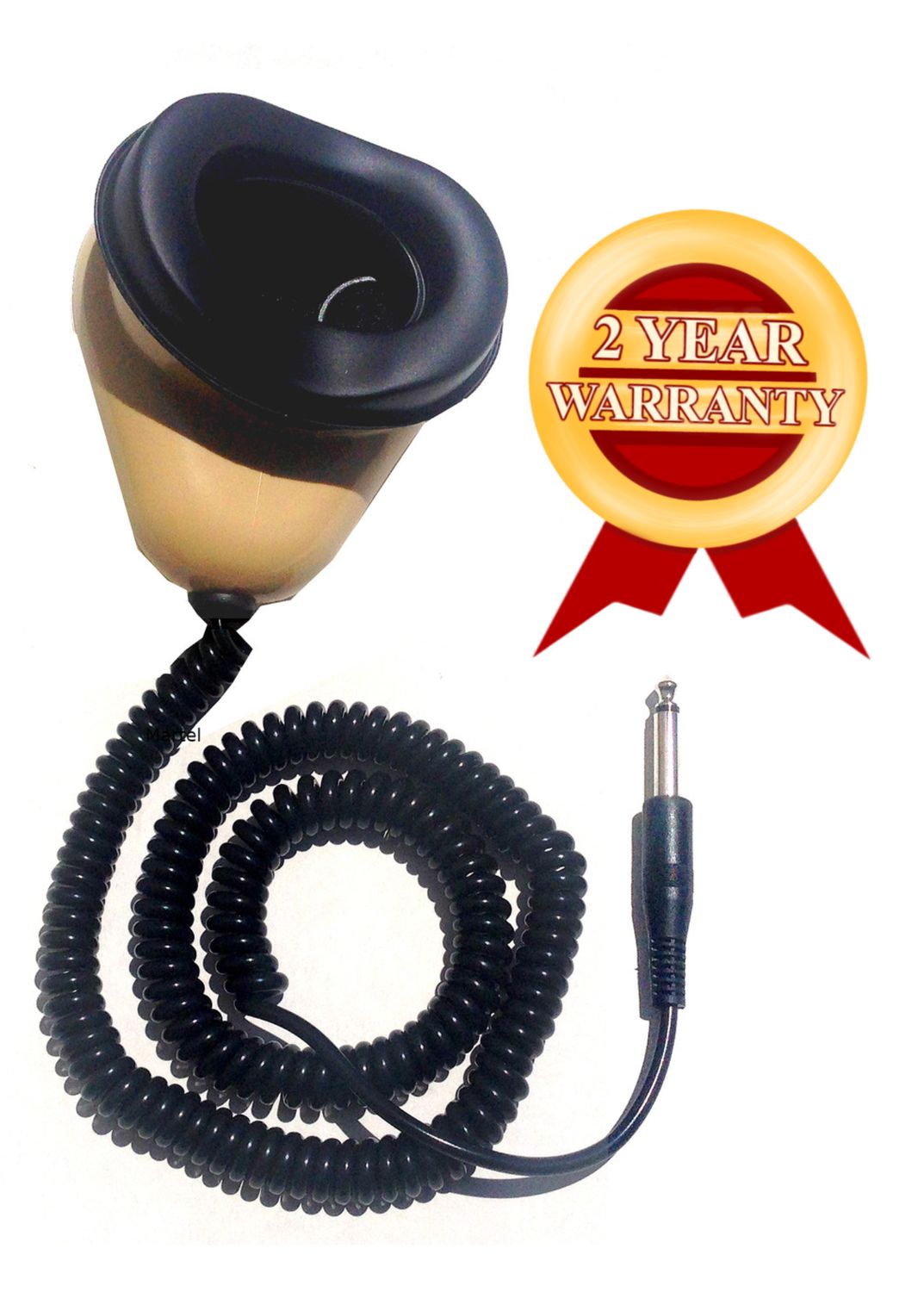
The Martel MM-14 Mini Stenomask product page identifies a quarter-inch analog model for a compatible recorder or mixer. It also identifies the included mask, silicone mouthpiece and foam filter. The recorder, computer, stand and software are separate selections. Read the package information in the context of the path you have drawn. A complete mask in the box still needs a confirmed destination before it becomes a recording system.

If your path starts with a supported quarter-inch microphone input on the recorder and ends with a mask recording on that device, the MM-14 belongs on your shortlist. If the requirement starts with the reporter speaking into a computer application through a direct USB microphone connection, look at Martel’s USB stenomask for that job. The MM-14 listing excludes USB sound cards. A passive adapter that changes the apparent plug diameter does not alter Martel’s stated limitation.

A small analog microphone input is another distinct path. The Martel single-plug 3.5 mm stenomask is a model to investigate when the intended equipment accepts its microphone signal at that size. The Martel XLR Mini Stenomask serves compatible three-pin microphone inputs. The Martel stenomask buying guide lets a buyer compare those paths using the equipment they intend to connect.

Some users need independent destinations for the reporter’s dictation. A single plug from the MM-14 provides one analog mask connection. To plan a computer and recorder as separate destinations, identify the input required at each one and the number of independent mask paths the workflow requires. The Martel dual-output stenomask illustrates an alternative routing arrangement, provided its USB and separate 3.5 mm paths match the intended equipment. You can also ask Martel about complete packages designed around the paired devices.

A paper exercise with three similar-looking sockets

Consider three fictional recorders viewed from above. Each photograph shows a quarter-inch opening. On the first recorder, a label beside that opening identifies the headphones. A separate small microphone input sits on the opposite side. The useful decision is to set the MM-14 aside for this socket and investigate the actual microphone input or choose different supported equipment. Listening to recordings through the large socket confirms its playback role and leaves the microphone choice unresolved.

On the second recorder, the manual identifies a quarter-inch line input used to receive the output of a separate piece of audio equipment. The manual does not list microphone operation at that jack. The reporter owns a compatible mixer, so there may be a workable system, but the first purchase question concerns the mixer’s microphone input. The recorder’s line input concerns the later mixer-to-recorder connection. Draw the complete path and request confirmation for the mask at the first input.

On the third recorder, the manual explicitly identifies an external quarter-inch microphone input, names the settings that select it and provides the microphone requirements. The reporter sends the complete model and input information to Martel and obtains confirmation for the MM-14 configuration. At this point, proceed to a practice recording. In the fictional exercise the compatibility decision is supported by model-specific documentation and confirmation. The existence of the third example does not imply that equipment with a similar exterior has identical inputs.

Write a sentence for each example that a supervisor or instructor could act on. “Use a different input than the headphone output” is actionable for the first recorder. “Confirm the mixer microphone input and the mixer’s recorded output separately” describes the second. “Set the confirmed external input, record the original exercise and reopen the file” describes the third. The exercise teaches a buying method that transfers between equipment models without transferring unverified compatibility claims between them.

Record a proof that distinguishes the mask from the built-in microphones

Choose a short fictional passage with an unmistakable marker, perhaps “Practice mask input, drawing twelve, north entrance.” Hold the mask in the same position and speak at the level you intend to use. Place the recorder where it would normally sit rather than directly beside your mouth. Use the input selection and recording mode previously confirmed. Start the recorder and establish that it is actually recording according to its own display and instructions.

During the exercise, have a second person at a different position say a separate fictional sentence near the recorder, such as “Practice room source, ledger seven, east window.” Mark approximately when that happens. The two phrases give your ear distinguishable material when you reopen the saved file. No formal test room or documented sound isolation is implied. The goal is to determine which source appears dominant on the intended input and to spot an obviously wrong input assignment.

Stop the recording, wait for the file to be available and select it for playback. Listen first for the mask phrase and then for the room phrase. If your device records separate channels, use a supported review mode to hear the channel you assigned to the mask. A mixed headphone output during recording may contain other sources. A file that includes all sound in one mix can be useful for some jobs, but it is a different deliverable from two isolated tracks.

Listen for the start of words, the end of the sentence and the distinction between similar numbers. “Fourteen” and “forty” are useful practice words because the listener can report what they actually heard. If you must turn playback extremely high to hear an otherwise ordinary phrase, establish whether the low result was recorded that way or whether the playback level is low for every file. Comparing a known practice file on the same playback device can separate those questions.

Repeat the check after you return to the normal seated arrangement. A mask connected during a close-up bench test might be recorded in a different mode when the reporter restores the full workstation. Changing the input mode or adding a room channel can change the file you need to check. Keep one short fictitious sample for comparison and identify the recorder, external input and selection you used. This is evidence from your own equipment and settings, not a universal benchmark for other recorders.

Diagnose low, distorted or unexpected audio without guessing

If the saved file is silent, first confirm that it is the new file and that you are listening to its intended channel. Then revisit the input selection, track arming or recording mode. Compare the panel against the recorded notes for the confirmed setup. A person can hear a monitoring feed while no corresponding track is enabled for recording. Rechecking the file and the specific channel avoids confusing a playback selection with a broken microphone.

If the recorder’s built-in microphones dominate, use the manual to locate the external input choice. Some devices permit internal and external sources to operate in different combinations. Look at what your device supports in the chosen mode and repeat the two-phrase test. A room phrase captured on a room track can be entirely expected. The question is what appears on the track the reporter intended for the MM-14.

For weak sound, establish that the mask reaches a confirmed microphone input. Compare the ordinary working position with the position used when the combination was tested. Check the device input control that actually changes the recorded level. Output volume changes how loud the listener hears the file on playback and can conceal a very low recorded signal. Avoid using an arbitrary high gain setting to compensate for an unconfirmed line-only connection.

For harsh or distorted sound, use a fictional passage that includes one emphatic word while preserving the reporter’s usual dictation technique. Check the selected input mode, recorded level and playback chain according to the recorder instructions. Compare the saved file through another suitable playback device at a reasonable level. If the problem persists, send Martel a short original practice sample, the model numbers and the input-selection notes. Avoid treating one meter display as enough evidence to diagnose the entire signal path.

Write a purchase inquiry that can receive a definite answer

An effective inquiry identifies the mask by model and SKU, describes the exact receiving device and names the input in question. Include a panel photo, the relevant manual description and the recording mode you intend to use. State whether you also need a computer feed or separate room recording. These details allow Martel to address the intended combination and distinguish a direct recorder path from a system that would require different hardware.

For example, a fictional buyer might write, “I am considering the Martel MM-14, SKU 369, for the external input marked microphone on channel two of my recorder. I have attached the equipment model, an image of that jack and the manual page listing its input requirements. I need the recorder to save my mask dictation on a separate track. Can you confirm this combination and the required input setting?” The request names a specific deliverable and gives support the information to verify it.

For a mixer-fed recorder, ask two questions in the same inquiry. Is the MM-14 suitable for the indicated microphone input on the mixer? Does the planned output from that mixer match the recorder input and recording mode? If the recorder is expected to preserve multiple sources separately, identify which outputs and inputs carry those sources. The words “compatible mask” can describe only the first piece of this arrangement unless you specify the rest.

Use the Martel online contact form when a material detail is missing. You can compare the recommended path against Martel’s stenomasks for court reporters. If an older receiver’s input cannot be confirmed, choosing a documented pair may be simpler than purchasing several adapters and waiting to learn what they actually do. The final decision should identify the mask, the receiving input and a saved result that supports the planned reporting task.

Questions and answers

If the MM-14 plug fits the recorder, what still needs checking?

Identify what the socket does, what microphone signal it accepts and how the recorder assigns it to a saved recording. A snug physical fit gives you the first piece of information. A labeled microphone input with confirmed electrical compatibility gives you the second. Hearing your own fictional dictation on the intended saved track gives you the third. Put those findings together before relying on that connection for your reporting work.

What does “quarter-inch analog stenomask” mean in plain language?

The reporter’s microphone signal travels through the cable and its quarter-inch plug to compatible receiving equipment. The receiving device handles input selection, amplification and recording as applicable to its design. The mask does not deliver a ready-made computer file through that plug. For the MM-14, choose the recorder or mixer input that Martel confirms accepts its signal and establish where that equipment will send the speech afterward.

Will the MM-14 work through a USB sound card if I find a plug adapter?

Martel’s MM-14 product listing excludes USB sound cards. A plug-changing adapter can alter the mechanical connection without supplying the required audio path. If your court reporting setup calls for a direct computer microphone connection, identify that requirement at the beginning of the purchase. Martel offers a USB stenomask, and other analog models serve particular confirmed inputs. Ask about the model that matches the destination you actually use.

Is the MM-14 the same as the quarter-inch path on a dual-microphone package mask?

Identify the exact product. The MM-14 is a single quarter-inch model, SKU 369. Martel’s Verbatim Equipment Package 2 describes a modified dual-microphone mask with a quarter-inch path and a separate 3.5 mm path. Matching one plug shape does not give the MM-14 that second independent connection. If you are replacing a package component, give Martel the package SKU and describe both required destinations.

Why is the photograph of the panel sometimes more useful than the recorder’s front display?

The display may show a file, channel or recording mode without identifying what the physical jack supports. A well-framed panel photo can show the exact input number, socket, neighboring switches and labels. Pair it with the device model and manual page. Together those details help someone assess the hardware and the configuration rather than making an assumption from a general display marked “audio” or “external.”

Does a combination XLR and quarter-inch socket automatically accept the mask on either contact arrangement?

Consult the diagram and input specification for the exact socket. A combination jack can assign different electrical functions or mode choices to its XLR and quarter-inch connections. Locate the description specifically covering the center quarter-inch opening on your input number. Then check the required microphone signal and any approved setting for the MM-14. The larger outer connector and the center opening share a housing, which by itself settles none of those model-specific questions.

Is the headphone jack a useful place to try the plug as a fit check?

You can identify a headphone jack from its label and the equipment diagram. Inserting the mask there does not establish microphone compatibility, and the intended signal direction is toward headphones. Record the label and locate the actual microphone inputs. If a store photo shows the headphone socket prominently, request a photo of the input side before buying the recorder or committing to the MM-14 combination.

What if the manual calls the socket “input” without specifying microphone or line?

Find the technical input specifications or the connector diagram that defines the signal type. A general label tells you the direction of travel but may leave the expected signal level, connector arrangement and operating mode unspecified. Ask the equipment supplier or Martel about that precise socket with the model and manual reference. Until the microphone function is established, record the choice as unresolved rather than buying on the word “input” alone.

What should I do when the only quarter-inch socket is labeled “line in”?

Treat it as the line input described by the manufacturer. If a mixer or other appropriate stage will feed that input, verify the MM-14 at an upstream compatible microphone input and the separate output-to-line connection. For direct mask-to-recorder recording, investigate a recorder input documented for the mask or a different appropriate Martel model. There is little value in evaluating the mask’s sound through a connection never established for its microphone signal.

Does a recorder’s “external” display confirm I am recording the right microphone?

It tells you something about the recorder’s selected state, depending on what its manual says that display means. It may leave the input number and recording track unresolved, especially on a multichannel device. Start a fictional test with a distinct mask phrase, identify the saved file and review the assigned channel. If the display and the saved result point in different directions, work backward from the file and check how inputs are selected in that mode.

Do I need to know whether the quarter-inch contacts are wired for a particular signal?

Yes, when comparing an unknown receiver or connection hardware. Quarter-inch connectors can carry different signal arrangements. A connector’s outside diameter does not document the wiring accepted by a recorder input or the wiring the mask requires. Follow the specific product information for both pieces and check unresolved details with Martel. Avoid choosing a cable or adapter solely from the number of visible bands in a product photograph.

What if the recorder offers a microphone power switch?

Look up which input the switch affects and what it supplies. Confirm the setting Martel specifies for the actual mask and recorder combination. The presence of such a control is evidence of an available device function, not an instruction to enable it. If several microphone inputs use a common setting, determine its effect on every connected source before changing it. Record the confirmed operating choice with the model and channel number.

Can I use the same settings as another reporter with a visually similar recorder?

Obtain the exact models and check the actual input numbers and recording modes. Similar cases or familiar controls can hide differences in input capability. Another reporter’s successful setup is a useful question to investigate, especially if their device, mask and input match yours exactly. Your saved test on your own equipment supplies the evidence you need for your own work, including the configuration that was actually active.

Is a mixer always necessary for the MM-14?

A confirmed recorder microphone input can provide the receiving path directly. A mixer serves another purpose when your system requires a suitable microphone stage, a particular routing arrangement or a connection to the recorder’s line input. Draw the planned signal path before adding equipment. If the recorder already supplies the correct input and saves the desired mask track, the mere presence of a quarter-inch plug creates no independent requirement to buy a mixer.

If the mixer hears the mask, why might the recorder still miss it?

The mixer input and the recorded output belong to different stages. Its monitor mix could include the mask while the output going to the recorder omits that channel. A fader, routing assignment, output connection or recorder input setting can affect the result. Use an original mask-only phrase, check the intended mixer output and then open the saved recorder file. This locates the first place where the expected speech goes missing.

Can I record both room testimony and mask dictation with one MM-14 connection?

The MM-14 connection carries the reporter’s mask microphone. Plan another appropriate microphone and path when you need independent room audio. Check whether your recorder can preserve the sources in separate recorded channels or produces a mix. A saved file in which you can hear distant staff speaking does not establish suitable room coverage. Test the room source from the positions the assignment requires and review the result independently of the mask.

Does “two channels” on my recorder mean it will save a separate mask track?

The capability depends on how the recorder uses its available inputs and recording modes. Some arrangements save independent channels while others combine sources or present a stereo mix. Check the manual for the proposed mode, assign a unique fictional phrase to each source and inspect the saved recording or files. Describe the result you actually get. A two-channel playback device can play a file without proving how the sources entered that file.

What is a good first test sentence?

Use something easy to identify and hard to confuse with conversation near the recorder. “Mask practice, drawing twelve, the north stair turns left” is one original example. Say it at normal working level with the mask in place and note the time or file name. A second person can speak a different fictional room marker later. Those two phrases help you recognize an unintended built-in source or mixed channel during playback.

How long should a pre-job connection check run?

For a model already confirmed, make the sample long enough to include a normal opening phrase, a pause, another phrase and any movement that matters at your work position. You need time to stop, reopen and listen to the file. For a newly assembled system, add a separate longer rehearsal suitable for the planned workflow. Duration is a means of exercising the relevant functions; the decisive question is which source and track the saved check verifies.

What should I listen for besides whether the voice is audible?

Listen to the beginning and end of ordinary words, names, similar numbers and short unstressed words. Compare a typical speaking passage with one emphatic phrase. Notice whether paper movement, cable contact or the recorder’s internal mics dominate the expected mask audio. Write down specific observations such as “first syllable of fourteen unclear” rather than a general rating. A repeatable observation makes the next change easier to evaluate.

Why do I hear my dictation clearly in the headphones but quietly in the file?

Monitoring level and saved input level can have different controls. You may also be monitoring a mix or listening to a different channel than the one written to the file. Identify the source of the headphone signal in the recorder instructions, then review the intended saved channel with ordinary playback settings. Compare against an unrelated known practice file if necessary. Use the confirmed input controls for recording changes instead of relying on headphone loudness.

Is a low recorded level a reason to buy another mask immediately?

Start by confirming source, input type, operating mode and the gain control for the recorded channel. Verify the reporter’s usual mask position and replay the saved file on a known playback setup. If a confirmed combination still produces a consistent problem, provide Martel with the original fictional sample and equipment details. These steps distinguish a purchase decision from a correctable setting or an unsuitable receiver input.

Why could the first word be missing even though the connector is correct?

Investigate the recorder’s start procedure, recording mode and any sound-triggered behavior documented for the model. A recorder in standby or a file started after the speaker began can create the appearance of a microphone problem. Rehearse with a clearly identified pause between confirming the recording state and speaking the first word. Review the file timing and the phrase. A correct physical connection is only one part of capturing a complete spoken answer.

What should I do if the saved sound distorts on a loud word?

Use a fictional passage with ordinary speech and one emphatic word. Compare how the recorded channel behaves at the appropriate documented input setting. Check the playback volume and playback device separately. If harshness occurs on the saved file across suitable playback devices, investigate the input chain and recorded level. A reporter needs a setup that preserves understandable speech at the range they actually use, rather than one loud test word at an artificially high setting.

How can I confirm that moving the recorder has not selected an internal source?

Make the original two-source exercise with the recorder in its new position. Speak the mask marker, then have someone near the recorder speak an unrelated room marker. Reopen the intended file and isolate its mask channel when supported. Compare the result with your previously confirmed sample. Also check whether the physical move changed a switch, loosened a connection or required another recording mode. The comparison gives more information than assuming the position caused the change.

Which facts should a student send an instructor about the recording setup?

Identify the mask model, receiving equipment, confirmed microphone input, assignment requirement and test result. If the instructor needs room audio, state how that separate source was obtained. If the exercise requires a file type or a specific channel, include those details from the actual saved practice file. This gives the instructor a useful answer about the submitted work and avoids equating a photograph of a plugged-in cable with a successful recording.

Can the MM-14 provide a computer recognition feed while I record on a standalone unit?

The MM-14 itself supplies a single quarter-inch analog connection, and Martel excludes USB sound cards for this model. If your requirement is an independent computer recognition feed plus a standalone recording, describe both destinations to Martel. Compare documented complete-system routing or a Martel mask with suitable independent outputs. Check each actual receiving input. Successful recording on the standalone unit alone leaves a separate computer-source requirement unverified.

Do I need a different stenomask if my class changes from recorded audio to live recognition?

Revisit the required destination and input. Your current MM-14 and recorder may still serve assignments that use recorded dictation, while live recognition requires a confirmed microphone path to the computer. Ask the school what the course actually needs and compare it with Martel’s current masks and computer connections. Decide whether the existing equipment covers a continuing role and whether a new piece is necessary for the new role.

What evidence should I retain after a successful model-specific test?

Keep the recorder model, mask SKU, input label, selected mode, channel assignment and a short fictional file that you can recognize later. Include the date or configuration if it helps you locate the appropriate manual or compare future settings. An annotated panel photo can help you restore a setup after equipment is moved. Keep your description tied to the tested combination and the functions you actually verified.

What is the simplest buying rule for the MM-14?

Choose it when you have a documented compatible quarter-inch microphone input for the mask and that path serves the work you plan to do. Ask Martel about unresolved signal or setting details before buying. Then make a short saved recording and identify the source on playback. This approach joins the panel label, actual hardware and reporter’s deliverable in one decision instead of relying on plug diameter as a substitute for all three.

Sources

This article is for educational purposes only.