Updated · By Martel Staff
Digital dictation equipment records spoken work as audio files that can be transferred to a transcriptionist or compatible speech-recognition software. For lawyers and doctors, the useful features are those that fit the office’s recording, correction and document workflow.
Start with controls and editing
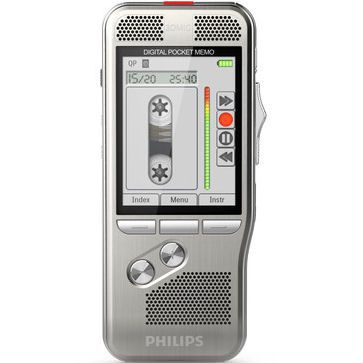
A handheld recorder may use pushbuttons or a slide switch. Compare how easily you can record, stop, review and return to the point where you want to continue. Some professional models support overwrite, insert or append editing; the available functions depend on the model and recording format.
A USB dictation microphone is another option for work at a computer. It sends audio to compatible software rather than necessarily storing files by itself. Confirm its controls, software support and connection requirements before treating it as a substitute for a portable recorder.
Understand the file formats
- DSS: Digital Speech Standard is a compressed format designed for professional speech and dictation. Playback requires compatible software.
- DSS Pro (.ds2): An enhanced dictation format that can support features such as encryption when the recorder and software provide them.
- MP3 and WAV: Widely supported audio formats. Check the receiving software and the settings required for your workflow; not every recording or editing feature is available in every format.
See the OM System explanation of DSS and DS2 formats. A familiar file extension is not a substitute for testing a sample in the actual transcription application.
Set up file delivery and transcription
With compatible equipment and configured software, USB or docking-station transfer can move completed recordings to an office folder or transcriptionist. Wireless transfer is model-specific. Choose an approved delivery method and check that the recipient can open the file before deleting the local copy.
A transcriptionist may use a headset and compatible USB foot pedal for playback while typing. Check software licensing, operating-system support, supported audio formats and pedal functions. Speech-recognition output also needs review and correction.
Compare office features by model
Author IDs, work types, priority flags, programmable buttons and automatic routing can help organize work when the equipment and software support them. Specialized features such as barcode capture or biometric access are model-specific; do not assume they come with every professional recorder.
For confidential material, review access controls, transfer, storage, retention and backups. Device encryption is one possible safeguard, not a guarantee that the whole office workflow is secure or compliant.
Choose a supported package
OM SYSTEM currently lists the DS-9500, DS-9100 and DS-2700 in its portable dictation range. Compare the exact model and software package rather than assuming every Olympus-era recorder has the same current replacement. OM SYSTEM portable recorder lineup. Verify current availability, supported software and included licenses before purchasing or reusing older equipment. Check mobile dictation services directly for their current apps, operating systems and subscription terms.
Browse professional dictation recorders and the lawyer’s digital dictation package, then compare the components with your office’s needs. The dictation workflow guide follows the process from recording to a completed document.
Related Martel equipment
Common Questions and Answers
What is the difference between a digital recorder and a USB dictation microphone?
A recorder saves audio through its supported recording functions. A USB microphone supplies audio to a compatible computer application, which must record or process it. Confirm where the file will actually be saved.
Can every transcription program open DSS or DS2 files?
Check the exact application, edition and version for the selected file type. Test a sample from the recorder before assuming support or buying a playback kit.
Does a foot pedal include transcription software?
A pedal may be sold alone or in a kit. Read the package contents and license details, then confirm that the software supports the exact pedal and your computer.
What should I compare beyond the recorder price?
Include required software, licenses, cables or dock, playback equipment and support. Compare the complete capture-to-document workflow, including the approved handling of sensitive files.