TIME IS RUNNING OUT FOR 2026 TAX WRITE-OFFS

Planning Court Reporting Audio Files and Working Copies

A court reporting job can depend on more than the transcript visible on the screen. There may be original capture audio, a separate room recording, linked exhibits, an application-managed index, an editable working job and a listening export made for an authorized reviewer. A useful file plan explains the job of each item and when it needs to be available.

Start with a harmless practice assignment. Close it through the reporting application, identify the material it created and reopen it through the normal workflow. Then draw a simple map of the original material, the copy used for editing and the package intended for handoff. This approach stays useful when you change laptops, applications or the way an office delivers work.
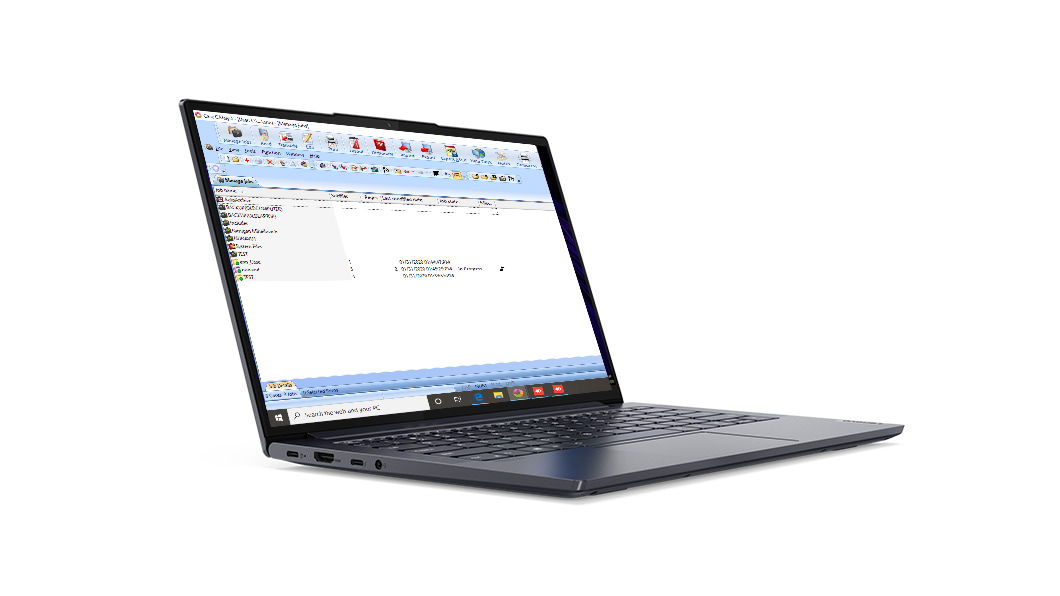
Martel Elite Court Reporter Laptop open on a white background

The Martel Elite Court Reporter Laptop can be prepared around your reporting workflow. Use the current product listing and written order for the available configuration. The planning exercise below concerns your files and their relationships, so it can travel with your work as equipment changes.

All people, assignments, filenames, counts, events and observations in the worked examples are invented for illustration. They are not actual case records, customer results or representations of how a particular reporting application always behaves.

Define what counts as the complete job

Write one sentence describing what you need to do next. “Continue editing the morning session with synchronized audio” is a different task from “listen to an approved reference copy” or “deliver the completed transcript.” The files required for each task may differ.

For an editable job, the transcript alone may be insufficient. Associated audio, project information or application-managed resources may also be needed. For a listening task, an authorized audio export may be enough, while the original application project remains with its responsible owner. A delivered transcript can be complete for its recipient without becoming a replacement for the source materials.

Ask the reporting application to show how it organizes and packages a practice job. Follow the instructions for the installed version. Do not dismantle an active project to make it look like an ordinary folder. The smallest safe unit to handle might be a managed job, an application export or a documented collection of files.

Write the completeness test next to the task. For editing, the test might include reopening the practice job and reaching the audio associated with a chosen line. For listening, it might include hearing the beginning, a middle marker and the ending of the approved export. For delivery, use the requirements of the authorized recipient.

Give every copy a role

A copy becomes confusing when nobody can explain why it exists. Use descriptive roles in a written inventory rather than relying only on a folder label such as New or Final.

Role What it represents Question the inventory must answer
Capture source Material preserved from the recording or reporting process Which device or application created it?
Working job The copy currently used for authorized editing Who may change it?
Reference copy A copy used to listen, compare or check an item What source does it refer to?
Delivery export Material prepared for a named authorized recipient Which deliverable does the recipient expect?
Transfer package The container or collection used for a particular handoff What is included, and what is intentionally absent?
Approved archive Material retained under the responsible organization’s process Who can retrieve it and verify the required relationships?

These are planning terms, not promises about menu labels in your software. A single file can serve more than one role, but record those roles explicitly. Conversely, several files can belong to one source, such as a recording divided into consecutive segments.

A working copy and a source copy should remain distinguishable even when their content initially matches. Once editing starts, the reason for preserving the source becomes especially clear: the reviewer needs to know which material reflects the original capture and which reflects later work.

Separate the file from the shortcut

Windows 11 File Explorer can help you inspect files and their locations. You can open it with the Windows key and E. Its Details view and the option to show filename extensions can make a practice inventory easier to read. This inspection does not require moving, renaming or deleting anything.

A familiar icon is not a complete location record. Quick access, a recent-items list or a desktop shortcut may point to material elsewhere. Record the actual working location through the application or File Explorer and keep the location associated with the correct role.

For an application-managed job, the application’s location information is usually more useful than guessing from a search result. For a cloud or network location, note that the file depends on that route and the required account permissions. An item appearing in a list does not by itself establish that the full material is available for the next intended task.

Use safe practice labels when documenting the route. A support conversation normally needs to understand the relationship between locations, not see confidential matter names. A note such as “working job in the approved local job folder; reference recording in the approved media folder” can explain the arrangement without exposing the actual case.

Build a job inventory before an equipment change

An inventory is useful before choosing or preparing another laptop because it describes what the reporting workflow must preserve. It should remain readable even if the hardware on the eventual order changes.

Begin with a representative practice job. Record the responsible person, the application used to open it, the source of the recording, any associated media and the destination of the next handoff. Mark what is confirmed and what still needs an answer.

Use one row per meaningful item or managed collection. Do not create a separate row for every internal file merely because File Explorer displays it. If the application handles a project as one supported package, keep that package together in the inventory and describe its known contents.

Inventory field Example entry
Practice assignment Cedar Bridge Practice
Item identifier CB-A
Role Working job
Created by Reporting application
Current location Approved local practice folder
Related items CB-B capture audio; CB-C reference exhibit
Editing owner Rae, fictional reporter
Next required use Resume editing with audio
Verification Reopened through the application
Unresolved question Does the export include the linked exhibit?

The last field matters. A blank or unresolved relationship is a useful finding. It tells you which question to settle before assuming the package can support the next task.

Keep recording sources distinct

A room recording, a writer’s voice recording and an authorized remote recording can cover parts of the same assignment while serving different purposes. Record who or what each source contains and which application captured it.

Several microphones do not automatically mean several separate files. A system may mix sources, keep them separate or create consecutive segments. Inspect an authorized practice result and use the application’s documented channel information where available. Record the observed arrangement instead of inferring it from the number of microphones on the table.

Listen to short, distinctive practice markers. For example, an invented room speaker might say “Cedar room opening,” while the writer says “Cedar writer opening.” Note which markers appear in which saved items. Avoid making a routing claim from filenames alone.

Preserve the relationship between sources without calling every source interchangeable. A listening export made from a mixed recording may be useful to a reviewer, while the separate original sources remain necessary for another authorized purpose. The inventory should explain that relationship rather than letting a convenient export silently replace it.

Distinguish simultaneous tracks from consecutive segments

A set of audio files can represent different parts of time or different sources recorded at the same time. That distinction affects how the complete job is described.

In an illustrative practice, CB-B1 and CB-B2 are consecutive parts of one room recording. CB-W is a writer recording that overlaps both. The complete assignment includes all three items, but it does not contain three separate proceedings.

Make a simple coverage note. Use the opening and closing markers or the application’s supported time references to show which parts belong together. If one recording stops during a break while another continues, record that difference. Do not create a seamless history merely because the files can be placed in a convenient order.

A gap and an overlap deserve different labels. A gap means a required interval is not represented in the material checked. An overlap means more than one item covers some of the same interval. Neither conclusion should rest solely on a file’s creation date. Reopen and listen through the supported tools before deciding what the collection contains.

Preserve application relationships

Some relationships live inside the reporting application. A transcript line can point to an audio position. A project can refer to an exhibit in another location. An index can connect multiple parts of a job.

Moving one visible file without its related material can change whether those relationships work. Use the application’s supported packaging or export procedure for a practice comparison. Keep the original working arrangement intact until the destination has been checked.

Write the relationship as a sentence: “This practice transcript opens its audio from the application’s associated media location.” That is more useful than saying “the folder is complete” when nobody has verified playback.

If an exported job opens but a linked exhibit is unavailable, record precisely that result. The transcript may have transferred successfully while the reference relationship remains unresolved. Avoid collapsing those two observations into a single pass or fail. The next task should be directed at the missing relationship.

Plan what must coexist during the work

Several legitimate copies can be needed at the same time. The working job may remain open for editing while an earlier delivery export awaits acknowledgment and a source collection remains preserved under the office procedure.

Draw the sequence before changing locations. At each stage, identify the copy used for the next action, the source that supports it and any outgoing item that still needs a receipt.

Stage Material that may coexist Decision to document
Capture closes Preserved source and newly saved working job Which item will be used for editing?
Editing continues Working job, source and approved reference media Which related items must remain accessible?
Review begins Working job and a named review export Is the reviewer changing the export or returning notes?
Delivery is prepared Working job, source and delivery package Which exact deliverable is being sent?
Receipt is pending Retained working material and outgoing package Who confirms receipt and usability?
Archival step is authorized Approved archive collection and documented current work Has the required collection been verified?

This is a coexistence plan. It does not authorize removal of any material. Retention and disposal decisions belong to the people responsible for the work and their applicable procedures.

Worked example: Cedar Bridge Practice

Rae is preparing an invented court reporting exercise with a morning session, a later continuation and one reference exhibit. She wants to know which items must stay connected while she edits and prepares a review handoff.

The exercise produces a managed reporting job called Cedar Bridge Practice. The room audio has two consecutive segments. A separate writer recording overlaps those segments. The reference exhibit is supplied as an authorized practice document. Rae also makes a listening export for a fictional reviewer, Sol.

She uses short identifiers in the inventory. These identifiers are labels for the example, not a proposed convention for real matters.

Identifier Item and role Relationship Current owner
CB-A Editable reporting job Uses CB-B1, CB-B2 and CB-C Rae
CB-B1 Morning room capture source First part of the room record Rae
CB-B2 Continuation room capture source Follows CB-B1 Rae
CB-W Writer capture source Overlaps both room segments Rae
CB-C Reference exhibit Linked from the practice job Rae
CB-R1 Listening export for review Derived from the approved source selection Sol after receipt
CB-N1 Reviewer’s returned notes Refers to CB-R1 Rae after return

Rae first reopens CB-A and verifies an opening marker in CB-B1, a continuation marker in CB-B2 and the reference exhibit CB-C. She records each result separately. She does not assume that opening the transcript proves every related item is available.

Next, she checks CB-R1 independently. The listening export includes the authorized room sequence, but it does not include the separate writer source or the linked exhibit. That can be acceptable for Sol’s assigned listening task if those omissions match the handoff instructions. The inventory makes them explicit.

Sol returns CB-N1 with references to the listening export. Rae applies authorized changes to CB-A and retains the relationship between the notes and the version Sol actually heard. A later export receives a distinct review identifier so the earlier notes are not accidentally interpreted against a different sequence.

The example’s useful result is the relationship map. It identifies what Rae needs while editing, what Sol needs for the review task and which preserved sources remain outside the review package. It does not promise that any particular application will create these exact items or use these labels.

Check the package against its intended recipient

Before preparing a package, ask what the recipient will actually do. A scopist returning edits may need an application-supported job package. A person authorized only to listen may need a compatible reference export. A purchasing assistant may need only a description of the workflow.

Give each handoff a narrow purpose. Record the recipient, permitted task, included items, intentional omissions and expected return. Confirm the permitted transfer route before sending real work.

A filename can identify an item, but it cannot establish that the recipient has the software, permissions or related files needed to use it. Test the intended arrangement with fictional content. Ask the recipient to confirm the specific action, such as opening the practice job and locating the closing marker.

Keep the acknowledgment tied to the package that was sent. “Received” and “opened successfully” describe different events. A useful receipt can record both without implying that the recipient has reviewed every word or approved the substance.

Maintain a clear editing owner

When several people have copies, identify which copy is currently authorized for editing. The person holding a convenient export does not automatically become the owner of the working job.

For the Cedar Bridge example, Rae retains editing control of CB-A. Sol returns notes linked to CB-R1. If Sol is instead authorized to edit an application package, the handoff should explicitly say when that editing begins, what copy is under Sol’s control and how the changed copy will return.

Avoid informal simultaneous editing unless the approved system and workflow support it. Two independently changed copies can require reconciliation even when both people worked correctly within their own files.

When the work returns, preserve the incoming copy long enough to compare it through the approved procedure. Record which version becomes the next working job and how the earlier version can be identified. This step establishes continuity of the work; it does not decide which professional corrections are appropriate.

Handle revised exports without confusing the source

A revised export is a new delivery event. It may reflect an editing change, a different requested scope or a corrected package. Record the reason instead of silently replacing the only copy of the earlier export.

In the illustrative exercise, Rae creates CB-R2 after correcting a practice speaker label. CB-R1 remains the item Sol originally reviewed. The notes explain the change and identify which export the recipient should use next.

Do not describe CB-R2 as a new original recording. Its role is still a derived review copy. If a source item itself was replaced under an authorized process, record that event separately and preserve the required documentation.

The same principle applies to a clip or excerpt. State which source it came from and what portion it represents. A short excerpt may be perfectly suited to a limited question while remaining incomplete for another task. Make the scope visible to the recipient.

Plan local access around the next task

Decide which material must be accessible when the next authorized action occurs. A reporter editing away from the office may need the working job and its associated audio locally. A completed reference collection may belong in an approved archive that is accessed only when needed.

The answer depends on the workflow and permissions. Do not assume that every past recording must remain on every laptop, or that a remote location will be reachable at every assignment.

Use a task-to-file checklist. For each expected action, identify the required items and how they will be opened. If the next action requires a network or account connection, record that dependency. If an approved local copy is needed, confirm its availability before the assignment through a practice workflow.

This guide addresses which files belong together. A full offline rehearsal, backup-laptop takeover or migration procedure needs its own application-specific plan. Keeping the inventory focused makes it useful across all of those decisions without pretending to replace them.

Keep working copies distinct from backup and archive roles

A second folder on the same computer may be a valuable working copy, but the label “backup” does not establish an independent recovery process. Likewise, an archive folder is only part of an archival arrangement; the responsible person still needs a way to find and use the required material.

Describe the purpose and location of each copy without giving it a reassuring name that promises more than has been checked. A working copy supports current editing. A backup arrangement supports recovery through an approved process. An archive supports the required retention and retrieval of completed material.

Those roles may use related files, but their owners and verification procedures can differ. Record who checks the archive and who supports recovery. Do not assign those responsibilities to a laptop seller merely because the seller helped prepare the computer.

When a job moves from active work to an approved archive, verify the required collection through the organization’s procedure. That is separate from deciding whether any local copy may later be removed. The inventory provides information for the responsible decision-maker; it does not supply permission.

Worked example: an exhibit appears to be missing

In a second invented exercise, reporter Nila opens an exported practice job and sees the transcript normally. A reference to the fictional exhibit Lantern Diagram remains in the text, but the exhibit does not open from the expected location.

Nila checks the inventory before changing the working source. The original job referred to the exhibit in a separate approved reference folder. The export procedure used for the example did not include that reference document.

The finding is specific: the transcript opens, its checked audio plays, and the linked exhibit is absent from the export package. Nila records three observations rather than declaring the whole job lost.

She asks the person responsible for the handoff whether the recipient needs that exhibit and whether sharing it through the chosen route is authorized. If the answer is yes, she prepares the corrected practice package through a supported method and tests the link again. If the recipient’s task does not require the exhibit, she documents the omission and its reason.

The exercise demonstrates why file roles are useful. A transcript reference, an actual exhibit document and the permission to send that document are separate facts. A complete inventory makes each one visible without changing the source to conceal the mismatch.

Prepare a useful request for setup assistance

When asking Martel or another authorized support contact for help preparing a reporting laptop, describe the tasks and file relationships. There is usually no need to send actual case audio merely to explain the workflow.

A useful message might say: “I use one editable reporting job with linked audio and a reference exhibit folder. I create a separate listening export for an authorized reviewer. I need the working job and its audio available for editing away from the office, and my office controls the approved archive.”

Add the application and version, the kind of input used and the handoff format required by the receiving workflow. Mark any relationship you have not yet confirmed. Keep passwords, full license keys and confidential matter details out of a general setup request.

The court reporter laptop buyer’s guide covers the broader equipment decision. The Martel court reporter laptop category shows the packages currently offered. Your file-role inventory can accompany that conversation as the available models change.

Revisit the plan when the workflow changes

Update the inventory after a meaningful change in the reporting application, capture arrangement, review process or delivery requirement. A new workflow may save associated material in a different place or ask a recipient to use a different kind of package.

Keep the earlier practice inventory with its date and the condition it describes. The comparison can show exactly what changed: a new separate audio source, a reference that is now embedded, or a reviewer who now returns an editable job instead of notes.

Do not turn every ordinary edit into a new equipment decision. The purpose of the inventory is to identify relationships that affect use and handoff. If the next task can still be completed with the same verified collection, record that continuity.

A useful review ends with a concise statement: which copy is the working job, which sources support it, which items must remain accessible and which handoff is awaiting confirmation. That statement is easier to act on than a long list of unexplained folders.

Questions and answers about court reporting audio files

1. What should I count as the complete court reporting job?

Start with the task you need the job to support. An editable reporting job may need associated audio, application information and linked reference material. A listening export may support a narrower task. Identify the supported unit in your application, then verify the relationships needed for the next action. A file opening successfully establishes only what you actually checked. It does not prove that every associated item is present or that the collection meets every recipient’s requirements.

2. Why keep an inventory if the application already lists my jobs?

The application’s job list helps you locate work inside that application. An inventory explains the broader relationship among original sources, working copies, exports, reference exhibits and authorized recipients. It is especially useful when some related material is outside the managed job or when a handoff intentionally includes only part of the collection. Keep the inventory short enough to use. Record meaningful roles and unresolved relationships rather than reproducing every internal filename displayed by the software.

3. Is a transcript file enough for an authorized reviewer?

It depends on the assigned review task. A reviewer checking only a permitted text deliverable may need that document. A scopist checking wording against audio may require a supported job package and associated recordings. Confirm the required action with the recipient before preparing the handoff. Use a fictional practice job to verify that the package supports that action. Do not assume that a successful text opening proves the reviewer can reach audio or other related material.

4. What is the difference between a source and a working copy?

The source is material preserved from the capture or creation process. The working copy is the item designated for current authorized editing. Their contents may match at first, but their roles differ once changes begin. Record who created the source, where it is held under the applicable process and who may edit the working copy. The distinction helps a reviewer understand whether an observed change came from the original recording, later editing or a derived export.

5. Can I rename files to make the collection easier to understand?

Use the reporting application’s supported procedures and the office’s naming rules. Some managed jobs rely on relationships that can be affected by manual changes. For the planning exercise, you can add descriptive identifiers in the inventory without renaming the actual files. That keeps the original arrangement intact while you learn how it works. If a real name change is needed, test the supported method on invented practice material and verify the relevant links afterward.

6. How do I inspect a practice folder in Windows 11?

Open File Explorer, locate the approved practice location and choose a view that makes the items easy to distinguish. Details view and visible filename extensions can help identify file types. Use the application’s location information when the job is managed by the reporting software. Inspection does not require moving anything. Record the location and role of the items you can identify, and leave uncertain internal files together until the software’s guidance explains how they are handled.

7. Why does a recent-items entry not prove where my job is saved?

A recent-items entry helps you return to something you opened. It is not a complete description of the file’s location or its dependencies. The item may be in a local, network or approved cloud location, or it may be reached through a shortcut. Confirm the actual route through the application or File Explorer. Keep that route associated with the job’s role so someone reviewing the inventory knows which location must be available for the next task.

8. How should I describe multiple audio sources from the same assignment?

Give each source its own role and coverage description. Note whether it contains room speech, the writer’s voice or an authorized remote source, and identify the device or application that created it. Use harmless distinctive practice markers to verify the description. Several sources can overlap in time without being interchangeable. A mixed listening export may support one review task while the separate sources serve another authorized purpose. The inventory should preserve that distinction.

9. How can I tell consecutive segments from simultaneous tracks?

Check the application’s supported information and listen to identifiable practice markers around the boundaries. Consecutive segments cover successive parts of a recording. Simultaneous tracks can cover the same interval from different sources. File dates and alphabetical order alone are insufficient to establish that relationship. Write a short coverage note showing where each item begins and ends relative to the practice session. Mark any interval that you cannot verify instead of guessing at the sequence.

10. What if the job opens but its audio does not play?

Record the result precisely: the job opened, but the expected audio was unavailable or did not play through the checked route. Confirm the associated media location using the application’s guidance and verify the intended playback output. Preserve the original arrangement while investigating. Do not overwrite a working source simply because an export has a missing relationship. A harmless practice package can help distinguish an incomplete handoff from a playback or application-access issue.

11. What if an exhibit is linked from outside the job folder?

Record the exhibit’s role, approved location and relationship to the job. Determine whether the recipient’s task requires it and whether it may be included in the chosen handoff. A reference in the transcript is not the same as the actual exhibit being present. Use the application’s supported packaging procedure and verify the result with practice material. If the exhibit is intentionally excluded, state that explicitly so the recipient does not interpret the omission as an unexplained failure.

12. Why do several copies sometimes need to exist at once?

Different stages can require different items. The working job may remain under active editing while a review export awaits comments and the capture source remains preserved. A transfer package may coexist with the material used to create it until receipt is confirmed. List the purpose of each copy at the stage where it is needed. That prevents a useful working or delivery item from being dismissed as an unexplained duplicate merely because its content resembles another file.

13. Does a second folder on the laptop count as a backup?

A second folder can be a working copy, but its existence alone does not establish an independent recovery arrangement. Describe what it is intended to protect and how the approved recovery process would use it. Keep backup responsibilities separate from ordinary editing and handoff tasks. If your organization already defines the backup process, refer to that process in the inventory. This guide helps identify the required material; it does not replace a recovery plan.

14. What is the difference between an archive and a delivery package?

An archive supports the organization’s approved retention and retrieval needs. A delivery package supports a specific recipient and task. The two may contain related material but can have different scopes, owners and verification requirements. Do not assume that the convenient package sent to a reviewer includes everything required for the archive. Record each role separately and identify who confirms that the corresponding collection is complete for its intended use.

15. Who decides what can be removed after a handoff?

The person or organization responsible for the work decides under the applicable requirements and procedures. A successful transfer does not itself authorize deletion of the source, the working copy or other related material. The inventory can show what was sent, what the recipient confirmed and what remains available. It supplies evidence for the responsible decision-maker. Do not use a general equipment guide as a substitute for the instructions that govern the actual records.

16. What should an acknowledgment from a recipient say?

Tie the acknowledgment to the package and the action checked. For example, the fictional recipient may confirm that CB-R1 arrived and that its opening and closing practice markers play. That is more informative than a general “got it.” Keep receipt, successful opening and substantive review distinct. The recipient may have completed one without completing the others. The required acknowledgment depends on the assigned task and the organization’s handoff procedure.

17. How do I prevent two people from editing different copies unintentionally?

Designate the current editing owner and identify the exact working copy at each handoff. Explain whether the recipient is returning notes or an edited application package. When work returns, use the approved comparison process before deciding which version becomes current. Preserve enough context to identify the prior version and the returned item. Avoid relying on a filename such as Final alone to establish authority when several people have legitimate copies.

18. How should I handle a corrected listening export?

Treat it as a new delivery event and identify what changed. Keep it distinguishable from the export the reviewer originally used, so earlier notes still point to the right version. Tell the authorized recipient which item should be used for the next task. A corrected export remains a derived copy unless the underlying source was also replaced through an authorized process. Record those events separately so the history of the work remains understandable.

19. Can I use a short excerpt to check a specific question?

Yes, when the excerpt and its sharing are authorized for the task. Identify the source, the portion represented and the purpose of the excerpt. A short clip can be useful for a narrow listening question without being complete for transcript review or archival needs. Do not let the convenience of an excerpt erase the relationship to the full source. Preserve the original material and use the approved method to create and label the derived copy.

20. Which files should remain available when I work away from the office?

List the next tasks and the items required to complete them. Current editing may require the working job, associated audio and approved reference material. A finished historical collection may remain in the approved archive if that matches the workflow. Record any dependence on a network, account or external destination. Confirm the required access before the assignment through a practice process. This decision is about task availability, not a universal rule that every file belongs on every laptop.

21. How can a student build this plan without real case files?

Create an invented exercise using the school’s authorized application and normal practice procedure. Include a short opening marker, a continuation and a harmless reference document if those are part of the class workflow. Close and reopen the exercise, identify the supported job package and record its relationships. Ask the instructor to verify unfamiliar roles or handoff requirements. A clear practice inventory can expose unanswered questions before the student has responsibility for actual proceedings.

22. What should I tell Martel when preparing a reporting laptop?

Describe the application, the kind of capture used, the related files needed for editing and the expected handoff. A concise inventory can explain that the working job uses linked audio, that a reviewer receives a separate export and that an office controls the archive. Identify unresolved relationships so they can be discussed during setup. Use the current Martel product listing and written order for the package being supplied, and keep confidential case content out of a general equipment inquiry.

23. When should I update the inventory?

Update it when the workflow changes in a way that affects file roles or relationships. Examples include a new recording source, an application change, a different export procedure, a linked exhibit arrangement or a reviewer who now returns an editable job. Date the new practice inventory and retain the relevant earlier notes. The comparison should explain what changed and which tasks were verified afterward. Ordinary text edits do not necessarily require a new equipment plan.

24. What does a successful file-planning exercise produce?

It produces a short, usable account of the current working job, its supporting sources, the related material needed for the next task and any handoff awaiting confirmation. Each role has an owner and a verification appropriate to its purpose. Unresolved items remain visible. The result should help a reporter explain the workflow to an authorized reviewer, office coordinator or setup contact without depending on a particular laptop model or exposing actual case material.

Martel Electronics