







Description
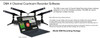
DM4 4-Channel Courtroom Recording Software & Transcriber Kit
Record the judge, witness, and attorneys on separate channels so playback is easier, transcription is clearer, and the speaker you need can be isolated when necessary.
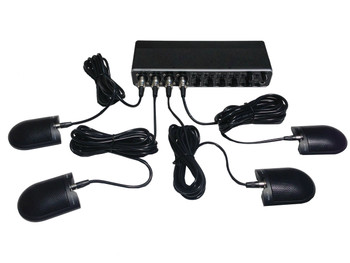
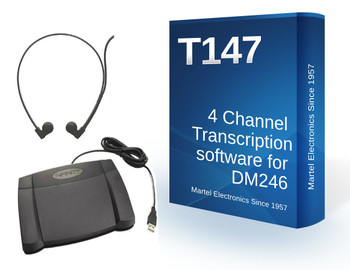
This complete Martel package includes DM4 courtroom recording software, a USB 4-channel mixer, four professional court microphones, four 10-foot cables, four microphone stands, one monitoring headphone, and one hard shell case.
One Room Microphone Can Make Courtroom Playback Hard
Courtrooms are difficult recording environments. The judge may be at the bench, the witness may be across the room, and attorneys may speak from different tables. One room microphone can make it hard to hear who said what during playback.
The DM4 package gives each main speaking area its own microphone channel. During transcription, you can listen to all channels together or isolate the judge, witness, or attorney channel when you need more clarity.
What Comes in the DM4 Package
```Computer not included. Compatible Windows computer required for DM4 software.
```Simple Courtroom Setup: Place, Connect, Test, Record
```Place the Microphones
Place the four microphones near the judge, witness, attorney table, and room coverage area.
Connect the Mixer
Connect each microphone to its own mixer input and connect the mixer to the computer by USB.
Test Every Channel
Make a short test recording and confirm Microphones 1, 2, 3, and 4 before the proceeding starts.
Record and Transcribe
Record the proceeding, then isolate channels during playback when a speaker needs to be heard more clearly.
Judge / Bench Area
Place one microphone near the judge or bench area for clearer playback of court instructions, rulings, and bench audio.
Witness Area
Place one microphone near the witness so soft answers can be isolated and reviewed during transcription.
Attorney Table
Place one microphone near the questioning attorney or primary attorney table.
Opposing Table / Room Coverage
Use the fourth microphone for the opposing table, room coverage, or a backup placement area.
Recorder and Transcriber in One Workflow
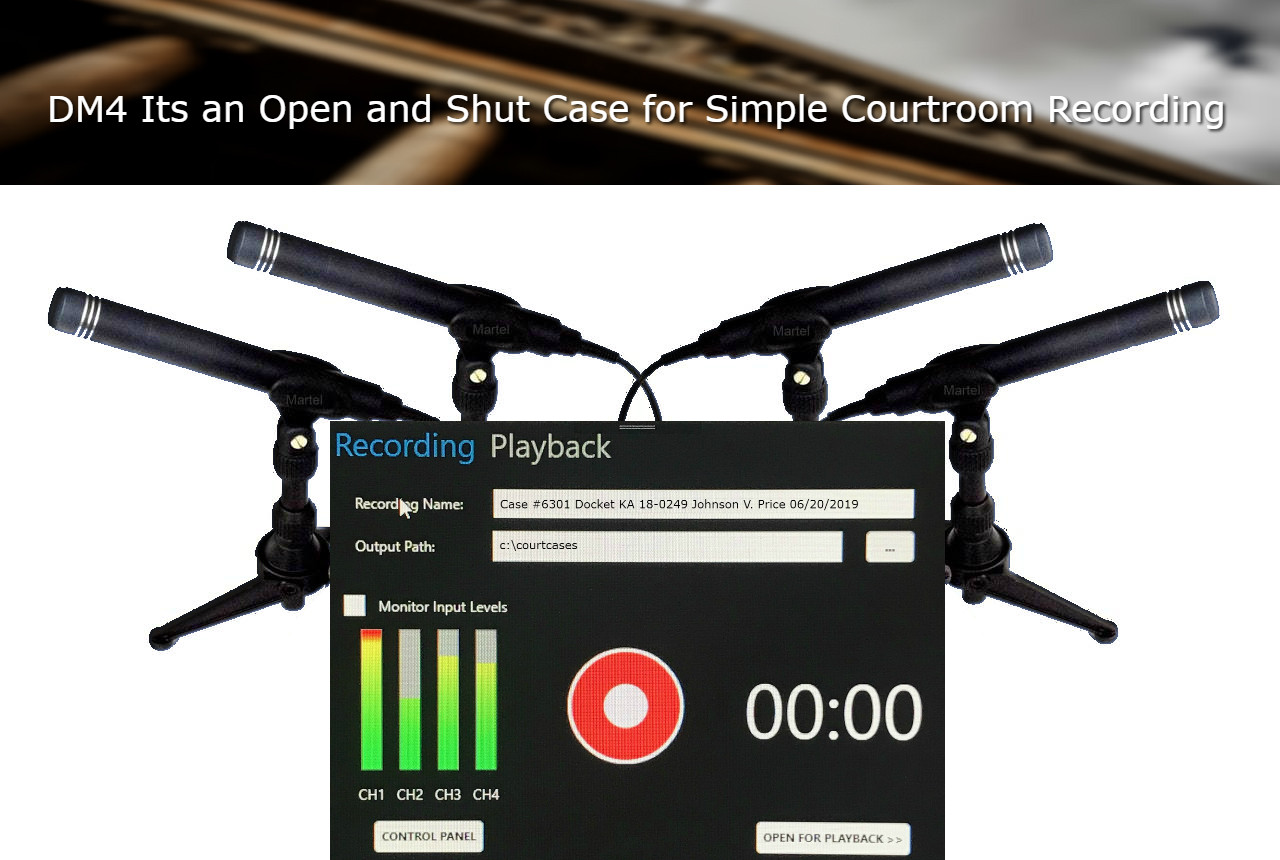
```DM4 software is designed as a 4-channel recorder and transcriber in one. Record the proceeding, then use the same workflow for playback and transcription.
- Record and play back four tracks.
- Listen to all four channels together.
- Isolate one channel when one speaker is hard to hear.
- Create a combined audio file for outside transcription workflows when needed.
- Use your preferred secure file transfer method when sending audio to an outside transcriber.
DM4 Mixer Features That Help Court Reporters
```4 Professional Microphone Inputs
Connect up to four compatible XLR microphones directly to the mixer, with each microphone assigned to its own input.
48V Phantom Power for Compatible Mics
The mixer provides switchable 48V phantom power for compatible Martel courtroom microphones that require phantom power.
Individual Gain Controls
Each microphone input has its own gain control, so the judge, witness, and attorney microphones can be adjusted separately.
Signal and Clip Lights
Signal lights help confirm that sound is reaching each channel. Clip lights warn when a channel is too loud and should be turned down.
Pad Buttons for Loud Inputs
Pad buttons help reduce the input level when a source is too loud, giving you more control during setup.
Live Headphone Monitoring
Monitor the microphones with headphones while recording, so you can confirm the courtroom audio is being captured before and during the proceeding.
Zero-Latency Direct Monitoring
The direct monitoring mix control lets you hear live microphone audio without waiting for computer software processing delay.
Mono or Stereo Monitoring
Use mono monitoring when you want all microphones centered in both ears during setup and recording checks.
High-Resolution USB Audio Hardware
The DM4 mixer uses high-resolution USB audio hardware capable of professional digital recording. Martel configures practical settings for courtroom use.
Powered USB Mixer Design
The mixer connects to the computer by USB and uses its own power source for a serious courtroom recording setup.
Playback and Main Output Options
Headphone, main output, and playback output options help with controlled monitoring and review.
Security Lock Slot
A built-in security lock slot is useful for courtrooms, offices, and agencies that keep the mixer in a fixed location.
Built for Transcription
Four-channel audio can make a major difference during transcription. Instead of struggling with one mixed room recording, you can focus on the channel where the speaker was closest to the microphone.
- Isolate a soft-spoken witness.
- Review the judge, witness, or attorney channel separately.
- Listen to all channels together for normal review.
- Create a combined file for outside transcription workflows when needed.
Remote PC Support Included
Court reporters should not have to fight with audio settings alone. Martel can remotely help configure the computer, select the correct audio input, check the microphone channels, and help you complete a test recording.
- Remote PC setup assistance included.
- Help selecting the correct DM4 recording input.
- Help confirming the four microphone channels.
- Designed for court reporters, clerks, and courtroom recording workflows.
Best For
```A stronger backup and transcription workflow for courtroom audio.
A practical four-microphone setup for hearings and courtroom proceedings.
Separate channels help make difficult speakers easier to review.
Written quotes and purchase order support may be available for qualifying agencies and institutions.
Before You Start a Legal Recording
Recording rules vary by court, agency, state, workplace, and proceeding. The user is responsible for confirming that recording is authorized and permitted before recording.
Always complete a short test recording and play it back before the official record begins. Confirm all microphones, all channels, 48V phantom power, computer power, file saving, and playback.
Important Compatibility Notes
```- DM4 courtroom recording software is designed for compatible Windows computers.
- Computer is not included.
- For four separate tracks, the software must be set to use the four-channel DM4 input.
- Not every basic audio program records four independent channels. Use DM4 software or compatible multichannel recording software when separate tracks are required.
- 48V phantom power should only be used with microphones designed for phantom power.
- For larger courtrooms, Martel can configure compatible microphone expansion options when appropriate.
- Always make and play back a test recording before the official proceeding starts.
Why Buy the DM4 System From Martel?
```Complete Courtroom Kit
You receive the software, mixer, four microphones, four cables, four stands, headphone, and hard shell case in one package.
Courtroom-Focused Setup
Martel configures this as a courtroom recording solution, not a music studio product.
Remote PC Support
Martel can remotely help set up the software, audio input, microphone channels, and test recording on your computer.
Since 1957
Martel Electronics has supplied professional recording, court reporting, law enforcement, and government customers for decades.
Need a Written Quote or Purchase Order?
Courtrooms, agencies, schools, and institutions can use the quote button on this page to request a written quote.
Purchase order support may be available for qualifying agencies and institutions.
Frequently Asked Questions
```Is this software only?
No. This is a complete DM4 courtroom recording package. It includes the DM4 software, USB 4-channel mixer, four professional court microphones, four 10-foot cables, four microphone stands, one monitoring headphone, and one hard shell case.
Does the DM4 record four separate tracks?
Yes. The DM4 software and mixer workflow is designed for four-channel recording, so each microphone can be recorded and reviewed as its own channel when properly configured.
Can I listen to all four channels at once?
Yes. You can listen to all channels together for normal playback, or isolate a channel when you need to focus on one speaker.
Do compatible Martel XLR microphones need batteries?
Compatible Martel XLR microphones use the mixer’s 48V phantom power and do not require microphone batteries.
Can Martel help set it up?
Yes. Martel remote PC setup help is included so the system can be configured and tested on your computer.
Can I send recordings to an outside transcriber?
Yes. The DM4 workflow can create a combined audio file that can be sent through your preferred secure file transfer method for outside transcription.
Can this be used in a larger courtroom?
Yes, larger courtroom setups are possible with the right equipment. Contact Martel for compatible microphone expansion options before purchasing for a large courtroom.
Build a Cleaner 4-Channel Courtroom Recording Setup
The DM4 gives court reporters and courtrooms a complete way to record, monitor, play back, and transcribe courtroom audio with four separate microphone channels.