








Description

Serious voice pickup without covering your table with equipment
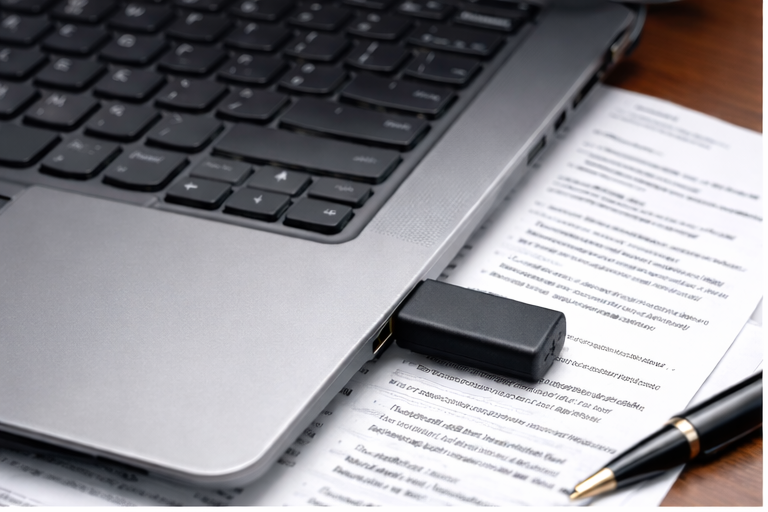
A court reporter already has a laptop, writer, notes, exhibits, cables, and case materials competing for space. The Court Reporter USB Micro Microphone gives you a dedicated external audio input while occupying almost no working room.
Plug It In and Work
No batteries, separate power supply, manufacturer driver disc, tabletop base, microphone stand, or long audio cable.
Hears Every Direction
The omnidirectional pickup pattern listens around the room instead of requiring every speaker to face one narrow direction.
Extended Voice Pickup
Designed for voice pickup at distances of up to 90 feet under favorable room, placement, and speaking conditions.
Exceptionally Compact
Less than two inches in total size, making it easy to carry and unobtrusive during professional proceedings.
Your laptop microphone was not designed around a courtroom
A built-in laptop microphone is normally optimized for the person sitting directly in front of the computer. A dedicated omnidirectional microphone is a better fit when attorneys, witnesses, judges, and other participants may speak from different positions around the room.
Typical Built-In Laptop Microphone
Court Reporter USB Micro Microphone

Easy to carry. Easy to use. Easy to keep ready.
The tiny size of the Court Reporter USB Micro Microphone makes it practical for daily court reporting work, depositions away from the office, traveling assignments, and emergency backup use.

Hear voices from around the room without constantly repositioning equipment
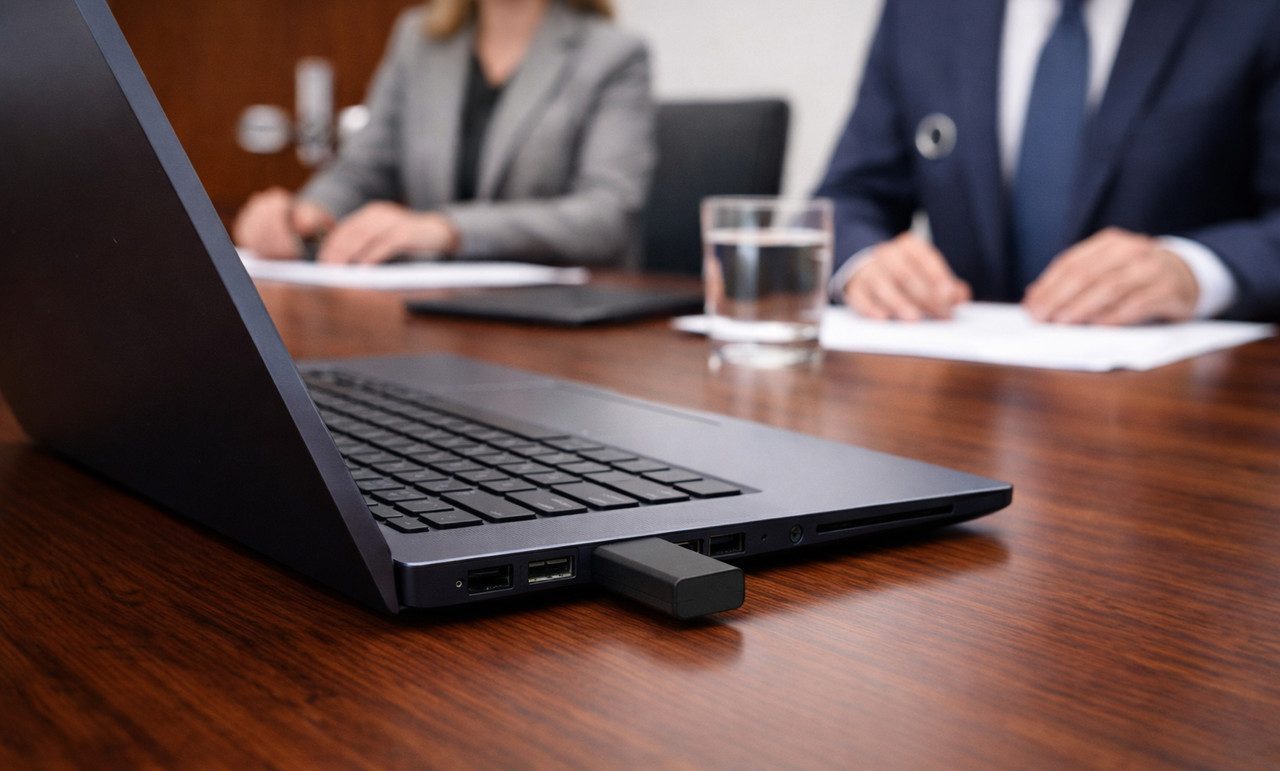
The omnidirectional design receives voices from every direction, making the microphone a practical choice when speakers are positioned around a deposition table or throughout a courtroom.
Voice pickup at distances of up to 90 feet
The Court Reporter USB Micro Microphone is designed to capture voices from across larger professional rooms when speakers are audible and conditions are favorable.
Actual results depend on speaker volume, room acoustics, distance, laptop settings, ventilation noise, side conversations, and microphone placement. The 90-foot figure does not mean quiet speech will record identically in every room.
A standard Windows USB microphone for the CAT software court reporters use
Once Windows recognizes the microphone, select it as the recording input in your CAT software. The software edition must include or permit audio recording.
Connect, select, and test
A professional microphone should simplify your job—not create another technical project.
Connect the Microphone
Insert the Court Reporter USB Micro Microphone into an available USB-A port or compatible adapter.
Select the USB Input
Choose the USB microphone in Windows and inside your CAT or recording software when necessary.
Make a Test Recording
Speak from the expected seating positions, listen to the test, and confirm the recording level before the proceeding begins.
What court reporters need to know
Here is how the Court Reporter USB Micro Microphone fits into a real court reporting workflow.
Is it a primary or backup microphone?
It can serve either purpose. Its omnidirectional room pickup makes it suitable as a compact primary microphone, while its small size makes it especially easy to keep available as a dependable backup.
Will it work with CAT software?
It works as a standard Windows USB microphone input for supported audio-enabled versions of Case CATalyst, Eclipse, StenoCAT, digitalCAT, ProCAT, and other compatible CAT or recording programs.
Will it work with every software edition?
The microphone works as a Windows USB audio input, but the software edition must include or permit audio recording. Some student, editing-only, or limited editions may not include that feature.
What will Windows call the microphone?
The displayed name can vary by computer. Windows may identify it as a USB microphone or USB audio device. Confirm the correct input by speaking and watching the Windows input-level meter.
Will it hear several people?
Yes. Omnidirectional pickup is intended for situations where speakers may be located in front of, beside, or behind the computer, including deposition tables and courtroom seating arrangements.
Will it work with USB-C?
The microphone uses a standard USB-A connection. A computer equipped only with USB-C ports will need a compatible USB-C-to-USB-A adapter or hub.
Can it connect through a USB hub?
It can work through a compatible hub. For the simplest and most direct audio connection, connect it directly to the laptop when an appropriate port is available.
Could it cover a nearby USB port?
Port spacing differs between computers. On laptops with tightly spaced ports, the microphone body may limit access to a neighboring port. A short USB extension or suitable hub can provide additional spacing.
Does it require special positioning?
It is a direct-plug micro microphone rather than a stand-mounted or gooseneck microphone. Do not bend or force the body. Position the laptop so the microphone has open exposure to the room.
Does it require batteries or charging?
No. The microphone receives its power through the computer’s USB connection, so there are no batteries to replace and nothing to charge before a job.
What is included?
This listing is for the Court Reporter USB Micro Microphone shown. The laptop, CAT software, adapter, hub, and courtroom equipment displayed in lifestyle images are not included unless expressly listed with the purchase options.
Should it stay connected during transport?
No. Unplug the microphone before placing the laptop in a carrying case or moving through tight spaces. This helps protect the microphone and the computer’s USB port.
Unplug it before transporting your laptop
Remove the microphone before placing the laptop in a carrying case or moving through tight spaces. This helps protect both the microphone and the computer’s USB port.
Test before every official proceeding
Every room and computer setup is different. Record a short test from the expected speaking positions and listen to the result before the job begins.
Court Reporter USB Micro Microphone FAQ
Add professional room pickup to your laptop without adding bulky equipment
Compact enough for every court reporting bag, simple enough to use every day, and compatible with the major CAT software court reporters rely on.